


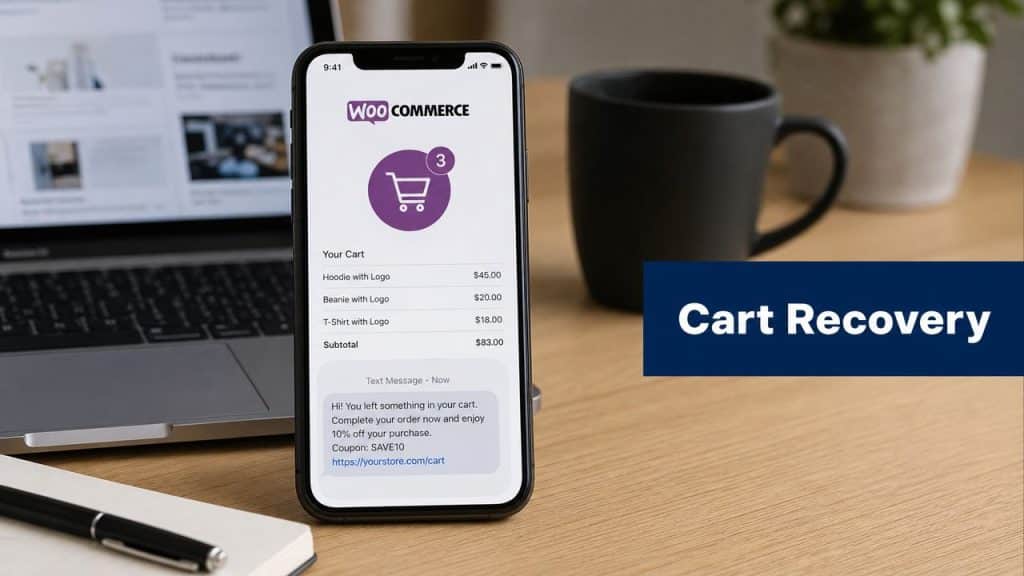
Around 7 out of 10 carts are left behind before checkout is complete.
For a WooCommerce store, that usually means revenue is being lost after the customer has already shown purchase intent. The practical question is not whether recovery matters. It is which channel can bring shoppers back while the intent is still warm.
Email still has a place, but SMS is often the faster recovery tool. A text reaches the same phone the shopper used to browse, and the path back to checkout can be one tap. That speed is why many stores now treat SMS as part of their retention stack, not an afterthought. If you want a clearer picture of the benefits of SMS marketing for revenue recovery, start there.
The difference between average and high-performing abandoned cart recovery for WooCommerce usually comes down to system design. Timing, consent capture, message sequencing, discount logic, checkout links, and attribution all need to work together. Tools like CartBoss are useful because they handle those moving parts inside an automated flow instead of leaving merchants to stitch together plugins and manual rules.
There is also a margin angle that gets ignored. If you sell imported products, every recovered order needs to stay profitable after shipping, duties, and taxes, which is why planning with an AUSFF import cost estimator can be sensible before adding incentives to your SMS offers.
Why Your WooCommerce Store Needs SMS Cart Recovery
Roughly 7 out of 10 carts never reach payment, as noted earlier. For a WooCommerce store, that means a large share of lost revenue comes from shoppers who were already close enough to buy.
That gap is exactly why SMS recovery earns its place in the stack.
Abandonment usually happens for ordinary reasons. A shopper gets distracted, wants to compare prices, pauses after seeing shipping, or decides to finish later and forgets. Those are not branding problems. They are interruption problems, and interruption problems respond well to fast follow-up.
Email still matters, but SMS reaches the decision window faster
Email remains useful for longer copy, product education, and follow-up after the first reminder. The weakness is timing. In abandoned-cart recovery, the first hour carries the highest intent, and WooCommerce stores often lose that window by relying on email alone.
SMS works well here because it matches the shopper’s behavior. The customer was already on a phone or close to one, the message is short enough to read immediately, and the return path can be a single tap back to checkout. That combination matters more than creative polish.
Practical rule: If the customer entered contact details and started checkout, the reminder should read like a useful prompt, not a campaign blast.
High-performing stores usually treat SMS and email as separate jobs inside one recovery system. SMS handles speed. Email handles extra context, reassurance, and later follow-up. CartBoss is a good example of how WooCommerce merchants can set up that SMS layer without stitching together multiple tools by hand. For a broader channel comparison, its guide to the benefits of SMS marketing for revenue recovery is a useful reference.
SMS becomes even more valuable when cart friction is tied to total cost
A meaningful share of abandoned carts has nothing to do with product interest. The hesitation shows up when the final order total changes late in the process. Shipping, duties, taxes, and import fees can all slow down the decision, especially for cross-border orders.
In those cases, recovery performance starts before the message is sent. If pricing clarity is weak, a reminder only brings the shopper back to the same objection. Merchants selling internationally should understand that friction in practical terms, and tools like the AUSFF import cost estimator help illustrate the landed-cost questions customers are trying to answer before they complete payment.
That is the strong argument for SMS cart recovery on WooCommerce. It gives stores a fast, automated way to recover active buying intent, while leaving room for proper consent handling, message sequencing, checkout-link tracking, and margin control. Done well, it becomes a system, not a one-off reminder.
Setting Up Your SMS Recovery Engine with CartBoss
Stores lose recoverable revenue when abandonment tracking is loose. The setup work decides whether your SMS program sends timely, relevant reminders or fires late, misses carts, and credits the wrong orders.
For WooCommerce, the foundation is straightforward. Capture the key events, pass shopper and cart data into your recovery tool, and stop messages the moment a purchase is completed. Independent WooCommerce guidance from ActiveCampaign’s abandoned cart guide highlights the importance of tracking add-to-cart activity, abandonment, message engagement, and completed purchases inside an automated recovery flow. That framework matters because SMS gives you very little room for error. If the trigger is wrong or the checkout link breaks, performance drops fast.

Install the plugin and connect the store
CartBoss is a practical example because it handles the core pieces in one system: WooCommerce connection, cart-event capture, SMS automation, checkout links, and reporting. That reduces setup risk compared with stitching together separate plugins, webhooks, and SMS gateways.
Use this order during implementation:
-
Install the WooCommerce plugin
In WordPress, add the CartBoss plugin and activate it. The plugin is what connects store activity to the SMS platform without custom development. -
Connect your CartBoss account
Authorize the store inside the plugin settings. Once connected, CartBoss can receive abandoned cart events and trigger recovery messages automatically. -
Run a live test cart
Add a product, enter checkout details, abandon the session, and confirm the event appears in CartBoss with the right phone number, cart contents, and recovery link. Never skip this step. A plugin can be active while field mapping is still wrong. -
Choose your abandonment window
The timing should match your sales cycle. Faster triggers usually fit impulse products. Longer windows can make sense for higher-consideration purchases where shoppers compare options before returning.
Get the data mapping right
Most setup failures come from data issues, not copy issues.
If the phone number is missing or formatted badly, the SMS never sends. If product data does not sync, the message feels generic. If the purchase event fails, customers receive recovery texts after they already checked out, which hurts trust and wastes spend.
Check these points before launch:
- Phone capture: Collect a valid mobile number in a consistent format at checkout.
- Guest checkout coverage: Include guest carts, not only logged-in customers.
- Cart sync: Verify that product names, cart values, links, and discounts pass into the workflow correctly.
- Purchase stop rule: End the sequence immediately after conversion.
- Full event test: Test the path from add-to-cart to abandonment to purchase so you can confirm every trigger and stop condition.
Bad trigger hygiene ruins good copy. Reliable event flow usually improves ROI more than tweaking a few words in the message.
CartBoss documents the onboarding flow in its CartBoss set-up wizard guide. The screen-by-screen steps are useful, but the bigger takeaway is operational. Recovery automation depends on accurate event tracking underneath it.
Initial configuration choices that affect ROI
Early configuration decisions shape margin, deliverability, and conversion rate. They also determine whether your SMS recovery program stays manageable once order volume grows.
Set these rules before you turn anything on:
- What counts as an abandoned cart?
- Which carts qualify for SMS?
- Which countries and languages are supported?
- Will the first message send without a discount, or will certain segments get an offer?
- Which event stops the sequence immediately?
There are trade-offs here. A short abandonment window can recover distracted buyers faster, but it can also text shoppers who were still deciding. Broad eligibility increases reach, but it can also send messages into low-intent segments that burn budget. Starting with a discount may raise conversion rate, yet it can train repeat visitors to wait for an offer.
A simple launch usually performs better than an overbuilt one. Start with one store-wide workflow, then segment later by geography, order value, product type, or customer history after the base system proves reliable.
What a clean launch looks like
A clean launch means the system is reliable enough to trust, even if it is not yet fully optimized.
That usually includes:
- one tested abandonment trigger
- one validated SMS path
- one stop condition after purchase
- one reporting view for sends, clicks, and recovered orders
If any of those pieces are uncertain, fix the setup before expanding the sequence. SMS recovery works best when the plumbing is stable, the links resolve correctly, and every recovered order can be traced back to the workflow that drove it.
Crafting High-Converting SMS Campaign Sequences
A single reminder can recover some orders. A sequence usually does more because buyers abandon for different reasons at different moments. Some just got distracted. Others hesitated on price, delivery, or trust. Your SMS flow should reflect that.
WooCommerce guidance commonly recommends a timed sequence instead of a one-off reminder, with SMS around 15 minutes after abandonment and email around 1 hour to catch buyers while intent is still high. The same source describes SMS as especially effective for this first nudge because of its 98% open rate, according to WP Loyalty’s WooCommerce abandoned cart guide.
Build the sequence around buyer intent
The first message should not sound like a coupon cannon. At that point, the customer may need a fast path back to checkout.
The second message can do more persuasive work. In it, you address hesitation with reassurance, urgency, or an incentive. A third message is optional. It makes sense when you sell considered products or when a segment tends to convert later.
Here’s a practical sequence structure.
| Time Delay | Message Goal | Example Template |
|---|---|---|
| 15 minutes | Remind and remove friction | Hi [First Name], you left something in your cart at [Store Name]. Your checkout is still ready: [Link] |
| About 24 hours | Re-engage with urgency or reassurance | Hi [First Name], your cart at [Store Name] is still waiting. Complete your order here: [Link] |
| A few days later | Final attempt, optionally with incentive | Hi [First Name], last reminder for your cart at [Store Name]. Finish your order here: [Link] |
What to send without sounding spammy
The highest-converting SMS messages are usually short, clear, and transactional in tone. They don’t read like ad copy. They read like a useful prompt.
Use these principles:
- Lead with recognition: Remind the buyer that they already started the order.
- Keep one action: The only job is to get the click back to checkout.
- Avoid clutter: Product copy, selling points, and long disclaimers belong elsewhere.
- Use discounts carefully: Don’t train buyers to abandon just to get an offer.
Send the first SMS as if the customer meant to buy and got interrupted. Send the later one as if they need a reason to come back.
Copy templates you can adapt
Template 1: no discount
Hi [First Name], you left items in your cart at [Store Name]. Complete your order here: [Link]
Template 2: reassurance
Hi [First Name], your cart is still saved at [Store Name]. If you’re ready, finish checkout here: [Link]
Template 3: final reminder
Hi [First Name], your cart is about to expire at [Store Name]. Return to checkout here: [Link]
Template 4: with discount
Hi [First Name], your cart at [Store Name] is still waiting. Use your offer at checkout here: [Link]
These templates work because they’re direct. They don’t fight for attention with extra wording, and they don’t bury the link.
For more variations, CartBoss has a useful set of abandoned cart SMS examples that can help you adapt tone by store type.
Common sequencing mistakes
Most weak flows fail in one of four ways:
- They send too late: by then, the buyer has cooled off or bought elsewhere.
- They send too much: repeated reminders make the brand feel careless.
- They lead with discounting: margin disappears before you’ve tested whether a simple reminder could recover the order.
- They ignore the landing experience: if the click goes to a cold cart or generic page, response drops.
A good SMS sequence doesn’t just message the customer. It preserves momentum.
Optimizing Your Strategy with Advanced Features
Basic recovery gets messages out. Advanced recovery removes the reasons buyers fail to convert after they click.
That distinction matters because abandoned-cart follow-up isn’t just about opens. One WooCommerce recovery source reports that top-performing flows can reach about a 12% click rate and nearly a 7% order rate, recovering 10% to 30% of abandoned cart value, according to Addify’s WooCommerce abandoned cart recovery page. When clicks are already happening, the next constraint is friction.
Pre-filled checkout is the feature that changes outcomes
A recovery SMS should not dump the shopper onto a generic homepage or an empty cart. It should take them back to a checkout state that feels continuous.
Pre-filled checkout matters because the buyer doesn’t have to restart. Their cart is there. Their path is clear. On mobile, that difference is huge. Every extra tap creates another chance to leave.
If you only add one advanced feature, make it this one.
Branded sender and language logic improve trust
A plain number can work. A branded sender usually creates a cleaner experience because the buyer instantly knows who contacted them. That’s useful when they abandoned while multitasking and don’t remember every tab they opened.
For stores selling across markets, automatic language handling also matters. A reminder written in the customer’s language is easier to trust and easier to act on. That doesn’t need elaborate localization. It just needs consistency with the checkout experience they already saw.
Dynamic discounts should be used as a control tool
Discounts aren’t automatically smart. They’re a lever. Use them when they solve hesitation, not as the default for every abandoned cart.
Three practical rules help:
- Start with a non-discount flow: see what the reminder alone can recover.
- Reserve offers for later touches or selected segments: protect margin where intent is already strong.
- Use unique codes or controlled application logic: avoid code sharing and accidental overuse.
If a customer was likely to return anyway, a discount doesn’t recover revenue. It transfers margin from your store to the shopper.
That’s why advanced features matter. They let you recover more through relevance and convenience before you spend margin on incentives.
Ensuring Compliance and Building Customer Trust
SMS recovery only works long term if customers trust how you use their data and how often you contact them. Compliance isn’t a legal side task. It shapes deliverability, brand perception, and customer willingness to stay subscribed.
Checkout consent must be clear
If you want to send SMS reminders, collect permission in a way customers can understand. The consent language should be visible, specific, and separate enough that it doesn’t feel hidden inside general terms.
A practical checkout setup includes:
- A clear opt-in field: the buyer should understand they’re agreeing to receive text messages.
- Plain language: avoid vague wording about “communications” if you mean SMS.
- Documented consent: keep a record of when and how the opt-in happened.
Every message needs an exit
Customers should never have to hunt for a way out. If someone wants to stop receiving messages, the process must be immediate and obvious.
Use this checklist:
- Include opt-out language: tell customers how to unsubscribe.
- Honor unsubscribes automatically: don’t rely on manual suppression.
- Respect quiet hours: use do-not-disturb controls so reminders don’t arrive at inappropriate times.
Trust is built through restraint
The stores that handle SMS well usually sound calm and operational. They don’t over-message. They don’t send a “special” offer every time someone leaves checkout. They don’t keep texting after the order is complete.
That restraint is part of why the channel works. Customers stay receptive when the messages are relevant and infrequent.
If you want a legal and operational overview, CartBoss covers the basics in its guide to TCPA and text messages. The main takeaway is simple. Permission, clarity, and unsubscribe handling aren’t optional.
Measuring Success and Troubleshooting Common Issues
A recovery system isn’t finished when messages start sending. It’s finished when you can tell which sends produce profit, which ones waste margin, and where the workflow breaks.
One of the biggest gaps in public WooCommerce advice is incremental lift. The harder question isn’t whether a message got credit for an order. It’s whether the message created revenue that would not have happened otherwise. That’s the strategic issue highlighted in Creative Themes’ discussion of abandoned cart recovery strategy, along with the related question of when discount-based flows destroy more margin than they recover.
Watch the right dashboard, not just sends
At minimum, track these metrics inside your recovery platform:
- Delivery status: tells you whether phone capture and routing are working.
- Click behavior: shows whether the message and link are relevant enough to prompt action.
- Completed purchases: confirms the checkout path is doing its job after the click.
- Recovered revenue by flow type: helps compare non-discount and discount sequences.
The useful view isn’t a vanity dashboard. It’s a simple sequence view that lets you compare message timing, click behavior, and order completion by step.
Quick fixes for common failures
If the workflow underperforms, start with the basics.
- Messages aren’t sending: check phone capture, consent logic, and event triggers.
- Wrong carts appear in the message: review field mapping and cart sync behavior.
- Customers get texts after buying: fix the purchase-stop rule immediately.
- Discounts don’t apply correctly: test the checkout link and promotion logic together, not separately.
For operational issues, CartBoss has a troubleshooting resource on common text message errors addressing the usual failure points.
The broader point is this. Measuring abandoned cart recovery for WooCommerce means more than counting attributed orders. You need to know whether the sequence changed behavior, and whether the margin trade-off was worth it.
If your WooCommerce store is losing sales at checkout, CartBoss is one way to build an automated SMS recovery system with tracked events, pre-filled checkout links, compliance controls, and reporting in one workflow. The value isn’t in sending more texts. It’s in sending the right reminder, at the right time, with a path back to purchase that converts.