

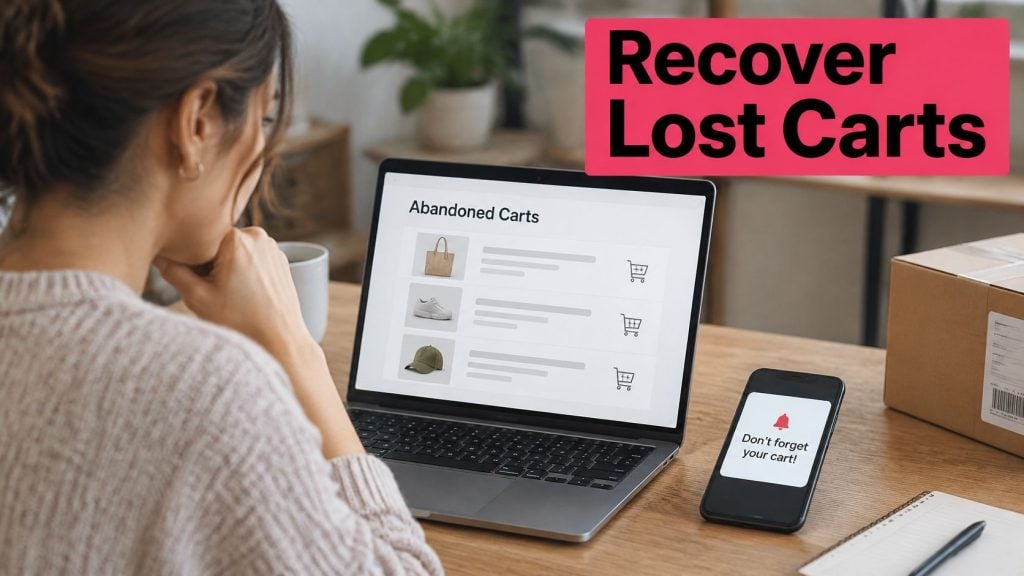
91.6% of shoppers reported leaving items unpurchased in online carts in 2025, according to Digital Commerce 360’s Ecommerce Conversion Report. Abandonment isn’t unusual behavior reserved for indecisive customers. It’s something almost every buyer does.
The useful question isn’t how to chase every unfinished purchase. It’s which carts you can recover profitably, which need a checkout fix, and which belong to people who aren’t ready to buy.
Table of Contents
- What Seven in Ten Carts Never Finish
- Fix the Offer Before Any Recovery Message
- Metrics That Separate Recovered Sales from Noise
- Prove Consent Before Any Cart Text
- When to Send Email, SMS and a Discount
- Shopify and WooCommerce Carts in Practice
What Seven in Ten Carts Never Finish
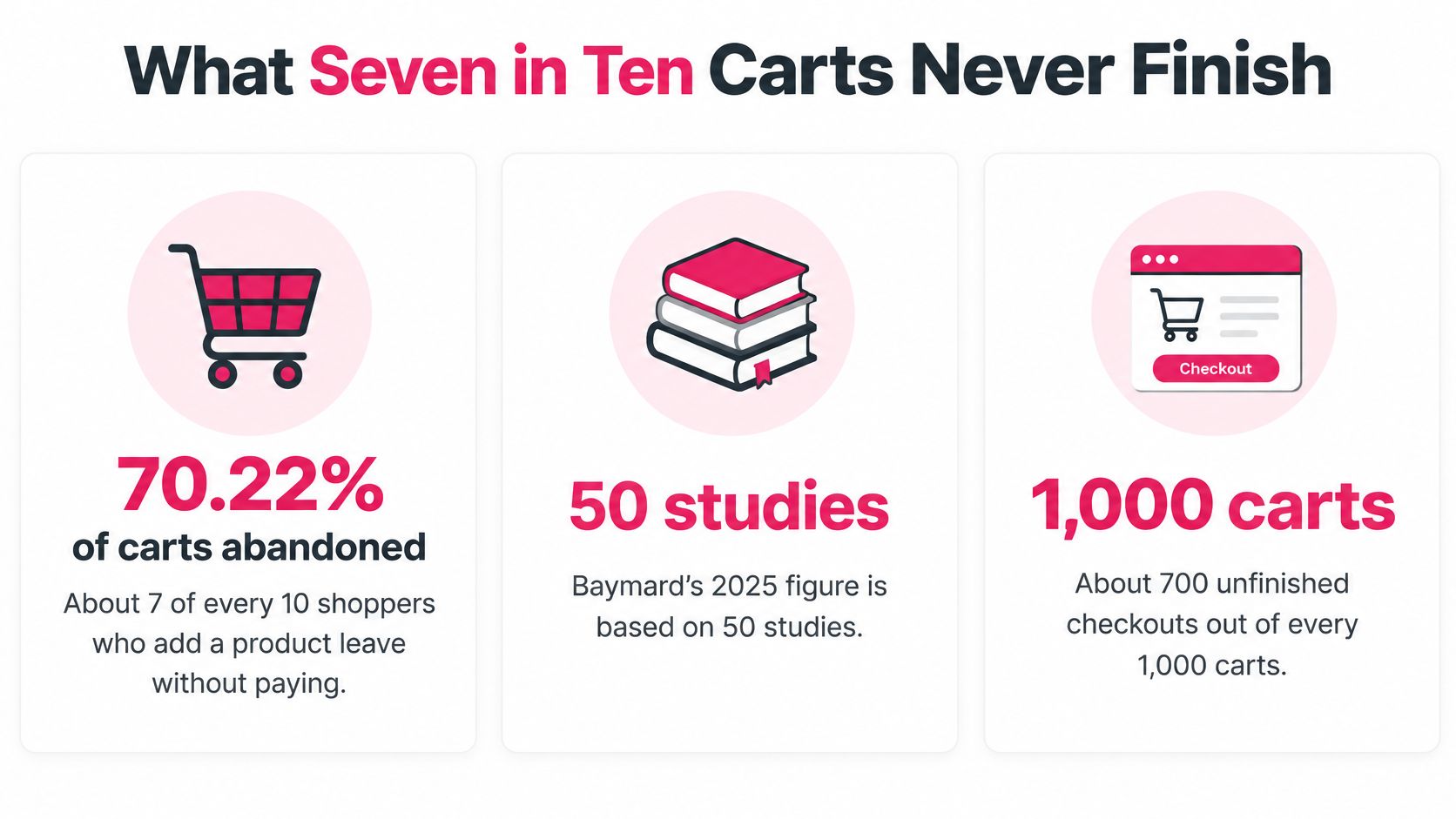
Baymard Institute’s analysis of 50 independent studies puts average documented cart abandonment at approximately 70.22% in 2025, with the benchmark remaining near 70% over more than 14 years, as reported by LMD Conference’s overview of Baymard’s findings. At that approximate rate, every 1,000 carts produces about 700 unfinished purchases and 300 completed orders; the same overview reports that 42% of US online shoppers abandoned because they were just browsing or weren’t ready to buy.
About seven in ten shoppers who add a product leave without paying. That’s a pool of unfinished shopping journeys, not a promise of recoverable revenue.
An ecommerce abandoned cart is a shopping cart containing products that never becomes a paid order. Someone might leave while reviewing the basket, entering delivery details, or choosing a payment method.
Those stages matter. A shopper who collects ideas for a future purchase hasn’t necessarily rejected your store. A shopper who reaches payment and encounters an error has a different problem, and probably needs a different response.
This visual summarizes the scale of unfinished purchases.
Separate intent from obstacles
Start with practical categories rather than assuming every cart needs a coupon:
- Not ready: The shopper is comparing products, saving ideas, or waiting for payday.
- Ready but interrupted: The shopper intended to buy and got distracted.
- Ready but blocked: Shipping, payment, delivery, trust, or a technical failure prevented completion.
- Uneconomic to recover: The incentive needed to win the order would leave too little contribution after costs.
You won’t know every shopper’s motivation. Use checkout events, customer feedback, shipping selections, and payment errors to form a working diagnosis. Don’t label someone price-sensitive just because they left.
Choose tools after defining the job
Before you compare abandoned cart recovery tools, use Data Hunters Agency’s resource to frame questions about saved-cart links, channel coverage, consent records, and reporting. A tool that sends reminders isn’t automatically a tool that fixes your particular revenue leak.
The commercial opportunity is narrower than the headline abandonment pool, but more useful. Recover genuine buyers profitably, and you can increase completed orders without buying an equivalent amount of additional traffic.
Fix the Offer Before Any Recovery Message
A reminder cannot fix a bad shipping price. It can bring someone back to inspect that price again, but unless the underlying offer changes, the objection remains.
The 2025 Ecommerce Payments Experience Report includes consumer findings of 40% abandoning over expensive shipping, 17% over hidden fees, 15% over slow delivery, and 16% over an unavailable preferred payment method; a separate 2025 survey of more than 1,500 US and European consumers cited in the report found 62% mentioning high shipping, 51% long delivery, and 29% each tedious checkout and unclear returns. These are different survey groups, not percentages you should add together.
Baymard’s cart abandonment benchmark separately reports that 40% of US online shoppers abandoned because shipping, taxes, or fees were too high, excluding shoppers who were merely browsing.
Match the cause to the remedy
The table keeps those survey scopes separate. A message alone means a reminder without changing checkout, delivery, payment availability, or the offer.
Abandonment causes and whether a message can fix them
| Reason | Share of shoppers | Recover with a message alone? | First fix |
|---|---|---|---|
| Shipping, taxes or fees too high | 40% US; 62% cited high shipping in the 2025 US and Europe survey | No | Show shipping and the full total before payment |
| Long delivery time | 15%; 51% cited long delivery in the 2025 survey | No | State the delivery window next to the price |
| Hidden fees or surcharges | 17% | No | Remove surprise fees or disclose them on the product and cart |
| Preferred payment method unavailable | 16% | No | Add the missing method and show it before the last step |
| Checkout too long or complicated | 17% US; 29% called checkout tedious in the 2025 survey | Partly | Cut fields and keep the shopper in the same checkout |
| Unclear return policy | 29% in the 2025 survey | Partly | Put the return rule beside the total |
| Just browsing or not ready | 42% of US shoppers | Rarely | Don’t discount; nurture only with consent |
The browsing share describes shopper intent, not an objection that a cheaper price necessarily resolves. Treat it as a reason to avoid automatic discounting, not as proof that those shoppers will never buy.
For checkout complexity, Baymard’s checkout usability benchmark reports 17% of US online shoppers abandoning because checkout was too long or complicated, alongside an average 23.48 default form elements; optimized checkouts can use approximately 12 to 14 elements, including 7 to 8 actual fields, suggesting a practical 20% to 60% reduction opportunity.
Make checkout worth returning to
-
Show the best-available total early. Display item cost, shipping, taxes, and mandatory fees before payment. If destination details are missing, label the estimate and explain what will update it.
-
Make guest checkout obvious. Baymard’s current checkout UX findings report that 18% of surveyed US shoppers abandoned because they didn’t want an account, while 62% of ecommerce sites failed to make guest checkout the most prominent option. Put the guest route ahead of account creation and offer registration after purchase.
-
Remove work rather than rearranging it. Delete nonessential fields, enable address autocomplete, and reveal optional company or delivery information only when relevant. Use inline validation that tells shoppers exactly what needs fixing without clearing their entries.
-
Answer payment and return questions beside the total. Show available payment methods before the final step. State the actual return window, eligibility conditions, and who pays return shipping.
-
Preserve the shopper’s checkout. Test whether a recovery link restores products, quantities, and entered details. Sending someone to the homepage makes them rebuild the purchase you’re trying to recover.
Decide whether a discount is affordable
Calculate the order’s contribution before approving an incentive:
Net sales after discount − product cost − payment fees − fulfillment cost − shipping subsidy − messaging cost.
Don’t subtract the discount twice if net sales already reflects it. Set an internal contribution floor, then exclude carts that would fall below it.
A heavy, low-margin item going to an expensive delivery destination may be uneconomic under your current offer. A profitable cart abandoned after an address error may need no discount at all. Our guide to discounts and promotions in cart recovery helps frame that trade-off.
For this week’s checkout audit:
- Guest route: Make it prominent.
- Total: Show it before payment.
- Fields: Remove unnecessary inputs.
- Autocomplete: Test it on mobile.
- Recovery link: Confirm the cart survives the return visit.
Metrics That Separate Recovered Sales from Noise
A recovery dashboard should answer whether more shoppers paid and whether those orders were worth recovering. Opens and clicks help diagnose delivery and interest, but they aren’t completed sales.
Keep cart-level exits separate from checkout-level leads. Under Shopify’s abandoned-checkout documentation, a checkout is abandoned when it remains incomplete for more than 10 minutes after the shopper provides an email address; its native recovery email covers Online Store and Buy Button, not Shopify POS or third-party sales channels.
Use a consistent weekly scorecard
Choose a reporting window long enough for the recovery sequence to finish. Otherwise, recent messages inflate the denominator before shoppers have had time to purchase.
Weekly abandonment scorecard
| Metric | Formula | What a bad reading means |
|---|---|---|
| Abandonment rate | Abandoned checkouts / checkouts started | Compare against your baseline and the broad benchmark, not sessions |
| Cart versus checkout | Cart exits versus checkouts still open 10 minutes after an email | Native Shopify email coverage excludes POS and third-party channels |
| Recovery rate | Orders from the recovery link / messages sent to consented contacts | High clicks followed by shipping-stage exits indicate checkout trouble |
| Recovered margin | Revenue from recovered orders minus discount cost | A code can complete an order while reducing its contribution |
| Drop-off cuts | Checkout stage, device, time to complete, shipping method, destination, cart value | Identifies where cost or form friction needs investigation |
The recovered-margin row is a quick discount-adjusted revenue check, not full accounting margin. Use the contribution calculation when deciding whether campaigns are profitable.
For the recovery-rate formula, define whether messages sent means individual sends or unique recipients. Multiple reminders to the same person change the result, so don’t switch denominators between reports.
Separate attribution from extra sales
An order completed through a recovery link is attributable to that link. It doesn’t prove the shopper wouldn’t have purchased without the reminder.
Where practical, retain a comparable eligible group that doesn’t receive the campaign. Compare completed orders and contribution, while keeping other promotions consistent.
Use the Cart Abandonment Rate Calculator and SMS Cart Recovery ROI Calculator as worksheets for organizing inputs. The explanation of how to calculate recovery rate can help standardize your reporting definitions.
- Audit coverage: Confirm each sales channel can enter the flow.
- Inspect friction: Break exits down by shipping method, destination, and cart value.
- Review changes: Compare completed orders before and after checkout edits, using comparable traffic periods and weekdays.
Prove Consent Before Any Cart Text
A phone number entered at checkout isn’t proof of permission to send promotional texts. Put consent verification immediately before the sending workflow, not in a document someone reviews after launch.
The Federal Communications Commission’s unwanted-communications guidance explains that texts are generally treated as calls under the TCPA, including relevant advertising and automated-dialing restrictions; consumers can revoke consent by reasonable means, including STOP, and revocation must be honored within 10 business days. Operationally, suppress opted-out numbers immediately rather than treating the legal deadline as a waiting period.
Make consent a launch gate
- Capture affirmative permission. Explain who will text and what the messages concern. Keep the disclosure close to the opt-in control.
- Record the evidence. Retain the disclosure version, timestamp, source page, seller identity, and affirmative action.
- Identify the sender. A shopper should recognize the store without opening a link.
- Test withdrawal. Process STOP and other reasonable revocations, then verify suppression across connected campaigns.
Use our explanation of expressed written consent to review the checkout language and evidence trail.
Go or no-go: If you can’t demonstrate permission for that promotional message in that market, don’t send it.
Localize the operating rules
The global SMS compliance and consent guide describes European expectations for freely given, specific, informed, unambiguous consent, Canada’s express or narrowly defined implied consent under CASL, and Australia’s limits on inferred consent. A global store needs market-specific review, not a universal checkbox.
Include quiet hours, purpose, frequency, sender identification, and a working unsubscribe path in the launch checklist. A person must be able to withdraw consent and end processing based on it; we support withdrawal through contact or unsubscribe.
We offer SMS cart recovery for Shopify and WooCommerce stores on a pay-as-you-go basis, and the first cart we recover for a store is free of charge. Those commercial terms don’t change the consent requirement: only eligible contacts should enter the reminders.
When to Send Email, SMS and a Discount
Use a coordinated sequence rather than letting email and SMS automations operate independently. Both channels should check the same order status so a paid customer doesn’t receive another request to finish checkout.
Start the clock when the shopper leaves, while respecting consent, local sending restrictions, and suppression rules. Treat timing as an operating configuration to evaluate, not a guarantee of performance.
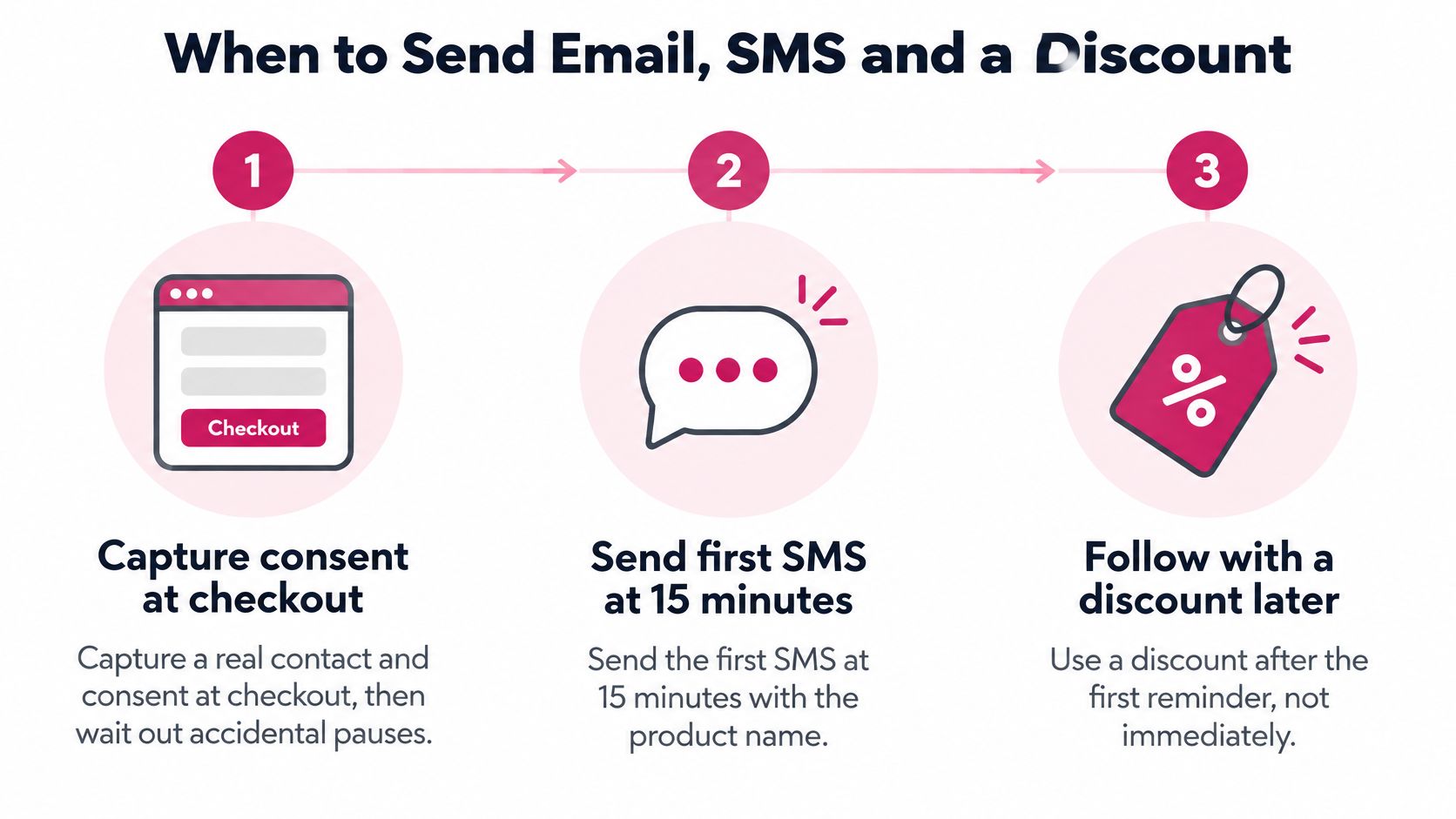
The timeline below shows the basic sequence.
Run reminders before incentives
-
Capture contact and permission at checkout. Allow for accidental pauses and confirm that payment hasn’t completed before enrolling the shopper.
-
Send the plain reminder first. CartBoss sends its first SMS 15 minutes after a visitor leaves their cart. Name the product and store, then give the shopper a direct route back without introducing a discount.
-
Use email as supporting detail. As a starting configuration, schedule a saved-cart email around the hour mark for eligible email contacts. Use the extra space for delivery information, return terms, and a clear order summary.
-
Reserve the offer for the later text. CartBoss sends its second reminder 3 hours after the visitor leaves and includes a discount if they still haven’t ordered. Apply the margin eligibility decision before allowing that offer.
-
End the cart sequence. Stop after the email and SMS pair rather than adding repeated offers. Keep any separately consented win-back program distinct.
Abandoned cart message timing
| Touch | Channel | Delay | Job | Offer |
|---|---|---|---|---|
| First reminder | SMS | 15 minutes | Put the store and saved cart back in front of the shopper | None |
| Saved-cart note | About 1 hour as a starting configuration | Restate that items and the full total are waiting | None | |
| Second reminder | SMS | 3 hours after leaving, if still unordered | Recover hesitant buyers who ignored the first nudge | Discount included |
| Stop | SMS and email | After the second SMS | Avoid training shoppers to wait for a code | No further cart offer |
The SMS and email coordination guide provides context for assigning each channel a different job. For the email component, use SupportGPT’s resource to test your cart reminder subject lines, then judge the result by completed orders rather than subject-line appeal alone.
Write messages that match the checkout
Use these as templates, replacing bracketed fields with actual store information:
No-offer reminder: [Store]: Your [product] cart is saved. Review shipping and your full total: [saved checkout link]. Reply STOP to opt out.
Later offer template: [Store]: Complete your [product] order with [percentage]% off until [expiry and time zone]. Your eligible discount is applied: [saved checkout link]. Reply STOP to opt out.
Only say saved or applied when that’s true. Validate inventory, currency, discount expiry, minimum order, and coupon-stacking rules before sending.
CartBoss’s automated recovery engine works around the clock once live. That removes manual monitoring, but the workflow must still respect quiet hours and check eligibility before each send.
Shopify and WooCommerce Carts in Practice
Consider a fashion shopper who leaves a jacket in a Shopify checkout. They’ve provided contact details and valid promotional-text consent, but haven’t paid.
Test the return journey on the devices shoppers use, including a phone that isn’t logged into the store.
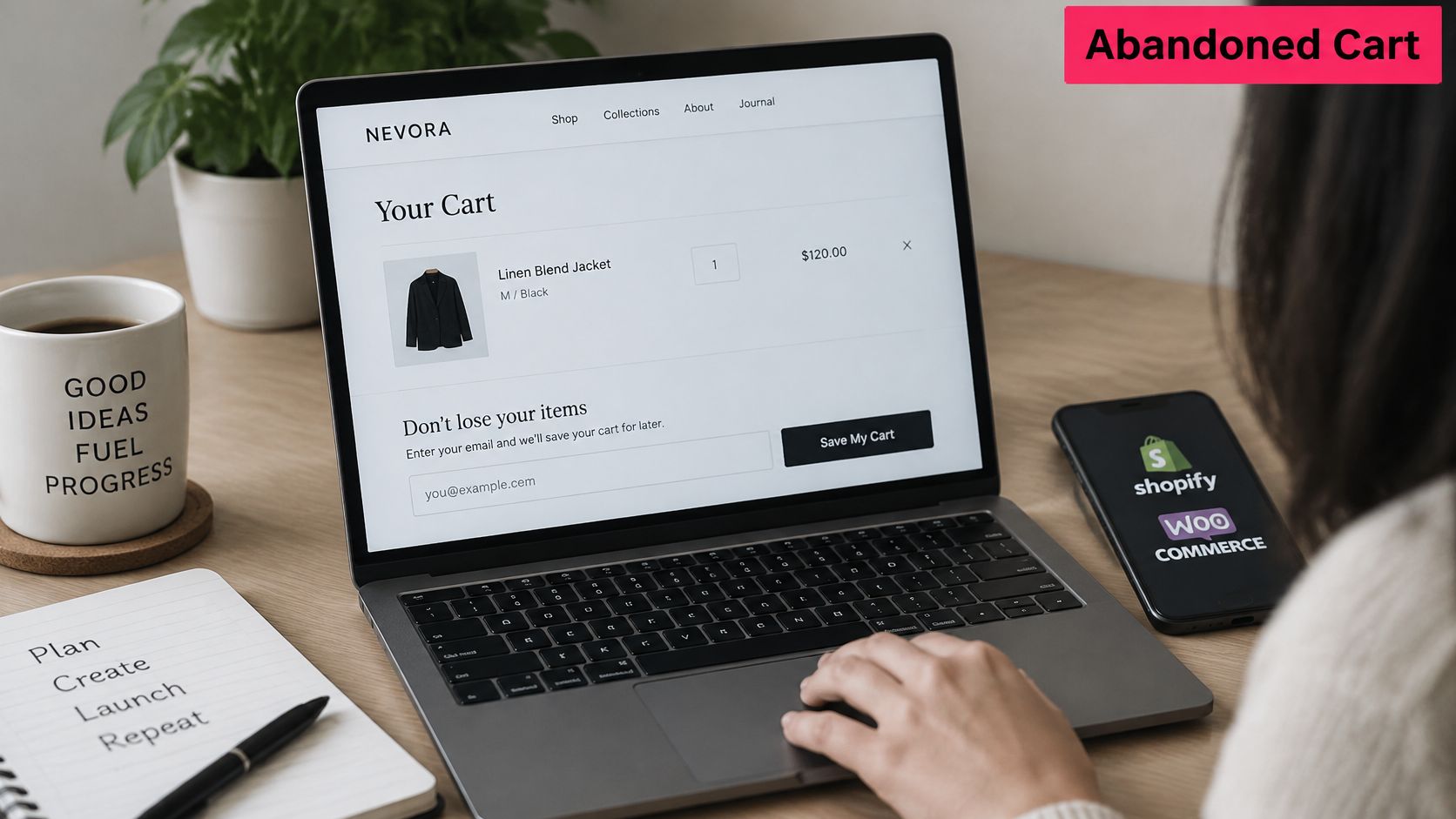
A Shopify fashion cart
The first text identifies the jacket and store without offering a code. When the shopper opens it, check that the selected size and color remain correct and that the delivery estimate reflects their address.
If the order remains unpaid at the offer stage, the store checks contribution and coupon eligibility. If the shopper pays, the workflow should suppress pending messages and record the order without counting it again in another channel’s report.
For Shopify POS or marketplace journeys, don’t assume an online recovery flow can reconstruct the purchase. Exclude carts the integration can’t identify reliably or return to a valid checkout.
A WooCommerce pet-store cart
A pet store running WooCommerce captures a consented phone number while a shopper considers pet supplies. CartBoss stores cart information including value, currency, chosen payment method, coupon code, checkout URL, and product contents, which allows the store to inspect the recovery context.
The first reminder names the relevant product. At the later offer stage, the merchant should check whether a coupon already exists before permitting another incentive, rather than creating conflicting offers.
When a shopper clicks a CartBoss reminder, they return to their cart with an optional discount already applied. Test that behavior with the store’s actual shipping extensions, currency settings, and checkout customizations.
This video provides additional context for the recovery workflow.
Test before enrolling every shopper
Use the ecommerce platform integration guide while checking the store connection. Then run a real test cart through the complete workflow.
- Cart accuracy: Verify product, variation, quantity, currency, and inventory.
- Offer behavior: Confirm expiry, minimum spend, and existing-coupon handling.
- Payment suppression: Complete the purchase and confirm pending reminders stop.
- Opt-out handling: Withdraw consent and confirm no further promotional message is sent.
- Reporting: Check that the recovered order appears once and its costs remain visible.
Launch only after the checkout, consent records, and reporting agree. A successful test isn’t just receiving a text, it’s completing the intended purchase without surprises.
CartBoss offers automated SMS abandoned-cart recovery for Shopify and WooCommerce stores, with reminders that return shoppers to their saved carts. Visit CartBoss to set up recovery after checking your checkout costs, consent capture, and discount margin, then test the full journey before switching it on for eligible shoppers.