


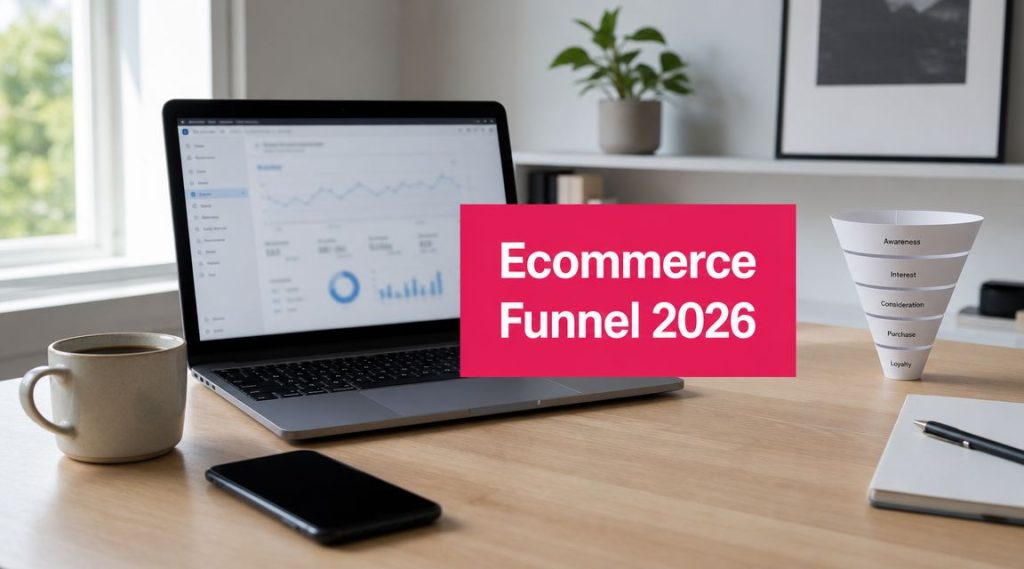
Traffic is coming in. Your ads are running. Social posts get clicks. People browse products, add items to cart, then sales still lag behind what the store should be producing.
That usually isn’t a traffic problem. It’s a funnel problem.
An ecommerce conversion funnel shows where shoppers move forward, where they hesitate, and where they leave. Once you can see those leaks clearly, you can stop making broad site changes and start fixing the exact stage that’s costing you revenue.
Your Guide to the Ecommerce Conversion Funnel
Most store owners don’t need more opinions about why sales are soft. They need a way to identify the leak fast and act on it.
That’s what an ecommerce conversion funnel does. It turns a vague complaint like “we get traffic but not enough orders” into a practical diagnosis. You stop treating the store as one big conversion problem and start looking at the customer journey step by step.
A shopper doesn’t jump from ad click to purchase in one move. They discover the store, browse, compare, add to cart, begin checkout, and only then decide whether to buy. If one of those steps breaks, the whole system underperforms.
Practical rule: Don’t optimize the homepage, product pages, and checkout all at once. Find the biggest leak first.
If you haven’t mapped that journey yet, use a customer journey mapping template guide to document the path shoppers take instead of the path you assume they take.
What Is the Ecommerce Conversion Funnel
An ecommerce conversion funnel is the path shoppers follow from first contact to purchase and beyond. Much like a kitchen sieve, a lot goes in at the top, but only part of it makes it through each layer. That’s normal. The job isn’t to force everyone through. The job is to reduce unnecessary loss at each stage.

Awareness
In the initial phase, people first discover your brand. This can happen through search, social, paid ads, email, influencers, or referrals.
At this stage, shoppers aren’t deciding whether to buy. They’re deciding whether you’re worth a click. Bad traffic quality creates weak funnels from the start, which is why acquisition and conversion can’t be treated as separate jobs.
Consideration
Now the visitor is looking around. They open collections, compare products, check images, read descriptions, scan shipping details, and evaluate whether your offer fits what they need.
This stage is where many stores lose momentum because the site answers basic questions poorly. Thin product pages, unclear value, weak mobile layout, or confusing navigation cause shoppers to drift away before intent forms.
Conversion
This is the point where browsing turns into buying behavior. The classic ecommerce funnel path is homepage → product browse → add to cart → checkout → purchase, and modern data shows the biggest leak often happens after intent is already visible. The average add-to-cart rate is about 6.8% and cart abandonment averages roughly 76%, according to Heap’s ecommerce conversion funnel guide.
That’s why checkout-stage fixes usually have more immediate revenue impact than broad branding changes.
Retention
The sale isn’t the end of the funnel. If the first order is profitable but the customer never returns, your acquisition costs stay heavy and growth gets harder every quarter.
Retention includes post-purchase communication, reorder prompts, product education, support quality, and the ease of buying again.
Advocacy
The strongest stores turn customers into distribution. Buyers leave reviews, recommend products, share purchases, and bring in new visitors with much less friction than cold traffic.
A healthy funnel doesn’t end at checkout. It loops back through repeat purchase and recommendation.
If you only track the final sale, you miss the full operating picture. A useful ecommerce conversion funnel shows how buyers move from discovery to purchase, and where store owners need to intervene.
Key Metrics and Benchmarks for Each Funnel Stage
You can’t fix a funnel with one top-line metric. Revenue tells you the outcome. It doesn’t tell you where the process broke.

Start with the benchmarks that matter
The most useful benchmark for most stores is the overall conversion rate, but it only becomes actionable when you compare it by channel and device. The global average ecommerce conversion rate is between 2.5% and 3%, and some benchmark sets place it at 2.66% worldwide. The same benchmark source notes that email marketing can convert at 5.3% while social media may convert at 0.7%, which is why channel-level analysis matters so much, as shown in Red Stag Fulfillment’s ecommerce conversion benchmark breakdown.
That tells you something important right away. If your store average is under pressure, the issue may be weak traffic mix rather than a broken checkout.
For a broader view of how smaller markets think about site performance, these Prescott local business conversion insights are useful because they frame conversion expectations around business model and intent instead of chasing one universal number.
What to track at each stage
Here’s the simplest way to structure your reporting:
| Funnel stage | What to measure | What the metric tells you |
|---|---|---|
| Awareness | Traffic by source, new users, landing page engagement | Whether the right people are arriving |
| Consideration | Product page views, collection views, add-to-cart movement | Whether shoppers find products compelling |
| Conversion | Checkout starts, purchases, overall conversion rate | Whether buying friction is blocking intent |
| Retention | Repeat orders, return visits, post-purchase engagement | Whether first-time buyers come back |
| Advocacy | Reviews, referrals, shared links, customer mentions | Whether customers help create new demand |
Not every store needs a huge dashboard. But every store needs stage-level visibility.
How to read the numbers without fooling yourself
A common reporting mistake is treating all traffic equally. It isn’t equal. If email traffic converts better than social, and you increase social spend, your overall conversion rate may drop even when the site experience stays the same.
Another mistake is judging product pages by bounce rate alone. A product page can attract attention and still fail to move people forward if sizing, trust signals, pricing clarity, or shipping details are weak.
Use benchmarks as context, not as a target to copy blindly. If you want a deeper reference point, compare your data against these ecommerce conversion rate benchmarks and then review it by source, device, and returning versus new visitors.
Benchmark the funnel by channel first. A blended site average can hide the real problem.
How to Find Your Funnels Biggest Leaks
Once you know your stage metrics, the next job is diagnosis. You’re looking for the largest drop between one step and the next, not the page with the most opinions attached to it.

Build a usable funnel report
In GA4 or another analytics platform, define the major journey steps as events. Keep it simple and specific:
- Product view
- Add to cart
- Begin checkout
- Purchase
That event structure matters because effective funnel analysis depends on tracking discrete stage-to-stage events such as product page → cart → checkout. That’s what lets teams isolate the exact drop-off and run targeted recovery actions, as explained in Mouseflow’s guide to ecommerce funnel tracking.
If your tracking is messy, your conclusions will be messy too.
Review leaks by segment
After the basic funnel is live, break it down by:
- Device type because mobile friction often hides inside an acceptable sitewide average
- Traffic source because some campaigns drive clicks without purchase intent
- Landing page because weak entry pages can poison the rest of the journey
- New versus returning users because they behave differently and need different nudges
A cart-to-checkout drop calls for different action than a product-view-to-cart drop. That sounds obvious, but many stores still respond with broad “conversion optimization” projects that don’t address the actual issue.
Match the leak to the likely cause
Use this quick diagnostic table:
| Leak point | Common cause |
|---|---|
| Landing page to product view | Weak offer, mismatched traffic, confusing navigation |
| Product view to add to cart | Poor product copy, weak images, trust gaps, unclear shipping |
| Cart to checkout | Sticker shock, coupon hunting, forced account creation |
| Checkout to purchase | Too many fields, payment friction, low trust, technical errors |
If you need a more detailed framework for reading abandonment behavior, this abandoned cart analysis guide is a strong starting point.
Don’t ask “Why is conversion low?” Ask “Where exactly does intent collapse?”
That shift changes the quality of every decision that follows.
High-Impact Tactics to Optimize Your Funnel
After you find the leak, fix that stage before touching anything else. Stores waste time when they redesign pages that weren’t the problem.
Improve the top of the funnel
Awareness and consideration issues usually show up as low engagement, weak product discovery, or poor progression from browsing to cart.
Use these fixes first:
- Tighten traffic alignment. Match ad creative, targeting, and landing-page promise. If the ad says one thing and the page shows another, shoppers leave fast.
- Clean up mobile browsing. Make collection filters easy to use with one hand, keep product cards readable, and make buttons obvious.
- Write product pages for decision-making. Lead with benefits, then specs. Answer the objections buyers have.
- Bring key buying information forward. Shipping, returns, sizing, compatibility, and delivery expectations shouldn’t be buried in tabs.
For brands selling in packaged goods and retail-heavy categories, these insights for CPG retail conversion are useful because they focus on merchandising clarity and value communication, not just design polish.
Strengthen trust where buyers hesitate
Many stores think their issue is price when the actual issue is uncertainty.
Buyers hesitate when they can’t tell whether the product is right, whether checkout is safe, or whether returns will be painful. The fix is rarely more hype. The fix is more clarity.
Use a trust stack on product and cart pages:
- Visible reviews and customer photos
- Clear return and shipping policies
- Consistent product details
- Transparent total cost before checkout
- Contact or support access without hunting for it
Reduce checkout friction
This is usually the highest-impact area to improve because the user has already shown intent. According to Mida’s ecommerce funnel benchmark summary, cart abandonment averages roughly 76%, and tactics like guest checkout, address autofill, fewer form fields, and inline validation directly improve the probability that a shopper finishes the order.
That’s operationally important. A shopper who has started checkout is much more valuable than a random site visitor. Treating those users carefully pays off faster.
Quick checkout fixes
-
Allow guest checkout
Forced account creation creates friction at the worst possible moment. -
Cut unnecessary fields
If you don’t need the information to ship or fulfill, don’t ask for it. -
Use autofill and validation
Help shoppers complete forms instead of making them guess what failed. -
Show all major costs early
Surprise charges create abandonment and support tickets. -
Support fast payment options
The fewer steps between intent and payment, the better.
If you want a fuller list of practical fixes, review these proven conversion rate optimization tips and prioritize the ones tied to your largest measured drop-off.
The Ultimate Playbook for Cart Recovery with SMS
Cart abandonment is where many stores have the most recoverable revenue. The mistake is treating every abandoner the same.

A shopper who viewed a product and left is different from a shopper who reached checkout and dropped off. One is still exploring. The other was close to paying. Recovery messaging should reflect that difference.
Adobe’s guidance highlights a gap that many teams ignore. It’s not enough to know where someone abandoned. You also need to understand what they did after dropping off, because specific follow-up beats generic reminders. That’s why SMS works well as a recovery channel when it reacts to specific exit behavior rather than sending the same message to everyone, as noted in Adobe’s ecommerce funnel optimization article.
When SMS fits better than email
Email still has a place, especially for browse recovery, promotions, and post-purchase flows. But for checkout abandonment, speed and visibility matter.
SMS is immediate. It’s also better suited to short, direct prompts tied to a specific cart or checkout session. That makes it useful when the goal is to bring the shopper back before intent fades.
A tool like CartBoss fits here because it automates SMS cart recovery with features like direct checkout links and discount handling. The important point isn’t the tool itself. It’s the workflow: trigger the message based on behavior, keep it relevant, and make the return path frictionless.
A simple recovery sequence
Use a sequence that follows shopper intent rather than blasting reminders.
- First message
Remind the shopper what they left behind. Keep the copy short and clear. - Second message if needed
Handle likely hesitation. That could be price, timing, or distraction. - Optional incentive
Use a discount or offer only when it supports margin and only for high-intent abandoners. - Direct return path
Send the shopper back to a pre-filled or simplified checkout whenever possible.
Generic cart reminders underperform because they ignore context. Recovery works better when the message matches the stage where the shopper left.
Here’s a useful visual walkthrough of how an SMS recovery setup works in practice:
Message templates that are simple and usable
You don’t need clever copy. You need clear copy.
Reminder version
“Hi [First Name], you left [Product] in your cart. Complete your order here: [Link]”
Objection-handling version
“Hi [First Name], your cart is still saved. If you got interrupted, you can pick up where you left off here: [Link]”
Offer version
“Hi [First Name], your cart is waiting. Use your checkout link here: [Link]”
What to test
Run small, controlled tests:
- Message timing right after abandonment versus later follow-up
- Message angle reminder versus incentive
- Link destination cart page versus checkout page
- Audience rule all cart abandoners versus checkout abandoners only
The biggest mistake is overcomplicating the campaign before the basic logic is sound. Start narrow. Recover the highest-intent users first.
Conclusion Turn Funnel Insights into Revenue
A strong ecommerce conversion funnel isn’t a slide deck or a one-time audit. It’s an operating system for growth.
When you track the journey properly, leaks stop feeling mysterious. You can see whether the problem starts with traffic quality, product-page persuasion, cart friction, or checkout failure. From there, improvement becomes much more practical.
The biggest wins usually come from focused action, not from massive redesigns. Fix the stage with the clearest drop-off. Tighten the buying path. Recover high-intent abandoners with messages that match what they did.
If you want another practical angle on recovery strategy, these ideas on how to turn abandoned carts into sales are worth reviewing alongside your own funnel data.
Start with one question: where does intent break? Then fix that step first.
If your store is losing shoppers after they add to cart or begin checkout, CartBoss helps you recover those orders with automated SMS messages built for abandoned cart recovery. It’s a direct way to plug one of the most expensive leaks in your funnel without adding more manual work.