


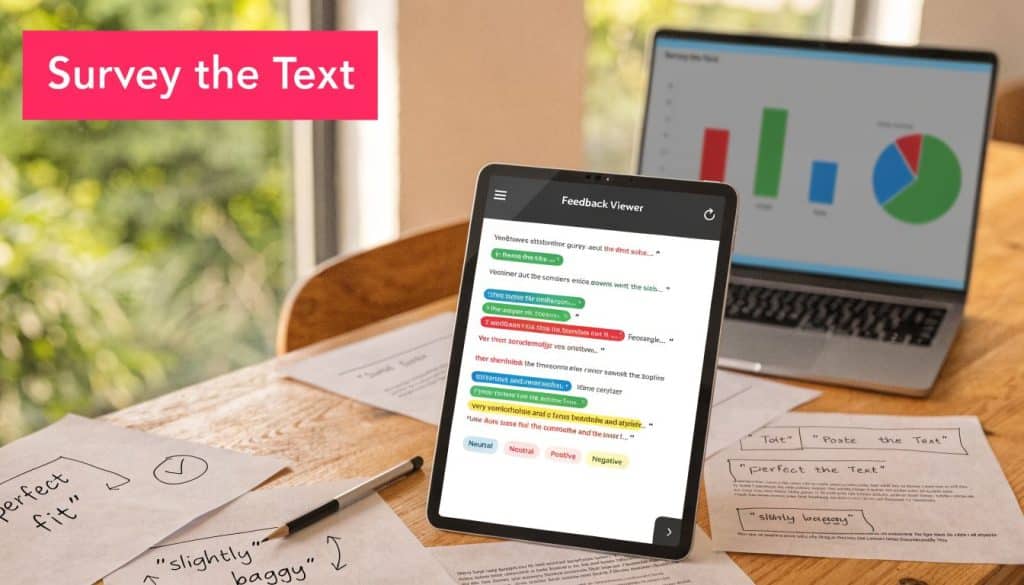
Your store already has customer research. It’s sitting in review text, post-purchase surveys, support tickets, abandoned cart replies, and email responses.
Most of it never gets used because it looks messy. A spreadsheet full of open-ended answers feels slower than dashboard metrics, so teams default to click rates, conversion reports, and broad guesses about what customers want.
That’s where survey the text becomes useful. In e-commerce, it means taking raw customer language and turning it into decisions you can act on fast. Better SMS copy. Cleaner offers. Fewer checkout objections. Stronger retention.
Why Your Customer Feedback Is an Unmined Goldmine
Store owners usually know they have a cart abandonment problem. What they don’t know is why one shopper leaves because shipping feels unclear, another leaves because the discount arrived too late, and a third leaves because the product page didn’t answer a sizing question.
That gap matters. Globally, 70-80% of e-commerce carts are abandoned, yet fewer than 10% of recovery tools utilize post-abandonment surveys to understand why according to this research summary on abandonment and survey-driven segmentation. The same source notes that using survey insights to segment recovery messages can boost recovery rates by up to 25%.
What most stores miss
Quantitative data tells you what happened. Text feedback tells you what blocked the sale.
If a shopper writes, “I wanted to buy but shipping showed up too late,” that’s not just a complaint. It’s message testing material. If another says, “I wasn’t sure this would fit,” that points to missing reassurance, not weak demand.
Practical rule: Don’t treat open-text feedback as support noise. Treat it as buying-intent data in plain language.
This is also where broader customer intelligence work connects. If you’re trying to identify churn risks with AI, the same principle applies. Buyers often explain their reasons long before they disappear. You just need a method for reading those signals consistently.
What revenue teams can do with text feedback
A well-run text review process helps you:
- Spot recurring objections: shipping confusion, price hesitation, trust gaps, sizing concerns
- Improve campaign segmentation: send different recovery messages to discount-seekers versus hesitant first-time buyers
- Refine product pages: add the missing details customers keep asking for
- Tighten retention work: see where experience breaks after the first order
If your feedback is scattered across channels, start by building a simple operating system for it. A customer feedback management system gives you one place to collect, label, and revisit what customers are already telling you.
The goldmine isn’t more data. It’s clearer interpretation of the data you already have.
Preparing Your Text for Analysis A Pre-Reading Checklist
Clean analysis starts before you read a single response. If your feedback lives across Shopify reviews, Typeform exports, support inboxes, and post-purchase forms, the first job is consolidation.

Put everything into one working sheet
Use a spreadsheet or your BI workflow. One row should represent one piece of feedback.
Add columns for the context that makes the text usable:
- Source channel: review, survey, SMS reply, email reply, support ticket
- Customer stage: first-time buyer, repeat buyer, abandoner, post-purchase
- Order or cart context: product viewed, category, discount used, order status
- Market details: language, country, device type if available
- Performance context: rating, conversion outcome, or whether the cart was recovered
Without context, a comment like “too expensive” stays vague. With context, you can see whether it comes mostly from first-time visitors, certain product categories, or one region.
Know the two labels you’re looking for
The base method is simple. Topic Analysis identifies what the customer is talking about, while Sentiment Analysis identifies whether the response is positive, negative, or neutral, as outlined in Sentisum’s survey text analysis overview.
That means you’re not reading for everything at once. You’re reading for two things:
| Field | What to capture | Example |
|---|---|---|
| Topic | The subject of the feedback | shipping, price, sizing, checkout |
| Sentiment | The tone of the feedback | positive, negative, neutral |
A short response like “Checkout was confusing” would be tagged as checkout plus negative.
Remove noise before you tag anything
Don’t skip cleanup. It saves time later.
Use this pre-reading checklist:
- Merge duplicates: remove repeated exports and copied replies.
- Normalize formatting: keep dates, product names, and market labels consistent.
- Keep original wording: don’t rewrite customer language.
- Separate multi-issue comments: if one response mentions shipping and quality, note both.
- Flag unusable entries: blank, irrelevant, or accidental responses shouldn’t distort the read.
- Preserve linked ratings: if a numerical score exists, keep it in the same row as the text.
The quality of your tags depends on the quality of your raw sheet. Messy inputs create false patterns.
If your team wants a plain-language refresher on terminology before building the sheet, this text analytics guide is a useful primer. For a survey-specific e-commerce angle, the CartBoss post on text in survey design and analysis is a practical companion.
Build a starter tag bank
Don’t wait for a perfect taxonomy. Start with broad tags that fit most stores:
- Pre-purchase hesitation
- Offer or discount
- Shipping and delivery
- Product information
- Fit or compatibility
- Checkout friction
- Trust and security
- Post-purchase satisfaction
You can split these later. Early speed matters more than early perfection.
The Skim and Scan Method How to Find Themes Fast
Many groups encounter obstacles because they assume every comment requires a thorough close reading. This is unnecessary. The most efficient method to survey the text involves creating an initial rough map, then focusing on areas where patterns appear dense.

Start with a rough pass
Take a fictional apparel store receiving comments like these:
- “Loved the hoodie, but I didn’t know how long shipping would take.”
- “Wanted to order two sizes and return one, but return policy wasn’t clear.”
- “The discount code showed up after I already left.”
- “Size chart didn’t help me decide.”
- “Checkout on mobile felt clunky.”
On the first pass, don’t interpret too much. Just skim for repeated nouns, repeated verbs, and repeated pain points.
Look for:
- Repeated purchase blockers: shipping, size, returns, code, checkout
- Emotional language: confused, unsure, expensive, frustrated, loved
- Decision-stage clues: before purchase, at checkout, after abandonment
Use simple live tagging
As you skim, create broad tags in the sheet. The point is speed.
A rough tagging pass might look like this:
| Customer comment | Fast tag |
|---|---|
| “Shipping cost appeared too late” | shipping cost |
| “Didn’t trust the sizing chart” | sizing confidence |
| “Promo came after I had already left” | timing of offer |
| “Mobile checkout was annoying” | mobile checkout friction |
Many stores uncover the actual issue through this process. What looked like a pricing problem often turns out to be a timing problem, a clarity problem, or a trust problem.
Read for repetition before you read for nuance.
Group related themes instead of over-categorizing
If you create twenty-seven tags in the first hour, you’ve gone too narrow too early. Group related comments under larger buckets.
For example:
- Shipping issues can include delivery speed, cost surprise, unclear timing
- Sizing issues can include fit uncertainty, chart confusion, missing comparison guidance
- Offer issues can include discount timing, promo visibility, code friction
- Checkout issues can include mobile errors, payment friction, form fatigue
These buckets give you a usable dashboard for text.
A customer journey framework helps here because themes often line up with stages in the buying process. If your team needs that lens, this customer journey mapping template guide helps connect comments to specific moments in the funnel.
Here’s a quick visual summary of the process before you deepen the review.
Prioritize what can change revenue fastest
After the skim pass, rank themes by two questions:
- Does this issue appear often?
- Does fixing it change purchase behavior?
That gives you a short action list instead of a research archive.
For an apparel brand, sizing confidence might deserve top priority if it appears before checkout and affects multiple categories. For a beauty brand, ingredient clarity might outrank shipping comments because it directly affects trust. For a store selling impulse-buy products, offer timing might be the most valuable tag because delayed discounts lose urgency.
You’re not trying to produce a perfect academic report. You’re trying to find the themes that move a buyer from hesitation to action.
Annotating for Actionable Insights From What to Why
Tagging tells you what customers mention. Annotation tells you what to do next.

A useful annotation adds one layer beyond the topic. It captures the likely cause, the customer type, and the business implication.
Add reason codes, not just topic tags
Let’s say you already tagged several comments as price. That still isn’t actionable enough.
Annotate the same cluster like this:
- Price + first-time buyer + missed offer visibility
- Price + comparison shopper + trust not established
- Price + repeat buyer + expected loyalty reward
Those notes change your response. The first group may need clearer welcome incentives. The second may need social proof and value framing. The third may need retention messaging.
Layer sentiment with context
A shipping tag only becomes useful when you understand whether the frustration came from cost, timing, or lack of clarity.
Try a three-part annotation format:
| Topic | Sentiment | Why it matters |
|---|---|---|
| Shipping | Negative | Delivery cost shown too late |
| Product quality | Positive | Buyers praise fabric but mention stitching concern |
| Discount | Neutral to negative | Offer exists, but timing misses the decision moment |
That final column is where revenue ideas start to appear.
A strong annotation finishes this sentence: “Customers hesitate here because…”
The process is much easier today because businesses no longer need to rely only on slow manual coding. The move away from manual review toward automated text analysis has made qualitative insight more accessible, and it allows teams to process large volumes of feedback to identify patterns that were previously hidden, as described in this discussion of modern text mining for survey data.
Connect feedback to operational decisions
Here’s how vague themes become actions:
- “Checkout friction” becomes “reduce optional fields on mobile and review payment-step copy.”
- “Sizing confusion” becomes “add fit notes and model reference details on top sellers.”
- “Discount frustration” becomes “show the offer earlier for hesitant first-time shoppers.”
- “Shipping anxiety” becomes “state delivery timing before checkout begins.”
If you already review order and conversion metrics, combine them with text notes instead of treating them separately. The richer workflow is to compare comments with product, channel, or sales data. This guide on how to analyze sales data is useful for pairing text patterns with transaction patterns.
When to use deeper analysis
Not every store needs advanced modeling. But when you have free-text responses plus ratings, joint analysis becomes valuable. It helps you see which themes tend to show up with stronger or weaker purchase outcomes.
In day-to-day practice, that means you can compare customer wording with attached survey scores, satisfaction ratings, or campaign outcomes and see whether certain message themes align with stronger intent.
One practical tool option in this workflow is CartBoss, which supports automated SMS cart recovery and can be used to collect short feedback prompts that feed directly into message refinement. The value isn’t the survey alone. It’s the feedback loop between buyer language and follow-up messaging.
Turning Insights into a High-Revenue Playbook
Insights only matter when they change what your store sends, shows, or fixes.
The cleanest way to operationalize survey the text is to keep a short weekly playbook. One page is enough if it forces action.
Use a simple action template
Keep five fields:
- Theme found
- Likely reason behind it
- Who it affects most
- What change to test
- How you’ll review outcomes
A filled example might read like this:
Theme found
Shipping hesitationLikely reason behind it
Costs and delivery timing aren’t clear early enoughWho it affects most
New visitors with low purchase confidenceWhat change to test
Add earlier shipping reassurance on product and cart pages, then tailor abandoned cart SMS copy around clarityHow you’ll review outcomes
Compare recovery performance and objection volume after the change
Treat multilingual feedback as a growth lever
Global stores need a second layer of discipline. A message that works in one market can feel awkward, pushy, or unclear in another.
That matters because SMS recovery in emerging markets can yield 40% higher ROAS, while survey opt-in rates can fall by 15-20% without culturally adapted prompts, according to this reference on multilingual SMS survey performance.
So don’t just translate survey prompts. Review the replies by market and watch for differences in tone, directness, and objection type.
What works and what usually fails
A few patterns hold up in practice:
- Works well: short open-text prompts tied to a specific moment in the journey
- Works well: broad tags first, detailed annotation second
- Works well: routing feedback into message, page, and offer decisions
- Usually fails: collecting feedback with no owner responsible for action
- Usually fails: overbuilding taxonomy before reading real comments
- Usually fails: assuming all markets interpret the same wording the same way
If your team wants a broader framework for turning findings into tests, offers, and funnel improvements, this guide to revenue optimization strategies is a practical next read.
Survey the text because buyers already told you what’s slowing them down. Your job is to organize it, tag it, and act on it before the next campaign goes out.
Cart abandonment feedback is only valuable when it leads to smarter follow-up. If you want an SMS recovery workflow that helps you turn shopper hesitation into targeted action, explore CartBoss and build a tighter link between customer language, recovery messages, and recovered revenue.