


Feel like you’re drowning in manual tasks? Sending welcome emails, chasing down abandoned carts, and trying to personalize offers for every single shopper—it’s a lot. If that sounds familiar, it’s time to talk about marketing automation for e commerce.
Think of it as putting your online store on autopilot. It works 24/7 in the background, creating those smooth, personal customer experiences that drive sales and keep people coming back. It’s the difference between a shop run by one person trying to do everything at once and a fully staffed, well-oiled superstore.
Putting Your E Commerce Store on Autopilot

Running an e-commerce business can feel like a constant juggling act. Between managing inventory and handling customer service, the to-do list is endless. This is exactly where marketing automation e commerce becomes your secret weapon for growth, not just another buzzword. It takes over the repetitive, time-sucking marketing jobs so you can finally focus on the big picture.
This guide is your playbook for turning automation into a real, revenue-generating engine. We’ll walk through the practical strategies that successful brands are already using to boost sales, build loyalty, and claw back precious time. The goal is simple: help you build a system that works for you, even when you’re not working.
Why Automation Is No Longer Optional
Let’s be honest, the online marketplace is packed. With more stores popping up every day, trying to manage every customer relationship by hand is a recipe for burnout. It’s simply impossible to scale that way. The numbers tell the story.
Global e-commerce sales are on track to blow past $6.8 trillion in 2025, with over 28 million active e-commerce stores fighting for attention.
That highlights both the massive opportunity and the fierce competition you’re up against.
With online purchases expected to make up 21% of all retail sales in 2025, standing out means you have to be efficient and personal, all at once. Automation is what makes that possible. It’s the framework that lets you meet modern customer expectations without overwhelming your team.
Building Your Automated Engine
Getting started with automation doesn’t have to be some monumental task. The journey begins by understanding the basic workflows that deliver the biggest impact right away. Think of these as the foundational building blocks for a more sophisticated strategy down the line.
For those ready to jump in, our guide on how to set up marketing automation is the perfect place to start turning theory into practice. By putting even a few key automated sequences in place, you can start seeing real improvements in engagement and sales almost immediately.
How E-commerce Marketing Automation Really Works
Let’s cut through the tech talk for a second. At its core, e-commerce marketing automation is a pretty simple idea. Imagine setting up a line of digital dominoes. You arrange them ahead of time, and they’re ready to tip over based on what your customers do.
The whole thing runs on a three-part sequence: a trigger, a condition, and an action. It’s a basic “if this, then that” setup that works silently in the background, making sure you never miss a chance to connect with a shopper. This is how you scale personal interactions without having to manually watch every single click.
The Trigger-Condition-Action Framework
The real magic happens when these three pieces work together. Each one has a specific job, and when they’re lined up correctly, they deliver the right message to the right person at the perfect time.
- The Trigger: This is the starting pistol. A trigger is just a specific thing a customer does on your site—like adding an item to their cart, signing up for your newsletter, or making their first purchase.
- The Condition: Think of this as the rule you set. A condition is a filter that tells your system to only move forward if certain criteria are met. For instance, the condition could be “if the cart value is over $100” or “if the customer hasn’t bought anything in 90 days.”
- The Action: This is what your system does automatically. Once the trigger happens and the condition is met, the system fires off a pre-planned response. This could be sending a targeted email, offering a discount via SMS, or adding that customer to a VIP list.
This simple framework is the engine behind some of the most powerful e-commerce strategies out there. To see how this plays out in the real world, checking out a few marketing automation workflow examples can really make these concepts click.
From Data to Personalized Experiences
So, how does the system know what to do and when? It all comes down to customer data. Automation platforms plug into your e-commerce store to pull in and analyze information like browsing history, past purchases, and what people do on your site.
This data is what lets you stop sending generic, one-size-fits-all messages. Instead of blasting your entire list with the same promo, you can build super-relevant campaigns that speak directly to what an individual shopper actually cares about. This is what turns automation from a robotic tool into a powerful way to build relationships.
Automation isn’t about replacing the human touch; it’s about using technology to deliver a more personal and relevant experience at a scale that would otherwise be impossible.
By understanding what a customer is interested in, you can automatically send them a “back-in-stock” notification for a product they looked at or recommend items that go perfectly with their last purchase. This level of personalization makes customers feel seen and understood, which is the key to building real brand loyalty and keeping them coming back.
Essential Automated Workflows That Drive Sales
Okay, we’ve covered the basics of how triggers and actions work. But the real magic happens when you put them into practice with a few core, high-impact workflows. These are the workhorses that run 24/7 in the background, fighting to recover sales, welcome new fans, and build the kind of loyalty that keeps people coming back.
Think of these not as separate to-do list items, but as an interconnected system. Each one is designed to guide your customers through their entire journey with your brand, from their very first visit to their tenth purchase.
Let’s dive into the “big three” automated series every single online store needs.
The Abandoned Cart Recovery Series
This one is non-negotiable. It’s easily the most valuable workflow for any e-commerce business, period. You know the drill: a customer adds items to their cart, gets all the way to the checkout page… and then vanishes. An abandoned cart sequence is your automated safety net, designed to gently remind them of what they left behind and coax them back to finish the purchase.
Without this, you’re just letting money walk out the door. A perfectly timed series of emails or texts is often the only nudge a distracted shopper needs to return and finally click that “buy” button.
This infographic gives you a great high-level view of how these automated systems should fit seamlessly into your overall marketing strategy.
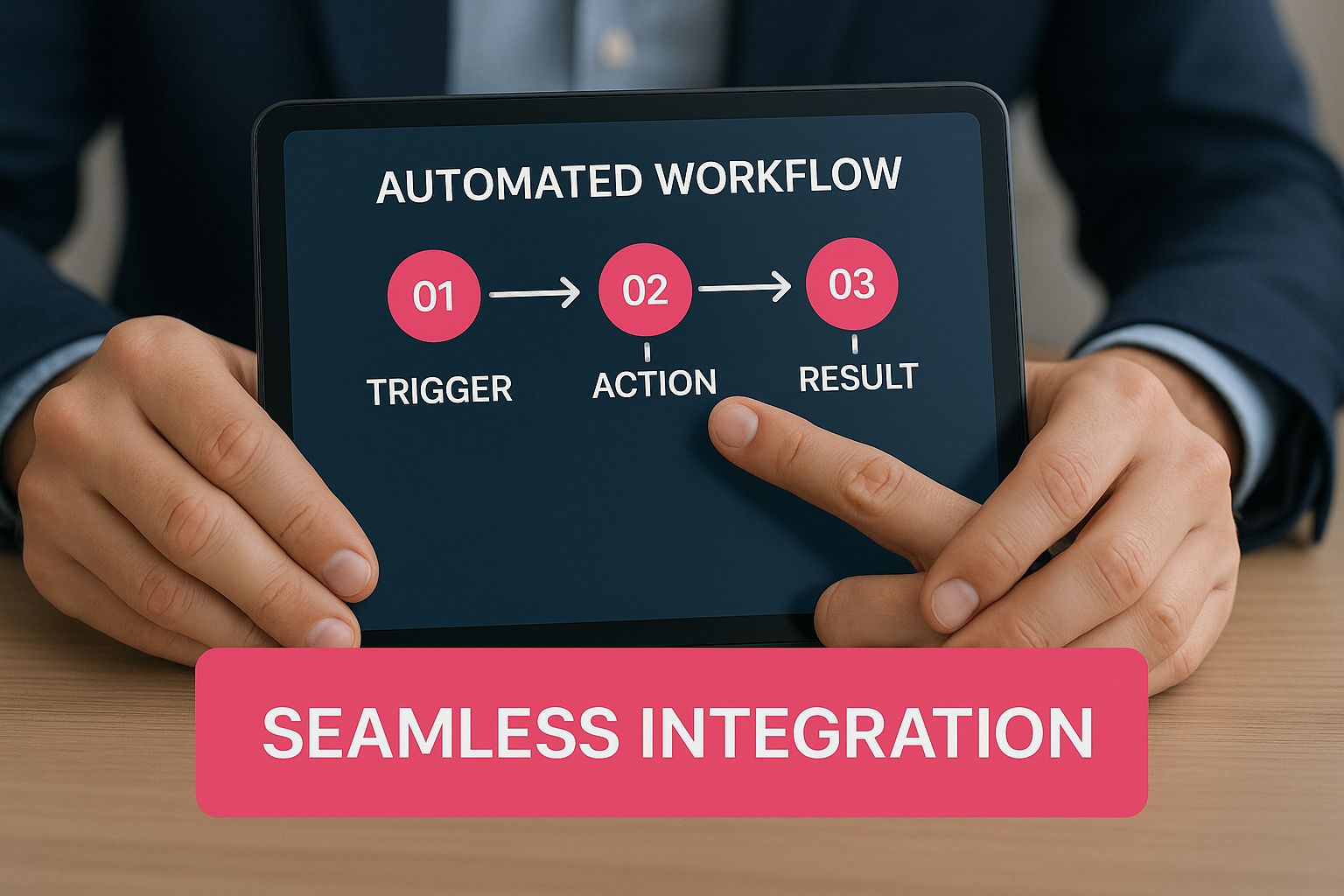
The whole point is seamless integration. The tech should work silently behind the scenes, creating a customer experience that feels smooth, personal, and intuitive.
Top E Commerce Automation Workflows and Their Impact
To get a clearer picture of where to focus your efforts, let’s break down the most effective automated workflows. The table below outlines their primary goal and the key metrics you should be tracking to measure success.
| Workflow Type | Primary Goal | Key Performance Indicator (KPI) |
|---|---|---|
| Welcome Series | Convert new subscribers into first-time buyers and build brand affinity. | First Purchase Conversion Rate, Open Rate |
| Abandoned Cart Recovery | Recapture lost sales from shoppers who left items in their cart. | Cart Recovery Rate, Revenue Recovered |
| Post-Purchase Follow-Up | Increase customer lifetime value and gather social proof. | Repeat Purchase Rate, Review Submission Rate |
| Browse Abandonment | Re-engage visitors who viewed products but didn’t add to cart. | Click-Through Rate, Conversion Rate |
| Customer Win-Back | Re-activate dormant customers who haven’t purchased in a while. | Re-engagement Rate, Revenue from Campaign |
These workflows are your foundational building blocks. By tracking their respective KPIs, you can see exactly what’s working and fine-tune your approach for even better results.
Crafting the Perfect Welcome Series
When someone subscribes to your list, their engagement is at an all-time high. They’ve just raised their hand and said, “I’m interested!” A welcome series is your golden opportunity to make a killer first impression. This isn’t just a single “thanks for signing up” email—it’s a multi-step journey. You’re introducing them to your brand’s story, showing off your best products, and maybe even offering a little something to get them to make that first purchase.
A solid welcome series has a few key jobs:
- Confirms the Subscription: Instantly lets them know they’re officially on the list.
- Delivers the Goods: This is where you send that discount or free shipping offer you promised.
- Builds a Real Connection: Share your brand mission, talk about what makes you different, and set the tone for what they can expect from you.
- Drives the First Sale: It’s all about smoothly guiding new leads toward becoming paying customers.
The Post-Purchase Follow-Up
The customer’s journey is far from over when they place an order. That post-purchase window is a critical time to solidify the relationship, stamp out any buyer’s remorse, and lay the groundwork for their next sale. A simple automated follow-up sequence can be the difference between a one-time buyer and a loyal, repeat customer.
Think of the post-purchase workflow as your automated customer success manager. Its job is to ensure customers are happy with their purchase and feel valued long after the transaction is complete.
This sequence can hit several strategic touchpoints:
- Order Confirmation: An immediate, clear confirmation that you got their order.
- Shipping Notification: The exciting update that their package is on the way, complete with tracking info.
- Product Review Request: A gentle ask for feedback a week or two after delivery. This is huge for building social proof.
- Cross-Sell or Upsell: A smart recommendation for another product they might love, based on what they just bought.
While email is fantastic for these workflows, mixing in SMS can make them even more potent by reaching customers with timely, impossible-to-miss messages. If you’re looking to add another powerful layer of communication, digging into SMS marketing automation can open up a ton of new opportunities.
To see how all this looks in the real world, it’s super helpful to check out some concrete examples. These advanced marketing automation workflow examples offer a great look at how successful brands are putting these strategies to work. By mastering these essential workflows, you create a system that not only recovers sales but actively nurtures customers, skyrockets lifetime value, and builds a rock-solid foundation for growth.
Advanced Automation Strategies for Customer Loyalty
Nailing the basics like abandoned cart recovery and welcome emails is a fantastic start. But if you really want to scale your e-commerce store, you have to look beyond just getting new customers in the door. The real magic happens when you turn those one-time buyers into loyal fans who come back again and again.
This is where advanced marketing automation steps up. It’s no longer just a tool for clawing back lost sales; it becomes an engine for sustainable, long-term growth. These smarter strategies are built on behavioral segmentation—grouping customers based on what they do, not just who they are. When you understand your customers’ actions, you can create ridiculously relevant campaigns that make them feel seen.
Segmenting for Smarter Engagement
Before you can build out these advanced workflows, you need to know who you’re talking to. Behavioral segmentation lets you ditch the one-size-fits-all promotions and tailor your messages with surgical precision. It’s like having a personal shopper who already knows a customer’s style before they even start browsing.
For loyalty-focused automation, a few segments are pure gold:
- VIP Customers: These are your big spenders and frequent buyers. They’ve earned special treatment, like getting first dibs on new products or access to exclusive sales.
- At-Risk Customers: Think of these as shoppers who haven’t bought anything in a while. They might be slipping away, but a well-timed win-back campaign can bring them right back.
- Brand Advocates: Got customers leaving amazing reviews or shouting you out on social media? Don’t let that go unnoticed. Nudge them toward becoming official brand ambassadors.
- Single-Category Shoppers: These are people who only ever buy, say, your t-shirts. They’re the perfect audience for a cross-sell campaign to show them how great your hoodies are, too.
High-Impact Workflows for Building Loyalty
Once you have your segments dialed in, you can start building automated workflows that are all about fostering deeper connections. These campaigns aren’t just transactional; they create positive, memorable experiences that build a genuine emotional bond with your brand.
A solid loyalty program is the cornerstone here. Instead of manually tracking points and rewards (what a headache!), automation can do all the heavy lifting. It can assign points after a purchase, notify customers when they hit a new reward tier, and keep them engaged without you lifting a finger. If you’re starting from scratch, learning how to create a customer loyalty program is the perfect first step.
Going Beyond Email with a Multi-Channel Approach
Your customers aren’t just sitting in their email inboxes all day. A truly advanced strategy meets them where they are by integrating multiple channels, like email and SMS, to create one seamless conversation. This ensures your most important messages actually get seen.
You can’t beat the combination of email’s storytelling power and the instant punch of an SMS. One study found that campaigns using SMS marketing saw a 47.7% higher conversion rate than those that stuck to email alone.
This approach is especially powerful for time-sensitive alerts that demand immediate action.
- Back-in-Stock Notifications: A shopper wants an item that’s sold out. An email is good, but it might get buried. An instant SMS alert the moment it’s available? That’s a fantastic customer experience and a guaranteed sale you might have otherwise lost.
- Birthday and Anniversary Campaigns: A personalized email with a discount is a nice touch. But adding an SMS reminder on their actual birthday makes the offer feel urgent and even more special.
- Win-Back Series: The first “we miss you” email might get ignored. Following up a few days later with a punchy SMS offer like “We miss you! Here’s 20% off your next order” can be exactly what a dormant customer needs to come back.
These advanced tactics are about more than just driving the next sale. They prove to your customers that you value them. If you’re looking to build deeper relationships and create lasting loyalty, these proven customer retention strategies are a great place to start. By building this kind of sophisticated ecosystem, you create a loyal customer base that not only buys more but becomes your most powerful marketing asset.
Choosing the Right Marketing Automation Platform
Picking the right tool for marketing automation e commerce is one of the most important calls you’ll make for your business. This platform is the engine that drives your entire strategy. It needs to be reliable, powerful, and a perfect match for what you’re trying to achieve. Get this wrong, and you’re looking at wasted cash and a ton of missed opportunities.
Think of it like buying a vehicle. A brand-new solo entrepreneur might just need a zippy scooter to get around town. But a fast-growing company shipping pallets of product needs a heavy-duty truck. They both get you from point A to B, but their capabilities, costs, and room for growth are worlds apart. The goal is to find the right tool for the job without paying a premium for features you’ll never touch.
Start with Your E Commerce Platform
First things first: integration. This is the absolute starting point. Your automation software has to play nice with your e-commerce platform, whether that’s Shopify, WooCommerce, BigCommerce, or something else. A deep, native integration means the tool can pull customer data, purchase history, and browsing behavior right into your workflows without a hitch.
Without that solid connection, you’re stuck manually exporting CSVs and trying to rig up clunky workarounds. It’s a nightmare. Make sure any platform you consider has a robust, one-click integration with your store. This is non-negotiable.
Core Features to Evaluate
Once you’ve confirmed the tool connects to your store, it’s time to look under the hood. It’s easy to get distracted by flashy bells and whistles, but you need to stay focused on the core functions that actually move the needle for an e-commerce store.
Here’s a quick checklist to keep you on track:
- Intuitive Workflow Builder: Can you actually build the automations you need? A visual, drag-and-drop editor is the gold standard here, letting you map out triggers, conditions, and actions without needing a developer.
- Deep Segmentation: The magic of automation is sending the right message to the right person. Your tool must let you slice and dice your audience based on what they’ve bought, what they’ve looked at, and how they’ve interacted with your messages.
- Multi-Channel Capabilities: In 2024, email alone isn’t always enough. Does the platform support both email and SMS? A winning strategy often uses both. If you’re curious about this, it’s worth exploring different types of omnichannel marketing software to see what’s possible.
- Robust Analytics: You can’t improve what you don’t measure. You need clear, simple dashboards that show you the money. Look for things like cart recovery rate, conversion rates for specific automations, and customer lifetime value.
Don’t get mesmerized by a long list of features. Prioritize the platform that absolutely nails the e-commerce essentials: recovering abandoned carts, welcoming new subscribers, and driving repeat purchases. A tool that does these three things exceptionally well is far more valuable than one that does a hundred things poorly.
Feature Checklist for E Commerce Automation Tools
To help visualize how different platforms stack up, here’s a quick comparison of what you might expect at different tiers. This isn’t exhaustive, but it gives you a good idea of how features evolve as you move up in price and complexity.
| Feature | Beginner Tier (e.g., Mailchimp) | Mid-Tier (e.g., Klaviyo) | Enterprise Tier (e.g., HubSpot) |
|---|---|---|---|
| Email Marketing | ✅ Basic campaigns, simple automations | ✅ Advanced, e-commerce focused | ✅ Full-suite, integrated with CRM |
| SMS Marketing | ❌ Often an add-on or not available | ✅ Core feature, tightly integrated | ✅ Usually included, advanced features |
| Workflow Builder | ✅ Basic, linear flows | ✅ Advanced, visual drag-and-drop | ✅ Highly complex, multi-object workflows |
| E-commerce Integration | ✅ Good (major platforms) | ✅ Excellent (deep data sync) | ✅ Very Good (often requires setup) |
| Segmentation | ✅ Basic (tags, list-based) | ✅ Advanced (behavioral, predictive) | ✅ Enterprise-grade (fully custom) |
| Reporting & Analytics | ✅ Standard campaign metrics | ✅ E-commerce focused (CLV, AOV) | ✅ Full-funnel attribution, custom dashboards |
| A/B Testing | ✅ Subject lines, content | ✅ Advanced (workflows, timing) | ✅ Comprehensive testing suite |
| Price Point | $ (Free to low cost) | $$ (Mid-range, usage-based) | $$$ (Premium, high commitment) |
This table should give you a solid framework for evaluating your options. Remember to align your choice not just with your current needs but also with where you see your business in the next 12-24 months.
Finally, look closely at the pricing models and the quality of customer support. Some platforms, like Mailchimp, charge based on how many contacts you have, while others, like Klaviyo, might charge by the number of messages sent. Run the numbers for your business. And don’t underestimate the value of good support—when you’re in a jam at 2 AM trying to fix a broken workflow, a responsive support team is worth its weight in gold.
Adapting Automation for B2B E-Commerce
While many automation tricks work across the board, marketing automation for e-commerce in the B2B world is a completely different game. B2B purchases aren’t impulse buys; we’re talking about long sales cycles, committees of decision-makers, and a huge emphasis on building trust. Tossing a discount code at an abandoned cart just isn’t going to cut it here.
Think of the B2B buying journey as a marathon, not a sprint. Your automation has to be built for the long haul—to nurture leads, educate prospects, and manage complex relationships every step of the way. The goal isn’t a quick sale; it’s about helping a company make a smart, informed decision.
Nurturing Leads Through a Longer Sales Cycle
In B2B, someone might download a whitepaper or ask for a quote weeks, or even months, before they’re ready to pull the trigger. Your automation strategy needs to keep your brand on their radar during this whole time without being annoying or pushy.
This is where educational sequences are your best friend. Instead of just blasting product promos, you can set up automated workflows that deliver real value and establish you as an expert.
- Educational Content Drips: Once a new lead signs up, kick off a series of emails sharing relevant case studies, industry reports, or how-to guides related to what they first showed interest in.
- Automated Quote Follow-Ups: When a potential client requests a quote, have a workflow check in a few days later to see if they have questions. A week after that, you could send a case study showing how a similar company benefited.
- Personalization by Role: Segment your leads by their job title. A procurement manager cares about different things than an engineer, so send them content that speaks directly to their unique problems and what they need to do their job better.
Managing Complex Accounts and Relationships
Unlike B2C where you’re usually talking to one person, a single B2B account often has a whole team involved. Automation is perfect for managing these complex relationships by making sure everyone gets consistent and relevant messages. The engineer gets the technical specs, and the purchasing agent gets the ROI data.
The sheer scale of this market is mind-boggling. B2B e-commerce is moving online at a breakneck pace, with digital channels expected to handle 80% of all B2B sales by 2025. That explosion in online activity makes smart, personalized automation essential for managing all these high-value conversations.
This shift is happening because buyers expect more. A solid 66% of B2B buyers now want the same kind of personalized, convenient digital experience they get when they shop online for themselves. You can find out more about the explosive growth of the B2B e-commerce market and what it means for your sales strategy.
Workflows Tailored for B2B Success
Adapting your marketing automation e-commerce strategy for B2B means building workflows that solve real business problems, like handling custom pricing or waking up dormant accounts—not just individuals.
A classic example is the inactive account re-engagement campaign. If an entire company hasn’t placed an order in six months, you can trigger an automated sequence that reaches out to multiple people within that account. Maybe you send them an update on new product lines or a special offer to come back. This simple workflow can seriously boost sales efficiency and strengthen those crucial client relationships.
Got Questions About E-Commerce Automation?
Jumping into e-commerce automation usually sparks a few questions. It’s totally normal to wonder how it’ll affect your customer relationships, what it’s going to cost, and how fast you’ll actually see a return. Let’s tackle these common worries so you can move forward feeling confident.
Will Automation Feel Robotic to My Customers?
A lot of store owners worry that using automation will make their brand feel cold and impersonal. It’s a fair point, but it misunderstands what good automation is all about.
The goal isn’t to replace the human touch. It’s to deliver a personal experience at a scale you could never manage by hand. Done right, automation feels helpful, not robotic. When you use dynamic content—like popping in a customer’s name or mentioning a product they just looked at—your messages instantly feel more relevant.
The secret is to bake your brand’s personality into every automated message. Write your emails and texts like you’re talking to a single person, not a giant list.
The best automation doesn’t feel like automation at all. It feels like a thoughtful, timely, and genuinely helpful interaction that anticipates a customer’s needs before they even have to ask.
Here are a few quick tips to keep it human:
- Talk Like a Person: Drop the corporate-speak. If you wouldn’t say it out loud, don’t write it in a text.
- Segment Your Audience: Don’t send the same message to everyone. The welcome you send a first-time visitor should be worlds apart from the thank-you note a long-time VIP gets.
- Ask for Their Thoughts: Use automated follow-ups to ask for a review or opinion. It shows you’re listening and that their experience matters.
When you focus on adding real value, your automated messages will build relationships, not break them.
What’s This Going to Cost Me?
The price of automation tools is all over the map, but it helps to think of it as an investment, not just another line item on your expense sheet. Pricing is usually tiered based on things like how many contacts you have or how many messages you send a month.
Some platforms are a straight monthly subscription. Others work on a pay-as-you-go model, which can be a lifesaver for businesses with seasonal spikes. But the number you should really be focused on is the return on investment (ROI). A well-crafted abandoned cart sequence can pull back thousands of dollars in lost sales every month, often paying for the platform many times over.
How Long Until I See Results?
This is one of the best parts about e-commerce automation: you can see results almost right away. Some workflows are designed for quick wins that prove the value from day one.
An abandoned cart reminder, for instance, can start recovering sales within 24 hours of you switching it on. A good welcome series can lift conversion rates for new subscribers immediately. The bigger picture, though, is a long game. Building true customer loyalty, increasing lifetime value, and creating repeat buyers are benefits that really start to snowball over several months.
Ready to stop losing sales to abandoned carts? CartBoss uses the power of automated SMS to bring customers back and boost your revenue on autopilot. See how it works at https://www.cartboss.io.