


Sending a text reminder is one of the single most powerful things you can do to win back an abandoned cart. We all know how easily emails get buried in a crowded inbox, but a text? That’s a direct, immediate line straight to your customer. This simple nudge is often all it takes to turn a forgotten cart into a finished sale.
Why Text Reminders Are Your Secret Weapon
Before we get into the nitty-gritty of setting one up, you need to grasp why SMS is crushing it in customer communication right now. It all comes down to one thing: directness.
Email marketing still has its place, of course. But for something as time-sensitive as an abandoned cart, its power is fading. People expect instant, easy interactions today, and a well-timed text delivers exactly that.
This isn’t just about blasting out another marketing message. It’s about joining a conversation that’s already happening, right at the moment a customer is most interested. Picture this: someone adds your product to their cart, gets distracted by a phone call, and completely forgets. A friendly, personalized text 30 minutes later doesn’t feel like an ad—it feels like genuinely helpful service.
The Undeniable Power Of SMS
The numbers behind SMS marketing aren’t just good; they’re staggering. They paint a crystal-clear picture of why this channel is a cornerstone of modern e-commerce.
SMS boasts a jaw-dropping 98% open rate, and an incredible 45% of people who get a marketing text actually reply to it. That absolutely dwarfs email, which limps along with a 6% response rate. By 2025, an estimated 5.5 billion people will be texting, making it one of the most universal communication channels on the planet. You can find even more compelling SMS marketing statistics and insights from recent studies.
To really put the difference into perspective, here’s a quick comparison of how SMS and email stack up for urgent customer nudges.
Text Reminders vs. Email Marketing Effectiveness
| Metric | Text (SMS) Reminders | Email Reminders |
|---|---|---|
| Open Rate | ~98% (Almost instant) | ~20% (Often hours later) |
| Response Rate | ~45% | ~6% |
| Click-Through Rate | 19% – 37% | 2.5% – 4.2% |
| Time to Open | 90 seconds on average | 90 minutes on average |
| Customer Perception | Personal, immediate, helpful | Can feel promotional, easily missed |
As you can see, when speed and attention are critical, there’s just no contest.
Key Takeaway: A text reminder is seen almost instantly, giving your brand a direct and personal connection that other channels simply can’t match.
This immediacy cuts right through the digital noise. It turns a passive browsing moment into an active re-engagement, gently guiding customers back to finish what they started. Whether you’re saving a lost sale or just letting a loyal shopper know an item is back in stock, a simple text is a powerful tool for driving real revenue and building stronger relationships.
Choosing Your SMS Marketing Platform
Before you can start sending text reminders, you need to pick the right tool for the job. Think of your SMS platform less like a complicated piece of software and more like an extension of your marketing team. It needs to plug right into your e-commerce store, whether you’re on Shopify or WooCommerce, and just work.
Your choice here can make or break your success. A solid platform gives you powerful automation, letting you set up campaigns that recover sales on autopilot while you focus on other things. Imagine automatically sending a reminder 60 minutes after a cart is abandoned, complete with a unique discount code to give that final nudge. That’s what a good tool does for you.
What to Look For
When you’re comparing your options, focus on the features that actually get results and make for a good customer experience. You’ll want a platform that offers:
- Seamless E-commerce Integration: It has to connect directly to platforms like Shopify to automatically pull customer and cart details. No manual work.
- Ready-Made Templates: Why reinvent the wheel? Good platforms offer proven message templates you can quickly tweak to fit your brand’s voice.
- Built-in Compliance: Managing consent and opt-outs legally is a must. Look for built-in tools for GDPR and TCPA compliance—this is non-negotiable.
- Clear Analytics: You need to know what’s working. Look for easy-to-read data on delivery rates, click-throughs, and most importantly, your ROI.
For instance, a top-tier platform like CartBoss gives you a clean dashboard that shows you exactly how your campaigns are performing, so you can make decisions based on real data.
This kind of at-a-glance view of recovered revenue and conversion rates is invaluable. It makes it dead simple to see the direct impact of your SMS campaigns and optimize your strategy on the fly.
There’s a reason this market is exploding. The SMS reminder software industry was valued at around $2.5 billion in 2025 and is set to grow by over 15% each year. E-commerce stores are realizing just how effective it is. You can read more about the growth of the SMS software market in this report.
Pro Tip: Find a platform with transparent, pay-per-result pricing. This model means you only pay when the service actually makes you money, which is the best way to guarantee a high return on your investment.
The goal is to find a solution that’s powerful but also simple to use. For a much deeper look at what to look for, check out our guide on finding the best SMS marketing platforms to fit your store’s needs.
Building Your First Automated SMS Campaign
Alright, let’s move from theory to action. It’s time to build a hands-off workflow that claws back sales while you’re busy with other things—or even sleeping. Setting up your first automated SMS campaign is a lot simpler than it sounds once you break it down into a few key decisions.
The whole point is to create a sequence that feels more like a helpful reminder than an intrusive sales pitch, gently guiding customers back to finish what they started.
First things first, you have to connect your e-commerce store—whether you’re on Shopify or WooCommerce—to your SMS platform. This integration is the absolute backbone of your entire operation. It’s what allows the software to see, in real-time, when a shopper leaves a cart behind. More importantly, it ensures customer contact info is pulled in compliantly, which is a must-have for both legal and ethical marketing.
Defining Your Campaign Trigger
Once your store is connected, you need to decide what kicks off the reminder sequence. For abandoned carts, the most reliable trigger is a simple time delay.
I’ve seen clients get the best results by setting the first message to send 60 minutes after a customer bounces without buying. This timing is the sweet spot. It’s soon enough that the purchase is still fresh in their mind, but not so quick that it feels desperate or creepy. You can always get fancier with more complex triggers later, but for your first campaign, a one-hour delay is a proven winner.
This flow chart breaks down the simple but powerful logic behind setting up your automated text reminder system.
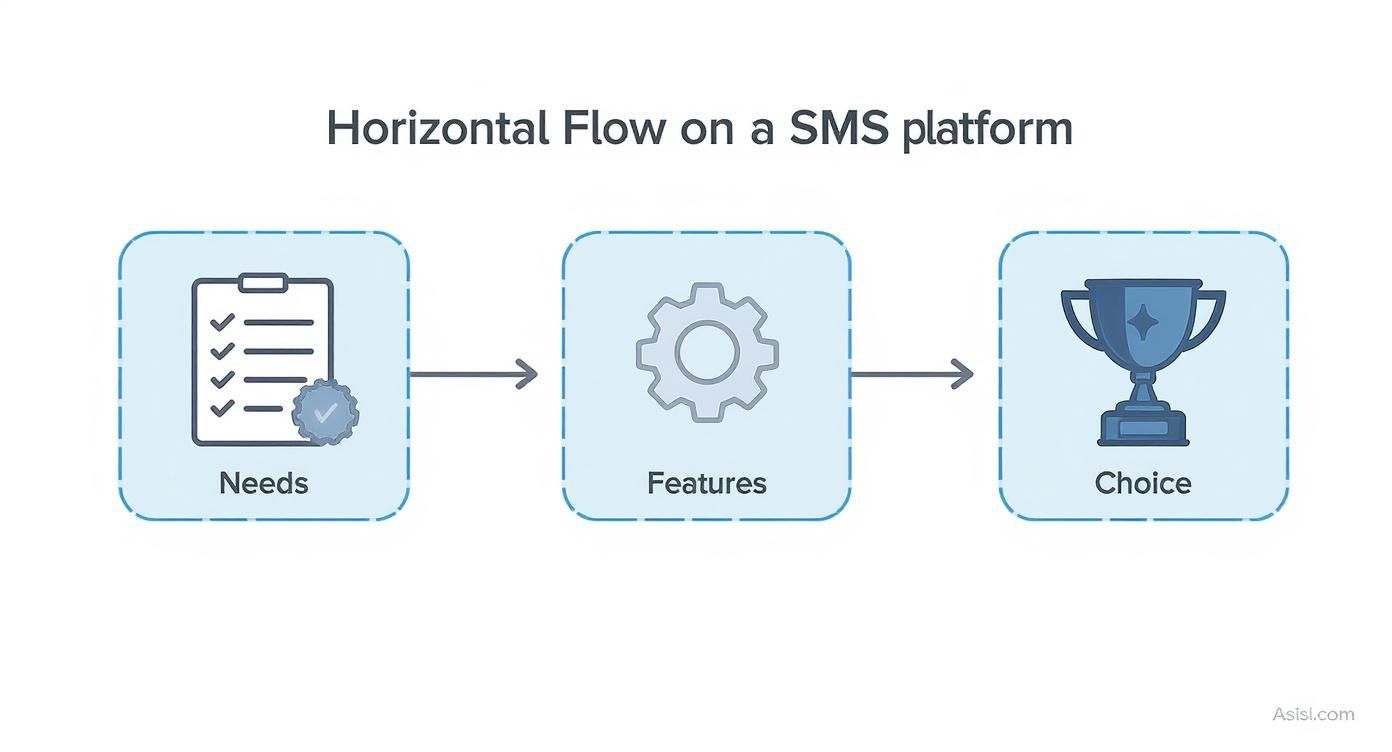
As you can see, it all comes down to understanding what you need and how the platform’s features can deliver it. That’s the key to picking the right automation strategy.
Personalizing Your Message Template
With your trigger in place, it’s time to actually write the message. This is your chance to turn a generic system alert into a personal nudge. The secret sauce here is using dynamic fields—sometimes called personalization tags—that your SMS platform automatically fills with customer data.
Here’s a simple template structure that just plain works:
- Greeting: Use a tag like
{customer_name}to address them directly. A simple “Hi Jane,” feels worlds away from a generic opening. - Context: Remind them what they were looking at. A tag like
{product_name}can mention a specific item, making the message instantly relevant. - Call to Action: This is crucial. Always include a unique link that takes them straight back to their pre-filled cart. You want to remove every possible bit of friction.
Putting it all together, a great message might look like this: “Hey {customer_name}! It looks like you left the {product_name} in your cart. We saved it for you! Finish your order here: {cart_link}”.
This kind of simple, automated workflow is the heart of effective SMS marketing automation, quietly working in the background to bring you more revenue.
Key Insight: The campaigns that perform the best feel less like automation and more like a helpful, one-on-one chat. Personalization is what closes that gap and makes the customer feel seen, not just marketed to.
Writing Reminder Messages That Actually Work
Once your automation is live, the single most important element becomes the message itself. An effective text is what turns a simple reminder into a completed purchase.
The real goal here is to write something that feels personal, helpful, and persuasive—not like it came from a robot. It’s a delicate balance. You want to create a sense of urgency without losing that friendly, on-brand tone that defines your business.
A great text connects with the customer on a human level. This means moving beyond generic templates and injecting your brand’s personality. Are you fun and playful? Straightforward and helpful? Whatever your voice is, make sure it comes through. This is your chance to build a real relationship, not just chase a sale.
Crafting the Perfect Nudge
To get clicks and conversions, your message needs to be concise, clear, and compelling. Every single character counts. The power of SMS is its immediacy; people read texts almost instantly. In fact, data shows that 95% of texts are read within three minutes of being sent, making it an incredibly powerful channel for these kinds of time-sensitive nudges.
So, what are the core components of a text that actually gets clicked?
- Make It Personal: Always, always use the customer’s name. If you can mention the specific product they left behind, even better. It shows you’re paying attention.
- Present a Clear Offer: If you’re giving them a discount, say it outright (e.g., “Use code SAVE10 for 10% off”). Don’t make them hunt for the value.
- Include a Direct Call to Action (CTA): Use a single, direct link that takes them straight back to their pre-filled cart. The
{cart_link}shortcode is your best friend here.
Let’s look at a real-world example. Instead of a bland, robotic “You left items in your cart,” try something with a bit more personality.
Good Example: “Hey [Name]! Still thinking about the [Product Name]? It’s waiting for you! We saved your cart so you can pick up where you left off. Finish your order here: {cart_link}”
This message feels personal, directly references their interest, and gives them an easy path back to buying. It’s helpful, not pushy.
For a little more inspiration, you should explore these powerful SMS marketing message examples and templates that are designed to boost engagement. When you send text reminder messages that feel this tailored, you’ll find that customers are far more likely to come back and finish their purchase.
Tracking Performance and Optimizing Your Strategy
Getting your campaign live is a great start, but the real work—and the real money—is in the data. This is where you roll up your sleeves and turn a good strategy into a great one by tracking what works and tweaking what doesn’t.
Think of your SMS platform’s dashboard as your command center. It’s packed with numbers, but don’t let it overwhelm you. Your job is to zero in on the handful of metrics that actually drive revenue and tell the story of your campaign.
Key Metrics to Monitor
To get a clear picture of your campaign’s health, you really only need to keep a close eye on four core metrics:
- Delivery Rate: This is simple: how many of your messages are actually hitting your customers’ phones? If this number is low, it’s often a red flag pointing to issues with your contact list.
- Click-Through Rate (CTR): What percentage of people actually clicked the link in your text? This is a direct reflection of how compelling your message is.
- Conversion Rate: This is the big one. How many of those clicks turned into a sale? This tells you if your offer and landing page are sealing the deal.
- Return on Investment (ROI): For every dollar you put in, how much are you getting back? This is the bottom-line proof that your efforts are paying off.
If your CTR is low, it’s a clear sign to start A/B testing different message copy or calls to action. A small tweak, like adding a sense of urgency, can make a huge difference.
If you see a lot of clicks but not many conversions, the problem might be your offer or timing. Maybe sending another reminder 24 hours later with a slightly better discount is all it takes to nudge them over the finish line. For a deeper dive into this, explore our guide on how to measure marketing campaign success.
Common Questions About Text Reminders
When you start diving into text reminders, a few questions always pop up, especially around the rules of the road and what actually works. Getting these details right from the get-go is the difference between a message that gets welcomed and one that gets ignored.
Is This Even Legal?
One of the first things people ask is about legality. Can you just send a text to someone who left your checkout? The short answer is yes, but only if they’ve given you explicit permission.
Regulations are crystal clear on this: customers have to actively opt-in to get promotional messages from you. Never, ever message someone who hasn’t given you that green light. If you want to dig deeper into the specifics, our guide to SMS marketing compliance breaks it all down.
When’s the Best Time to Send a Reminder?
Timing is everything. From what we’ve seen, the sweet spot for an abandoned cart reminder is somewhere between 30 to 60 minutes after they leave your site.
This window is perfect because the purchase is still fresh in their mind. Sending it any later risks them forgetting what they were even looking at. And, of course, be respectful—avoid sending texts super late at night or first thing in the morning.
A quick tip: treat replies like a real conversation. If a customer texts back with a question, a fast and helpful answer can easily turn that forgotten cart into a sale. It’s a small touch that makes a huge difference in how they see your brand.
Ready to turn those abandoned carts into profit on autopilot? CartBoss makes sending effective, compliant text reminders ridiculously easy. Start recovering your lost revenue today!