


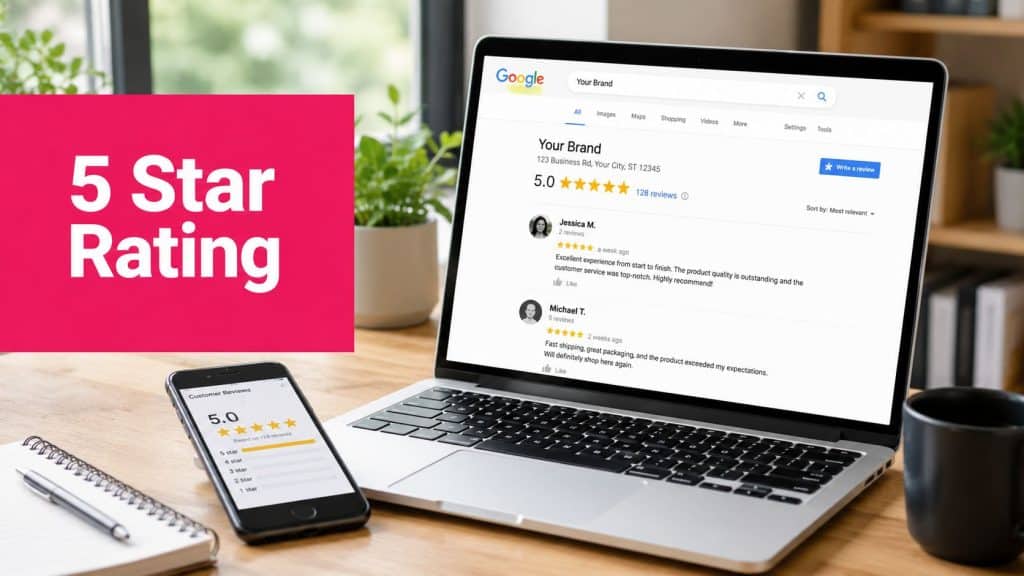
A 5 star Google rating isn’t a vanity badge anymore. A small rating increase can change revenue fast. SOCi found that improving a Google Business Profile rating by 0.1 stars can increase conversions by 4.4%, and a full one-star improvement can raise conversions by 44% according to SOCi’s Google reviews research.
That changes how e-commerce operators should think about reviews. Your Google rating isn’t just a reputation metric sitting off to the side. It influences trust before a shopper lands on your site, while they compare you with competitors, and after they search your brand name to make sure you’re legitimate.
The businesses that win here usually aren’t the ones begging for reviews the hardest. They’re the ones with a system. Good timing. Low-friction review links. Clean consent records. Smart SMS follow-up. Fast responses when things go wrong.
Why a 5-Star Google Rating Is a Powerful Sales Tool
A 0.1-star lift can raise conversions by 4.4%, and a full one-star improvement can raise them by 44%, based on SOCi’s findings. That is a revenue lever, not a vanity metric.
Shoppers do not evaluate your brand with internal context. They scan proof. Star rating, review count, review recency, owner responses, and complaint patterns all shape the decision before a shopper reaches your PDP, checkout, or support page. A strong Google profile lowers perceived risk early, which makes every other acquisition dollar work harder.
Higher ratings now have to clear a stricter trust threshold
Google’s average business rating has climbed over time, so a score that looked excellent a few years ago can read as average now, as noted earlier. That shift hits comparison-heavy categories first. Giftable products, premium items, replenishment products, and visually merchandised categories all depend on trust before purchase.
The pattern is easy to see in markets where presentation and confidence drive clicks. Collections like top-rated Amazon gifts win attention because shoppers use ratings as a shortcut for quality when they cannot inspect the product in person.
A five-star profile helps in three places at once. It improves click confidence in search. It protects conversion when shoppers search your brand name for validation. It softens price resistance because buyers expect fewer problems after the sale.
Fresh reviews carry more weight than old praise
A stale 4.9 can lose to an active 4.8.
One industry roundup from WiserReview’s Google review statistics points to the same pattern many operators see in practice. Google dominates review discovery, shoppers often check Google first, and recent reviews carry outsized weight in trust decisions. The implication is operational. Stores need a steady flow of legitimate, recent feedback, not a burst of review volume once or twice a year.
Channel choice significantly impacts results. Email can support volume, but SMS usually gets the faster read and click behavior needed to keep review recency healthy, especially after confirmed delivery or a resolved support interaction. Used well, SMS shortens the gap between a positive experience and a public review. Used poorly, it creates spam complaints, weak response quality, and consent risk. The upside is real, but so are the compliance guardrails.
Practical rule: Manage Google reviews like an always-on conversion program with channel discipline, response SLAs, and consent records.
High ratings also reduce abandonment pressure. Buyers who feel uncertainty leave carts and comparison-shop elsewhere. Credibility signals close that trust gap earlier, which is why this guide on building credibility to reduce cart abandonment fits naturally alongside a review strategy.
The Bottom Line
A five-star Google rating shapes more than click appeal. It influences whether shoppers believe your shipping claims, product quality, and post-purchase support will hold up.
The stores that benefit most treat reviews as an operating system. They control timing, choose the right channel, use SMS where speed and response rates justify it, and set legal rules for incentives before launching campaigns. That is how ratings turn into both stronger reputation and measurable revenue.
The Foundation for Getting Reviews Timing and Targeting
Most review requests fail before the message is sent. The timing is off, the customer hasn’t used the product yet, or the ask goes to someone who had a neutral experience and no reason to respond.
The fix is simple in theory and disciplined in practice. Ask at the moment of delight, not at the moment of payment.

Find the right review window
For most e-commerce stores, “order confirmed” is too early. The customer hasn’t received the package, tried the product, or judged whether the experience matched the promise.
Use a simple review-timing checklist:
- Delivery reality: Wait until tracking shows the order was delivered, not just shipped.
- Product type: Ask sooner for simple products and later for products that need setup, repeat use, or gifting.
- Support history: Delay the ask if the customer opened a service ticket, requested an exchange, or reported confusion.
- Customer intent: If the item was a gift, the best time may be after the likely gifting date, not after delivery.
- Repeat buyers: Ask loyal customers faster because they need less time to form a judgment.
A skincare brand, for example, shouldn’t use the same review delay as a store selling phone cases. A supplement brand needs more patience than a candle shop. A furniture store needs more patience than either.
Target customers most likely to respond well
A blanket review blast usually drags down efficiency. Better results come from prioritizing customers who are most likely to leave detailed, positive feedback.
Start with segments like these:
- Customers with successful delivery and no complaints
- Repeat purchasers
- Customers who clicked post-purchase emails or texts
- Buyers who praised support or product quality
- High-intent customers who bought without heavy discounting
This isn’t about filtering for only happy people after asking for “honest” reviews. It’s about choosing the right moment and audience before you ask. There’s a big difference.
Ask after value is experienced. Not after money changes hands.
Build consent into the foundation
If SMS will be part of your review flow, your opt-in process has to be clean. Don’t bolt consent on later. Capture it properly at checkout, in popups, and in post-purchase flows so your review requests sit on a compliant foundation from day one. CartBoss has a practical breakdown of SMS opt-in best practices that’s useful when you’re setting up this part of the system.
A good foundation has three traits. It’s timely, segmented, and permission-based. Get those right and the actual ask becomes much easier.
The Review Generation Playbook SMS and Email Workflows
Most brands shouldn’t choose between SMS and email for review generation. They should assign each channel a job.
SMS is the fast, low-friction nudge. Email is the fuller, branded follow-up that gives context and catches customers who don’t act from a text. Used together, they create a clean multi-touch system without feeling repetitive.

What each channel does best
Here’s the practical comparison.
| Metric | SMS | |
|---|---|---|
| Best use | Fast review request after product experience | Branded follow-up with more context |
| Message length | Short and direct | More room for explanation |
| Friction level | Very low when the review link is included | Higher if the email is too long |
| Timing style | Immediate or near-immediate after delight moment | Slightly delayed follow-up |
| Personalization | Order-based and concise | Can include product details and support context |
| Main risk | Sending too early or without consent | Landing in promotions or spam |
Email still matters, but deliverability can undercut even strong copy. If your messages routinely miss the inbox, this guide on how to stop email from going to spam in Gmail is a useful operational reference.
The SMS-first workflow
Use this when a customer has received the order, had enough time to try it, and has valid SMS consent.
Touch 1. Review request by SMS
Send a short message with one clear action and the direct Google review link.
Template:
Hi [First Name], hope you’re enjoying your order from [Brand]. If you’ve had a good experience, we’d really appreciate an honest Google review: [Direct Review Link]
Keep it plain. Don’t add multiple links. Don’t stuff it with brand slogans. Don’t ask for a “5-star review.” Ask for an honest one.
Touch 2. Gentle SMS reminder
If the customer doesn’t act, send a brief reminder a few days later.
Template:
Hi [First Name], quick follow-up from [Brand]. If you haven’t had a chance yet, you can leave your feedback here: [Direct Review Link]. Thanks for your time.
That second touch should feel respectful, not persistent. One reminder is usually enough for most brands.
The email follow-up workflow
Email works best as a support layer, not as the only system.
First email
Subject line ideas:
- How did your order work out?
- We’d love your feedback
- Tell us about your experience with [Brand]
Body template:
Hi [First Name],
Thanks again for your recent order from [Brand].
We’d love to hear how everything went. If you have a moment, please leave an honest Google review here:
[Leave a Google Review]Your feedback helps other customers shop with confidence and helps us improve the experience.
Thank you,
[Brand / Support Team]
Reminder email
Send this only if there’s been no review and no active support issue.
Template:
Hi [First Name],
Just checking in one last time. If you’d like to share your experience with [Brand], you can leave your feedback here:
[Leave a Google Review]We appreciate it,
[Brand / Support Team]
Execution details that improve response quality
A few details separate high-performing review flows from messy ones:
- Use the direct review URL: Don’t make customers search for your business.
- Pause when support is active: A refund request and a review ask should never hit at the same time.
- Match timing to product use: Give people enough time to form a real opinion.
- Keep brand voice restrained: Review asks should sound human, not promotional.
- Track channel-level performance: Compare which requests lead to actual posted reviews, not just clicks.
Short SMS wins attention. Email adds context. The direct link does most of the conversion work.
If you’re coordinating both channels across the customer journey, CartBoss’s overview of SMS and email together in e-commerce is a solid framework for deciding what belongs in each message type.
Using Incentives Ethically and Legally
A small lift in review volume is never worth a policy violation, a privacy complaint, or a batch of deleted reviews. Incentives can help response rates, but only when the program is built around honest feedback, clear consent, and documentation your team can defend later.

What ethical incentives look like
The safest model is simple. Reward the act of leaving an honest review, not the rating itself.
That means the customer gets the same offer whether they leave five stars, three stars, or one star. In practice, that usually looks like a modest future-use discount, loyalty points, or sweepstakes entry offered after a completed purchase and sent to the full eligible audience, not a handpicked segment of happy buyers.
Use language that removes ambiguity:
- Honest-review wording: Say “Leave an honest review” or “Share your experience.”
- Equal treatment: Send the same offer to all qualifying customers.
- Plain disclosure: State that a small incentive is offered for feedback, where required.
- No rating conditions: Never connect the reward to a positive review or a specific star level.
I have seen brands create avoidable risk by letting a retention manager write one version, legal approve another, and support send a third. Standardize the copy. If the wording changes from campaign to campaign, compliance gets messy fast.
What gets brands into trouble
The biggest failures are operational, not theoretical. Teams start with “we just want more reviews,” then add shortcuts that distort the outcome.
Common examples:
- Review gating: asking satisfied customers to post publicly while sending unhappy customers into a private complaint path
- Star-based rewards: offering a coupon or gift for a 5-star review
- Hidden compensation: giving value without disclosing that the reviewer received something
- Review swaps: exchanging reviews with vendors, partners, or friendly brands
- Pattern spikes: running campaigns that create unnatural bursts from similar devices, locations, or timing
Google does not need to know your intent to see suspicious patterns. If your review profile suddenly changes shape after an incentive campaign, you can end up with removals, account scrutiny, or a listing that looks less trustworthy to buyers. The revenue trade-off is straightforward. A review program that produces unstable reviews inflates vanity metrics and weakens long-term conversion.
A review that disappears later has little business value.
GDPR and CCPA change how you run the program
For e-commerce teams, compliance starts before the incentive is ever mentioned. If the review request goes out by SMS or email, your process needs consent records, channel-specific permissions, and a clear data-use trail.
This matters more with SMS because it performs well and gets used aggressively. High response rates do not reduce your obligations. They raise the cost of getting the setup wrong.
Use this checklist before you launch:
- Document consent: keep the date, source, and capture method for each opt-in
- Match consent to channel: confirm the customer agreed to receive SMS if the request is sent by text
- Identify the sender: make the brand name clear in every message
- Offer opt-out instructions: give customers an easy way to stop messages
- Limit data reuse: do not pull purchase or support data into review campaigns without a valid basis and internal approval
- Record the incentive terms: keep the exact copy, audience rules, and start and end dates
Teams that send review requests by text should review this guide to SMS marketing compliance requirements for consent, disclosures, and opt-outs before adding any incentive layer.
The trade-off that actually matters
Aggressive incentive programs can create a short spike in review count. They can also produce lower-quality feedback, more legal questions, and internal confusion about what customers were promised.
A stable program is less exciting and more profitable. It asks every eligible customer for honest feedback, keeps the reward modest, stores the proof of consent, and avoids any tactic that could be read as buying praise. That is the version that holds up under platform reviews, privacy audits, and real customer scrutiny.
Turn All Feedback into a Growth Opportunity
Once reviews start coming in, your public response becomes part of the product experience. Prospective buyers read those replies to judge whether your brand is attentive, defensive, helpful, or indifferent.
That’s why review management shouldn’t sit with whoever has spare time. It needs an owner, response rules, and templates your team can adapt quickly.
Response templates that work
For a 5-star review
Template:
Thanks, [Name]. We’re glad to hear your order hit the mark. We appreciate you taking the time to share your experience and hope to serve you again soon.
What this does well: it’s warm, brief, and doesn’t overperform gratitude.
For a 3-star review
Template:
Thanks for your feedback, [Name]. We’re sorry the experience didn’t fully meet expectations. We appreciate the honest input and will use it to improve. If you’re open to it, please contact us at [support contact] so we can understand what happened.
This shows accountability without arguing in public.
For a 1-star review
Template:
Hi [Name], we’re sorry to hear this. That’s not the experience we want customers to have. Please contact us at [support contact] with your order details so we can review the issue and try to make it right.
Don’t litigate the details in the response. Don’t imply the customer is mistaken. Don’t copy and paste robotic legal language.
Negative reviews are public service moments. Future customers are judging your reply as much as the complaint.
Turn review text into operational insight
Every review contains more than a rating. It contains product language, support signals, packaging feedback, delivery friction, and expectation gaps.
Tag incoming feedback into buckets such as:
- Product quality
- Shipping and delivery
- Sizing or fit
- Customer support
- Packaging
- Returns and refunds
Then review those tags with your operations and marketing teams. If multiple customers mention confusing sizing, your PDP needs work. If praise repeatedly mentions fast support, that belongs in your brand messaging.
Keep the loop tight
A useful rhythm is simple:
- Respond publicly.
- Route the issue internally.
- Fix the root cause.
- Update your messaging or operations.
- Watch future reviews for pattern changes.
If your team needs a more structured process, CartBoss’s guide to setting up a customer feedback management system is a strong operational starting point.
Measuring and Scaling Your Review Strategy
You don’t scale review generation by staring at the star average alone. You scale it by connecting review activity to business outcomes and by understanding how Google displays ratings.

Why a perfect profile may not show 5.0
Google’s rating display isn’t always a simple arithmetic average. Some coverage notes that Google can use a Bayesian average, which helps explain why a profile with only a small number of 5-star reviews might still show 4.8 or 4.9 instead of a clean 5.0, as explained in this guide to how Google review stars work.
That matters because some teams chase the visible 5.0 too early and misread the system when it doesn’t appear. The smarter goal is consistent review volume, stable quality, and recent activity.
Build a dashboard that shows business impact
Track a small set of metrics every month:
- Average rating: Your visible Google score
- Review velocity: How consistently new reviews arrive
- Review freshness: Whether recent feedback reflects the current customer experience
- Response coverage: Whether your team replies to reviews consistently
- Sentiment themes: Repeated praise and repeated complaints
- Conversion correlation: Whether rating improvements line up with stronger site performance
Keep this dashboard simple enough that a founder, retention lead, or CX manager can scan it quickly. If you want a second lens on visibility, tools that help you check local search performance can add useful context around how your profile appears.
Connect review data to customer quality
Reviews don’t just affect first purchase behavior. They can also influence repeat-buy confidence, support load, and how well your acquisition traffic converts after branded search.
One smart addition is to compare review trends with your internal satisfaction metrics. CartBoss has a practical explainer on customer satisfaction score calculation that can help you pair qualitative review data with structured customer health measurement.
The goal isn’t to create a reporting monster. It’s to spot cause and effect. If review freshness improves and branded traffic converts better, keep investing. If review volume rises but complaint themes worsen, fix the experience before pushing harder.
A strong 5 star Google rating is built the same way durable growth is built. Through repeatable systems, not bursts of effort.
If you want to recover more revenue while keeping your customer communication fast, compliant, and automated, CartBoss is worth a close look. It helps e-commerce brands turn abandoned carts into sales with SMS on autopilot, so your team can improve conversion without adding more manual follow-up work.