


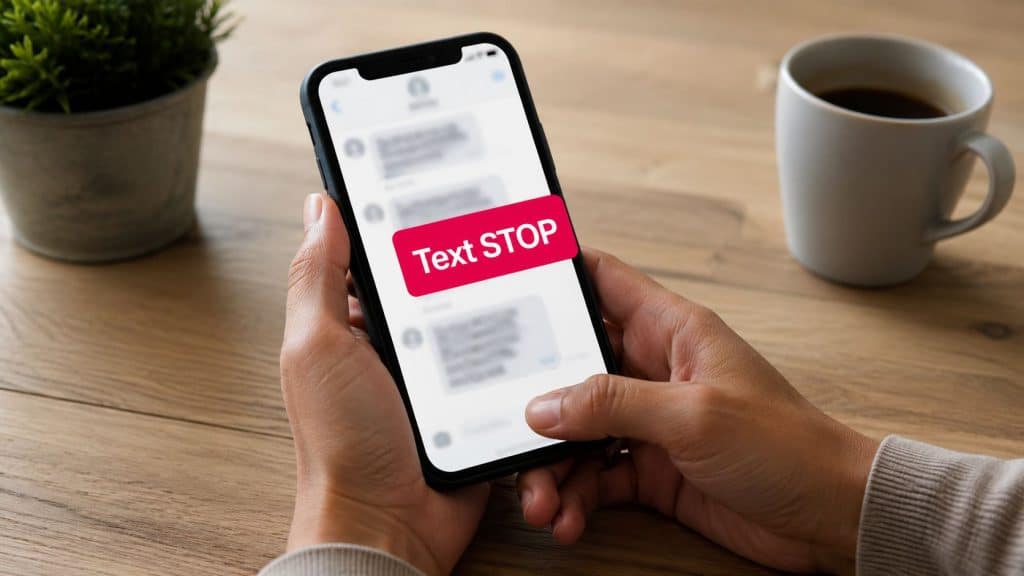
You’ve got a shopper in your inbox right now who just got an abandoned-cart text. Maybe they meant to buy, maybe they’re annoyed, maybe they’re worried the message is a scam. The tiny line that says Reply STOP to cancel decides what happens next, and if you send SMS for an e-commerce store, that line affects both compliance and trust.
For store owners, text STOP to cancel is not a decorative footer. It’s the standard opt-out path built into SMS behavior, and it tells carriers and compliant platforms to suppress that number from future marketing texts. For shoppers, it’s the fast way to end messages without digging through menus, and for brands, it’s one of the clearest signals that your messaging system is respecting consent.
What Text STOP to Cancel Means
A customer gets your reminder text after leaving items in their cart. They read it, decide they do not want more messages, and see the instruction to reply STOP. That small reply is the SMS version of closing the door. It tells the sender to stop future promotional texts without forcing the shopper to open a browser or log into an account.
That is why the phrase became the standard in major SMS markets. The FCC tells consumers to use the stop instructions in the message and says they can file complaints if texts continue, while common compliance guidance recognizes STOP, END, CANCEL, UNSUBSCRIBE, and QUIT as valid stop words in the U.S. The consumer side of that rule is described in FCC consumer guidance on unwanted texts, and the carrier side is built to recognize the keyword automatically. For store owners, that matters because an opt-out request is not a customer service note to sort later, it is a signal your platform should process right away.
Why shoppers understand it so fast
People already know the pattern from email, but SMS is more direct. A reply stops the thread at the carrier level, which is why the instruction is short and standard across many systems. The same idea also appears in UK guidance, where legitimate organizations should typically be unsubscribed by texting STOP to the number or short code in the message.
For merchants, that simplicity is the point. A shopper does not need to remember a password or search a help page. They just send the reply the message asked for, and the system should treat that as a clear opt-out. That is also why store teams need a clean process for shopper education, because some people use STOP to end marketing texts from a real store, while others see it in scam messages and need a different response.
If you want a plain-language comparison for customer education, the mechanics feel similar to canceling a business contract in California, where the key issue is making your intent clear in the accepted channel rather than inventing a new one.
Practical rule: if the message came from a sender your customer recognizes and consented to hear from, STOP should work immediately.
If you are new to opt-in and opt-out flows, CartBoss has a helpful overview of opting in and opting out, and that framing matters because SMS is only useful when shoppers can leave as easily as they joined.
The Carrier-Recognized Opt-Out Keywords
Carriers do not treat STOP as a one-off magic word. They recognize a small set of standard replies, and compliant systems are expected to honor them automatically. In practice, that means the platform should understand the same command no matter how the shopper types it.
Carriers recognize a small set of standard opt-out keywords, similar to universal buttons on a remote control. Different TVs, different brands, same basic controls. SMS opt-outs work the same way, because STOP, END, CANCEL, UNSUBSCRIBE, QUIT, and in some systems STOPALL or REMOVE are the commands carriers and platforms are built to read.

What the keyword list means for your store
If your SMS platform only honors one phrase, your process is too narrow. Carriers recognize the common opt-out family, and some systems also allow case-insensitive handling, which means “STOP” and “stop” are treated the same. That matters because customers do not always type carefully on a phone, and they should not need to.
Some providers also require the opt-out word to be the only content in the message. That is a practical detail, not a theory point. If your customer writes “STOP please” and your tool expects only a single word, you can create a compliance gap without meaning to.
Use that as a platform check. Your SMS setup should:
- Accept standard opt-out words. Do not limit yourself to a custom keyword.
- Treat uppercase and lowercase the same. Shoppers will not always follow your formatting.
- Handle the reply automatically. Manual review breaks the flow.
- Match the inbound format your system expects. If the keyword must stand alone, say so in your design.
Store owners also need to think about platform fit. If your message system has to support different storefront setups, the opt-out rules should behave the same way whether you run WooCommerce or Shopify for business. A shopper should never have to guess which platform they are texting.
For setup examples and message design, CartBoss’s guide on keyword text messaging is a useful reference point, especially if you are configuring abandoned-cart reminders and want the opt-out path to stay consistent across campaigns.
What Happens After Someone Replies STOP
The important part starts the moment the reply lands. A compliant system has to detect the keyword, suppress the number, and stop future sends from that sender. Telnyx describes the result plainly, the number goes onto the opt-out list and can no longer be messaged, and the confirmation language can be as direct as “You have successfully been unsubscribed.” Telnyx SMS opt-out keywords and stop words
Suppression has to reach beyond one campaign
A common merchant mistake is treating opt-out as thread-specific. A shopper doesn’t think in campaign buckets, they think in one brand relationship. If they text STOP, your system should suppress them from abandoned-cart reminders, promotional blasts, and any other future marketing flow tied to that sender identity.
That gets more complicated in multi-market stores. Industry guidance says opt-outs should be honored in the shortest reasonable time, and some platforms enforce different language by region so the outbound wording, the action keyword, and the confirmation all stay aligned. That’s why multilingual confirmation matters. If a shopper replies in one language, the platform should respond in the language it detected, not force them into a support loop.
If you use a store stack that manages a lot of message types, the setup needs to be clearer than a simple toggle. CartBoss’s automatic SMS reply material is relevant here because this is the part merchants often underestimate, the system has to catch the keyword, suppress future sends, and send the confirmation without manual cleanup.
Operational rule: one opt-out reply should create one suppression record that covers the full promotional lifecycle for that contact.
The edge case merchants forget
Some legal and compliance guidance has moved toward broader “reasonable” opt-out handling, which means you shouldn’t design for the narrowest possible interpretation. If the shopper’s intent is clear, your platform should act on it quickly. That’s especially important when a customer text comes from a phone number that might be used across more than one flow, because the right answer is usually to stop, not to ask them to repeat themselves.
If you’re evaluating software, the platform should do four things well, detect the keyword, suppress universally, confirm the unsubscribe, and keep the confirmation message aligned with the customer’s language. Everything else is secondary.
How CartBoss Handles STOP Replies for Shopify and WooCommerce
A store owner usually doesn’t want to build this logic by hand. The clean version is simple, the platform recognizes the standard opt-out words, adds the number to suppression automatically, and blocks future recovery sends without staff intervention. That’s the baseline any serious SMS tool should meet.
For a Shopify or WooCommerce store, the value is in how those steps connect. CartBoss documents automated abandoned-cart SMS reminders, and its setup flow supports abandoned-cart consent settings, so a STOP reply can be handled inside the same automation that sent the reminder in the first place. If the shopper opts out, the system should stop recovery texts, stop promotional texts, and preserve the do-not-disturb state across future flows.
What to look for in the platform settings
The best implementation isn’t just keyword detection. It also includes language handling, suppression logic, and a clean audit trail. CartBoss lists features such as automatic language detection, GDPR and CCPA compliance, and automatic do-not-disturb mode, which are the exact pieces you need when a shopper opts out and you don’t want a manual task left hanging.
Here’s the practical sequence:
- Detect the stop word. The inbound reply should trigger without a support ticket.
- Suppress the contact globally. Future abandoned-cart and promotional sends should stop.
- Send a confirmation. The reply should be clear and in the customer’s detected language.
- Respect pre-filled links and discounts. Once a number is opted out, the recovery flow should not keep pushing incentive messages to it.
- Keep the state persistent. A shopper shouldn’t re-enter the same campaign just because a new trigger fired.
That’s the operational side of compliance. It protects the customer, and it keeps your team from manually reconciling opt-out lists after every campaign. If you’re comparing setup quality across tools, CartBoss’s set up wizard is worth reviewing because implementation details matter more than feature names when the first STOP reply arrives.
When Shoppers Should NOT Reply STOP
Not every text that says STOP deserves a reply. Scammers use the same language because they want to confirm that a number is active. If a shopper answers a suspicious message, they may be signaling that the phone number belongs to a real person, which can invite more spam.
That’s why the decision depends on the sender. If it’s a known brand the customer consented to hear from, replying STOP is the right move. If it’s an unknown number, a weirdly worded message, or a sender that doesn’t match the store they claim to be, the safer move is to ignore it and verify the source through an official website or phone number.

What to tell customers who ask for help
The FCC and local broadcaster guidance both point people away from replying to questionable texts. They also say consumers can forward unwanted messages to 7726 (SPAM) so the carrier can flag them. That’s a simple instruction you can share in your help center or FAQ so customers know what to do when a text looks off.
Use a short line in your own messages to reduce confusion. Something like “If this message is from CartBoss on behalf of our store, reply STOP to cancel. If the sender doesn’t match our brand, don’t reply, verify us through our website.” That kind of clarification helps shoppers separate legitimate opt-outs from scam bait.
Do not train customers to reply blindly to every text that mentions STOP.
That one sentence can save support time. It also protects your brand from being lumped in with fraudulent messages, because the word STOP is standard in legitimate SMS and common in scams for the same reason, it’s familiar and it gets a fast response.
Best Practices and Message Templates for Compliant SMS
Compliance gets easier when the same rule appears in every message. The core habit is simple, include explicit opt-out language, place it where people can see it, and make sure the platform honors it without delay. Salesmsg’s compliance guidance says wording like “Reply STOP to cancel” is required, not decorative, so the instruction has to be part of the message itself. SMS opt-out compliance guidance
A practical checklist for your SMS flows
- Put the opt-out instruction in every marketing text. Don’t rely on a landing page.
- Keep the instruction readable. Shoppers should see it before they tap a link.
- Confirm the unsubscribe. Send a clear final reply after opt-out.
- Suppress across all future sends. One reply should cover the whole contact record.
- Audit your suppression list regularly. Make sure no campaign bypasses it.
- Test multilingual behavior. If you serve more than one language, check the confirmation copy.
Copy-ready message patterns
Abandoned cart reminder
“Hi [Name], you left items in your cart. Complete checkout here: [link]. Reply STOP to cancel.”
Follow-up reminder
“Your cart is still waiting. If you want to finish your order, use this link: [link]. Reply STOP to cancel.”
Promotional offer
“New offer for you, [short offer line]. Shop here: [link]. Reply STOP to cancel.”
Order confirmation
“Thanks for your order, [Name]. We’ll send updates here. Need help? Visit our support page.”
A confirmation reply should be plain and final, not salesy. The platform can send something like “You have successfully been unsubscribed,” which makes the stop action obvious and closes the loop cleanly.
| Standard SMS Opt-Out Keywords and Behavior | Recognized | Case-Sensitive | Required Action |
|---|---|---|---|
| STOP | Yes | No | Suppress future messages and confirm opt-out |
| END | Yes | No | Suppress future messages and confirm opt-out |
| CANCEL | Yes | No | Suppress future messages and confirm opt-out |
| UNSUBSCRIBE | Yes | No | Suppress future messages and confirm opt-out |
| QUIT | Yes | No | Suppress future messages and confirm opt-out |
| STOPALL | Sometimes | No | Suppress all communications when your system supports it |
If you want ready-made copy patterns for your store, CartBoss’s SMS marketing template resource is a helpful place to compare language against your own flows.
Key Takeaways for Store Owners
The rule is simple, STOP and its recognized equivalents are carrier-level opt-out signals, and your platform has to honor them automatically. If a shopper replies, your system should suppress the number, confirm the unsubscribe, and keep that contact out of future campaigns without manual cleanup.
The merchant checklist that matters
- Use standard opt-out words. Don’t invent your own keyword.
- Honor replies across all marketing flows. One opt-out should be universal.
- Send a confirmation message. Clear, short, and language-matched.
- Teach shoppers when to ignore suspicious texts. Not every STOP deserves a reply.
- Choose tools that automate suppression. Manual handling creates risk.
The biggest mistake is treating opt-out as a support task. It’s a core part of SMS design, and it affects deliverability, trust, and the customer’s confidence in your brand. A compliant setup lets you keep sending useful reminders without making shoppers feel trapped.
If you want your abandoned-cart texts to recover sales without creating opt-out headaches, take a look at CartBoss. It handles STOP replies, suppression, and confirmation flows for Shopify and WooCommerce stores, so you can keep your SMS program useful while staying aligned with how opt-outs are supposed to work.
