


Most WooCommerce merchants are told to install an abandoned-cart plugin, activate the default email sequence, and wait for recovered orders. That advice is incomplete in 2026. Email still has a role, but a delayed reminder often reaches shoppers after their buying intent has weakened, especially when the cart contains higher-value products or the shopper left on a mobile device.
The scale of the problem justifies a more critical approach. Baymard Institute’s running benchmark, based on 50 separate studies, places average eCommerce cart abandonment at 70.22%, or roughly seven out of every ten carts, as documented in its checkout usability research. For WooCommerce specifically, Metorik’s analysis of 6,000+ stores and more than 65 million orders found that 21% of placed carts were abandoned, while clothing reached 34% in the same dataset. Recovered carts averaged $174, compared with $141 for abandoned carts, which suggests that recovery workflows can influence valuable orders, not just low-intent browsing sessions. Metorik’s WooCommerce benchmarks provide the useful context.
The practical question isn’t whether Abandoned Cart Pro for WooCommerce can send an email. It’s whether your setup captures enough shopper information, contacts the shopper quickly, respects consent, and makes returning to checkout effortless.
Table of Contents
- Rethinking Standard Recovery Workflows
- How WooCommerce Tracks Abandoned Carts
- Evaluating Built-in Email Templates
- Initial Plugin Configuration Steps
- The Case for SMS Recovery Integration
- Navigating Compliance and Privacy Rules
- Building a Complete Recovery Strategy
Rethinking Standard Recovery Workflows
Email-first recovery became popular because it’s easy to understand. A store captures an address, waits for the cart to qualify as abandoned, and sends a sequence containing the products, a recovery link, and perhaps a coupon. That workflow remains useful, but treating it as the default answer for every cart is a mistake.
A higher-value basket deserves a different level of urgency. Metorik found that recovered carts averaged $174, while abandoned carts averaged $141, based on its analysis of WooCommerce stores and orders. That gap doesn’t prove that every large basket needs a discount or an SMS message, but it does show why merchants should separate cart segments instead of sending the same generic reminder to everyone.
Practical rule: Match the recovery channel to the value and intent of the cart, not just to the plugin’s default settings.
Why email alone loses momentum
Email depends on several conditions outside the merchant’s control. The shopper must notice the message, open it, trust the sender, understand the reason for contact, and click through before the product or offer loses relevance. A well-designed template can reduce friction, but it can’t make an inbox behave like a live conversation.
Baymard identifies unexpected extra costs, forced account creation, and slow checkout flows among the leading abandonment drivers. A reminder that only says “complete your order” doesn’t solve any of those concerns. The message should address the likely obstacle, restore the cart, and make the next action obvious.
A useful email sequence therefore has distinct jobs:
- Reminder: Show the exact products and restore the cart without pressure.
- Reassurance: Answer concerns about delivery, payment, returns, or checkout security.
- Incentive: Use a coupon only when the margin and customer value justify it.
The weakness appears when the sequence runs unchanged for every shopper. A returning customer with a substantial basket may need an immediate, concise prompt. A first-time visitor comparing products may respond better to reassurance. A wholesale buyer may not belong in the consumer campaign at all.
Recovery is a timing problem
Mobile shoppers have historically abandoned more often than desktop shoppers. One cited benchmark puts mobile abandonment at 85.65%, compared with 73.76% on desktop, as reported in this mobile and desktop cart-abandonment analysis. That difference makes speed and mobile-friendly recovery links especially important.
Use Abandoned Cart Pro for WooCommerce as the email foundation if its templates, coupon rules, and reporting fit your store. Don’t stop there. Treat email as one layer in a broader cascade, with SMS reserved for shoppers who have explicitly opted in and whose carts justify immediate intervention.
How WooCommerce Tracks Abandoned Carts
WooCommerce does not identify and recover abandoned carts by itself. The store needs a separate system to preserve incomplete checkout activity, connect the cart to a shopper, apply an abandonment rule, and trigger follow-up. WooCommerce cart recovery guidance explains why these tasks sit outside WooCommerce’s standard functionality.
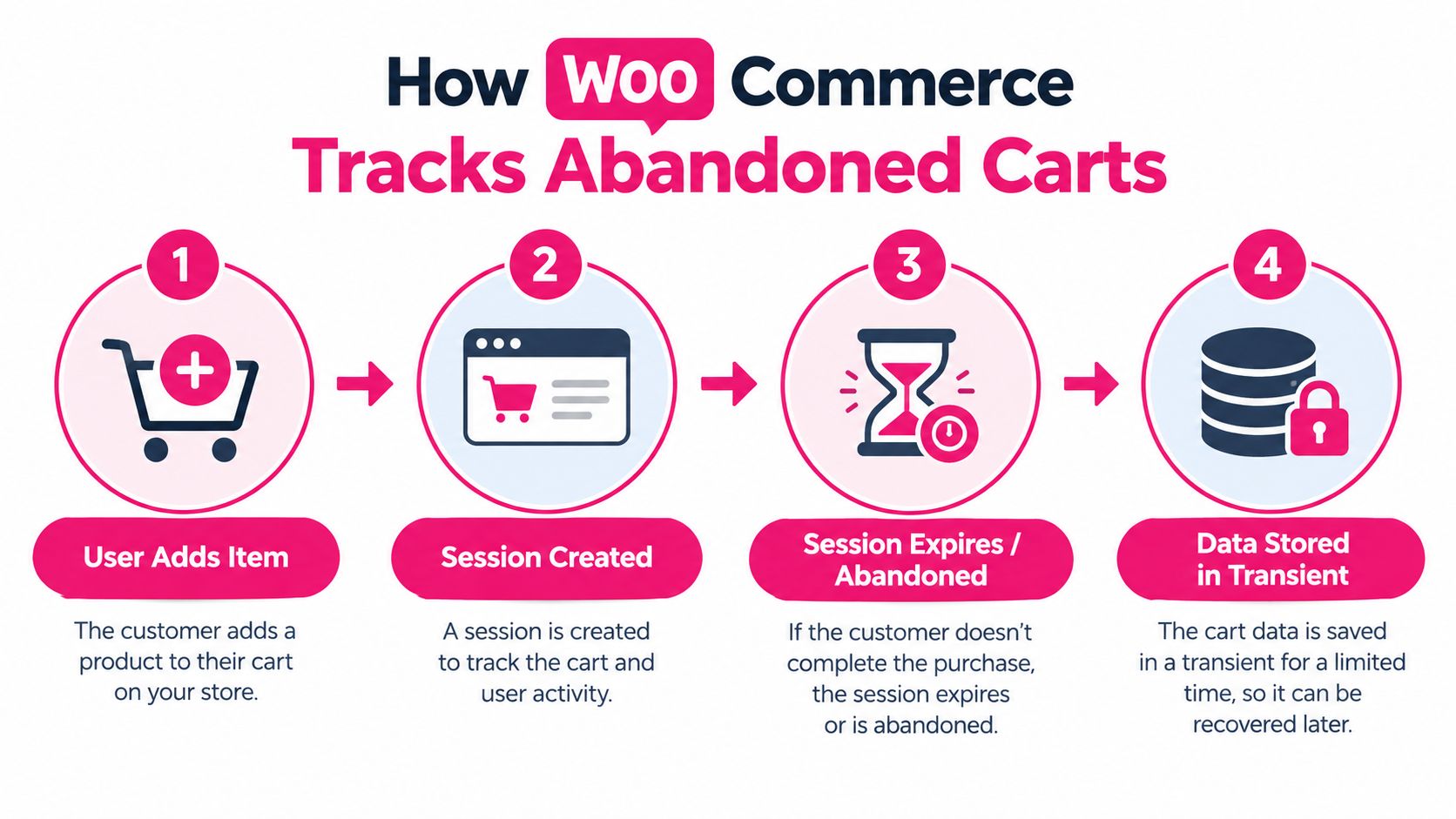
Tracking starts before a recovery message is possible. Cart capture records products, quantities, variations, and totals in the browser session or WooCommerce session data. Shopper identification connects that cart to an email address or phone number. Until the visitor provides usable contact details and the required permission, the store may retain the cart without having a lawful way to contact the shopper.
Follow the cart from session to recovery
The process is easier to troubleshoot when each handoff is clear. WooCommerce first creates or updates a cart for the shopper’s browser session. Cookies, session identifiers, and cart records preserve the selected items and checkout details while the session remains active.
At checkout, entering an email address or phone number can let the plugin associate the cart with a contact record. That association must follow the store’s consent and privacy settings. Once the shopper stops interacting, the recovery system applies its abandonment condition, retains the cart for follow-up, and generates a recovery link.
That timing affects the channel you can use. An email-heavy plugin may wait for a scheduled reminder, while a system that captures a consented phone number can support a faster SMS intervention. The tracking layer therefore determines whether recovery starts with a delayed template or a prompt message while purchase intent is still fresh.
Coverage differs by plugin and configuration. Logged-in shoppers are often recognized earlier because their account already supplies an identity. Guest recovery usually depends on entering contact details before leaving. A popup or checkout field can request an address sooner, but extra friction can reduce completion, so test its placement rather than assuming earlier capture is better.
Inspect a real test cart
Open the recovery dashboard and check a completed test journey. Verify the product, variation, quantity, price, tax treatment, shipping context, contact data, consent status, and recovery URL. Test that URL in a private browser session and on a phone. A link that restores only part of the cart will weaken email and SMS follow-up alike.
Also confirm that a completed order removes the cart from the active recovery queue. Otherwise, a shopper can receive a reminder after paying. For an operational walkthrough, see this guide to WooCommerce abandoned-cart recovery.
Evaluating Built-in Email Templates
The strongest part of Abandoned Cart Pro for WooCommerce is usually its email workflow. Templates give merchants a controlled place to define the subject line, product display, recovery link, sender identity, timing, and optional coupon. They’re more reliable than manually exporting abandoned carts and asking a marketing team to follow up.
That doesn’t mean every built-in template deserves to remain unchanged. Generic copy often sounds like a system notification rather than a helpful message from a retailer. “You left items in your cart” may be accurate, but it doesn’t explain why returning is worthwhile or remove the concern that caused the shopper to leave.
What the templates do well
A practical email sequence should give each message a distinct purpose:
| Message | Primary job | Content to include |
|---|---|---|
| First reminder | Restore intent | Product names, images, cart link, concise copy |
| Follow-up | Remove doubt | Delivery, returns, payment, or availability reassurance |
| Final message | Create a decision point | Clear expiry language or a carefully controlled incentive |
Personalization should support clarity, not decoration. Use the customer’s name when it’s available, show the actual cart contents, and ensure the button leads directly to a pre-filled checkout. Don’t make the shopper search for the products again.
Coupons require restraint. If every abandonment triggers a discount, customers can learn to wait for the code, while full-margin shoppers receive an unnecessary concession. Reserve incentives for defined segments, such as a first purchase or a product category with a specific margin profile, and set rules that prevent repeated coupon use.
Where email creates friction
Email works when the shopper checks the inbox at the right time. It struggles when the message arrives after the shopper has forgotten the session, purchased elsewhere, or stopped using the device associated with the cart. Deliverability issues, crowded inboxes, weak subject lines, and slow page loads can add further friction.
Improve the sequence by testing one variable at a time:
- Subject line: Describe the benefit or the unfinished action without exaggeration.
- Preview text: Reinforce the product or remove a likely concern.
- Recovery button: Use direct language such as “Return to checkout.”
- Coupon placement: Explain the condition clearly instead of hiding terms in small text.
- Mobile layout: Keep the cart, price, and call to action visible without excessive scrolling.
Use this practical guide to abandoned-cart email best practices when refining templates. Email should remain part of the system, but it shouldn’t automatically receive the first and only opportunity to recover every cart.
Initial Plugin Configuration Steps
A plugin cannot recover a cart it failed to capture or misclassified. Before writing a single reminder, verify the data path, abandonment trigger, scheduled process, and checkout fields that feed the workflow.
Set the data path before writing messages
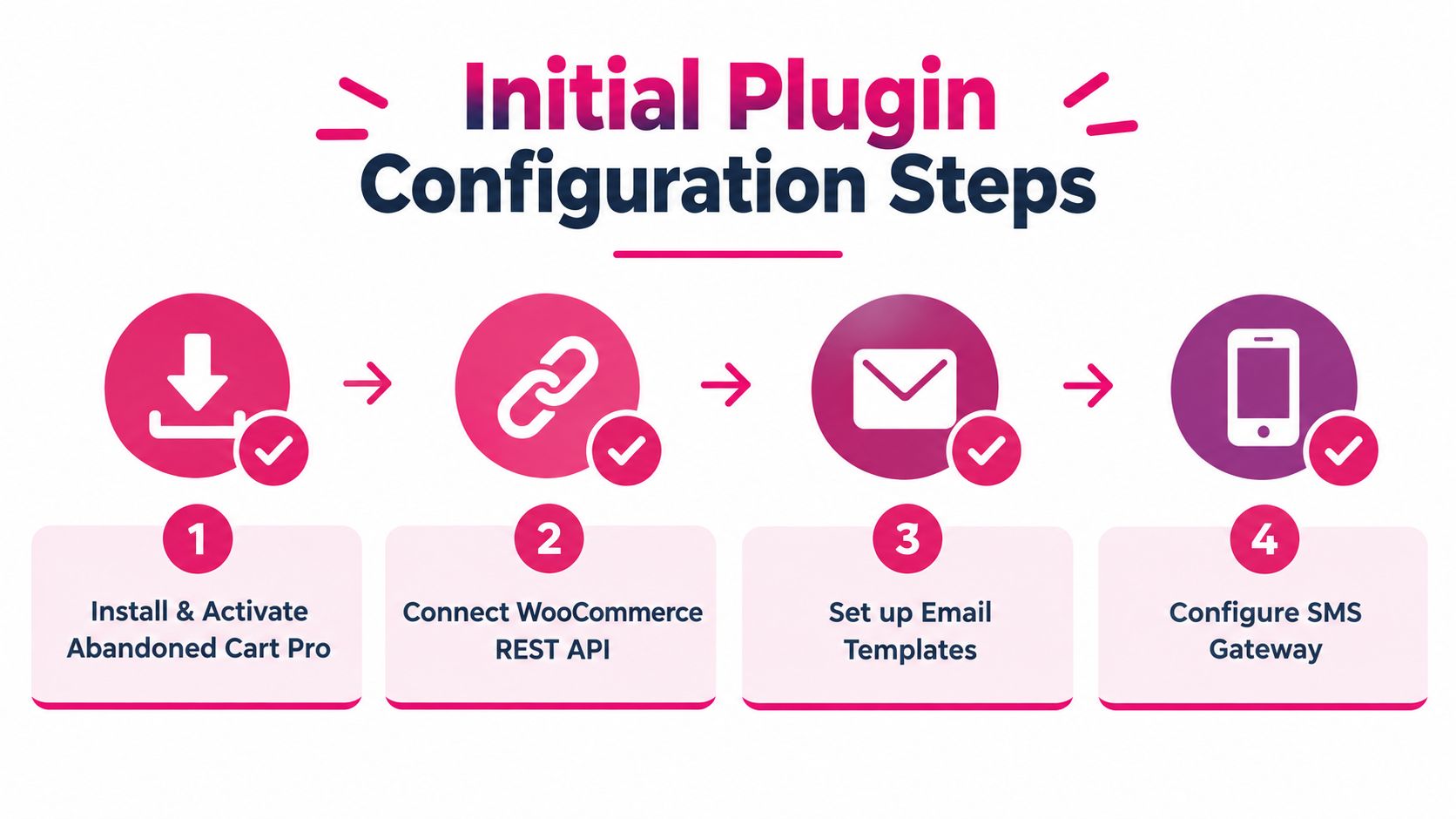
Begin by installing and activating the plugin, then confirm that its version fits the store’s WooCommerce and WordPress environment. Review the plugin status and permissions before testing recovery.
Check whether cart tracking records both logged-in shoppers and guests who provide contact details during checkout. A guest cart may contain the strongest recovery signal, but only if the checkout fields pass that information correctly.
Set the abandonment threshold around actual shopping behavior. A short delay can interrupt an active session, while a long delay allows buying intent to fade. Use session data to adjust the setting rather than copying a default value. Also confirm that WordPress cron, or an equivalent background task, runs reliably. A captured cart cannot start a workflow if the scheduled process fails.
Inspect the field mapping next. Custom fields, phone numbers, and consent values must reach the plugin accurately, including on customized checkout layouts. The setup guidance for an SMS plugin for WooCommerce provides a useful reference for planning contact and permission fields in a multi-channel workflow.
Remove risky recipients before launch
Exclusions protect the customer experience and keep recovery messages aligned with store operations. Omit wholesale roles when those customers use a separate account process. Exclude unavailable products, made-to-order items with changing lead times, and products already covered by another service workflow. Suppress a shopper once an order is completed after the cart was captured.
Use a disposable customer record for the first end-to-end test. Install and activate the plugin. Add a product, enter contact details, leave checkout, wait for the configured trigger, and inspect the message received. Follow its recovery link through checkout, then confirm that later reminders stop. Repeat the test on a phone and with a product that has variations.
A reliable test should cover the entire path, not just whether an email arrived.
Review logs for duplicate sends, broken variables, incorrect currency, missing images, and coupon restrictions. Activate the campaign for eligible shoppers only after each part of the path works as intended.
The Case for SMS Recovery Integration
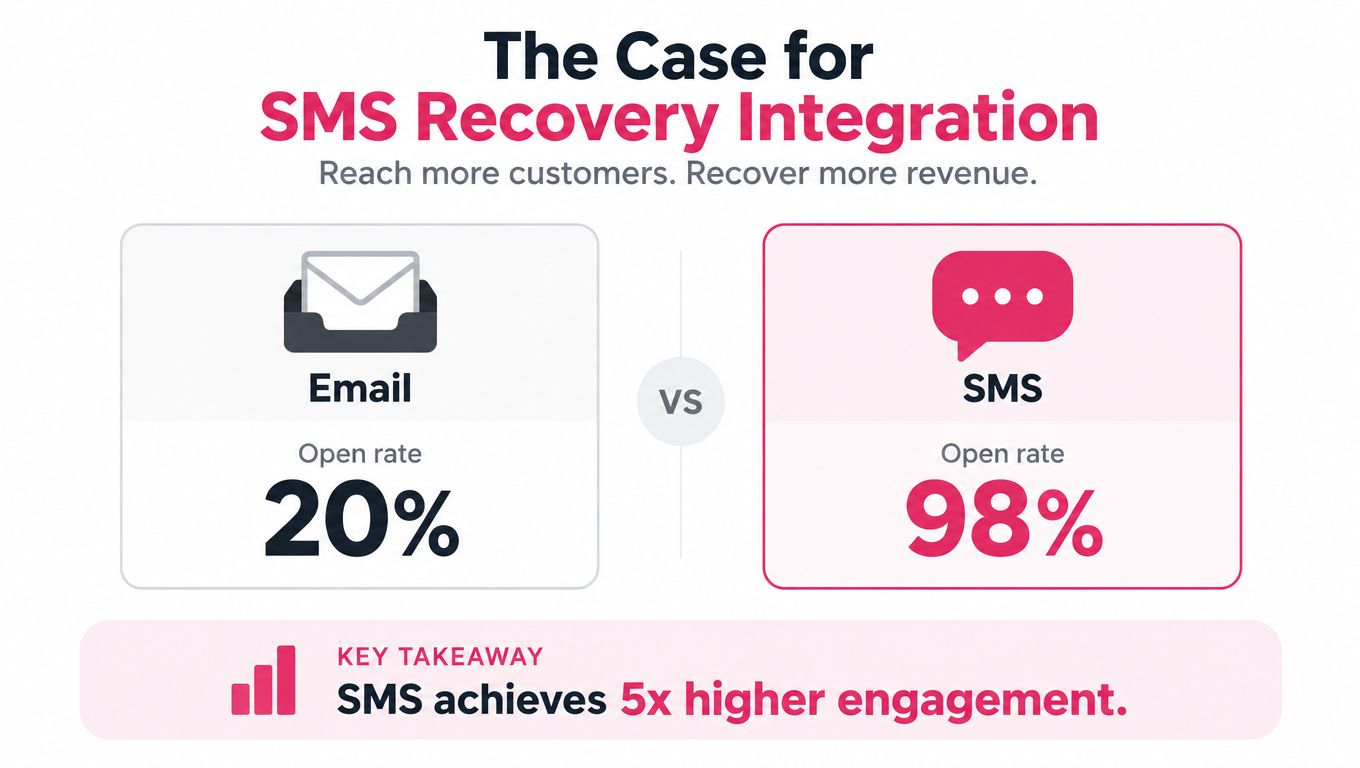
Email remains useful, but an email-first recovery sequence is often too slow for a shopper who has just left checkout. With explicit permission, SMS can reach the customer while purchase intent is still fresh. That makes it a practical first intervention rather than a late addition to an email campaign.
Industry guidance commonly cites an SMS open rate near 98%, compared with 20% for email, and some abandoned-cart SMS benchmarks report conversion rates between 15% and 20%, as summarized by Zoho’s abandoned-cart recovery guidance. These figures do not predict results for every store. They do show why a timely text can outperform a reminder that sits unopened in an inbox.
Make the first contact count
Send the first message to opted-in shoppers in the 30 to 60 minute or 1 to 4 hour window, depending on the campaign and customer context. The SMS cart-recovery timing guide explains why early contact matters. Use a direct cart link and concise copy, since intent usually weakens after the checkout session ends.
You left something in your cart at [Store]. Return here to finish checkout: [link]. Reply STOP to unsubscribe.
Keep that opening message useful. A discount should follow a deliberate segment rule, not become the default response to every abandoned cart. If the shopper does not return, email can supply product specifications, delivery details, reassurance, or customer support information without repeating the same urgent prompt.
A workable sequence can combine both channels:
- Early SMS: Product reminder and direct recovery link.
- Email follow-up: Details that address hesitation, including specifications and delivery information.
- Later SMS or email: A controlled incentive for eligible shoppers.
Merchants extending recovery into a broader mobile program can use this guide to boost eCommerce sales with SMS. For WooCommerce-specific implementation ideas, review this guide to recover WooCommerce carts via SMS.
Protect the path from message to order
The provider needs the correct phone number, cart contents, recovery URL, and consent status. The link should restore the cart and open a checkout that works on the same device. If the shopper must sign in, rebuild the cart, or re-enter details, SMS loses much of its speed advantage.
Measure completed orders, not just attention. Track sends, delivery status, clicks, unsubscribes, coupon use, and revenue by segment, then compare those results with the email workflow. The useful outcome is a completed order that remains profitable.
Navigating Compliance and Privacy Rules
Recovery messaging uses personal data, so compliance has to be designed into the capture flow. A phone number entered during checkout isn’t automatically permission to receive promotional SMS. Consent language must explain what the shopper is agreeing to receive, who will send it, and how to stop future messages.
SMS recovery requires explicit opt-in. The consent record should be tied to the phone number, include the relevant wording and timestamp, and remain accessible for review. A customer must be able to opt out without contacting support, and the system must honor that request across future campaigns.
Separate service communication from marketing
A transactional message about an order is different from a promotional reminder encouraging a shopper to complete a purchase. Don’t combine them casually. Configure separate consent choices where required, and avoid treating a pre-checked box as a meaningful marketing choice.
Privacy obligations can also vary by customer location. Recovery campaigns should account for GDPR and CCPA, maintain transparent privacy notices, limit the data collected, and define how long abandoned-cart records remain stored. The compliance guidance from Recapture on abandoned-cart recovery is a useful starting point for permission-based SMS operations.
Build opt-out handling into the workflow
Use an unmistakable unsubscribe instruction in SMS and process recognized opt-out keywords immediately. Maintain a do-not-contact list that applies across automations, not just to one campaign. If a shopper unsubscribes from SMS but remains eligible for email under a separate permission, don’t assume that one consent status governs every channel.
Before launch, work through this checklist:
- Consent field: Make the SMS opt-in optional and clearly worded.
- Privacy notice: Explain the purpose of collection and link to the current policy.
- Audit trail: Store the consent event and the version of the notice shown.
- Opt-out process: Test STOP, unsubscribe links, and support-assisted requests.
- Suppression logic: Stop future SMS immediately after an opt-out.
- Data access: Limit recovery records to the people and systems that need them.
Use the GDPR and abandoned-cart recovery guide to review the relationship between recovery data, consent, and customer rights. If your store operates across jurisdictions, obtain legal advice before activating automated marketing messages.
Building a Complete Recovery Strategy
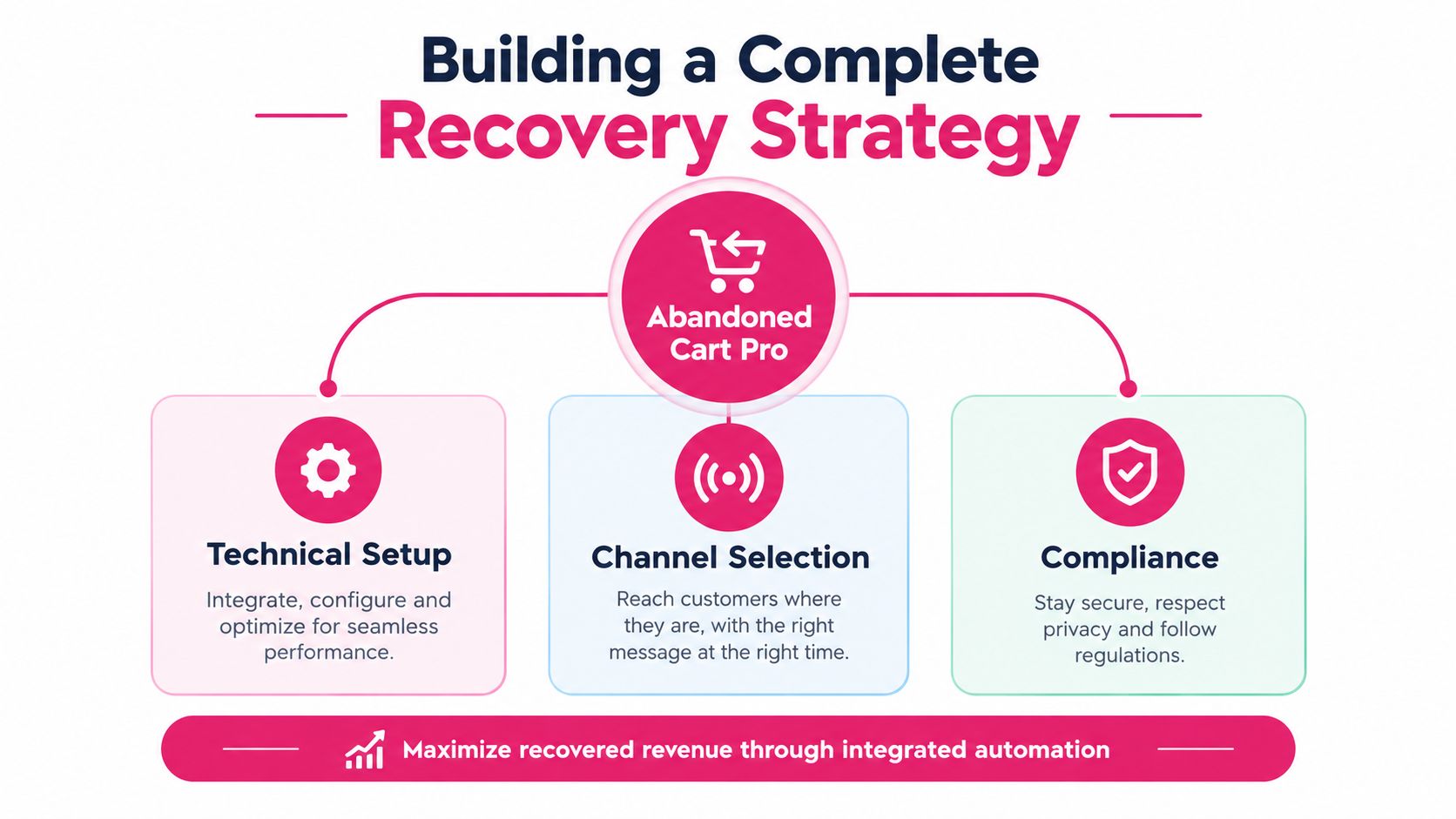
Abandoned Cart Pro for WooCommerce should sit inside a recovery system, not operate as an isolated plugin. The system needs reliable cart capture, a channel decision, consent controls, clean recovery links, and reporting that separates genuine orders from accidental clicks.
Choose the channel by situation
Use a simple decision framework rather than a universal sequence:
| Situation | First channel | Follow-up approach |
|---|---|---|
| Shopper has SMS consent and strong purchase intent | SMS | Email reassurance if needed |
| Shopper has email consent but no SMS permission | Test timing and message relevance | |
| High-value or complex product | Direct, concise contact | Address objections before discounting |
| Low-margin product | Helpful reminder | Avoid automatic couponing |
| Wholesale or managed account | Account-specific process | Exclude from consumer automation |
| Product unavailable or restricted | No recovery message | Remove the cart from the queue |
The right choice depends on your product type, customer relationship, average basket value, and margin. A luxury product may need reassurance and human support. A replenishable product may respond to a quick reminder. A discount-led sequence can recover an order while training the customer to delay future purchases, so measure profit rather than order count alone.
Diagnose failures systematically
When recovery isn’t working, inspect the path in order:
- No carts appear: Check tracking, checkout capture, session persistence, and the scheduled background process.
- Carts appear but no messages send: Review template status, trigger conditions, sender configuration, and delivery logs.
- Messages arrive with broken variables: Test merge fields, product data, currency, and language handling.
- Links open an empty cart: Check caching, session persistence, security rules, and the recovery URL on multiple devices.
- Orders are attributed incorrectly: Compare the recovery event with the completed order and remove duplicate automations.
- Customers complain about frequency: Tighten exclusions, add suppression after purchase, and review consent records.
Run a small controlled launch before opening the workflow to every eligible cart. Review recovered revenue, clicks, unsubscribes, coupon use, and support complaints together. A campaign that produces orders but causes high opt-outs or erodes margin needs revision, not more traffic.
A practical recovery stack combines the plugin’s capture and email controls with an SMS provider for opted-in contacts. CartBoss offers a WooCommerce plugin with automated SMS reminders, pre-filled recovery links, and optional unique coupon inclusion, so merchants can evaluate it alongside their existing email workflow at CartBoss. Start by auditing your current capture rate, exclusions, consent fields, and recovery links, then activate one measured SMS test for an appropriate segment rather than changing every channel at once.