

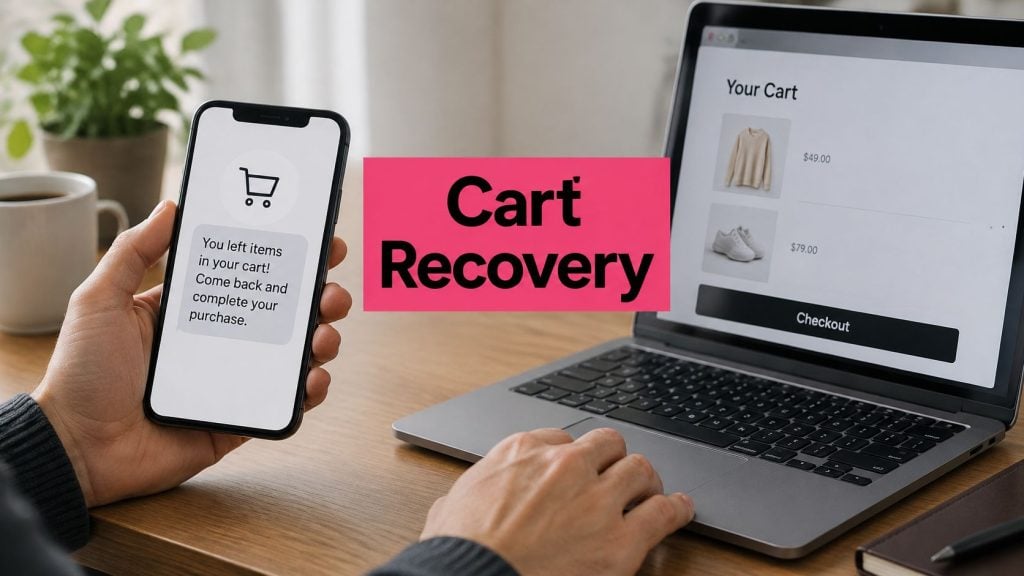
In 2026, 70.22% of online shopping carts worldwide never became completed purchases, according to Statista’s long-run abandonment series. Roughly 7 in 10 carts stopped short of payment. The same series, covering 2006 through 2026, shows abandonment rates that have stayed high for two decades.
That persistent gap has several causes: checkout complexity, unexpected costs, limited payment options, delivery concerns, and shoppers who are not ready to buy. A reminder may bring back someone who got distracted, but it cannot make shipping cheaper or repair a broken checkout. Abandoned cart software is most useful when stores first diagnose why shoppers leave, then measure whether reminders recover orders that would otherwise be lost.
Table of Contents
- What Abandoned Cart Software Does and Why It Matters
- Key Features to Evaluate in a Recovery Tool
- Why Shoppers Leave and What Software Can Fix
- SMS Consent and Compliance Rules to Follow
- ROI Examples and How to Measure Real Recovery
- Sequence Messages and Protect Margin
- Choose Your Tool and Test It on One Store
What Abandoned Cart Software Does and Why It Matters
Picture a shop assistant who notices a basket left on the counter. The shopper is already near the door. A good assistant doesn’t shout a discount across the floor. They walk over, name the items, and ask whether the shopper still wants them. Recovery software is that assistant, running on a timer instead of a shop floor.
In one sentence, the tool detects a cart that was started and not paid for, then sends timed messages with a link back to that exact cart. People who add a product have shown more intent than casual visitors, and most of them still don’t pay. The pool is large, recurring, and worth measuring store by store. Ours is an SMS cart recovery tool for online stores. Once it’s live, the automated recovery engine works around the clock, sending SMS abandoned cart reminders.
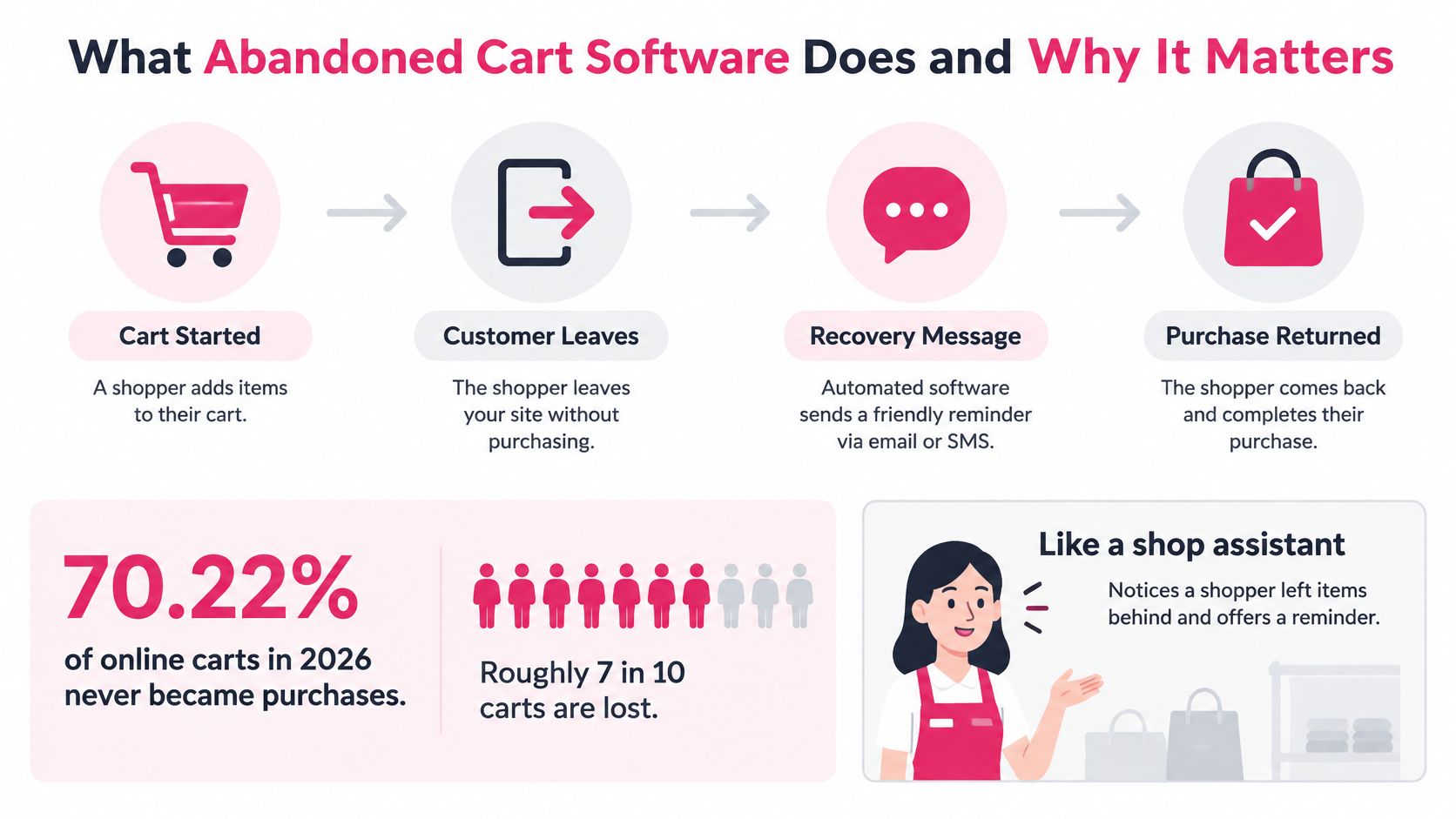
How one recovery run moves
- Capture the cart. The store saves the products and the contact details the shopper entered, usually a mobile number at checkout.
- Start the timer. Leaving without payment starts the clock. Nothing sends while the shopper is still on the page.
- Send the first message. A short text arrives with a link to the saved cart, so they don’t rebuild the order.
- Follow up only if needed. Later messages go out only when no order has been placed.
- Record the result. The order, the click, or the opt-out is stored so you can see what the message did.
A text that lands before a purchase isn’t proof that the text caused the purchase.
Someone who was going to buy tomorrow will look like a win if you count every order after a message. Split recovered orders from ordinary repeat purchases, and judge the program on incremental revenue rather than gross sales. Before you compare vendors, count last month’s abandoned carts. That count is the size of the pool. For a wider set of benchmarks, see our cart abandonment statistics.
Key Features to Evaluate in a Recovery Tool
Score every vendor on the same eight rows. A polished demo doesn’t replace a yes on delivery reporting, guest checkout, or a holdout view.
| Feature | What it should do | What to verify |
|---|---|---|
| SMS recovery | Sends checkout-link texts to shoppers who left | Delivery and click reporting, branded sender ID |
| Automation | Triggers messages on timers after abandonment | Delay control, stops when an order is placed |
| Pre-filled checkout | Restores the cart and fills known details | Guest checkout, no forced account creation |
| Discounts | Applies offer codes dynamically | Per-cart code rules, expiry dates, margin limits |
| Compliance | Captures consent and handles opt-outs | GDPR and CCPA support, do-not-disturb hours |
| Localization | Sends translated messages and detects language | Languages where the store actually sells |
| Analytics | Reports recovered orders, revenue and opt-outs | Holdout comparison, reporting by abandonment stage |
| Integrations | Connects to the store platform | Shopify app or WooCommerce plugin support |
What to ask after the checklist
SMS recovery fails when you can’t see delivered versus clicked. Ask for a branded sender ID you control, not a random short code that looks like spam.
Automation needs a delay you can change, and it must stop the moment an order is placed. A second text after payment trains people to ignore you.
Pre-filled checkout should restore the cart and known details, including a guest path. Forcing an account at the last step is a common reason people leave.
Discounts should be per-cart codes with an expiry and a margin cap. A standing 15% off every reminder trains shoppers to abandon on purpose.
Compliance covers consent capture, opt-outs, quiet hours, and support for GDPR and CCPA. Localization only counts for languages you sell in. Analytics should show recovered orders, revenue, and opt-outs against a holdout, split by the stage where the cart stopped. Integrations should be a real Shopify app or WooCommerce plugin, not a manual export. Our third-party integrations guide is a useful map of what a store connection has to carry.
CartBoss offers SMS cart recovery for Shopify stores and WooCommerce stores. It ships with pre-written, translated messages, pre-filled checkout forms, dynamic discounts, a branded sender ID, and automatic do-not-disturb mode. Ask each vendor for a sample report from a live store before you sign. If they can’t show recovered orders next to opt-outs, the analytics row fails.
Why Shoppers Leave and What Software Can Fix
Different reasons for leaving call for different responses. A discount cannot fix unexpected shipping costs, and a reminder cannot create buying intent that was never there.
Baymard’s checkout research found that 42% of U.S. online shoppers abandoned a cart because they were browsing or not ready to buy. For these shoppers, a later, low-pressure reminder without a discount may be a better fit than an immediate offer. Some carts, though, are comparisons rather than missed sales.
Among shoppers who were otherwise ready to buy, Baymard’s abandonment breakdown identifies extra costs as the most common reason in the set below.
| Cause | Share cited | What the software should do |
|---|---|---|
| Just browsing, not ready to buy | 42% of U.S. shoppers | Send a later, low-pressure reminder with no discount |
| Extra costs (shipping, tax, fees) | 40% of non-browsing exits | Show the full order total in the recovery link |
| Slow delivery | 20% of non-browsing exits | Include a delivery estimate in the follow-up message |
| Lack of trust in card security | 19% of non-browsing exits | Add a payment-security reassurance message |
| Forced account creation | 18% of non-browsing exits | Offer a guest checkout link |
| Long or complicated checkout | 17% of non-browsing exits | Restore the cart with pre-filled fields and a shorter flow |
Extra costs lead this group at 40%. The recovery link should make shipping, tax, and fees clear before the shopper reaches payment. A coupon cannot compensate for charges that remain hidden until checkout.
Other causes need fixes to the buying experience. Slow delivery calls for a clear date or delivery window. Card-security concerns call for a plain explanation of how payment is handled. A guest checkout link can help shoppers who do not want to create an account, while fewer fields and pre-filled details can reduce checkout friction.
Sending someone back to the same hidden shipping charge is not recovery. It is a second look at the reason they left.
The PayPal article cites 22% for shoppers who abandoned because checkout was too long or complicated, and 13% for those who left because their preferred payment method was unavailable. A recovery link can return shoppers to a simpler checkout, but it cannot add a payment option the store does not accept.
To find where reminders can help, label carts by the point where shoppers stopped: cart created, checkout started, payment failed, or delivery cost shown. Compare recovery by stage, then focus on the stages with the most exits. The guide to common shopping cart abandonment reasons explains how these patterns can shape a relevant follow-up.
SMS Consent and Compliance Rules to Follow
Entering a phone number at checkout does not equal marketing consent. The field is there so the carrier can deliver the parcel. It isn’t a signature for promotional texts.
Klaviyo’s U.S. compliance guidance says recipients must explicitly agree to receive cart-abandonment reminders. It recommends double opt-in for these flows, limits the flow to one SMS per recipient, and sets a 48-hour sending window. Treat that as the U.S. baseline, not as a worldwide rule.
Two messages, two permissions
Transactional checkout communication covers the order itself, such as a payment failure on a checkout the shopper is still trying to finish. Promotional SMS covers reminders and offers. Each needs its own consent logic. Don’t fold a discount pitch into a message you justified as a receipt.
Keep a record for every number:
- Opt-in wording: Store the exact sentence the shopper agreed to.
- Timestamp and source: Note when they agreed and which form or checkout step captured it.
- Consent status: Mark subscribed, pending, or opted out, and update it the moment it changes.
Suppression is not optional. Opted-out numbers and do-not-disturb recipients must never receive a message. Quiet hours belong in the send rules, not in a manual calendar.
We store end-user cart data so the link can be rebuilt: cart value, chosen currency, chosen payment method, coupon code, checkout URL, and cart contents (product ID, product name, quantity, and product price). That customer data remains the store’s confidential information. Our software, code, and databases stay ours.
Check the privacy disclosure. It should explain how cart status is detected, including cookies, plugins, or similar tracking. Shared devices and a number that belongs to someone else are real cases. If a partner’s phone was typed in by mistake, that person must be able to opt out in one reply, and the number must stay suppressed.
Consent rules differ by country. Don’t copy one U.S. workflow onto every market. Our notes on GDPR and CCPA compliance are the place to start that check.
Verify these four items before the first send:
- Explicit opt-in for cart reminders, separate from the shipping-phone field.
- A stored record of wording, time, source, and status.
- Suppression for opt-outs and quiet hours.
- A privacy note that says how abandoned carts are detected.
ROI Examples and How to Measure Real Recovery
Say a store has 1,000 abandoned carts a month and an average order value of $80. The rates below are assumptions for the arithmetic, not benchmarks you should expect.
| Scenario | Recovery rate | Recovered orders | Revenue at $80 | Message cost |
|---|---|---|---|---|
| Low | 2% | 20 | $1,600 | about 50 € |
| Middle | 4% | 40 | $3,200 | about 50 € |
| High | 6% | 60 | $4,800 | about 50 € |
Message cost assumes two texts per cart. On our pricing, one SMS to the United States costs 0.025 €, so 2,000 messages come to about 50 € in every row. Revenue looks large next to that line. It isn’t profit yet.
Clicks, not a mythical open rate
Klaviyo’s benchmark guide states that SMS open rates aren’t available as a reliable metric. Focus on clicks when the message has a trackable link, plus conversion rate and unsubscribe rate. Its U.S. campaign benchmark calls click rates below 5.9% critical, 6.0%–8.8% in need of improvement, 8.9%–14.5% good, and 14.6% or higher great. The benchmark needs at least 25 delivered SMS messages in the previous six months. A shop with a handful of sends shouldn’t treat a lucky week as a rate.
Bandwidth’s 2024 State of Messaging Report is directional context only. 81% of ecommerce and retail respondents said SMS messages resulted in more purchases, including 21% who reported much more purchasing. That is what respondents said, not a recovery rate for your store.
What you subtract
Take recovered revenue and remove three things. Discount cost is the margin you gave away. Message cost is the per-text bill, including any post-purchase or win-back flows, which we also run automatically and bill per message. Orders that would have come anyway show up only if a holdout group receives no texts. Compare the messaged group with the holdout, then keep the difference.
Net recovered margin is recovered revenue minus discounts, message cost, and the orders the holdout would have placed.
Build the same table with your cart count and your average order value. Our walkthrough on how to calculate recovery rate shows the formula without the vanity totals.
Sequence Messages and Protect Margin
Don’t open with a discount. The recovery link should restore the exact cart and the details you already have, so the shopper confirms instead of retyping. Offer guest checkout. Forcing an account is a known exit, and a code won’t fix it.
Check the link on a phone first
Open the link on a phone before you launch. Confirm four things. Shipping and tax are inside the total. The contents match the cart they left. The payment options they expect are visible. No account is required to pay.
Limit codes before the first send. Use them only on carts that look price-sensitive. Cap the discount against your margin. Set an expiry. Use one-time codes so the same offer can’t be shared all month. If the cart stopped when shipping cost appeared, show that full cost before any coupon. If the shopper was only browsing, remind them later and skip the offer.
Three messages, one job each
- About 15 minutes after they leave, send one short SMS with a single checkout link. That’s when we send the first cart reminder. One link, no second offer, no product essay.
- A few hours later, reassure them on delivery, returns, or payment security. Don’t repeat the first text with a new adjective. Identical offers cut clicks.
- A final incentive goes only when the margin supports it. State the code, the expiry, and the link. If the margin doesn’t support it, end the sequence at step 2.
Each step has one call to action and a trackable link. Avoid quiet hours, and don’t add a fourth text because the template had a spare slot. We bill per message, and a store-set dynamic discount can sit on the link when you choose to use one.
After each step, review clicks, completed orders, and opt-outs. If clicks fall or opt-outs rise, cut the frequency or fix the checkout. Don’t add another message to a list that’s already tired.
Test one change only. Move the timing of message two, hold everything else still, and run it for a fixed period. If you change the offer and the delay together, you won’t know which one moved the result.
Choose Your Tool and Test It on One Store
Match the store in front of you to the feature that matters, then prove it on one site before you roll it out.
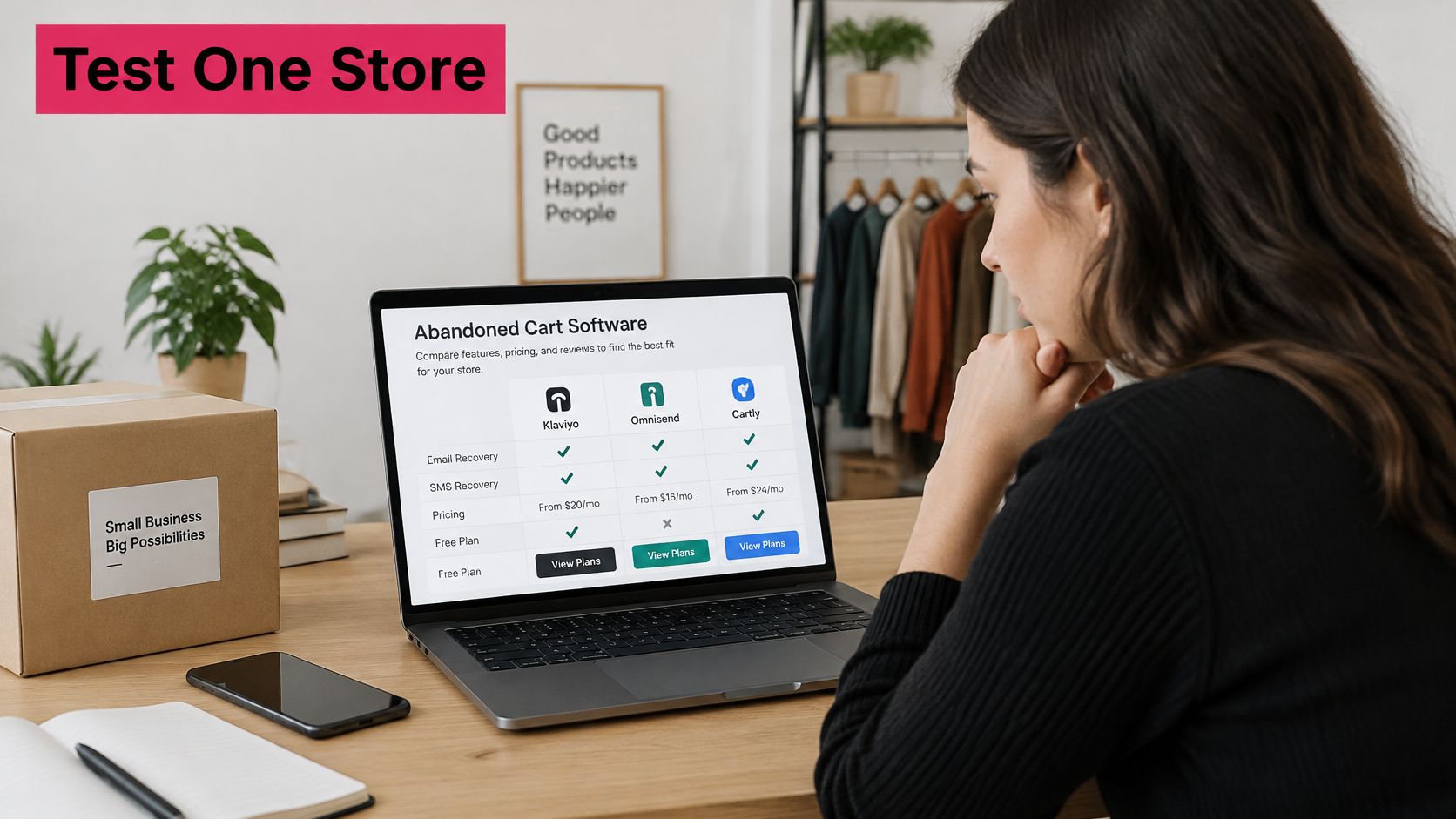
A single Shopify store should confirm the Shopify app, SMS delivery reporting, and the consent tools. A WooCommerce store should confirm the plugin and that SMS recovery uses the billing number you already collect. A store selling in several languages should prioritize translated messages and automatic language detection, not a single English template with a translate button you’ll forget. An agency running several client stores should check that one account can connect to multiple sites, so you aren’t rebuilding consent rules per login.
On cost, CartBoss is pay-as-you-go cart recovery. The first cart we recover for a store is free of charge. Free tools on the site include a Cart Abandonment Rate Calculator, a Klaviyo SMS Savings Calculator, and an SMS Cart Recovery ROI Calculator. Use those to size the pool before you turn sending on.
This short walkthrough shows the setup in practice.
A 30-day pass rule
- Run the tool on one store for 30 days. Don’t launch it on every brand at once.
- Keep a holdout that receives no recovery messages.
- Compare recovered revenue with the holdout, not with last year’s busy month.
- Subtract discount cost and message cost.
- Keep the tool only if net recovered margin is positive and opt-outs stay low.
Choose one store, one month, and one written pass rule before you install anything. If the rule isn’t on paper, a busy week will talk you into calling any order a win.
CartBoss sends timed SMS reminders that bring shoppers back to the exact cart they left, with consent rules, quiet hours, and a link that can restore their details. If you’re ready to diagnose abandoned carts and measure incremental orders instead of hoping a blast will do it, start with one store and a written pass rule. Visit CartBoss to set up pay-as-you-go SMS cart recovery.