


An auto-answer text message is exactly what it sounds like: a pre-written, automated reply that sends the moment someone texts your number or a specific keyword. It’s a deceptively simple tool that can be a lifesaver for acknowledging customers, managing their expectations, and capturing leads you’d otherwise miss.
Why Auto Answer Text Messages Are a Game Changer
In a world that runs on instant gratification, a slow response is a dead end. Auto-answer texts aren’t just a nice-to-have; they’re a core part of modern communication that meets customers right where they are—on their phones.
When a potential lead or an existing customer reaches out, they expect to be heard. Immediately. This instant feedback is the first step in building trust and keeping them engaged. Think of it as a digital handshake, confirming you got their message and assuring them they’re a priority.
The Power of Instant Acknowledgment
Let’s look at a real-world scenario. A local salon gets a booking request via text at 10 PM. Without an auto-reply, that message just sits there until morning. That potential client is left wondering if they should just book somewhere else.
Now, imagine they instead get an instant reply: “Thanks for your booking request! Our salon is currently closed, but we’ll confirm your appointment first thing tomorrow morning.”
This small, automated action is huge. It accomplishes three critical things:
- Confirms Receipt: The customer knows their message didn’t disappear into the void.
- Sets Expectations: It tells them exactly when to expect a personal follow-up.
- Reduces Friction: It keeps them from jumping to a competitor who might seem more responsive.
Reclaiming Your Time and Capturing Leads
Beyond just good customer service, automated texts are a massive efficiency booster. A consultant could set up an auto-reply triggered by the keyword “INFO” that instantly delivers a PDF brochure or a link to their services page. This saves them time and also qualifies the lead by giving them immediate value.
The whole point is that automation handles the first touchpoint, freeing you up to focus on the more important, high-value conversations. If you dig into the ROI of marketing automation, you’ll see how these tools drive serious gains in both efficiency and customer happiness.
In today’s market, the speed of your response has a direct line to your bottom line. An automated text makes sure you’re always the first to reply, even when you’re off the clock.
The numbers don’t lie. Consumers typically reply to texts in about 90 seconds, while it takes them around 90 minutes for email. That immediacy is what makes automated SMS so valuable for real-time communication. You can explore more of these powerful SMS marketing statistics to see just how much businesses are leaning into this.
With the number of smartphone users projected to hit 7.3 billion by 2025, the reach and impact of SMS are only going to climb.
Alright, let’s get from theory to practice. Setting up an auto answer text message right on your smartphone is a fantastic first step. It might not have all the bells and whistles of a professional platform, but the native features on your phone can give you a solid starting point for handling messages when you’re tied up.
Here’s how you can get these tools running on both iPhones and Androids.
Auto Replies On An iPhone
If you’re an iPhone user, your go-to tool is the Driving Focus mode. It was originally built to keep you from texting and driving, but you can easily repurpose it for just about any situation where you need an automatic reply—think meetings, after hours, or even just when you need a break.
To get it going, head into your iPhone’s Settings and tap on Focus. From there, find and select Driving. You’ll spot an Auto-Reply option. Tap that, and you can decide who gets the automatic message: All Contacts, Recents, or just your Favorites.
The default message is pretty basic, but you can customize it to sound more professional.
- Original: “I’m driving with Driving Focus turned on. I’ll see your message when I get where I’m going.”
- Business Adaptation: “Hi there! I’ve received your message but am currently unavailable. I’ll get back to you by the end of the business day. Thank you!”
Just like that, a simple safety feature becomes a handy business tool. The main drawback? It’s tied to the Focus mode, so you have to remember to switch it on and off every time you need it.
Keep in mind that while this method is great for solo entrepreneurs or for personal use, it lacks the scheduling and trigger capabilities needed for a growing business. It’s a starting point, not a complete solution.
Auto Replies On Android Devices
The Android world is a little more fragmented. Some phone makers, like Samsung, build auto-reply features right into their messaging apps, usually under a name like “quick responses.” They’re mostly designed for rejecting calls with a quick text, but you can sometimes adapt them for general messages.
For a more reliable and powerful auto answer text message setup on Android, you’ll probably want to grab a third-party app from the Google Play Store. Apps like SMS Auto Reply or WhatsAuto are popular for a reason—they give you much more control.
These dedicated apps unlock features that native settings just don’t offer:
- Custom Schedules: Set specific times for your auto-replies to activate, like on weekends or after 6 PM on weekdays.
- Personalized Messages: Craft different replies for different contacts or groups.
- Keyword Triggers: Some apps can even send a specific reply when an incoming message contains a certain word.
For any business where timing is everything, this kind of control is a game-changer. You can dive deeper into how to send a timed text and why it’s so critical in our detailed guide. These apps really bridge the gap between your phone’s basic features and a full-blown professional SMS platform, giving you a taste of what real automation can do for your communication strategy.
Using Professional Platforms for Business SMS
When your phone’s built-in auto-replies just aren’t cutting it anymore, it’s time to look at professional SMS platforms. These services are built for businesses that are serious about growth, offering powerful automation and analytics that a smartphone simply can’t handle. They transform a basic auto answer text message into a real strategic asset.
While your phone is great for simple “out of office” replies, a dedicated platform acts as a true best answering service for small businesses. Services like Twilio, SlickText, and Attentive are designed to manage complex communication, from full-blown marketing campaigns to instant customer support.
This diagram helps visualize the starting point.
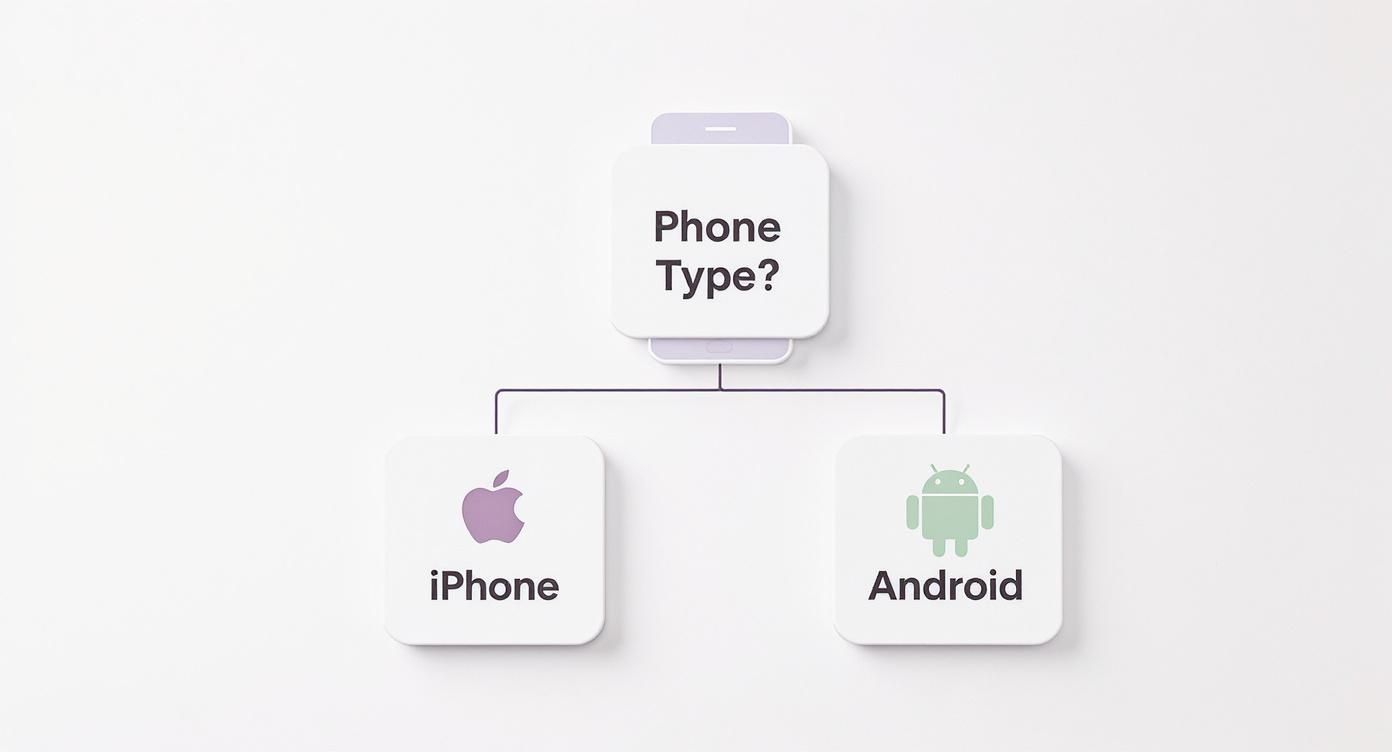
As you can see, the native tools on your device are a great first step, but professional platforms unlock a totally different level of capability when you’re ready to scale up.
Advanced Automation and Keyword Triggers
One of the biggest wins with these platforms is keyword triggers. This feature lets customers text a specific word to get information on demand, creating an instant, interactive experience.
For example, a real estate agent could have a sign that says, “Text ‘TOUR’ to 12345” to automatically send prospects a link to a virtual property tour. It’s a brilliant way to capture leads the moment they show interest.
You can set up different keywords for all sorts of things:
- INFO: Automatically sends back your business hours, address, or menu link.
- SUPPORT: Instantly creates a support ticket and confirms with the customer that you’ve received their request.
- DEALS: Adds the customer to a promotional list and immediately sends them a welcome discount.
These automated workflows do the heavy lifting for you, ensuring no one is ever left hanging, even at 2 AM. For a small team, that kind of 24/7 responsiveness is a game-changer.
Scheduling, Integration, and Scalability
Professional platforms also nail scheduling and integration. You can easily set up after-hours messages that only activate outside your normal business hours, letting customers know exactly when they’ll hear back from a real person.
Even better, these services plug right into other tools you’re already using, like your CRM. When every text conversation is automatically logged in a customer’s profile, your team gets a complete picture of every interaction. That unified view is crucial for providing personalized, effective support. If you want to dig into which platform is right for you, we have a whole guide on finding the best SMS marketing platforms.
Here’s a quick breakdown of how your phone’s built-in features stack up against a dedicated SMS platform.
Comparing Auto-Reply Methods
| Feature | Native Phone Settings (iOS/Android) | Professional SMS Platforms |
|---|---|---|
| Use Case | Basic “out of office” or driving replies for individuals. | Business marketing, sales, and customer support at scale. |
| Automation | Very limited; usually a single, static message. | Advanced workflows with keyword triggers, scheduling, and sequences. |
| Personalization | None. One message fits all. | Dynamic fields to insert customer names, order details, etc. |
| Analytics | None. No tracking of sends, opens, or clicks. | Detailed reporting on delivery rates, engagement, and ROI. |
| Integration | None. Operates completely separate from business software. | Connects with CRMs, e-commerce platforms, and helpdesks. |
| Compliance | User’s responsibility. No built-in opt-out management. | Built-in tools for consent management and TCPA/GDPR compliance. |
While native settings are convenient for personal use, it’s clear that a professional platform is non-negotiable for any business looking to leverage SMS seriously.
Ultimately, moving to a professional service is about future-proofing your business. As your customer list grows and your messaging needs get more sophisticated, these tools provide the structure, analytics, and reliability you need to manage it all without pulling your hair out.
Crafting Auto Reply Messages That Actually Connect
An automated message fails the second it feels cold and robotic. We’ve all gotten them. The real goal is to make your auto answer text message feel genuinely helpful and human, even when a machine is hitting send. Think of it as your first point of contact—it sets the entire tone for the customer relationship.
The magic really happens when you blend that automated efficiency with a splash of personality. A generic “Message received” is a missed opportunity. Instead, you can craft a reply that acknowledges the sender, sets crystal-clear expectations, and injects a bit of your brand’s voice. This simple shift turns a functional, boring message into a positive brand interaction.
The Anatomy of an Effective Auto Reply
Every great automated text I’ve seen shares a few core components. They all work together to build trust and provide clarity right from the get-go. It’s a simple, four-part formula for success.
- Acknowledge Immediately: First things first, confirm you got their message. A simple “Hi there! We’ve got your message” is all it takes to instantly reassure the sender.
- Set Clear Expectations: This is arguably the most critical part. Tell them exactly when they can expect a personal response. Vague promises just create anxiety; specific timelines build confidence.
- Provide Immediate Value (Optional but Powerful): Can you give them something useful right now? A link to an FAQ page, a relevant blog post, or even a small offer can keep them engaged while they wait.
- Inject Your Brand’s Personality: Ditch the corporate jargon. Use a friendly, conversational tone that actually matches your brand. A simple exclamation point or a bit of brand-specific lingo goes a surprisingly long way.
A well-crafted auto-reply does more than just buy you time; it actively manages the customer experience. By setting clear expectations, you control the narrative and prevent potential frustration before it even starts.
Real-World Templates You Can Use Today
Alright, let’s put this into practice. The key is adapting the message to the specific situation. A customer needing urgent support has very different expectations than someone who just signed up for your newsletter.
For a ton of other ideas, check out this great collection of automated reply message samples that cover a wide range of business needs.
For General Customer Support:
“Hi there! We’ve received your message and our team is on it. You can expect a personal reply from one of our support experts within 2 business hours. Thanks for your patience!”
This one just works. It’s polite, it’s specific (2 business hours), and it sets a professional, reliable tone.
For After-Hours and Out-of-Office:
“Thanks for reaching out! You’ve caught us after hours. Our team is available M-F from 9 am to 5 pm EST and will get back to you first thing tomorrow morning. Have a great evening!”
This message is brilliant because it provides crucial context in a friendly way. It lets the customer know why there’s a delay and exactly when to expect a response. It turns a potential negative (you’re not available) into a positive, well-managed interaction.
Getting Your Timing and Compliance Right
Setting up an auto-answer text message is the easy part. The real magic happens when you get strategic about it. A great message sent at the wrong time can feel pushy, but a perfectly timed reply can make a customer feel heard and valued. It all boils down to smart triggers and playing by the rules.
Effective automation is all about understanding what your customer wants and when they want it. Your trigger has to match the context of the conversation.
- Keyword Triggers: These are perfect for instant gratification. When a customer texts “HOURS” or “DEALS,” they’re not looking to chat later—they want info now. The trigger is their direct question, so your response should be immediate.
- Time-Based Triggers: Think of these as your “out of office” assistant. A text comes in at 10 PM on a Friday? An instant auto-reply that confirms you got the message and sets expectations for a response on the next business day is a huge win for customer experience.
- Action-Based Triggers: For e-commerce, this is your money-maker. An abandoned cart trigger needs a strategic delay. Fire it off too soon, and you seem desperate. Wait too long, and they’ve already bought from a competitor. We’ve found that the 30-60 minute window is the sweet spot.
Navigating The Legal Landscape
Let’s be clear: sending automated texts isn’t the Wild West. Regulations like the TCPA (Telephone Consumer Protection Act) in the US and GDPR in Europe have very strict rules designed to protect people from spam. Ignoring them can lead to eye-watering fines and, just as bad, completely torching the trust you’ve built with your customers.
The absolute foundation of SMS marketing is explicit consent. You need clear, documented permission from someone before you send them any promotional texts. This means they have to actively opt-in—a pre-checked box buried in your terms of service won’t cut it.
Compliance is non-negotiable. It protects your customers, and it protects your business. Always prioritize transparency and make it dead simple for people to control the messages they get from you.
On top of that, you must provide a clear and easy way for users to opt out at any time. The classic “Reply STOP to unsubscribe” is standard for a reason—it’s universally understood and, in many places, legally required. Smart platforms like CartBoss build this right into their system, automatically managing your opt-out list so you stay clean and compliant without lifting a finger.
For a much deeper dive into the nitty-gritty, our complete SMS compliance checklist is a must-read for any business using text message marketing.
An Essential Compliance Checklist
To stay on the right side of the law, make sure these principles are baked into your SMS strategy.
- Get Explicit Consent: Make sure users knowingly and actively agree to receive your automated texts.
- Provide a Clear Opt-Out: Every single marketing message has to include simple instructions on how to unsubscribe (e.g., “Reply STOP to end”).
- Identify Yourself: Don’t be a stranger. Always state who you are in the first message.
- Respect Quiet Hours: Nobody wants a marketing text at 3 AM. Stick to regulations like the TCPA’s 8 AM to 9 PM rule for sending times.
Common Questions About Auto Answer Text Messages
As you start setting up automated SMS, some practical questions and potential roadblocks will pop up. It’s just part of the process. Getting a handle on the finer points of how an auto answer text message works will help you fix any issues and really get the most out of your campaigns.
Let’s dive into some of the most common questions we hear.
Can I Set Up Different Auto Replies For Different Contacts?
One of the first things people ask is about personalization. Can you send different replies to different people? The answer really depends on the tools you’re using.
If you’re just using your phone’s built-in features, your options are pretty limited. On an iPhone, the Driving Focus mode sends the exact same message to everyone you’ve selected, like “All Contacts.” There’s no easy way to send one message to your team and a different one to your family.
This is where dedicated business SMS platforms shine. They’re built for this kind of thing. You can segment your contacts into specific lists—think ‘New Leads,’ ‘VIP Customers,’ or ‘Support Inquiries.’ Then, you can craft unique automated responses for each group, making your messages feel much more personal and relevant.
Will My Auto Answer Text Work Without Internet?
Yes, it will, and this is a huge advantage for SMS. Text messages run on the cellular network, not the internet. As long as your phone has a mobile signal, your auto-replies will go through.
This makes SMS incredibly reliable, especially when you compare it to internet-based messaging apps that need a stable Wi-Fi or mobile data connection to work.
This reliability is key. Even if a customer is in an area with spotty data coverage, your SMS auto-reply will still come through, ensuring they receive your acknowledgment instantly.
How Do I Stop My Auto Replies From Sounding Robotic?
This is all about injecting your brand’s personality and a human touch into the copy. A little bit of character goes a long way in making an automated message feel less like it came from a machine.
Here are a few tips to get you started:
- Use Their Name: If your platform supports it, use personalization tags like
[First Name]to address the recipient directly. “Hey Jessica!” is worlds better than a generic “Hello.” - Keep it Conversational: Ditch the stiff, formal language. Instead of “Your query has been received,” try something more natural like, “Hey [First Name]! We got your message and will get back to you shortly.”
- Set Clear Expectations: Let them know a real person is on the way. Something like, “Our support team will review this and reply within the hour,” manages expectations and reminds them there’s a human on the other side.
Are There Legal Risks with Sending Automated Texts?
Absolutely. You can’t just start sending messages without understanding the rules. Regulations like the Telephone Consumer Protection Act (TCPA) in the U.S. have strict guidelines you have to follow.
The number one rule is consent. You must have clear, documented permission from someone before you send them any marketing messages. On top of that, every automated campaign must include an easy way for people to opt out, like the standard “Reply STOP to unsubscribe.” Sticking to these rules is non-negotiable if you want to avoid hefty fines and keep your customers’ trust.
Ready to turn abandoned carts into your biggest revenue source? CartBoss uses intelligent, automated SMS to bring customers back and boost your sales on autopilot. Start recovering lost sales today!