


Sending a text at the perfect moment can make all the difference, but you’re not always available to hit ‘send’ right when you need to. That’s where scheduling messages comes in, and it’s easier than you might think. This guide will walk you through exactly how to send a timed text on any device—whether it’s a built-in feature on your Android, a clever automation on your iPhone, or a dedicated business platform.
Why Scheduling Your Texts Is a Modern Superpower
At its core, being able to send a timed text is about mastering your communication instead of letting it master you. It’s a simple but powerful tool that turns your phone from something you just react to into a proactive assistant. Whether you’re a busy professional, a small business owner, or just trying to remember a friend’s birthday in another time zone, scheduling messages makes sure your communication hits the mark every time.
This isn’t just a neat trick; it’s a real strategic advantage. By planning your messages, you can respect people’s quiet hours, avoid sending business texts late at night, and ensure your message lands precisely when it will have the most impact.
The Power of Perfect Timing
A text message is only as good as when it arrives. There’s no doubt that SMS is the most immediate way to reach someone today. Data shows that around 81% of consumers check their texts within five minutes of getting them, and SMS has an incredible 98% open rate—most of which are read in under three minutes. That speed makes timed SMS insanely effective for time-sensitive offers or reminders. You can dig into more of this data in our deep dive on SMS marketing statistics.
The real magic of a timed text isn’t just about sending it later. It’s about delivering a message at the exact moment it becomes most relevant, turning a simple notification into a perfectly timed solution or reminder.
This little animation shows the basic journey an SMS takes from sender to recipient.
What you’re seeing is the path your message travels through the network. This really highlights why having control over the timing is so valuable—you get to decide exactly when this process kicks off.
Different Methods for Different Needs
There are a few ways to schedule a text, and the best one really depends on what you want to achieve and what device you’re using. To make it simple, I’ve put together a quick comparison table to help you decide which path is right for you.
Timed Text Methods at a Glance
| Method | Best For | Ease of Use | Cost |
|---|---|---|---|
| Native Android Features | Quick, one-off personal messages on compatible phones. | Very Easy | Free |
| iPhone Shortcuts App | Personal automations for iPhone users who like to tinker. | Moderate | Free |
| Third-Party Apps | Users on any device needing more features than what’s built-in. | Easy to Moderate | Varies (Free to Paid) |
| Business SMS Platforms | E-commerce, marketing, and automated bulk messaging. | Easy | Subscription/Usage-Based |
As you can see, the options range from simple, free, built-in tools to powerful platforms designed for business. Let’s break down the main approaches:
- Native Phone Features: Many Android phones, especially from Google and Samsung, have scheduling built right into the default messaging app. It’s the most straightforward option if you have it.
- Automation Workarounds: iPhone users don’t have a native “schedule send” button, but you can get the same result by setting up a personal automation in the powerful Shortcuts app.
- Third-Party Applications: Both the App Store and Google Play have apps designed for scheduling texts. Some work great, but others might just send you a reminder to send the text yourself, so be sure to check the reviews.
- Business SMS Platforms: For e-commerce and marketing, tools like CartBoss are the way to go. They automate text messages for things like abandoned cart reminders, delivery updates, or promotional campaigns, taking all the manual work out of it.
Scheduling Texts On Your iPhone Or Android
Figuring out how to send a timed text from your own phone doesn’t have to be a headache. Android handsets often come with scheduling built right into the default messaging app, while iPhone aficionados can lean on the Shortcuts app to line up their messages. Below, you’ll find a straightforward walkthrough for both platforms—no tech-speak required.
Sending A Timed Text On Android Devices
On most newer Android models—think Google Pixel or the latest Samsung—text scheduling lives in Google Messages or Samsung Messages by default. It’s slick, simple, and takes only a couple of taps.
- After typing your message and choosing a contact, press and hold the send button.
- A menu pops up with “Schedule send.”
- Pick a preset slot or dial in your own date and time.
Done. Your message waits in the wings, ready to go at just the right moment—perfect for birthday shout-outs or gentle nudges.
How To Schedule Texts On An iPhone
Apple doesn’t offer a one-tap scheduler in iMessage, but the built-in Shortcuts app has your back once you set it up. It’s a little extra work upfront, but you’ll breeze through future sends.
- Open Shortcuts and tap Automation.
- Choose “Time of Day” as the trigger—set your desired date and time.
- Add the Send Message action, type your text, then pick the recipient.
- Toggle off Ask Before Running so it fires automatically.
Once that’s saved, your text will fly out precisely when you want—no reminders or extra taps needed. If you’re planning to send messages to a group, check out our guide on how to send a group text message for more tailored workflows.
The simple process flow below illustrates the core steps to send a timed text: plan, write, and schedule.
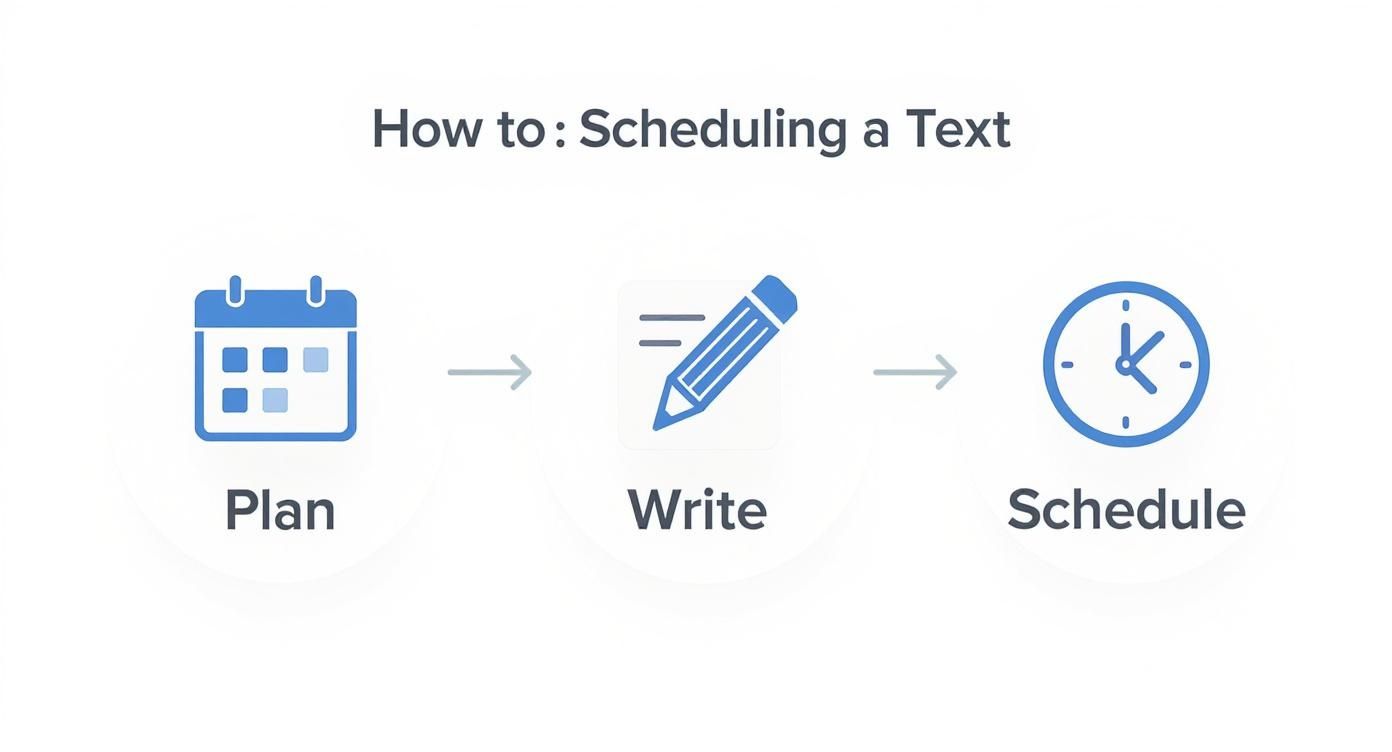
Key Takeaway: Android makes scheduling a breeze with built-in tools, while iPhone relies on a quick Shortcuts setup. Either way, you’ll send timed texts without spending a cent.
Automating SMS for Business and E-commerce Growth
For personal use, scheduling a text is mostly about convenience. For a business, though, knowing how to send a timed text automatically is a straight line to more revenue and happier customers. Once you move past sending one-off messages, automation platforms completely change the game, turning SMS from a simple tool into a real engine for e-commerce growth.
This is where specialized services come in. They’re built to handle complex scenarios that you could never manage manually. These platforms are designed to fire off messages based on specific customer actions, making sure your communication always lands at the perfect moment.
Platforms like CartBoss are engineered to turn these precise moments into sales opportunities—all on autopilot. Instead of you having to remember to schedule reminders, the system does all the heavy lifting.
Key Automated SMS Strategies
For an e-commerce store, the real power of timed texts comes alive in automated campaigns. One of the absolute best uses? Tackling cart abandonment.
Picture this: a customer finds a product they love, adds it to their cart, but then gets distracted and clicks away. An automated system can send a friendly reminder exactly 60 minutes later, which is a proven sweet spot for re-engaging them without being annoying.
Here are a few other high-impact automated workflows that just work:
- Abandoned Cart Recovery: A simple, timed message with a direct link back to their pre-filled cart can recover sales you would have otherwise lost for good. We’ve seen stores get a huge revenue bump from this one automation alone.
- Post-Purchase Follow-ups: Sending a quick “thank you” text a few minutes after a purchase, then a shipping confirmation the next day, builds a ton of trust and keeps customers in the loop.
- Promotional Campaigns: You can schedule flash sale announcements or last-minute offers to create a bit of urgency, driving a burst of traffic and sales right when you need it.
These automated messages feel personal because they’re directly tied to what a customer is doing on your site. For a deeper dive, check out our complete guide on how to transform communication with automated text messages.
Personalization at Scale
The goal with automation isn’t to sound like a robot. It’s actually the opposite: you want to deliver a personalized experience to every single customer, just way more efficiently. Platforms do this by pulling in customer data—like their name or the specific items in their cart—to make each message feel unique.
A truly effective automated text doesn’t feel automated at all. It feels like a helpful, one-on-one nudge that arrives at the exact moment the customer needs it most.
Getting this right is crucial. By 2025, it’s expected that nearly 6 billion people worldwide will be sending and receiving SMS messages. That’s a massive audience to tap into, and sending relevant, timed messages is your best shot at standing out.
Of course, to get the most out of timed texts, it helps to understand the broader marketing automation best practices that drive success across all channels.
Ultimately, automating your SMS isn’t just about sending messages later. It’s about creating smart, responsive communication flows that keep customers engaged, build real loyalty, and drive measurable growth for your business.
Getting Your Message and Timing Right
Knowing how to schedule a text is only half the battle. The real magic happens when you nail the message itself and deliver it at the perfect moment. This is what turns a simple notification into a welcome, helpful nudge instead of an annoying interruption.
Think about your own day. A text about a flash sale at 9 AM is probably getting ignored while you’re commuting or settling into work. But that same message at 12:30 PM? It lands right when you’re taking a lunch break and scrolling through your phone.
The same logic applies to reminders. A heads-up about an appointment sent a week early is easy to forget. One sent 24 hours beforehand, however, is incredibly useful.
Finding the Sweet Spot: When to Send Your Text
There’s no single “best” time to send a message; it all comes down to what you’re trying to achieve and who you’re talking to. For marketing promos that need a quick response, we’ve seen the best results between 11 AM and 4 PM. People are generally more engaged and ready to make a decision during these hours.
But context is everything. Consider a few common scenarios:
- Appointment Reminders: Schedule these 24-48 hours before the appointment. It gives people enough time to reschedule if needed, but not so much time that they forget all over again.
- Flash Sale Alerts: Build a sense of urgency by sending these mid-day or in the early evening. That’s primetime for phone scrolling and impulse buys.
- Birthday Greetings: This one’s a no-brainer. Schedule it for midnight in their local time zone. It’s a small detail that shows you’re paying attention.
Getting this right is crucial for making your message land with the most impact. If you’re running a business, you’ll want to dig deeper into the data. We’ve put together a full guide on the best time to send SMS marketing that’s worth a read.
To help you get started, here’s a quick-glance table for timing different types of messages.
Optimal Sending Times for Different Message Types
| Message Type | Recommended Time Window | Rationale |
|---|---|---|
| Promotions & Sales | Tue-Fri, 11 AM – 4 PM | Catches people during their workday breaks or as they wind down, when they’re more likely to shop online. Avoids Monday morning rush. |
| Appointment Reminders | 24-48 hours prior | Provides a helpful, timely nudge without being too early to be forgotten or too late to make changes. |
| Event Notifications | Day of event, 2-3 hours prior | Acts as a final, immediate reminder to boost attendance right when people are making plans for their evening. |
| Welcome Messages | Immediately after signup | Delivers instant gratification and confirms the subscription while your brand is still top-of-mind. |
| Customer Feedback | 1-2 hours after purchase/delivery | The experience is still fresh, leading to higher response rates and more accurate feedback. |
This table is a great starting point, but always be ready to test and tweak based on how your own audience responds.
A perfectly timed text feels like a helpful nudge, not a random ad. It anticipates the recipient’s needs and delivers information exactly when it becomes most relevant and actionable.
Crafting a Message That Actually Connects
Once you’ve sorted out the timing, the message itself needs to be on point. SMS is a personal channel, so keep it short, clear, and friendly. A conversational tone almost always beats stiff, corporate-speak.
Keep these simple rules in mind:
- Get straight to the point. No fluff. State the purpose of the text in the first few words.
- Have a clear call-to-action (CTA). Tell people exactly what you want them to do next. Think “Shop the sale now,” “Confirm your appointment,” or “Track your order here.”
- Personalize it if you can. Using their name or referencing a recent purchase makes the message feel like it was sent just for them, not to a giant list.
The move toward text-based communication is only getting stronger. Texting is on track to be the top mobile activity for 83% of consumers in 2025, and a whopping 32% open texts within 60 seconds. This is exactly why a well-timed, well-written message is such a powerful tool in your kit. You can explore more of the latest 2025 texting and SMS marketing statistics to see just how big this trend is.
Navigating SMS Compliance and Best Practices
When you start sending timed texts for your business, you’re stepping into a regulated space. This isn’t just about sending a message; it’s about communication that respects laws and builds trust. Getting compliance right from the start is non-negotiable—it protects your customers, your reputation, and your bottom line.
The absolute cornerstone of SMS marketing is explicit consent. You can’t just text people out of the blue. You need clear, documented permission before a single promotional message goes out. Regulations like the Telephone Consumer Protection Act (TCPA) in the US come with massive penalties, making this the single most important rule to follow.
The Golden Rules of Consent and Opt-Outs
Getting that initial “yes” is only half the battle. You have to make it just as easy for people to say “no” later on. A clear opt-out process isn’t just good manners; it’s a legal requirement.
- Clear Opt-In: Your signup forms and checkout processes need to be crystal clear. Vague language like “receive updates from us” doesn’t work. It has to explicitly state that the user is agreeing to get marketing text messages.
- Simple Opt-Out: Every single promotional text must give the recipient an easy way out. The universal standard is simple: “Reply STOP to unsubscribe.” This needs to be an automated, instant process. No hoops to jump through.
If you want to dive deeper into the legal nitty-gritty, our guide to SMS marketing compliance is a must-read. It breaks down everything you need to know to text with total confidence.
Respecting Time and Boundaries
Just because you can send a timed text at 3 AM doesn’t mean you should. One of the quickest ways to alienate your audience—and rack up complaints—is to message them at odd hours. Common sense goes a long way here.
A compliant SMS strategy is built on respect. Respect for a person’s consent, their time, and their right to privacy. Get this right, and you’ll build a loyal audience that looks forward to hearing from you.
Always think about the context. A shipping notification is often welcome at any reasonable hour. But a flash sale announcement at 7 AM on a Sunday? You’re practically begging for an unsubscribe.
As a solid rule of thumb, schedule your marketing texts to arrive during normal waking hours, typically between 9 AM and 8 PM in the recipient’s local time zone. Platforms like CartBoss handle time zone conversions for you, but it’s a critical detail to manage.
Following these best practices isn’t just about avoiding legal trouble. It’s about showing your customers you value their attention. That respect is the foundation of any lasting business relationship.
Frequently Asked Questions About Timed Texts
Once you start exploring scheduled messages, a few practical questions always pop up. It doesn’t matter if you’re setting a personal reminder or running a business campaign; the little details are what make it work. Let’s tackle some of the most common queries we see.
Can You Schedule a Text in a Group Chat?
You absolutely can, but how you do it really matters.
Business platforms like CartBoss are built for this—scheduling messages to groups is a core function. When it comes to your personal phone, though, it gets a little more specific.
On Android, the native Google Messages scheduling feature handles group chats without any fuss. Just compose a message to all your recipients, press and hold the send button, and set your time. For iPhone users, the Shortcuts app is your ticket. You can build an automation to text a group, but you’ll have to add each contact to the “Send Message” action one by one.
What Happens If Your Phone Is Off When a Message Is Supposed to Go Out?
This is a fantastic question, and the answer comes down to your device and how it handles the schedule.
- Most Android Phones: The schedule is stored locally on your device. So, if your phone is off, in airplane mode, or has no signal, the message won’t send. It will usually try again as soon as your phone reconnects.
- Newer iPhones (iOS 18 and up): Apple is changing the game here. The native scheduling feature syncs the message to their servers. This means your text will send at the scheduled time even if your iPhone is turned off or has no connection. It’s a huge advantage.
- Business Platforms: These services are cloud-based. Your phone’s status is completely irrelevant. The message is sent from their servers, so it will always go out at the exact time you scheduled.
Key Insight: Whether a scheduled text sends while your phone is off depends on where the command is stored. Cloud services and newer iPhones send reliably every time, while on-device schedulers on Android need the phone to be powered on and connected.
Can the Person on the Other End Tell a Message Was Scheduled?
For pretty much every method out there, the answer is a simple no.
When your recipient gets the text, it looks just like any other message you’d send in the moment. There’s no special tag, timestamp, or any other giveaway that you scheduled it ahead of time. This keeps your perfectly timed birthday wish or important reminder feeling personal and spontaneous.
Ready to stop losing sales to abandoned carts? With CartBoss, you can automate perfectly timed SMS reminders that bring customers back and boost your revenue on autopilot. Start recovering lost sales today.