


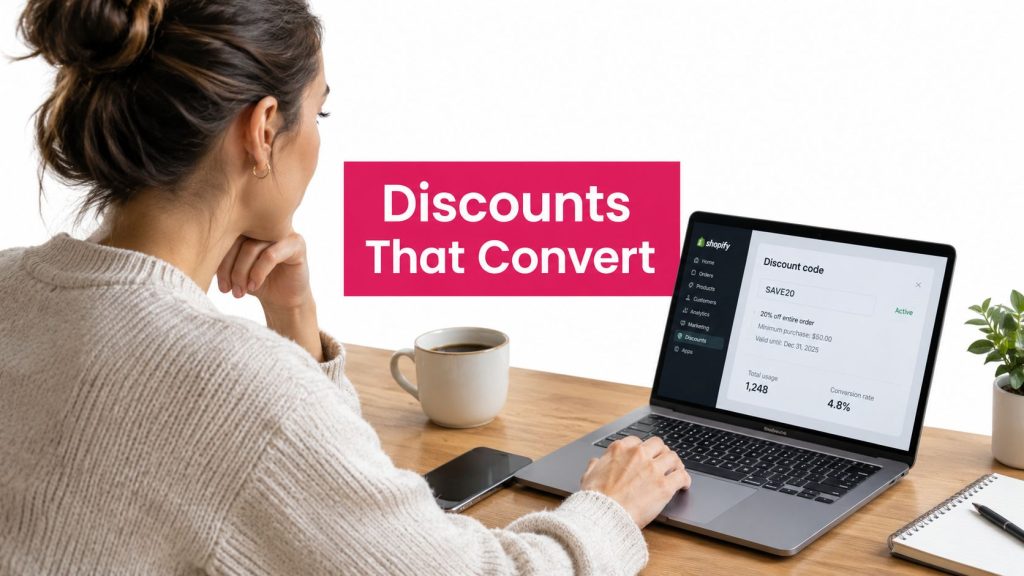
Most Shopify merchants start with the wrong question: Which discount app should I install? The better question is, when should I discount at all?
A discount can recover a sale, but it can also teach shoppers to abandon their carts and wait for a coupon. If every recovery message leads with a price cut, customers learn that the first price isn’t the price. You may improve short-term conversion while weakening price trust, gross margin, and full-price buying behavior.
The smarter approach is to treat discounts as one tool inside a recovery system. Start with a reminder, urgency, or friction-free checkout path. Offer a discount only when the shopper, product, margin, and timing justify it. SMS is particularly useful for this sequence because benchmark summaries commonly place SMS open rates between 90% and 98%, while one 2026 summary reports that about 81% of recipients read a text within five minutes (MessageFlow SMS benchmarks).
That doesn’t mean every store should abandon discount apps. Shopify’s ecosystem supports everything from basic coupon creation to automatic cart rules, volume pricing, bundles, and dynamic offers. The challenge is separating useful automation from expensive promotion sprawl.
This guide evaluates a discount app for Shopify by timing, targeting, checkout behavior, presentation, recovery-channel integration, and net profit, not by the length of its feature list. You’ll see where native Shopify discounts are enough, where an app earns its place, and why SMS recovery with selective discounting often beats an always-on coupon strategy. For promotion ideas that preserve urgency without making every order cheaper, review these limited-time offer strategies.
Table of Contents
- Understanding the Shopify Discount App Market
- Detailed Comparison of Key Discount App Capabilities
- Pricing Stacking Limits and Hidden Costs to Evaluate
- Real World Use Cases and Which App Fits Each Store
- Implementing Discounts Without Breaking Trust or Compliance
- Final Recommendation How to Choose the Right Discount App for Shopify
Understanding the Shopify Discount App Market

Discount apps are not interchangeable, and more automation does not mean more profit. The Shopify marketplace lists 1,061 apps in its Promotions, or Discounts, category, while independent tracking shows individual apps with thousands of active merchant installs. One tracked discount app reported 3,045 active installs, 361 reviews, and a 4.7 rating, while another volume-discount app reported 5,112 installs and 1,524 reviews (Shopify discount app market data).
That scale creates a buying problem. You are choosing between tools built for different jobs, including apparel promotions, home and garden bundles, beauty offers, food and drink volume pricing, B2B tiers, and cart recovery. Start with the revenue problem, not the app category. If an SMS reminder can recover demand without cutting the price, use that first. Reserve dynamic discounts for shoppers, products, and margins that justify an incentive.
The main discount app categories
Code-based tools generate, organize, or distribute coupon codes. They suit influencer campaigns, loyalty offers, affiliate promotions, and controlled customer segments. Unique codes reduce leakage and make attribution easier.
Automatic discount apps apply rules without requiring customers to type a code. They support cart thresholds, customer tags, scheduled sales, free shipping, and product-specific promotions. Their value depends on reliable rule application across the channels your store uses.
Volume and tiered pricing apps reward quantity or spend. A shopper may receive a lower unit price after adding more items, while a wholesale buyer sees a dedicated price structure. Show each threshold clearly, or shoppers may not understand why adding another item changes the total.
Buy X get Y and bundle apps manage gifts, mix-and-match offers, and complementary products. They can raise basket value when the offer remains clear on the product page, in the cart, and at checkout.
Recovery and messaging tools connect offers to email or SMS journeys. Their job is to decide who receives an offer, when it arrives, and whether the customer returns through a pre-filled path. A recovery sequence should begin with a reminder or checkout shortcut, then introduce a selective discount only when the expected margin supports it.
Where native Shopify ends
Shopify’s native discount options cover standard code, percentage, fixed-amount, free-shipping, and buy-X-get-Y promotions. Merchants often need an app for advanced storefront presentation, conditional rules, tiered pricing, dynamic cart behavior, or controlled integrations (Shopify’s discount documentation).
Custom discount logic can run through Shopify Functions, Shopify’s supported extension point for discounts, rather than legacy Scripts (Shopify discount development reference). Checkout compatibility therefore belongs on the buying checklist.
Define the job before comparing vendors. A seasonal coupon does not justify a complex rules engine. An abandoned-cart program needs an app that connects the offer to a timely message, preserves the cart, and limits unnecessary price cuts. This Shopify marketing app guide helps place discount software alongside acquisition and retention tools.
For merchants weighing the broader platform context, a practical platform comparison for NZ businesses can clarify how Shopify’s app-led approach differs from other commerce setups.
Detailed Comparison of Key Discount App Capabilities
Feature pages make discount apps look interchangeable. Their revenue impact depends on implementation. Compare capabilities in the order they affect margin, conversion, and customer trust.
Automatic cart discounts
Automatic offers remove code-entry friction. They work well for cart thresholds, product eligibility, customer groups, and scheduled campaigns. They can also reduce margin on orders that would have converted without an incentive, especially when shoppers do not understand why the price changed.
Best fit: stores with clear eligibility rules and repeatable campaigns.
Practical rule: Apply an automatic discount when the customer can see why they qualified, not just because the app can apply it.
Dynamic discount application
Dynamic discounting should respond to cart contents, customer segment, purchase intent, or recovery stage. The first abandoned-cart reminder may need no price incentive. A later SMS or email can present a targeted code or fixed offer when the expected margin supports the recovery attempt.
That requires more than a basic discount generator. The app must create or insert the correct offer, preserve the shopper’s cart, and return the customer to checkout with minimal friction. A coupon code generation guide can help your team set naming conventions and create controlled codes instead of maintaining an unstructured promotion list.
Checkout and Functions integration
Checkout behavior determines whether complex rules work reliably. Shopify Functions supports custom discount logic within Shopify’s checkout stack, while Shopify’s documented operational limits shape how developers build those functions. Input arrays are capped at 250 items, GraphQL Admin API calls are rate-limited by calculated query cost, and the Storefront API has no request-count rate limit.
Test product eligibility, cart updates, checkout behavior, and sales-channel compatibility before launch. A rule that works on the storefront but fails at checkout creates support work and can erase the intended conversion gain.
Best fit: stores with complex rules, large catalogs, multiple sales channels, or high operational dependence on reliable automatic application.
Storefront display and crossed-out prices
A discount shown only at checkout can look suspicious. Show the original price, offer condition, and final price before the shopper commits. Shopify documentation notes that merchants may use third-party apps to display crossed-out comparison prices on product and collection pages (Shopify discount guidance).
Use this capability where transparent savings presentation affects trust. Avoid displaying a reference price that customers cannot understand or verify. A clear offer can support conversion, while an unexplained price change can make the promotion feel arbitrary.
Best fit: brands competing in price-sensitive categories where transparent savings presentation affects trust.
SMS and email recovery integrations
The app should help determine whether a discount belongs in the message at all. SMS provides a direct recovery channel, and benchmark roundups report ecommerce SMS click-through rates around 19.3% and median ROI of $8.60 per dollar spent (SMS marketing benchmark roundup).
Use email for longer consideration cycles and content-rich reminders. Use SMS when speed matters. Reserve the discount for shoppers or follow-up stages where the incremental recovery value can cover its margin cost. Recovery messaging plus selective dynamic discounts protects margin better than an always-on price cut.
Analytics and attribution
Track more than coupon redemptions. Measure whether the offer recovered an otherwise lost order, discounted a customer who would have purchased anyway, or attracted a low-margin basket. At minimum, compare recovery rate, net revenue, discount cost, contribution margin, and channel cost by campaign.
| Capability | What to Look For | Best Fit Scenario |
|---|---|---|
| Automatic cart discounts | Clear eligibility and dependable application | Scheduled sales and threshold offers |
| Dynamic discounting | Rules based on cart, segment, or recovery stage | Margin-sensitive recovery |
| Checkout integration | Shopify Functions compatibility and channel testing | Complex or multi-channel stores |
| Price presentation | Visible original and final prices | Trust-sensitive retail categories |
| SMS and email connections | Triggered messages with cart preservation | Abandoned-cart recovery |
| Analytics | Net revenue and margin, not just redemptions | Merchants optimizing profit |
Document naming conventions, expiration rules, approval steps, and campaign ownership. A discount app should make selective offers easier to control, not encourage permanent markdowns that train customers to wait for a code.
Pricing Stacking Limits and Hidden Costs to Evaluate
A low monthly fee does not make a discount app inexpensive. The cost includes discounted margin, app fees, development work, failed combinations, support time, and promotion leakage. Judge the app by contribution profit, not by subscription price.
Shopify permits up to 25 active automatic discounts per store, including app-created discounts. Customers can use up to 5 product or order discount codes plus 1 shipping code on one order. The final result still depends on Shopify’s product, order, and shipping discount classes, along with whether each offer is marked combinable (Shopify discount limit reference).
These limits can force changes to the promotion calendar. A store may have campaigns configured in its apps yet lack enough active automatic-discount capacity to run them together. Stacking can also create unexpected totals when two rules target the same products or when a shipping offer interacts with an order discount.
Audit the operational constraints
Ask the vendor how the app handles bulk products, large collections, imports, and real-time cart rules. Confirm whether its rules remain predictable as your catalog and campaign count grow. Also test what happens when offers overlap, expire, or reach a configured limit.
Use this checklist before installing:
- Margin cost: Calculate gross profit lost on each discounted order.
- Subscription cost: Include the app plan in campaign-level profitability.
- Development cost: Price theme edits or custom work needed to display comparison prices.
- Stacking behavior: Test product, order, and shipping combinations.
- Channel coverage: Verify behavior in Online Store, Storefront API, and POS if you use them.
- Failure handling: Confirm the fallback when a rule conflicts, expires, or reaches a limit.
- Promotion policy: Decide when SMS recovery should come before a discount, and reserve dynamic offers for shoppers whose expected recovery value supports the margin cost.
A promotion that increases orders while reducing contribution profit has failed its financial test. Compare incremental profit with discount cost and software expense using a structured ROI calculation method. Run that calculation by campaign, then reject always-on price cuts that train customers to wait for codes. SMS recovery plus selective discounts protects margin and keeps the offer credible.
Real World Use Cases and Which App Fits Each Store
Different stores need different discount mechanics. A fashion store with abandoned carts shouldn’t use the same setup as a B2B supplier with predictable volume orders.

A fashion store with high cart abandonment
Start with an SMS reminder that restores the cart and removes checkout friction. Don’t attach a discount to the first message by default. If the shopper doesn’t return, send a later offer to a segment where the expected margin supports the incentive.
SMS benchmarks commonly place open rates near 98%, while independent 2025 to 2026 sources report recovery or conversion rates ranging from the high single digits to the mid-20s depending on methodology (cart abandonment and SMS recovery data). The practical lesson is simple: make SMS the fast recovery channel, then make the discount selective.
A B2B or bundle-led store
Choose volume pricing, quantity breaks, or bundle logic when customers naturally buy multiples. Automatic discounts work well when the threshold is stable and visible. Code-based offers are more useful for negotiated accounts, private catalogs, or customer-specific terms.
Show the next price tier before checkout. If buyers can’t see how close they are to the threshold, the app may calculate the discount correctly while failing to influence the basket.
An international store
International promotions need more than translated coupon text. Check market-specific eligibility, currency display, local catalog rules, and messaging language. Automatic rules can reduce code-entry mistakes, but private codes may be better when offers vary by country, partner, or customer segment.
A margin-sensitive brand
This store should treat discounts as a late-touch tool. Lead with product value, shipping clarity, social proof, or a reminder. Use a fixed or percentage offer only when the shopper has shown enough intent and the order economics can absorb it.
Discounts should pay for incremental conversion. They shouldn’t subsidize customers who were already ready to buy.
Implementing Discounts Without Breaking Trust or Compliance
A discount becomes persuasive when customers can verify it. It becomes damaging when the storefront hides the original price, the offer terms, or the final amount until checkout.
Build the campaign in this order
-
Show the pricing clearly. Display the original price and discounted price together. If you use a crossed-out comparison price, make sure it reflects a legitimate reference price and matches the offer language.
-
Define the eligibility rule. Decide whether the offer applies automatically or requires a code. Add start and end dates, product exclusions, quantity limits, and customer-segment conditions before publishing.
-
Connect the recovery message. Use a branded sender identity, preserve the cart, and pre-fill checkout fields where your setup supports it. Set a do-not-disturb window so messages don’t arrive at inappropriate times.
-
Review consent and opt-out handling. Marketing texts should use prior express written consent, identify the business, state that the message is marketing, provide a plain opt-out instruction such as Reply STOP, and honor opt-outs immediately (GDPR and CCPA ecommerce SMS checklist).
-
Test the complete customer path. Place a test cart, trigger each recovery message, check the discount, confirm the landing destination, and test the offer on mobile. Verify that an ineligible customer can’t receive the same price.
The campaign description must match the checkout result. Don’t advertise “50% off” when only selected products qualify, and don’t use broad savings language that obscures exclusions.
For an operational review, check consent records, message content, sender identity, discount terms, landing URL, checkout behavior, and unsubscribe handling. This data privacy in marketing resource can help your team document the customer-data practices behind the workflow.
Final Recommendation How to Choose the Right Discount App for Shopify
Choose the app type by answering three questions.
First, is recovery your priority? If abandoned carts are the main leak, prioritize SMS or email triggers, cart preservation, fast checkout, and selective offers. A discount generator alone won’t solve a timing problem.
Second, how complex are your promotions? Basic codes need a lightweight tool. Volume pricing, bundles, BOGO offers, customer tags, and multi-condition rules need an app built for automatic logic and reliable checkout behavior.
Third, do markets differ? International stores should assess currency, eligibility, language, catalog, and channel behavior before choosing a promotion engine.
For many stores, the strongest setup is hybrid. Use native Shopify discounts for straightforward campaigns, a specialized app for complex merchandising, and an SMS recovery system for abandoned carts. CartBoss can automatically generate Shopify discount codes, include targeted offers in follow-up SMS messages, apply dynamic discounts, and use pre-filled checkout forms, so merchants can test discount-free reminders before adding a price incentive.
Measure recovery rate, incremental conversion, net revenue, discount cost, and contribution margin by message stage. If the first reminder recovers orders without a discount, keep it that way. If a later message earns profitable incremental conversions, make the offer conditional and controlled.
The right discount app for Shopify isn’t the one with the most rules. It’s the one that helps you apply the right incentive to the right shopper without making your full price look negotiable.
CartBoss helps Shopify stores recover abandoned carts through automated SMS reminders, targeted offers, dynamic discount application, pre-filled checkout forms, and compliance features. Visit CartBoss to set up a recovery workflow that tests urgency first and uses discounts selectively when they can protect profit.