


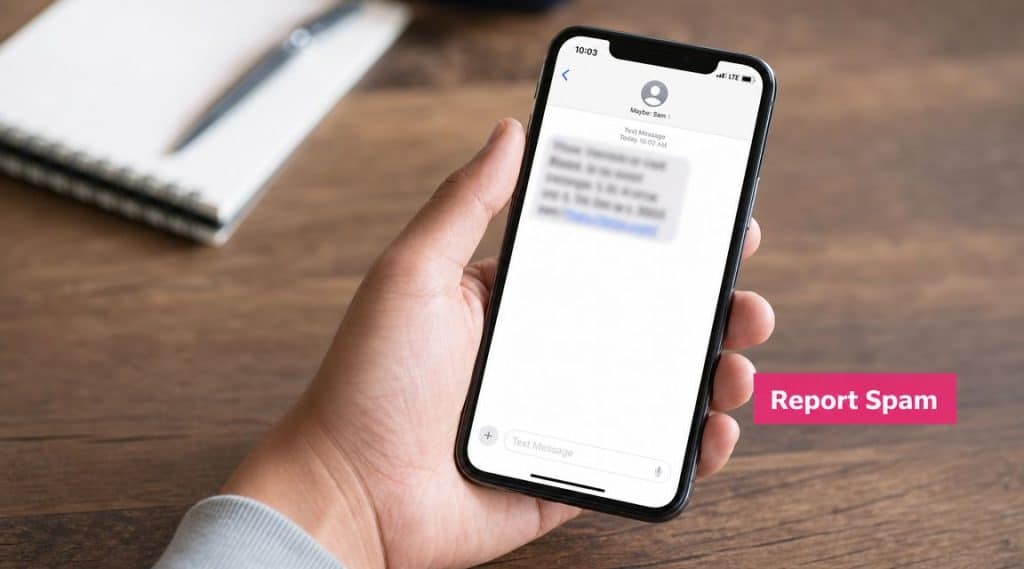
Your phone buzzes. It looks like a delivery update, a bank alert, or a promo from a brand you vaguely remember. You open it and realize it’s junk.
That moment matters more than most store owners think. When people report spam on iPhone, they aren’t just cleaning up their inbox. They’re feeding signals back into Apple’s tools and, in some cases, to wireless carriers too. If you run SMS campaigns for an e-commerce brand, that reporting behavior affects the environment your messages land in.
A practical guide to report spam text iPhone isn’t only for consumers. It’s market intelligence for marketers. If you understand how customers handle suspicious texts, you can write cleaner campaigns, avoid spam-like behavior, and protect your sender reputation.
The Spam Text Problem for Consumers and Brands
Individuals often don’t analyze a text before reacting to it. They make a fast judgment. Known sender or unknown sender. Expected or unexpected. Useful or annoying.
That’s where brands get into trouble. A legitimate SMS campaign can still feel like spam if the message arrives without context, from a number the customer doesn’t recognize, or with language that looks like phishing. For consumers, reporting is a defensive habit. For brands, it’s a reputation signal.

What the customer sees
A customer doesn’t know your campaign logic, list source, or compliance workflow. They only see the text in front of them.
If your message looks similar to the junk they’ve been deleting all week, they’ll treat it the same way. That’s why it helps to understand the difference between scam and spam from the customer’s point of view. CartBoss has a useful breakdown of scam vs spam that shows why even non-fraudulent texts can still trigger a negative response.
Practical rule: Customers don’t report based on your intent. They report based on recognition, trust, and timing.
Why store owners should care
Every spam complaint creates friction for legitimate SMS marketing. If enough brands train customers to distrust text messages, even good campaigns work harder for attention.
For e-commerce teams, this has three direct consequences:
- Lower trust: Customers become cautious with links, coupon offers, and shipping updates.
- Weaker engagement: Messages that aren’t clearly branded get ignored or deleted.
- Brand damage: One bad text can make your store feel careless, even if the product experience is strong.
The smartest SMS marketers think like recipients first. They ask a basic question before sending anything: if this text reached someone who forgot they opted in, would it still look legitimate?
That mindset lowers complaints and improves the odds that your texts are seen as helpful instead of intrusive.
Reporting Spam Directly Within Your iPhone
If someone wants to report spam on iPhone, the fastest path is inside the Messages app. Apple supports a direct Report Spam action for messages from unknown senders, including SMS, MMS, and iMessage, and Apple notes that you can’t report a message after replying to it in its Messages reporting guidance for iPhone.
That last part matters. Once a user replies, the clean reporting path may disappear.

Use the built-in Report Spam option
When the message is still untouched, the workflow is simple.
- If the message is unopened: swipe left on the conversation and choose Delete and Report Spam.
- If the message is already opened: scroll to the bottom of the conversation and tap Report Spam.
- If prompted: confirm with Delete and Report Spam.
This is the cleanest action for a suspicious message from an unknown sender. It removes the text and sends a signal through Apple’s reporting flow.
Block the sender too
Reporting and blocking aren’t the same thing. Reporting flags the message. Blocking stops future texts from that sender from bothering you on that device.
Use blocking when a sender is clearly abusive or persistent:
- Open the conversation.
- Tap the sender’s name or number at the top.
- Open the info view.
- Scroll down and tap Block this Caller.
For consumers, that reduces repeated interruptions. For marketers, it’s a reminder that one bad campaign doesn’t just lose one click. It can lose the channel with that customer entirely.
A related pattern worth understanding is when junk arrives from email-originated text routes rather than normal-looking numbers. This creates instant distrust because the sender identity already looks wrong. CartBoss covers that scenario in its article on spam text messages from email addresses.
Here’s a quick visual walkthrough if you prefer to see the taps in sequence.
What works and what doesn’t
Some actions help. Others hurt.
| Action | Result |
|---|---|
| Report before replying | Preserves the built-in reporting option |
| Delete and move on | Cleans inbox, but gives less feedback than reporting |
| Block the sender | Stops repeat contact from that sender on the device |
| Reply “who is this?” | Often makes things worse and can remove the report option |
If a text looks suspicious, don’t interact with the content just to investigate it. Treat speed as protection.
For store owners, that behavior is the lesson. If your first message is vague, unfamiliar, or aggressive, the customer won’t stop to decode your intent. They’ll report, block, and move on.
Advanced Reporting Methods for Persistent Spam
Deleting a text solves your problem. Reporting it outside the phone helps solve everyone’s problem.
The most useful network-level action is forwarding the message to 7726 (SPAM). The FTC says this sends the complaint to the wireless provider so it can investigate and block similar messages, which gives carriers telemetry they can use to improve spam detection in its consumer guide to recognizing and reporting spam texts.
Forward to 7726
This method matters because it reaches beyond your device. You’re not only removing one message from view. You’re sending the original content to the carrier layer where blocking decisions can scale wider.
Use it like this:
- Keep the message intact: don’t edit the text before forwarding.
- Avoid clicking links: interacting with the message increases risk and can muddy the reporting value.
- Forward the suspicious text to 7726: that routes it to your provider’s spam review path.
Reporting to 7726 is more valuable than a silent delete because it gives the carrier something actionable to review.
Report to the FTC
If the message is part of a broader scam attempt, especially one asking for account details, payment information, or urgent personal action, a formal complaint can be worth filing with the FTC through its consumer reporting channels.
For merchants, this matters in a different way. It shows the bar customers now use for trust. If your promotional text sounds like social engineering, you’re forcing a legitimate campaign into the same mental bucket as fraud.
That’s also why legal discipline matters. If your team sends promotional texts without clear permission, ignores unsubscribe requests, or blurs the line between service messages and marketing, you create risk for both compliance and deliverability. CartBoss has a straightforward overview of Telephone Consumer Protection Act violations that’s worth reviewing if you manage SMS at scale.
Best use case for each option
- Use in-app reporting when you want the quickest on-device cleanup.
- Use 7726 when you want the carrier to see and evaluate the spam.
- Use FTC reporting when the message appears deceptive, harmful, or part of a larger fraud pattern.
That stack is useful for consumers. It’s also instructive for brands. The more your messages resemble scam behavior, the more places a customer now has to report you.
How to Proactively Filter and Prevent Spam Texts
Reactive reporting helps, but prevention is better. Apple’s current iPhone guidance says spam filtering is on by default for some carriers, and users can also enable filtering for unknown senders in Messages settings, where messages can be organized into separate Transactions and Promotions folders in Apple’s spam and filtering guide for iPhone.
For everyday users, that means fewer interruptions in the main inbox. For marketers, it means message classification matters.

Turn on filtering and use it properly
Open Settings, go to Messages, and enable the filtering options for unknown senders if they aren’t already active.
That won’t block everything. It does something more useful for many users. It separates unfamiliar traffic so a spam text doesn’t sit next to a real message from family, support, or a recent buyer interaction.
A few practical habits make the filter more effective:
- Save trusted contacts: if you regularly get order updates from a known business contact, storing the number reduces confusion.
- Check filtered folders selectively: useful transactional texts can still arrive there.
- Don’t treat every unknown message as fraud: some may be legitimate, but they still need verification.
Protect your number before spam starts
Spam prevention also starts before the first junk text lands.
- Be selective with forms: many coupon popups and giveaway forms collect numbers broadly.
- Avoid posting your number publicly: once it’s indexed or scraped, you lose control.
- Use caution with one-off signups: if a site feels sketchy, don’t hand over your primary number.
For a broader device-level view, Simply Tech Today has a practical guide to blocking phone spam that’s Android-focused but still useful for understanding the layered approach of filtering, blocking, and call control.
The trade-off brands often ignore
Filtering is good for users, but it creates a visibility challenge for marketers. Your text might be legitimate and still land outside the primary conversational flow if the sender is unknown.
That’s why recognizable brand cues matter from the first line. A customer scanning a Transactions or Promotions folder should know immediately that the message is from your store and why it arrived.
If they have to guess, you’ve already lost trust.
A Marketer’s Guide to Not Being the Spam
The easiest way to reduce spam reports is simple. Run an SMS program that doesn’t feel like spam when a distracted customer sees it for the first time.
Apple’s filtering and categorization tools are getting better, and the FTC warns that legitimate companies won’t ask for personal or financial information by text and that people should verify suspicious messages through a trusted channel, as reflected in Apple’s screen and filter texts guidance. That should shape how every e-commerce team writes and sends SMS.

What trustworthy SMS looks like
A respectable program does a few things consistently well.
- Get clear consent: only text people who explicitly opted in.
- Identify the brand immediately: don’t make recipients guess who sent the message.
- Include an easy opt-out: people should know how to stop messages without friction.
- Send relevant content: cart reminders, delivery updates, and clear promotional offers work better than generic blasts.
Here’s the operational test I use: if a customer forgot opting in, would the message still make sense and still look legitimate?
If the answer is no, rewrite it.
Better message: “BrandName: You left items in your cart. Complete checkout here: [link]. Reply STOP to opt out.”
That format isn’t fancy. It’s clear. Clarity lowers suspicion.
What gets brands reported
Problems usually come from recognizable mistakes, not edge cases.
| Don’t do this | Why it triggers spam reactions |
|---|---|
| Buy or import weak-quality lists | Recipients don’t recognize your brand or consent |
| Hide brand identity | Unknown sender plus vague copy looks risky |
| Use misleading links or bait language | Mimics phishing behavior |
| Ignore opt-outs | Turns annoyance into complaints and blocks |
One useful cross-channel reminder comes from email. Many of the habits that protect inbox placement also protect SMS trust. If your team is also cleaning up email practices, this resource on how to improve email deliverability is worth reading because the underlying discipline is similar: permission, recognition, relevance, and clean list management.
Build process, not just campaigns
Good SMS performance isn’t only about copy. It’s about operational controls.
Use a checklist before every campaign:
- Consent checked: was opt-in captured clearly and stored?
- Brand visible: is the store name in the message body?
- Intent obvious: is it a cart reminder, promo, or service update?
- Exit clear: can the recipient stop messages easily?
- Timing sensible: does the send respect local quiet hours?
For stores that want more structure, tools with compliance controls can help enforce good habits. For example, CartBoss SMS marketing compliance guidance explains the basics, and CartBoss itself includes features such as GDPR and CCPA compliance support and automatic do-not-disturb mode, which are operational safeguards rather than copy fixes.
The mindset shift that protects deliverability
Many marketers ask, “How do I get more people to read my texts?”
The more useful question is, “How do I make sure no reasonable customer would mistake this for spam?”
That changes everything. You stop chasing cleverness and start optimizing for trust. You identify yourself early. You don’t ask for sensitive information. You don’t force urgency that sounds fake. You respect the unsubscribe.
Those aren’t just compliance moves. They’re deliverability moves.
Troubleshooting and Key Takeaways
If the Report Spam or Report Junk option doesn’t appear on iPhone, the issue may be carrier support. Apple expanded Report Junk to include SMS/MMS for select U.S. carriers with iOS 16, and if the option still isn’t visible, forwarding the message to 7726 is the best fallback according to this MacRumors coverage of the iOS 16 change.
For consumers, the playbook is straightforward: report early, don’t reply, and escalate persistent junk through the carrier path. For marketers, the lesson is just as clear: if your texts are unexpected, vague, or hard to opt out of, customers will treat them like spam. Before launching any campaign, run a quick test text messaging process on copy, recognition, and opt-out clarity.
If you want an SMS recovery setup that stays focused on consent, clarity, and customer-friendly messaging, take a look at CartBoss. It’s built for e-commerce stores that want to recover carts through SMS without turning helpful reminders into messages customers distrust.
