


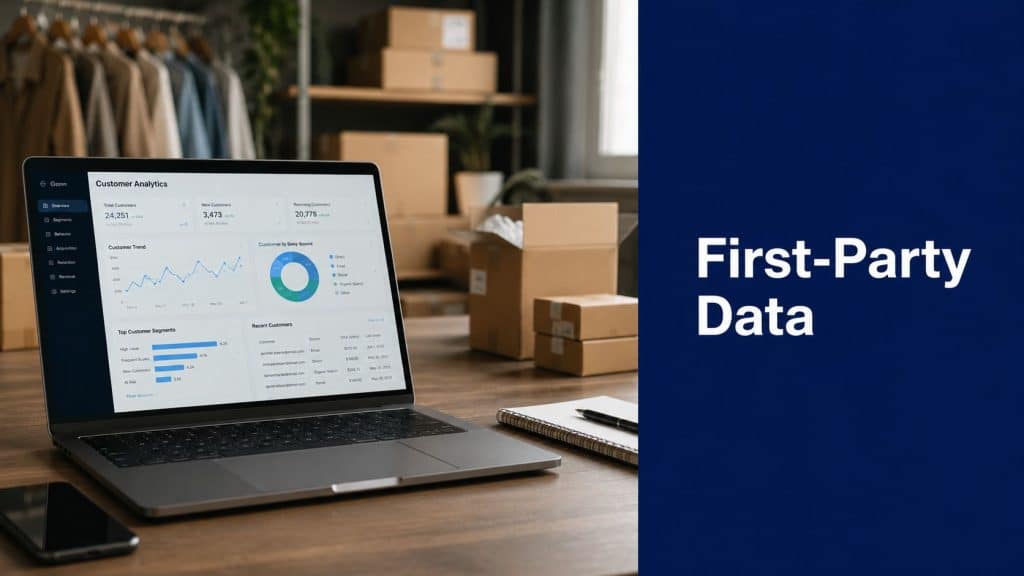
Small e-commerce brands don’t have a tracking problem. They have an ownership problem.
With Google’s 2024 elimination of third-party cookie support, 95% of marketers are now prioritizing first-party data strategies to preserve the customer insight and personalization their businesses depend on. The stores that win now aren’t the ones buying more audience data. They’re the ones collecting better data from their own customers and using it faster.
If you’re asking what is first party data, the simple answer is this: it’s the information your store collects directly from people who interact with your brand. That includes browsing behavior, cart activity, purchases, email engagement, survey responses, and consented phone numbers. In practice, it’s the difference between guessing who might buy and knowing what your actual shoppers are doing.
For smaller stores, this matters even more. You probably don’t have a data team, a custom CDP, or six tools stitched together properly. But you can still collect useful signals, act on them quickly, and turn them into revenue.
Why First-Party Data Is Your New Superpower
Third-party data used to let marketers rent attention. That model is breaking down. Cookie loss, stricter privacy expectations, and higher acquisition costs have made borrowed data less dependable for everyday growth.
That shift is good news for e-commerce brands that want durable results. When you build your own customer data asset, you stop depending on outside platforms to tell you who your buyers are.

Owned data beats rented signals
A customer visits your product page, adds an item to cart, starts checkout, then leaves. That’s not abstract analytics. That’s a real buying signal from a real person inside your store.
When you collect those signals through your own site, checkout, CRM, email platform, and support channels, you gain data you can trust and activate. That makes targeting tighter, segmentation more useful, and follow-up campaigns far less wasteful.
A lot of store owners think this requires enterprise infrastructure. It doesn’t. The first practical move is often just connecting the systems you already use so your website, checkout, email, and SMS data stop living in separate silos. That’s why a clear approach to customer data unification matters before you buy another tool.
Practical rule: If a data point can help you recover a cart, personalize an offer, or improve a repeat purchase flow, it’s worth collecting. If it just fills a dashboard and never changes an action, it’s noise.
Why this matters in 2026
Store owners are under pressure from every side. Ad costs rise. Attribution gets murkier. Repeat purchases matter more. Generic campaigns underperform.
First-party data fixes part of that because it’s built from direct customer behavior and direct customer consent. Instead of broad audience assumptions, you can react to what shoppers did on your site. That gives you a more defensible growth system, especially when your budget is tight and every recovery campaign has to earn its keep.
First-Party Data vs Second and Third-Party Data
If you want a simple framework, think of data types like conversations.
First-party data is what your customer tells you directly or what you observe directly inside your own store. Second-party data is information a trusted partner shares from their own audience. Third-party data is aggregated information sold by outside providers that don’t have a direct relationship with your customer.

The simplest way to remember it
| Data type | What it means | Typical example | Main risk |
|---|---|---|---|
| First-party | Data you collect yourself | Product views, orders, opt-ins, survey responses | Requires your systems to be connected |
| Second-party | Someone else’s first-party data shared with you | A retail or platform partner shares audience insight | Limited control and narrower relevance |
| Third-party | Aggregated external data sold broadly | Brokered demographic or interest segments | Lower trust, weaker consent clarity |
According to Matomo’s explanation of first-party data, first-party data is information collected directly from customers through owned channels like website interactions, mobile app usage, and in-store transactions. That direct collection makes it more accurate and reliable because it comes with explicit customer consent, which also supports GDPR and CCPA compliance.
Why first-party data is worth more
The value isn’t just ownership. It’s relevance.
When someone browses your category pages, clicks into a specific product, returns twice, then abandons checkout, you have a sequence of actions tied to your exact buying journey. That is much more useful than a broad external label like “interested in fashion” or “frequent online shopper.”
First-party data also has two important layers:
- Entity data includes stable identity details like age, location, or gender.
- Event data includes behavioral actions like clicks, hovers, and cart additions.
According to Amplitude’s breakdown of first-party data, brands that use both layers can achieve up to 15% higher campaign performance in audience segmentation because they’re mapping real user actions to actual touchpoints, not inferred interest from outside sources.
You can think of first-party data as observation, second-party data as a referral, and third-party data as market gossip. For revenue decisions, direct observation usually wins.
Where behavioral targeting fits
Many stores encounter a bottleneck. They collect page views and cart events, but they don’t turn them into follow-up actions. That’s the gap between reporting and revenue.
If you want a practical next step, study how behavioral targeting works in e-commerce. The key idea is simple. A behavior only matters if it triggers a message, an offer, or a change in the customer journey.
How to Collect Actionable Data from Your E-commerce Store
Most stores already sit on useful customer data. The problem is that it’s scattered across analytics, checkout, Shopify or WooCommerce, email, support tickets, and forms.
Start by collecting the signals that directly connect to buying intent.

Four data sources every store should use
-
Website analytics
Track product views, time on page, exit pages, scroll depth, and checkout drop-off points. This tells you where interest builds and where friction kills the sale. -
Transactional data
Look at purchase history, average order value, repeat order timing, cart abandonment frequency, and discount usage. This shows what customers buy, not just what they browse. -
CRM and support history
Save customer interactions, return reasons, complaints, product questions, and communication preferences. Support data often reveals why conversion and retention are underperforming. -
Direct feedback
Use post-purchase surveys, preference centers, quizzes, review requests, and checkout questions to capture customer intent in their own words.
For teams comparing platforms, these CRM recommendations for Australian eCommerce businesses are useful because they focus on practical fit for smaller operations, not enterprise wish lists.
First-party data and zero-party data are not the same
A lot of articles blur this distinction, and that creates bad collection strategy.
First-party data is what you infer from behavior. Zero-party data is what the customer voluntarily tells you. According to internal research summarized for this topic, zero-party data from preference centers or surveys can be 30% more accurate for personalization, and high-converting brands are increasingly prioritizing it at checkout.
That means these two actions are not equal:
- A shopper spends time on a product page.
- A shopper explicitly asks for back-in-stock alerts or abandoned cart reminders.
The second signal is stronger because the customer has stated intent.
Actionable takeaway: Treat opt-ins, preferences, and survey responses as premium data. They often outperform passive tracking because they tell you what the customer wants, not just what they hovered over.
Here is a useful walkthrough on the collection side:
A low-cost collection setup that works
You don’t need to launch a huge data program. You need a few dependable capture points.
- At checkout collect email, consented phone number, and communication preferences.
- On-site use a simple form or pop-up tied to a real benefit such as restock alerts, delivery updates, or cart reminders.
- Post-purchase ask one or two short questions about product interest, fit, frequency, or category preference.
- In customer accounts let people manage preferences instead of forcing one default communication path.
If phone collection is part of your recovery strategy, this guide on how to collect phone numbers for e-commerce marketing is worth reviewing because the wording and timing of the opt-in matter just as much as the form itself.
Unlock Higher Revenue with First-Party Data
Collecting data doesn’t grow a store. Activation does.
The reason first-party data matters is simple: it lets you send better messages to better segments at better moments. According to Envive’s first-party data ROI analysis, brands that actively use first-party data achieve a 2.9x revenue uplift and generate between 5x to 8x ROI. That same source reports a 73% improvement in conversion rates when brands use behavioral first-party data for personalized journeys instead of relying on third-party sources.

Where stores usually get the fastest return
The fastest wins usually come from flows tied to clear commercial intent, not broad branding campaigns.
Think about these use cases:
- Cart recovery for visitors who reached checkout but didn’t finish
- Browse abandonment for shoppers who viewed high-intent products repeatedly
- Product recommendations based on purchase history or category behavior
- Win-back campaigns tied to previous order timing and product lifecycle
- VIP targeting for customers with strong repeat order patterns
These aren’t complicated ideas. They work because the message matches the behavior.
A practical revenue map
| Signal collected | What it tells you | Best activation |
|---|---|---|
| Cart abandonment | The customer had purchase intent but hit friction | Reminder with direct return path |
| Repeat category browsing | Interest is building around a product type | Personalized recommendation |
| Past purchase history | Product affinity and reorder pattern | Cross-sell, replenishment, or bundle offer |
| Survey preference | Explicit channel or product intent | More relevant campaign timing and content |
One of the highest-impact examples is consented SMS tied to abandoned checkout. Phone numbers collected with clear permission are first-party assets. When used properly, they let you follow up fast while the buying intent is still warm.
Cart recovery is where many stores see first-party data become tangible. A shopper enters checkout details, leaves, and your system can trigger a short message that reminds them, removes friction, and sends them back to finish the order with as few steps as possible.
Why SMS works so well for abandoned carts
SMS is powerful because it’s direct, timely, and tied to a known action. In CartBoss’s product materials, SMS campaigns are built around an open rate of 99%, pre-filled checkout forms, dynamic discounts, automatic language detection, and localized messaging. For small stores, that’s important because recovery systems need to be simple enough to launch without a full ops team.
What works in practice:
- Use checkout behavior, not generic blasts. Trigger messages only after meaningful cart activity.
- Keep the copy short. Remind the customer what they left behind and give them a clear next step.
- Reduce friction. Pre-filled checkout links matter because they remove repeat typing and hesitation.
- Match the offer to the behavior. Not every cart needs a discount. Some just need a reminder.
- Respect timing. Fast follow-up helps, but message fatigue destroys trust if you overdo it.
What doesn’t work:
- Sending the same recovery text to every customer
- Hiding consent language in checkout clutter
- Treating SMS like another email channel
- Measuring clicks only, instead of recovered orders and profit
Recovery campaigns work best when they feel like service, not pressure. Remind the shopper, reduce the effort, and make it easy to finish what they already started.
Personalization goes beyond reminders
First-party data also improves merchandising. Transactional and engagement data can reveal recurring product combinations, strong entry products, price sensitivity, and categories that lead to repeat orders.
That helps you build smarter bundles, cleaner upsells, and more relevant post-purchase flows. It also helps you stop sending the wrong campaign to the wrong segment, which is one of the quietest ways stores waste budget.
Build Customer Trust with Smart Data Compliance
A lot of brands treat privacy compliance like a checkbox. Customers don’t.
People share data when the exchange feels fair. Internal research summarized for this topic states that first-party data collection aligns closely with GDPR and CCPA because it requires explicit consent, keeps data confidential, and works best when customers understand what they’re getting in return.
What good compliance looks like in a store
You don’t need legal jargon all over your site. You need clear choices.
- Ask clearly for email and SMS consent. Don’t bury it in checkout text.
- Explain the value. Tell shoppers whether they’ll get cart reminders, delivery updates, offers, or all three.
- Make opt-out easy. Unsubscribe and stop options should be simple to find and simple to use.
- Store consent records so your team knows what each customer agreed to.
- Honor quiet hours if you’re using SMS, especially across time zones.
If your team wants a plain-language reference for policy structure and customer-facing disclosure, these company data privacy guidelines offer a useful example of how businesses present privacy terms transparently.
Compliance is also a conversion tool
Customers notice when brands are vague about data use. They also notice when a brand is honest.
When you say, “Share your phone number to receive cart reminders or delivery updates,” the shopper can decide. That usually performs better over time than aggressive collection tactics because the customers who opt in know what to expect.
The goal isn’t to collect the most data possible. The goal is to collect data a customer knowingly shares and then use it in ways that feel helpful.
Keep the process operational
Compliance breaks down when it depends on memory. Build it into your workflows instead.
A practical setup includes a visible privacy notice, a clean consent checkbox flow, suppression handling, easy unsubscribe paths, and documented communication rules for every channel. If you’re tightening this side of your operation, CartBoss has a useful explainer on CCPA compliance for e-commerce that helps connect legal requirements to real store workflows.
Your 4-Step Plan to Activate First-Party Data Today
Smaller stores often delay this work because they think the stack has to be perfect first. It doesn’t.
Internal research summarized for this topic notes that 78% of small-to-mid e-commerce stores lack integrated data infrastructure, and many guides skip over that reality. The fix isn’t to wait for an enterprise rebuild. It’s to start with plug-and-play systems that can unify useful data points and act on them quickly. That same research highlights that an SMS tool can achieve a 4,500% average ROAS by capturing and using transactional data in under 60 seconds.
Step 1 Audit what you already have
Open the tools you use now and list the customer data each one contains.
Check your platform, checkout, analytics, email tool, SMS tool, support inbox, reviews app, and CRM if you have one. You’re looking for practical signals such as cart starts, order history, repeat purchase timing, opt-in status, and customer questions.
Don’t worry if it’s messy. Most stores start with siloed systems.
Step 2 Pick one collection point with direct revenue potential
Don’t try to collect everything at once. Add one capture point that ties directly to a high-value workflow.
Good starting options include:
- Checkout phone capture with consent for cart recovery
- Post-purchase preference question for future segmentation
- Email and SMS preference center for channel choice
- Customer account field updates for category interest or replenishment timing
Simple automation wins. You want a tool that starts collecting and using data immediately, not another platform that creates work.
Step 3 Launch one automated flow
Choose one behavior, one message path, and one success metric.
For many stores, the best first flow is abandoned cart recovery because the intent is obvious and the commercial value is immediate. If that isn’t your biggest leak, start with browse abandonment or a reorder reminder.
If you’re evaluating which automations deserve attention first, this guide to marketing automation for eCommerce gives a useful framework for prioritizing flows that affect revenue fastest.
Start with the behavior closest to the sale. Broad nurture campaigns can wait. Recovery and repeat-purchase flows usually pay back sooner.
Step 4 Measure revenue, not vanity metrics
Open rates and clicks are helpful, but they aren’t the finish line.
Track:
- Recovered orders
- Recovered revenue
- Opt-in quality
- Unsubscribe patterns
- Time to conversion after message send
Then tighten one variable at a time. Adjust message timing. Refine consent copy. Test whether a reminder works better than an incentive. Improve the checkout return path. Small changes matter more when the underlying signal is strong.
The stores that get this right don’t build a giant data machine on day one. They build a usable loop:
- Collect a customer signal.
- Trigger a relevant action.
- Measure revenue impact.
- Improve the next send.
That’s how first-party data stops being a buzzword and starts becoming margin.
If you want a fast way to turn consented customer data into recovered revenue, CartBoss is built for exactly that. It helps e-commerce stores capture cart intent, send automated SMS recovery messages, and return shoppers to pre-filled checkout with minimal friction. For small and mid-sized stores that need results quickly, it’s a practical way to put first-party data to work without building a complex stack first.
