


A shopper adds a product, reaches checkout, sees the shipping charge or hesitates over payment, and disappears. The cart remains in WooCommerce, but the sale doesn’t. You install a free recovery plugin, see a few clicks in the dashboard, and still don’t know whether it recovered profitable demand or just gave discounts to people who would’ve bought anyway.
That’s the core challenge behind choosing a WooCommerce abandoned cart plugin free of subscription charges. The right tool must capture carts reliably, deliver messages consistently, preserve the shopper’s cart, and help you measure incremental profit. A feature list is only useful when it connects to what happens in your checkout data.
Table of Contents
- Why WooCommerce Abandoned Cart Recovery Still Matters
- Comparing Free WooCommerce Abandoned Cart Plugins
- Setting Up Recovery Without Breaking Deliverability
- When Recovery Fails Because the Checkout Itself Is the Problem
- Calculating True Cost and Profit from Free Cart Recovery
- Upgrading to SMS Cart Recovery With CartBoss
- Choosing the Right Recovery Path for Your Store
Why WooCommerce Abandoned Cart Recovery Still Matters
A store owner usually notices abandonment in the same frustrating sequence. A shopper views a product, adds it to the cart, enters an email address, and leaves after the final total appears. Another shopper reaches payment, encounters a failed attempt, and never returns. Both records may look like abandoned carts, but they represent different recovery opportunities.
Baymard’s benchmark across 49 studies places average e-commerce cart abandonment at 70.19%. That figure is a market benchmark, not a forecast for your store, so calculate your own rate from shoppers who add an item or begin checkout using Baymard’s checkout benchmark. The useful question isn’t how many carts exist. It’s how many shoppers can still be reached, what stopped them, and whether a message produces an order that wouldn’t otherwise have happened.
A free plugin earns a place in production only if it handles three basic jobs:
- Capture scope: It should identify both guest and registered-user carts where possible.
- Email capture timing: It needs to record the customer’s email before checkout submission, not only after an order exists.
- Scheduled recovery: It should support reminders that run reliably rather than relying on manual exports.
The practical meaning of visitor behaviour becomes clearer when you separate visitor actions and conversions from simple page activity. A click on a recovery link is an action. A completed order with healthy margin is the conversion that matters.
Practical rule: Treat the global abandonment benchmark as a reason to test, not as revenue waiting to be claimed.
Measure recovery rate by guest and logged-in shopper, time-to-recovery, coupon usage, and conversion after the recovery link is clicked. Also track incremental revenue, coupon cost, and contribution margin. Installation count and raw clicks can tell you whether a plugin is active, but they can’t tell you whether the system is profitable.
Comparing Free WooCommerce Abandoned Cart Plugins
Free plugins don’t all recover carts in the same way. CartFlows’ free recovery plugin is an email-first baseline with email capture, automated sequences, templates, and unique checkout links, as described in the WooCommerce abandoned-cart plugin comparison. Booster for WooCommerce takes a lighter route. Its WordPress.org documentation describes one automated reminder after a configurable delay, such as 1, 3, or 24 hours, plus a list of recovered carts.
That difference affects testing. One reminder can validate whether recovery is worth pursuing. A sequence with a unique checkout URL gives you more room to compare timing, incentive type, and message content without making the shopper rebuild the cart.
Free Plugin Performance Matrix
| Plugin | Capture Scope | Sequence Depth | Unique Checkout Link | Coupon Support | Hosting Overhead |
|---|---|---|---|---|---|
| CartFlows free recovery plugin | Email capture for recovery, with guest and registered-user behaviour requiring store testing | Automated sequence | Supported | Test against your configuration | Self-hosted WordPress processing and storage |
| Booster for WooCommerce | Cart tracking and recovery list, with capture behaviour requiring validation | One automated reminder | Not established in the referenced documentation | Not established in the referenced documentation | Self-hosted WordPress processing and storage |
| Abandoned Cart Lite model | Guest and logged-in carts, based on the documented model | Configurable recovery workflow | Validate during implementation | Validate during implementation | Recovery processing remains on the WordPress installation |
Use the matrix as a starting point, not a verdict. A plugin can advertise a useful feature and still fail in your environment because scheduled jobs don’t run, email delivery is weak, or the cart expires before the shopper returns.
Benchmark the Live Store
Put each candidate through the same traffic cohort and record:
- Cart-capture rate: How many eligible carts become recoverable records?
- Reminder-delivery rate: How many scheduled messages reach the sender or delivery system successfully?
- Recovery conversion rate: How many recipients complete an order?
- Coupon cost per recovered order: What incentive expense attaches to each recovered sale?
- Database and page-load overhead: Does the plugin add noticeable work to the store?
A self-hosted plugin gives you control, but it also makes you responsible for SMTP configuration, deliverability, cron reliability, server capacity, retention, and consent. Before choosing a tool, review the practical differences in this WooCommerce abandoned cart plugin guide, then verify every claimed capability in a staging store.
Setting Up Recovery Without Breaking Deliverability
A free plugin can create more problems than it solves if it captures incomplete data, sends from an unreliable setup, or keeps abandoned records indefinitely. Build the workflow in a controlled order.
Start With Capture and Scheduling
- Test a registered-user cart. Add a product, enter checkout, leave without paying, and confirm that the record appears.
- Test a guest cart. Use a separate browser session and enter an email before abandoning. Check whether the plugin stores the address at the point your checkout collects it.
- Click the recovery link on mobile. Confirm that the same products, quantities, customer details, and available shipping options remain intact.
- Verify the return path. A shopper shouldn’t have to search for the product or reconstruct the order after clicking.
- Confirm scheduled jobs under real traffic. A reminder that works in a test environment but waits indefinitely in production isn’t a recovery system.
Use SMTP or a transactional sender that gives you dependable delivery and useful logs. Define how long abandoned carts remain active, when they expire, and what happens to the associated personal data. Cron reliability also deserves a real production test, because a delayed job can turn a timely reminder into an irrelevant one.

Add Consent Before Automation
Guest capture needs documented consent, an unsubscribe path, and privacy controls before activation. Store the consent record with enough context for your team to understand what the shopper agreed to receive. Make opt-out handling automatic where possible, and check that unsubscribed contacts don’t re-enter a later sequence through a separate plugin.
Then run a focused test. Keep the audience comparable while varying one decision at a time:
- Timing: Test an earlier reminder against a later reminder.
- Incentive: Compare no incentive, a coupon, and a shipping-focused message as separate treatments.
- Copy: Test a concise cart reminder against a message that answers a known objection.
Judge the result by incremental profit, not the number of recovered carts. Track coupon expense against contribution margin, and include support time, delivery fees, and opt-outs in the review. A free plugin isn’t free if it creates manual work or reduces the margin on orders you would have received without the campaign.
When Recovery Fails Because the Checkout Itself Is the Problem
A reminder can’t fix a price that feels unexpectedly high, a delivery promise that arrives too late, or a checkout that asks for unnecessary information. Baymard’s research identifies additional costs as a leading abandonment reason. In its U.S. findings, shoppers cited extra costs at 39%, slow delivery at 21%, lack of trust in card security at 19%, forced account creation at 19%, and a long or complicated checkout at 18%. These figures are reported in Baymard’s checkout usability research.
The recovery response should match the abandonment stage. A visitor who leaves immediately after shipping appears may need clearer delivery and total-cost information before receiving another reminder. A returning customer who reaches payment but doesn’t finish may respond better to a short message that restores the cart and removes unnecessary steps.
Diagnose Before You Discount
Use a simple diagnostic flow:
- Locate the exit stage. Separate product-page exits, cart-page exits, shipping-stage exits, and payment-stage exits.
- Identify the likely objection. Review shipping visibility, delivery timing, account requirements, payment errors, and trust signals.
- Fix the store experience first. Show shipping and tax estimates early, make guest checkout prominent, preserve cart contents, and reduce required fields.
- Launch recovery by segment. Use different copy for shipping uncertainty and payment-stage hesitation.
- Separate offers in testing. Compare a free-shipping message with a discount message instead of combining them.
Checkout friction is widespread. Baymard reports that 62% of sites fail to make guest checkout the most prominent option, and 18% of surveyed participants abandoned because they didn’t want to create an account. Its broader checkout assessment found mediocre or worse UX on 64% of desktop sites and 63% of mobile sites. Review the checkout optimization process for reducing cart abandonment before increasing message volume.
Discounts can produce orders while hiding the actual issue. If shoppers learn that waiting triggers a coupon, the automation may increase messages without improving underlying conversion or contribution margin.
Calculating True Cost and Profit from Free Cart Recovery
“Free” usually describes the plugin license. It doesn’t describe the complete operating cost of recovery. Email and SMS delivery, sender identity, translation quality, compliance reviews, support time, coupon expense, and database maintenance can all affect the final result.
Use an incremental model rather than accepting the dashboard’s attributed revenue:
Incremental recovered profit = recovered orders × contribution margin, minus message fees, discounts, compliance costs, and support time.
The calculation becomes meaningful only when you compare it with a holdout group that doesn’t receive the recovery message. Total attributed sales can include shoppers who returned independently, shoppers who received several overlapping campaigns, or customers who would have purchased without an incentive.
Costs That Appear After Launch
An email-only plugin may look inexpensive while your team handles sender setup, translations, deliverability checks, and reporting manually. A broader system may reduce operational effort but introduce channel fees or usage-based costs. SMS can add message delivery expense, consent administration, sender branding, international coverage, and opt-out handling.
Make the comparison at the order level:
- Email-only path: Plugin operation, email delivery, monitoring, and staff time.
- Freemium sequence: Included features plus any paid volume, analytics, or automation requirements.
- SMS-first path: Message fees, consent controls, sender identity, localized execution, and support.
Keep gross sales separate from contribution margin. A recovered order with a large coupon may look successful in a dashboard and still lose money. The useful decision rule is to choose the lowest total cost per incremental recovered order, not the plugin with the lowest advertised price. The cart recovery ROI calculation guide can help structure that review.
Upgrading to SMS Cart Recovery With CartBoss
Email is a sensible first channel when volume is modest and the store already has reliable email capture and delivery. SMS becomes more practical when shoppers need a direct reminder, the store serves several languages, or the team can’t maintain separate campaign logic for every market.
CartBoss provides automated SMS campaigns through a WooCommerce plugin, with pre-written translated messages, automatic language detection, pre-filled checkout forms, dynamic discount application, a branded sender ID, GDPR and CCPA compliance controls, and automatic do-not-disturb handling. The service also supports detailed reporting and a pay-as-you-go model rather than requiring a monthly subscription, according to the publisher’s product information.
The fit depends on economics, not channel fashion. A store with international shoppers may value automatic language handling. A seasonal retailer may need a faster campaign setup during Black Friday. A high-volume store may prefer pre-filled forms and dynamic discounts because they reduce the steps between the message and checkout.
A Controlled Migration
Move from an email-only workflow in stages:
- Export consent records. Keep evidence of permission, source, timestamp, and opt-out status before importing contacts.
- Test pre-filled links. Use real products, customer details, shipping destinations, and mobile devices.
- Stage the timing. Avoid sending SMS and email simultaneously until you know how the channels interact.
- Preserve a baseline. Compare incremental recovered revenue with the previous email-only workflow.
- Review costs by order. Include message fees, discounts, support time, and contribution margin.
For testing, use a dedicated test handset or get a disposable phone number when you need to validate message formatting without using a customer’s number. Don’t use test contacts to bypass consent requirements. Follow the CartBoss setup wizard to configure the store, then validate opt-outs and do-not-disturb behaviour before expanding the audience.
Choosing the Right Recovery Path for Your Store
The best recovery path depends on checkout quality, message volume, customer consent, and operating capacity. A free plugin can be profitable for a small store with clear pricing and a straightforward checkout. It becomes less attractive when staff spend more time repairing schedules, translating messages, and reconciling reports than the recovered margin justifies.
| Store situation | Sensible starting path | Upgrade trigger |
|---|---|---|
| Low-volume store with one main market | Free email plugin and manual review of abandoned carts | Recovery records are reliable, but staff time or sequence limits restrict testing |
| Multilingual store | Email sequence or automation with localized message support | Translation and segmentation become difficult to maintain manually |
| High-volume or seasonal store | Automated email plus SMS testing | Message volume, campaign speed, and incremental profit justify another channel |
Final Migration Checklist
- Capture: Verify guest and registered-user records, including email capture before checkout submission.
- Return path: Test every recovery link on mobile and confirm that the original cart persists.
- Delivery: Confirm SMTP or transactional sending, scheduled jobs, and failure reporting.
- Consent: Document permission, unsubscribe handling, privacy controls, and do-not-disturb rules.
- Testing: Compare timing, message copy, discount treatment, and free-shipping treatment separately.
- Measurement: Use a holdout group and report recovered orders, incremental profit, coupon cost, and opt-out rate.
- Review: Reassess the checkout itself before increasing campaign frequency.
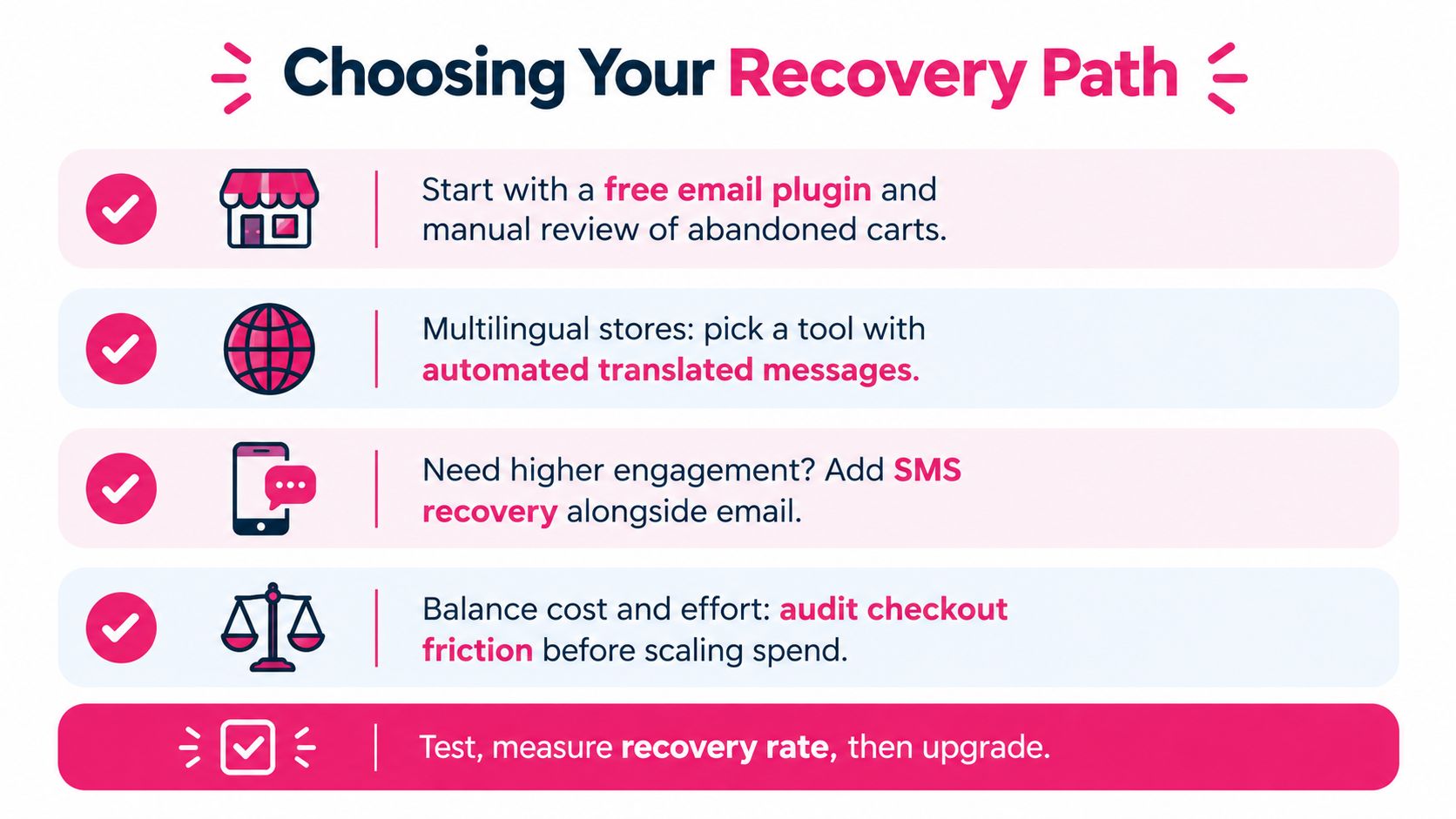
Start with the least complex system that produces trustworthy data. Stay with free email recovery when the store captures carts correctly and the economics are sound. Consider an SMS workflow when multilingual execution, high volume, or incremental recovered profit makes automation worth the additional operating cost.
CartBoss offers automated SMS cart recovery for WooCommerce, including pre-filled checkout links, translated messages, consent controls, and optional discounts. Visit CartBoss to test whether its pay-as-you-go approach can reduce the total cost per incremental recovered order in your store.