


Here’s the quick answer: no, standard text messages (SMS) are not encrypted.
Think of a regular SMS like sending a postcard through the mail. Anyone who handles it along its route—from the postal worker to your local mail carrier—can read what’s written on it. This is the reality for the old-school technology that still powers most of our daily texts.
Understanding Text Message Security
When you hit “send” on a standard text, you’re using the Short Message Service (SMS). This system was built decades ago, long before digital privacy was a household concern. Its main goal was simple: reliability, not security.
Because of this, your messages travel in plaintext across cellular networks. This creates several opportunities for your conversations to be intercepted or viewed by third parties, including your mobile carrier. It’s a huge difference compared to modern messaging apps, which were built from the ground up with security in mind.
Key Security Differences to Know
To really get the full picture, you need to understand the different ways we send messages today. They aren’t all created equal.
- SMS (Short Message Service): This is your basic, no-frills text. It’s completely unencrypted and travels openly over carrier networks.
- MMS (Multimedia Messaging Service): Used for sending photos, videos, or group texts, MMS has the same security flaws as SMS. It’s also unencrypted.
- Over-the-Top (OTT) Apps: Think Signal, WhatsApp, or Apple’s iMessage. These services send messages over the internet, and most of them use end-to-end encryption—the gold standard for keeping conversations private.
To make this crystal clear, here’s a quick breakdown:
Encryption Status of Common Messaging Types
| Messaging Type | Default Encryption Status | Analogy |
|---|---|---|
| Standard SMS/MMS | None | A public postcard that anyone can read. |
| Encrypted Apps | End-to-End Encrypted | A sealed envelope delivered directly to the recipient. |
The core issue is that historically, text messaging (SMS) itself is not encrypted by default, posing risks to privacy. Unlike newer internet-based messaging apps with encryption, traditional SMS messages are transmitted through cellular networks in plaintext, meaning mobile carriers and potentially malicious actors could intercept them. For more details on how different apps compare, you can discover more insights on messaging app security at citanex.com.
This fundamental difference between old-school SMS and modern apps is why understanding personal text message privacy laws and choosing the right communication tools is so critical. The app you use can mean the difference between sending a private, sealed letter and a public postcard for all to see.
The Journey of an Unencrypted Text Message
To really get why asking “are text messages encrypted” is so important, let’s follow a standard SMS from your phone all the way to its destination. The best way to think about it is this: you’re sending a postcard, not a sealed letter. When you hit ‘send,’ you’re not creating a direct, private line to your friend’s phone. You’re just dropping that postcard into a massive, complex postal system with a whole lot of stops along the way.
First up, your phone blasts the message out as a radio signal to the nearest cell tower. Right from this first step, the message is unencrypted, meaning its content is essentially plain text that anyone with the right tools could read. Think of the cell tower as your local post office, where your postcard is collected. The data is visible to your mobile carrier, who logs details like who sent it, who it’s for, and when it was sent.
From there, your message starts its journey through your carrier’s network. It bounces between different servers and switching centers, which are like the big regional sorting facilities for mail. At every single one of these points, the message content can be read, logged, or copied. It’s like your postcard being passed from hand to hand, with each person able to glance at what you’ve written.
This image really drives home just how exposed an unencrypted SMS is on its trip from your phone to the recipient.
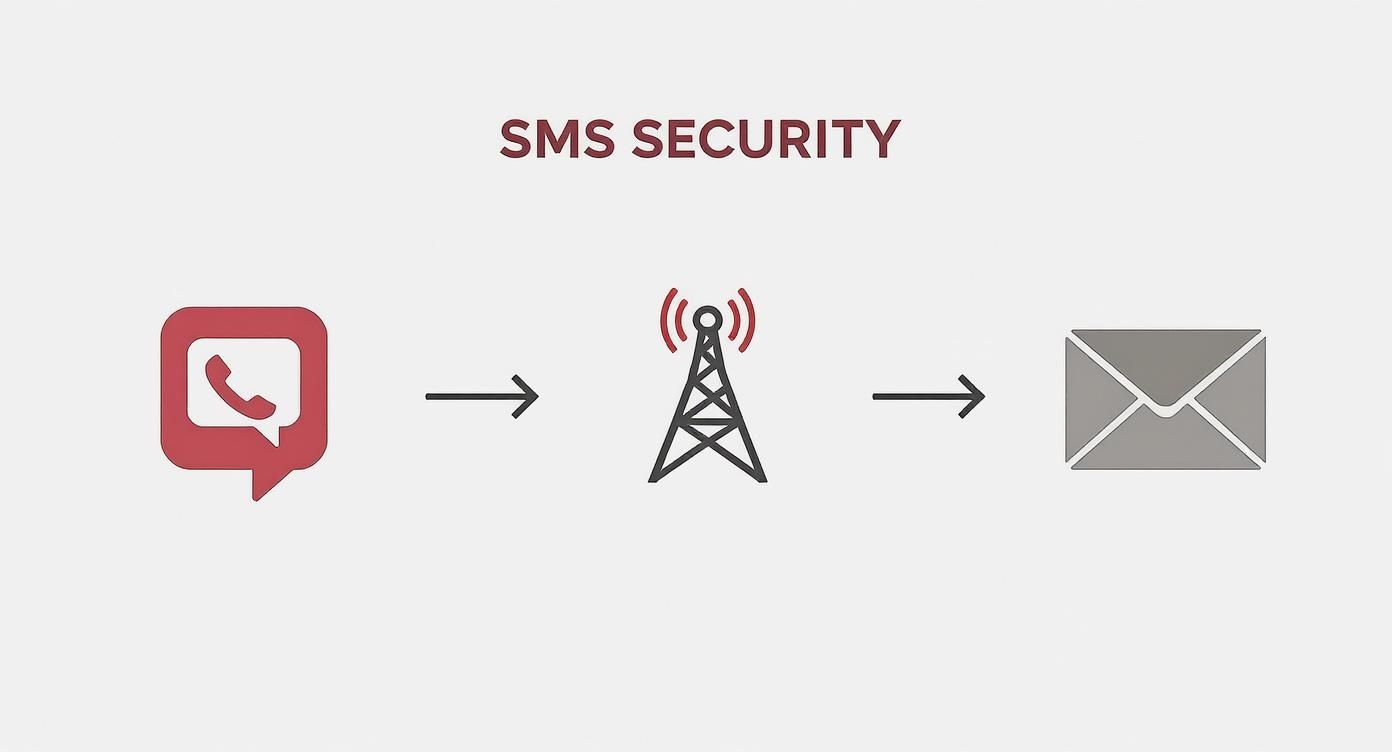
As you can see, the path is full of places where the message is out in the open, a far cry from a secure, sealed communication.
Reaching the Destination
Finally, the message gets to the recipient’s mobile carrier network. It’s processed through their systems—more sorting facilities—before being sent to the cell tower closest to your friend. That tower then sends it to their phone, where they can finally read it. But through that entire trip, the message was never truly private.
The core problem with SMS is how it’s sent. Because it travels as plain text through carrier networks, it’s wide open to being intercepted by the carriers themselves, government agencies with a warrant, or even hackers who manage to break into the network equipment.
And this isn’t just about phone-to-phone texts. Lots of businesses use systems that turn emails into text messages for things like marketing or alerts. You can learn more about how email to SMS gateways operate and see how these messages also get funneled through the same unencrypted channels.
The second a message enters the SMS network, it inherits all of its security flaws. This total lack of built-in protection is exactly why modern, encrypted messaging apps were created in the first place—to finally put that postcard inside a locked box that only you and the person you’re sending it to can open.
How End-to-End Encryption Actually Works
After seeing how exposed a standard SMS message is, it’s pretty obvious why we need something better. That “something better” is end-to-end encryption (E2EE), and it’s the gold standard for keeping conversations private.
Think of it like this: E2EE is the digital version of putting your message inside a locked box where only you and your friend have the keys.
When you send an E2EE message, your phone locks it up with a unique digital key. That locked box then travels across the internet, bouncing through servers owned by the app developer or internet providers. Here’s the crucial part: even though these companies handle the box, they can’t peek inside. They don’t have the key.
The box only gets unlocked when it arrives at your friend’s phone, using a matching key that only their device has. This setup guarantees that no one in the middle—not your cell carrier, not the app company, not even a hacker who gets into the servers—can read what you wrote.
The Two Types of Encryption
To really get why E2EE is a big deal, you need to see how it stacks up against a less secure method called encryption in transit. People mix these up all the time, but the difference is massive for your privacy.
- Encryption in Transit: This method is like a partial shield. It protects your message while it’s traveling from your phone to the company’s servers, and then again from their servers to the recipient’s phone. But in the middle, on their servers, the company can unlock and read everything. It’s like sending your locked box to a middleman who opens it, reads the contents, then puts it in a new locked box to send to its final destination.
- End-to-End Encryption (E2EE): With E2EE, that middleman never gets the key. The message stays completely locked from the second it leaves your device until the moment your intended recipient opens it. This is the only way to be 100% sure that a service provider can’t access your private conversations.
The core promise of end-to-end encryption is simple: plaintext message content in transit is not available anywhere except for the end-devices of the participants. This technical guarantee is what separates truly private messaging from services that only offer partial protection.
Why This Distinction Matters
This isn’t just some technical nitpick; it has real-world consequences. A company that only uses encryption in transit holds the keys to your entire chat history. This means they could be forced to hand your messages over to government agencies, use your data for advertising, or lose it all in a data breach.
With E2EE, the company simply can’t comply with those requests. They don’t have the technical ability to decrypt the messages, even if they wanted to.
It’s why privacy advocates and even the FBI now recommend using apps that offer true E2EE. This level of security is vital, whether you’re sending a quick personal text or a business is using an automated system—you can find out more about an SMS sender API [https://www.cartboss.io/blog/sms-sender-api/] to see how modern tools are built with this in mind.
Ultimately, E2EE puts you in complete control. You decide who sees your conversations. No one else.
Which Messaging Apps Truly Protect Your Privacy
Now that you know the difference between a locked box and an open postcard, the big question is: which apps are actually delivering on their privacy promises? It’s a crowded field, and not all messaging services that talk a big game on security actually apply it by default.
It’s no surprise that people are actively seeking out secure alternatives to standard texting. By 2025, a massive 66% of smartphone users globally are expected to rely on encrypted messaging apps like Signal, WhatsApp, and Telegram. This trend reflects a 5.3% year-over-year growth, according to data on comparecheapssl.com, and it sends a clear message: privacy matters.
So, let’s see how the major players really stack up.
The Gold Standard: Signal
When it comes to pure, uncompromising privacy, Signal is the name that security experts and privacy advocates bring up again and again. It’s open-source, non-profit, and built from the ground up with one goal in mind: keeping your conversations private.
Signal uses its own powerful, peer-reviewed Signal Protocol to provide end-to-end encryption for every single message, call, photo, and video. There are no settings to flip or modes to enable; it’s on by default, all the time.
What really sets it apart, though, is its approach to metadata. Signal collects the absolute bare minimum of information needed to function—basically just when you created your account and the last time you logged in. It doesn’t know who you talk to, when you talk to them, or what you say. This minimalist philosophy makes it the top choice for anyone who truly values privacy.
The Global Giant: WhatsApp
WhatsApp, owned by Meta, did something incredible: it brought end-to-end encryption to over two billion people worldwide. It uses the very same Signal Protocol to secure your conversations, which is a massive win for global privacy. Your messages are, by default, safe from prying eyes.
But there’s a catch, and it’s a big one: metadata. Unlike Signal, WhatsApp collects a significant amount of data about you. This includes your contacts, profile info, IP address, and how you interact with others. So while the content of your messages is safe, the information about who you talk to and when is still valuable data for its parent company, Meta.
The Complicated Case of Telegram
Telegram is often thrown into the mix, but its approach to security is frequently misunderstood. Here’s the most important thing to know: your standard chats on Telegram are not end-to-end encrypted.
Instead, they use client-server encryption, meaning Telegram holds the keys and can technically access your messages on its servers.
To get true E2EE, you have to manually start a “Secret Chat.” These chats are limited to one-on-one conversations and don’t sync across all your devices, making it far less secure out of the box than Signal or WhatsApp.
The Apple Ecosystem: iMessage
For those inside Apple’s world, iMessage offers strong end-to-end encryption between Apple devices. When you see those famous “blue bubbles,” your conversations with friends on iPhones, iPads, and Macs are secure.
The problem comes when you text someone on an Android device. Your conversation automatically falls back to standard, unencrypted SMS/MMS—the “green bubbles.” This means the privacy of your chat depends entirely on what kind of phone your friend has.
Security Features of Popular Messaging Apps
To make it even clearer, let’s break down how these top apps compare on the features that matter most for your privacy. This table gives you a quick, side-by-side look at their security credentials.
| Feature | Signal | Telegram | iMessage | |
|---|---|---|---|---|
| E2E by Default | Yes, for everything | Yes, for everything | No, only in “Secret Chats” | Yes, but only between Apple devices |
| Encryption Protocol | Signal Protocol | Signal Protocol | MTProto (Proprietary) | Apple Protocol |
| Open Source | Yes (Client & Server) | No (Client is partially open) | Yes (Client only) | No |
| Metadata Collection | Minimal (almost none) | Extensive (contacts, IP, usage) | Moderate (contacts, IP) | Moderate (device info, search queries) |
| Anonymous Sign-up | Yes (with burner number) | No | No (but can hide number) | No |
| Business Model | Non-profit donations | Data for Meta’s ecosystem | Ads & premium features | Hardware sales |
As you can see, the “best” app really depends on your threat model and what you’re willing to trade for convenience. While Signal is the undisputed champion of privacy, others offer a reasonable level of security that’s still worlds better than unencrypted SMS.
The bottom line is this: an app’s privacy policy and default settings matter just as much as its encryption protocol. True security requires both strong technical protection and a company philosophy that respects user data.
Choosing the right tool is a balance between convenience and your personal security needs. For businesses, this is even more critical. Using secure and compliant SMS messaging platforms is essential for protecting customer data and maintaining trust. The same principles of strong encryption and minimal data collection apply whether you’re chatting with a friend or a customer.
Is RCS Messaging the Future of Secure Texts?
For decades, standard SMS texting has been the digital equivalent of sending a postcard. Your messages travel out in the open, easy for anyone along the route to read. But a major upgrade is finally rolling out to Android phones that promises to change all that: Rich Communication Services (RCS).
Think of RCS as giving your phone’s default texting app a massive power-up, turning it into something more like WhatsApp or iMessage. It brings all the modern features we’ve come to expect, like seeing when someone is typing, getting read receipts, and sending high-quality photos and videos. Most importantly, it adds a layer of security that SMS has always been missing.
Google is pushing this change hard, rolling out end-to-end encryption for one-on-one chats in its Google Messages app, which uses the RCS protocol. This is a huge deal. It finally brings that “locked box” level of security to the default Android texting experience. If you see a little lock icon next to your messages, you know your conversation is truly private.
The Current Limits of RCS Encryption
But we’re not quite living in a fully secure texting utopia just yet. While RCS is a massive improvement, its encryption comes with a few big asterisks you need to be aware of. Knowing these gaps is the key to understanding when your messages are private and when they might be exposed.
The biggest limitation right now is group chats. As of today, end-to-end encryption on RCS only works for one-on-one conversations. The moment you add a third person to the chat, the encryption disappears, and the conversation is no longer private. This is a critical detail, especially if you plan to send a group text message with any kind of sensitive information.
On top of that, RCS encryption only kicks in if both you and the person you’re texting are using a compatible app (like Google Messages) with RCS chats turned on.
The rollout of RCS with end-to-end encryption marks a pivotal moment for Android users. It closes a major privacy gap that has existed for years, but its current limitations mean users must remain mindful of who they are communicating with and in what context.
Another major hurdle is the divide between Android and Apple. Apple’s iMessage uses its own secure system and refuses to support RCS. Because of this, any message you send from an Android phone with RCS to an iPhone automatically gets downgraded to an old, unencrypted SMS/MMS message—this is the source of the infamous “green bubble” problem.
Until these compatibility issues get sorted out and group chats get full encryption, RCS is a promising step forward, but it’s an incomplete solution. It’s a huge leap in the right direction for default messaging, but for now, dedicated apps like Signal still offer far more reliable and comprehensive privacy across every chat and device.
Simple Steps to Secure Your Conversations Today
Knowing the difference between an open postcard and a sealed, locked box is the first step. Actually taking action is what protects your privacy. The good news? You don’t need to be a security wizard to make a huge difference in how safe your conversations are.
The single most effective change you can make is switching to a messaging app that uses end-to-end encryption (E2EE) by default. Apps like Signal were built from the ground up with a privacy-first mindset, which means every single message, call, or video is secure without you needing to flip a switch.
But security is a team sport. Your chats are only as secure as the app your friends and family are using. Encourage the people you talk to the most to make the switch with you. It doesn’t have to be complicated—just explain it like this: “It’s like talking in a private room instead of a crowded hallway.”
Activate Key Privacy Features
Once you’ve picked a secure app, spend a few minutes digging into its privacy settings. Most of them have powerful features that add extra layers of protection, and turning them on can seriously boost your security.
- Disappearing Messages: This is a fantastic feature. You can set your messages to automatically delete after a certain time, whether it’s minutes or weeks. It prevents a long history of your chats from being exposed if a phone ever gets lost, stolen, or compromised.
- Registration Lock (or PIN): This requires a PIN to register your phone number on a new device. It’s a critical defense against SIM swapping attacks, where a scammer tries to steal your phone number to get into your accounts.
- Screen Lock: Turn this on to require a passcode, Face ID, or fingerprint to open the messaging app itself. It adds another barrier even if your phone is already unlocked.
The goal is to make privacy your default setting. Small, conscious choices about the apps you use and the features you enable create a strong foundation for secure communication, giving you control over who sees your data.
Beyond just your text messages, it’s helpful to understand the bigger picture of data security. For example, looking into healthcare data security solutions shows how seriously sensitive information is protected in other critical fields. By taking these simple steps, you can start reclaiming your digital privacy, one conversation at a time.
Common Questions About Message Encryption
Even when you’ve got a handle on how encryption works, a few nagging questions always seem to surface. People often worry about government snooping or wonder why their bank uses something as old-school as SMS for security codes. Let’s tackle some of these common questions head-on.
Getting these details straight is the key to moving from just knowing about encryption to actually feeling confident in the choices you make to protect your privacy.
Can Police or Government Agencies Read My Encrypted Messages?
This is a big one, and the answer comes down to one thing: the technology being used. If you’re using a service with strong end-to-end encryption (E2EE), like Signal, then the company itself can’t read your messages. That means even if law enforcement shows up with a warrant, there’s literally no message content for the company to hand over.
To get to the actual words in your chat, an agency would usually need to get their hands on your unlocked phone. What they might be able to get from the service provider is metadata—which is information about your messages, like who you messaged and when. This is where apps like Signal really shine, as they’re designed from the ground up to collect as little metadata as possible, giving you a far greater degree of privacy.
The whole point of E2EE is that the company providing the service is technically locked out of user conversations. This creates a massive roadblock for third-party surveillance because there’s no central place to intercept messages in a readable form.
Is iMessage Secure if I Text an Android User?
Apple’s iMessage has solid E2EE, but there’s a huge catch: it only works when you’re messaging other Apple users. We all know them as the famous “blue bubbles.” The second you send a text to an Android user, all that security goes right out the window.
Your chat instantly falls back to the old, unencrypted SMS/MMS standard—the “green bubbles.” This means your message travels completely in the clear across carrier networks, like a digital postcard. So, while your chats with other iPhone users are private, any conversation with a non-Apple friend is wide open. The security of your chat literally depends on the phone your friend has in their pocket.
Why Do Banks Use Insecure SMS for 2FA?
It seems completely backward, right? A bank using an unencrypted system like SMS for something as important as two-factor authentication. But it all boils down to a single reason: universal access. Pretty much every mobile phone on the planet can receive an SMS, no special app or internet connection required.
This makes it a convenient, “better-than-nothing” security step. The problem is, SMS-based 2FA is wide open to attacks like SIM swapping, where a scammer convinces your mobile provider to switch your number to their device. Because of that major risk, security experts are all in agreement: you should use app-based authenticators like Google Authenticator or Authy instead. They aren’t tied to your phone number and offer way better protection against someone trying to take over your account.
Ready to turn those lost sales into revenue? CartBoss is the #1 SMS recovery tool that helps you win back customers and boost your sales effortlessly. See how our automated, compliant, and high-converting SMS campaigns can work for you at https://www.cartboss.io.
