


A shopper adds three products to their cart, clicks checkout, and hits your login screen. They pause. They try one password, then another. Then they tap “Forgot password,” wait for the reset email, get distracted, and disappear.
That moment feels small, but it isn’t. It sits right in the middle of your revenue path.
Authentication protocols sound like an IT topic. For an e-commerce store owner, they’re much closer to a sales topic. They decide how easy it is for a real customer to get back into an account, how hard it is for a fraudster to break in, and how much friction you add before payment.
Your Customer Forgot Their Password Again
You’ve probably seen this happen in your own store. A returning customer comes back because they already trust you. They’re ready to buy faster than a first-time visitor. Then your login flow gets in the way.
If they can’t remember their password, the sale is suddenly at risk. If your reset flow is slow, confusing, or buried in email, the risk gets worse. And if you force account creation before purchase, you’re putting a locked door in front of a customer who was already halfway inside.
That’s not just annoying. It’s expensive.
Over 30% of online shoppers will abandon a purchase if they’re required to create an account or reset a forgotten password, turning a preventable friction point into lost revenue. If you collect phone numbers during checkout, a smoother recovery path can help remove some of that friction, which is why phone number verification for online stores matters operationally, not just technically.
Why this hurts more than it seems
A bad login experience doesn’t only lose one order. It can also damage:
- Customer confidence: If access feels clunky, shoppers start wondering whether checkout will be clunky too.
- Repeat purchase behavior: Returning buyers expect speed. Friction breaks that expectation.
- Support workload: Every password reset ticket pulls time away from marketing, merchandising, and fulfillment.
A login form can either clear the path to checkout or create a second abandoned cart.
The business question behind the tech question
Most store owners ask, “Which login method is secure?” That’s valid, but it’s incomplete.
The better question is, “Which authentication setup protects accounts without slowing down good customers?”
That’s where authentication protocols come in. They’re the rules behind the login box, the password reset flow, the “Sign in with Google” button, the one-time code sent to a phone, and the newer passkey options that skip passwords altogether.
If you understand those rules, you can make better decisions about checkout friction, customer trust, and revenue recovery.
What Are Authentication Protocols Anyway
Think of authentication protocols as your store’s digital bouncer. Their job is simple: check who someone is before letting them through the door.
Some bouncers just glance at an ID. That’s the old username-and-password model. Some work from a trusted guest list. That’s closer to single sign-on. Some check a temporary wristband or token instead of asking the guest to explain themselves again. Others use a fingerprint or face scan, which is where passwordless methods come in.
Here’s the basic picture:

What a protocol actually does
An authentication protocol is a set of rules for proving identity. It answers questions like:
- What proof is required
- How that proof is checked
- Whether the proof is passed directly or replaced with a safer substitute
- How access is granted once identity is verified
For a store owner, that translates into practical choices. Do customers type a password? Use a one-time code? Sign in through Google? Tap a passkey on their phone? Each path affects speed, security, and conversion.
The main mental model
Use this shortcut:
| Bouncer style | What it means in e-commerce | Main tradeoff |
|---|---|---|
| Checks a basic ID | Password login | Familiar, but easy to forget and often weak |
| Uses a guest list | Single sign-on or social login | Fast for users, but depends on another identity provider |
| Accepts a temporary pass | Token or code-based flow | Good for recovery and short sessions |
| Uses a biometric scanner | Passkeys and passwordless login | Smooth and phishing-resistant, but rollout takes planning |
A lot of store owners mix up authentication and authorization. Authentication asks, “Who are you?” Authorization asks, “What are you allowed to do?” A customer logging in is authentication. An admin gaining access to order settings is authentication plus authorization.
For a quick visual walkthrough, this overview helps:
Why there isn’t one perfect choice
A luxury brand with lots of returning customers may benefit from low-friction sign-in options. A subscription business may care more about account persistence across devices. A store handling high-value orders may need extra verification at account changes or saved payment access.
That’s why authentication protocols aren’t one-size-fits-all. They’re design choices inside your funnel.
If you’re comparing stronger login flows, SMS two-factor authentication is one example of how stores add a second check without rebuilding the whole customer experience.
Practical rule: The best authentication flow is the one your legitimate customers can complete quickly and your attackers can’t.
The Main Protocols Powering E-Commerce Stores
Most stores don’t need a deep dive into internal corporate network protocols. They need to understand the authentication methods customers touch.
That usually means four buckets: traditional passwords, social login, token-based flows, and passwordless options.

Password logins
The oldest bouncer is still on duty in many stores. A shopper enters an email and password, and your site checks whether the pair matches what’s on file.
This approach is familiar, which helps. Customers understand it without explanation. Your platform probably supports it out of the box. But it creates friction fast. People forget passwords, reuse them, or type them wrong on mobile.
From a conversion angle, password login has one major weakness. It adds memory work right before purchase.
From a security angle, it also creates ongoing risk because your store has to manage all the baggage around passwords: reset flows, lockouts, phishing exposure, and support requests.
Social login with OAuth and OpenID Connect
Buttons like “Continue with Google” or “Continue with Apple” feel simpler because you’re borrowing trust from another account the shopper already uses.
A helpful way to think about this is outsourcing your bouncer. Instead of asking the customer to prove themselves from scratch, your store accepts identity confirmation from a provider they already know.
This usually improves speed for returning or first-time buyers who don’t want to create another password. It can also reduce fake or mistyped email addresses at signup.
The tradeoff is dependency. If that external account has issues, your customer’s path into your store can also break. You also need to think carefully about what customer data you request and how that fits your privacy promises.
Token-based flows and one-time access
Token-based authentication replaces a static secret with a temporary proof. In plain English, your store says, “Use this short-lived pass instead of a permanent password.”
That can show up as a one-time code, a login link, or a session token after verification. It’s useful when you want fast access without making the customer remember anything.
For e-commerce, token-based methods often fit:
- Account verification
- Login recovery
- Short session re-entry
- Promotional or reminder flows that return a shopper to a live cart
If you use SMS in your customer journey, your delivery setup matters because authentication-related texts have to arrive reliably and clearly. That’s why teams that build SMS-based recovery and verification flows often pay attention to their SMS sender API setup.
Passwordless with passkeys and WebAuthn
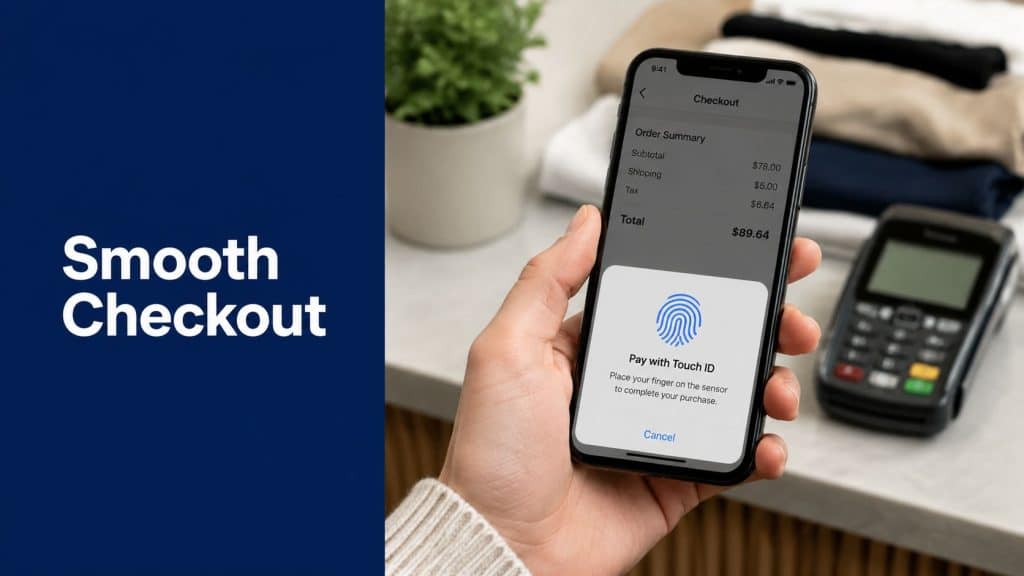
Passwordless login is the high-tech bouncer. Instead of asking customers to remember a secret, it lets them verify with something built into their device, such as biometrics or a device-bound credential.
For shoppers, this can feel almost invisible when it works well. They tap, scan, approve, and continue.
For store owners, the appeal is strong. You reduce password-reset friction and move toward authentication that’s harder to phish. The challenge is rollout. Older systems, shared devices, edge-case customer journeys, and legacy account models can all complicate adoption.
Quick comparison for store owners
| Method | Best for | Main customer benefit | Main store concern |
|---|---|---|---|
| Password login | Basic account access | Familiar | Reset friction and account risk |
| Social login | Fast signup and return visits | Fewer form fields | Reliance on third-party identity |
| Token-based flow | Recovery and quick access | No password recall | Link and session handling |
| Passwordless | Modern low-friction sign-in | Fast, simple access | Migration and compatibility planning |
No protocol wins in every scenario. The right mix depends on where customers get stuck and which parts of your funnel carry the most value.
Balancing Security and Customer Convenience
Every store owner ends up managing the same tension. Stronger security can add steps. Fewer steps can lower resistance but expose weak spots.
If you lean too far toward convenience, you invite account misuse and trust problems. If you lean too far toward security, you create friction that honest customers feel first.

Why weak credentials are still a business risk
This isn’t abstract. According to the 2023 Verizon Data Breach Investigations Report, 80% of all data breaches involved stolen or weak credentials. If your store relies heavily on passwords, you’re operating in what constitutes the primary focus of threat actors.
That matters for more than security headlines. It affects customer trust, chargeback exposure, support costs, and your brand’s credibility when shoppers save addresses, payment details, or account history with you.
Security that frustrates honest buyers isn’t good security. It’s bad funnel design.
The sweet spot for e-commerce
Most stores shouldn’t use the same level of friction for every action. Logging in to view order history isn’t the same as changing account details or accessing saved payment methods.
A better approach is to match the authentication step to the risk of the action.
Here’s a simple way to frame it:
- Low-friction by default: Keep normal sign-in and checkout as smooth as possible.
- Extra checks at higher risk points: Add stronger verification for account changes, unusual devices, or sensitive actions.
- Clear recovery paths: When shoppers hit a wall, make the way back short and obvious.
Compliance affects the flow too
Authentication doesn’t live outside privacy and consent rules. If you collect phone numbers, use social login, or send one-time links, your store needs a clean policy around data collection, retention, and messaging consent.
That’s one reason merchants should understand the security limits of each channel. If SMS is part of your login or recovery journey, how SMS encryption works in practice is worth understanding so you can design around channel limits instead of assuming more protection than the channel provides.
A practical model for teams
If your team also uses Microsoft services internally, reviewing guidance on implementing Microsoft 365 MFA can help you think more clearly about step-up verification, account protection, and rollout sequencing. The same operational lessons apply in e-commerce. Strong authentication works best when it’s introduced with user behavior in mind.
A simple decision grid
| If your main problem is… | Lean toward… | Watch out for… |
|---|---|---|
| Forgotten passwords | Passwordless or token-based recovery | Legacy account assumptions |
| Fraud around account access | MFA and stronger login checks | Too many prompts for low-risk users |
| Signup friction | Social login or guest-first checkout | Over-collecting user data |
| Support burden | Simpler recovery and fewer passwords | Weak recovery links or unclear consent |
The goal isn’t maximum lock-down at every touchpoint. The goal is to protect the moments that matter without punishing your best customers on every visit.
Authentication Examples from Real Stores
Authentication gets easier to evaluate when you look at it inside real buying behavior, not in a product spec sheet.
Example one with the classic password loop
A customer returns to buy a refill, a replacement part, or a second item they saw in a previous order. They know your brand. They trust your shipping. They’re not comparing ten competitors. This should be a fast sale.
Instead, they hit your login page.
They try a password from memory. It fails. They request a reset. The email lands in promotions or arrives late. They switch apps, lose momentum, and the order stalls.
Nothing about that experience feels dramatic. But from a store owner’s side, it’s a conversion leak created by authentication design.
Example two with social login
Another store adds “Continue with Google” and “Continue with Apple.” For many shoppers, that removes the need to create yet another account or remember another password.
The upside is obvious. Entry is faster. Form fields shrink. Mobile sign-in gets easier.
The downside is more subtle. You now depend on an outside identity provider and need to handle edge cases, such as shoppers who later want to use a different email or customers who signed in once with a social account and later try a password flow.
Good authentication doesn’t just open the door. It also prevents confusion when customers come back through a different door.
Example three with an SMS return path
A third store uses a phone-based re-entry flow for abandoned sessions. The customer leaves before finishing checkout. Later, they receive an SMS with a unique link that brings them back to a pre-filled checkout session.

Authentication and conversion begin to exhibit a useful overlap. The shopper doesn’t need to remember a password or restart the process. The link acts like a temporary VIP pass back into the buying session.
That approach is often easier for shoppers on mobile because it removes several common blockers:
- No password recall: The customer isn’t forced into a reset loop.
- Less form re-entry: Returning to a pre-filled checkout cuts repetitive typing.
- Stronger continuity: The customer picks up where they left off instead of starting over.
What these examples teach
Each store is solving the same basic problem: verify identity without choking the funnel.
The classic password flow optimizes for familiarity. Social login optimizes for speed through outside identity. Tokenized SMS re-entry optimizes for session recovery and checkout continuity.
A useful question to ask is not “Which protocol is best?” It’s “At which point in my funnel does identity checking create the most drop-off?”
If the biggest leak is account access before purchase, a smoother login matters. If the leak happens after a shopper has already shown intent, a low-friction return path can matter even more.
How to Choose Your Authentication Strategy
Don’t pick authentication protocols by copying what a larger brand does. Choose based on where your store loses momentum and what kind of customer behavior you observe.
Start with the funnel, not the feature
Ask these questions first:
-
Where do shoppers slow down most
Is it account creation, returning login, checkout recovery, or account management after purchase? -
How often are buyers on mobile
Mobile shoppers have less patience for long forms and password recovery loops. -
Do you really need forced account creation
If not, guest-friendly paths may protect more revenue. -
Which actions deserve extra verification
Viewing an order isn’t the same as changing saved details or accessing loyalty balances.
Match the method to the use case
A practical rule is to use different tools for different moments.
- Use passwords sparingly: Keep them if your platform depends on them, but don’t assume they should be the only path.
- Use social login where convenience matters: This can reduce signup friction for first-time buyers.
- Use token-based recovery for interrupted sessions: Especially useful when customers leave mid-checkout.
- Plan for passwordless where it fits: Best for brands that want a cleaner future-facing experience.
Future-proof without breaking today’s store
Passwordless is no longer a niche idea. Microsoft reported that over 99% of its employee accounts are already passwordless, with passkey sign-ins being materially faster and more secure against phishing than traditional passwords, according to this review of passwordless deployment trends.
That doesn’t mean every store should rip out passwords tomorrow. It does mean customer expectations are shifting toward faster, simpler, device-based sign-in.
A practical checklist
Use this as a quick audit:
- Checkout first: Does your login flow help shoppers buy, or does it interrupt buying?
- Recovery second: Can a customer regain access quickly on mobile?
- Risk controls third: Do you add stronger checks only where they’re justified?
- Compatibility fourth: Will older apps, plugins, or customer devices support your chosen flow?
- Consent and privacy fifth: Are phone collection, social sign-in, and messaging permissions handled clearly?
Store-owner shortcut: Choose the least intrusive method that still protects the action being taken.
A sensible default for many stores
For many e-commerce teams, the most practical mix looks like this:
| Store need | Often practical choice |
|---|---|
| Fast signup | Social login or guest-friendly checkout |
| Returning account access | Password plus optional stronger verification |
| Recovery after interruption | Tokenized email or SMS return path |
| Long-term modernization | Passkey and passwordless rollout where supported |
The best strategy is rarely a single protocol. It’s a layered system that keeps routine actions easy and sensitive actions protected.
Your Login Form Is Part of Your Marketing Funnel
If a shopper wants to buy and your authentication flow gets in the way, that isn’t only a security issue. It’s a funnel issue.
Password resets, social sign-in buttons, one-time links, SMS re-entry, and passkeys all shape how fast customers move from intent to payment. That makes authentication protocols part of customer experience design, conversion optimization, and retention.
The most effective stores treat login as a revenue touchpoint. They reduce unnecessary steps, reserve stronger checks for higher-risk moments, and make recovery easy when a customer drops out of the path.
That same thinking applies to contact collection. If you want smoother recovery and stronger re-engagement options, you need reliable customer data early in the journey. A practical place to start is learning better methods for collecting phone numbers during checkout, because the recovery channel is only as good as the data feeding it.
A secure store should feel trustworthy. A high-converting store should feel effortless. Good authentication sits right between those two goals.
If your login form helps customers get back to their cart quickly and safely, it isn’t just doing security work. It’s doing marketing work too.
If you want a simple way to turn abandoned sessions into completed orders, CartBoss helps e-commerce stores recover carts through SMS with a fast, low-friction return path back to checkout. It’s a practical option for brands that want fewer interruptions between shopper intent and finished payment.