


Think of the California Consumer Privacy Act (CCPA) as a “bill of rights” for your customers’ data. Its main goal is to give Californians way more control over how their personal information gets handled online. For your business, this means a whole new level of transparency is required.
At its core, the CCPA isn’t just another checklist of rules. It represents a fundamental shift in the power dynamic between businesses and consumers. The law basically says that personal data belongs to the individual, and you’re just borrowing it. This single idea drives all the CCPA compliance requirements.
Understanding the Core CCPA Compliance Requirements

The heart of CCPA compliance is pretty straightforward: businesses that fall under the law have to tell California consumers what data they collect and give them specific rights over that information. This boils down to three key actions: the right to know, the right to delete, and the right to opt out of their data being sold or shared.
Who Needs to Comply?
First things first: does this even apply to you? The CCPA doesn’t hit every single business. The law targets for-profit companies doing business in California that meet at least one of these conditions:
- Have annual gross revenues over a specific, inflation-adjusted amount.
- Buy, sell, or share the personal information of 100,000 or more California residents or households.
- Make 50% or more of their annual revenue from selling or sharing consumers’ personal information.
That revenue number is a moving target. Since the law kicked off in 2018, it’s been updated a few times. For example, on January 1, 2023, the annual gross revenue threshold was set at $25 million. It’s crucial to stay on top of these figures, as they can pull more growing businesses into the CCPA’s orbit.
To make it easier, here’s a quick reference to see if you’re on the hook.
CCPA Applicability Quick Reference
Use this table to quickly determine if your business needs to comply with the CCPA based on revenue, data volume, and business activities.
| Applicability Trigger | Threshold | Does This Apply to My Business? |
|---|---|---|
| Annual Gross Revenue | Exceeds $25 million | Yes/No |
| Data Processing Volume | Buys, sells, or shares personal data of 100,000+ CA consumers/households | Yes/No |
| Revenue from Data Sales | Derives 50% or more of annual revenue from selling/sharing personal data | Yes/No |
If you answered “Yes” to any of the questions above, you need to be CCPA compliant.
Key Takeaway: CCPA isn’t just for Silicon Valley giants. The thresholds are low enough that many growing e-commerce stores, especially those using SMS for things like abandoned cart recovery, will find themselves needing to comply.
Figuring out if you meet these triggers is your first big step. If you do, you’re legally on the hook to honor the rights the CCPA gives consumers. For e-commerce stores, everyday activities like targeted ads, analytics, and even cart recovery campaigns are under the microscope. You can learn more about how CCPA affects abandoned cart recovery in our detailed guide.
The Foundation of Consumer Rights
The entire law is built on a handful of core consumer rights. These are the action items for your business—the specific tools you have to give your customers to control their data.
Here are the big three:
- The Right to Know: A customer can ask you for a full report on every piece of personal info you’ve collected on them.
- The Right to Delete: A customer can tell you to erase their personal information, though there are a few exceptions.
- The Right to Opt-Out: Customers have the power to stop you from selling or sharing their personal information.
These rights are the bedrock of all CCPA compliance requirements. In the next sections, we’ll dig into exactly what each one means for your day-to-day operations.
Honoring the Five Key Consumer Data Rights

Getting a handle on consumer rights is the absolute core of your CCPA compliance requirements. It’s best to think of these rights not as legal headaches but as customer service promises. They are the specific, actionable powers the law hands to individuals, and it’s your job to build the processes to deliver on them quickly and correctly.
These rights are what make the CCPA real for your customers. When someone in California hits “contact us” with a data request, how you respond is a direct reflection of your company’s commitment to their privacy.
Let’s break down the five key rights with practical examples you’d likely see in an e-commerce setting.
The Right to Know
Picture a customer, Sarah, sending you an email asking for “every single piece of information you have on me.” The Right to Know means you’re legally on the hook to give her a detailed report. This isn’t just a quick summary; it’s a full look behind the curtain.
You have to be ready to tell Sarah:
- The specific pieces of personal information you’ve collected about her (like her name, email, IP address, and browsing history on your site).
- The categories of sources you got that info from (e.g., directly from her at checkout, from advertising partners, or website cookies).
- Your business purpose for collecting or selling her info (like processing her order, running marketing analytics, or sending abandoned cart texts).
- The categories of third parties you’ve shared her information with (think shipping carriers, payment processors, or marketing platforms).
This right forces you to have a crystal-clear map of your data. You simply can’t honor this request if you don’t know where all your customer data lives.
The Right to Delete
Now, let’s say another customer, David, asks you to wipe his entire purchase history. The Right to Delete gives him this power, but there are some important exceptions. You must comply by permanently erasing his personal info from your systems and telling any service providers you use to do the same.
However, the CCPA gets that businesses have legitimate reasons to keep certain data. For instance, you don’t have to delete information needed to:
- Complete the transaction the data was collected for.
- Comply with a legal obligation (like tax records or warranty info).
- Detect security incidents or protect against malicious activity.
So, for David’s request, you’d probably delete his marketing profile and browsing data but could hang onto his transaction records to comply with financial reporting laws.
The Right to Opt Out of Sale or Sharing
This is one of the most visible CCPA compliance requirements. It gives consumers the power to stop your business from selling or sharing their personal information. The definition of “sale” is incredibly broad under CCPA—it includes exchanging data for money or “other valuable consideration.”
What does “sharing” mean? Under the CCPA, “sharing” specifically refers to disclosing a consumer’s personal information to a third party for cross-context behavioral advertising, whether or not money changes hands.
This means if you use certain ad or analytics tools that pool data, you’re almost certainly “sharing.” To comply, your website must have a clear and obvious link titled “Do Not Sell or Share My Personal Information” that lets users opt out easily. If the CCPA applies to you, this is a non-negotiable part of your site’s footer.
The Right to Correct
Mistakes happen. A customer might have typo-ed their name during checkout, or maybe their shipping address is out of date. The Right to Correct gives consumers the power to fix inaccurate personal information a business is holding about them.
When a customer submits a verifiable request to correct faulty data, your business has to use “commercially reasonable efforts” to fix it. This right is all about data accuracy and ensuring the information you have is correct, which ultimately helps both you and your customer.
The Right to Limit Use of Sensitive Personal Information
The CCPA carves out a special category for “sensitive personal information” (SPI). This isn’t your everyday data; it includes things like social security numbers, precise geolocation, racial or ethnic origin, and the contents of a person’s private communications, like an email or text message.
This right lets consumers tell your business to only use their SPI for necessary purposes, like providing the product or service they actually asked for. They can stop you from using it for other things, like trying to infer characteristics about them for marketing. Understanding the nuances of collecting data through direct channels is crucial, and you can get more details in our guide on personal text message privacy laws.
Honoring these five rights is the foundation of building trustworthy customer relationships and solid CCPA compliance. Each one requires careful planning and a deep, honest look at how you handle data.
Translating Legal Rules into Business Practices
Knowing the CCPA’s rules is one thing, but actually putting them into practice is where the real work begins. It’s not enough to just sit back and wait for a data request to hit your inbox. The CCPA demands you be proactive. This means building systems that are transparent from the start, letting customers know their rights and giving them simple ways to take control.
This is often where businesses get bogged down—turning legal jargon into everyday operations. The trick is to stop seeing these rules as hurdles and start seeing them as a blueprint for building customer trust. Being upfront about how you use data isn’t just a nice-to-have anymore; it’s a legal must.
Crafting a Compliant Privacy Policy
Think of your privacy policy as the foundation of your entire CCPA strategy. It can’t be a wall of confusing legal text. It needs to be a clear, helpful, and easy-to-read resource for your customers. A critical first step is developing a robust privacy policy that spells out exactly how you collect and handle data.
Under the CCPA, your privacy policy has to get specific. You must clearly state:
- Categories of Data Collected: Don’t be vague. List the types of personal info you gather, like identifiers (name, email), commercial information (what they’ve bought), and internet activity (browsing history).
- Sources of Data: Where are you getting this info? Tell them if it’s directly from their checkout form, your advertising partners, or website cookies.
- Purpose of Collection: Explain why you need it. For instance, you collect a shipping address to fulfill an order and an email to send marketing messages and recover abandoned carts.
- Third-Party Sharing: List the kinds of third parties you share data with, such as payment processors, shipping companies, or marketing platforms like CartBoss.
- Consumer Rights: Lay out their rights under CCPA (Know, Delete, Opt-Out, etc.) and give them clear instructions on how to make a request.
Getting this level of detail right is a non-negotiable part of your ccpa compliance requirements.
Implementing Just-in-Time Notices
On top of a detailed privacy policy, the CCPA requires “just-in-time” notices. Picture these as mini-privacy reminders that pop up right at the moment you’re asking for someone’s personal information. The goal is to give them instant context so they know what they’re agreeing to before they type in their details.
For an e-commerce store, you’ll see this most often in a few key places:
- Email or SMS popups: When a popup asks for a phone number or email in exchange for a discount, it should have a link to your privacy policy or a quick note explaining how you’ll use that info.
- Newsletter sign-up forms: The form should make it obvious that their email will be used for marketing.
These little notices create transparency right at the point of collection. This is especially crucial for SMS marketing, where getting proper consent is everything. You can learn more about crafting effective SMS opt-in messages that keep you on the right side of the law.
The “Do Not Sell or Share” Mandate
This is one of the most visible parts of the CCPA. If your business “sells” or “shares” personal information—and the definition is incredibly broad, often catching common analytics and ad tools—you must have a clear link on your website that says “Do Not Sell or Share My Personal Information.”
That link needs to go to a page where a user can easily opt out. No tricks, no confusing steps.
Real-World Example: A compliant e-commerce site will have this link right in the footer, next to other staples like “Privacy Policy” and “Terms of Service.” It has to be easy to spot, not buried three menus deep.
Missing this link is an obvious, easy-to-spot violation. It’s a simple addition that tells both customers and regulators you’re serious about respecting their choices. And just as importantly, you need to have the internal processes ready to honor those requests quickly when they come in.
Your Actionable CCPA Compliance Checklist
Knowing the rules is one thing; putting them into practice is another game entirely. This checklist breaks down the core CCPA compliance requirements into a practical, step-by-step playbook for your e-commerce store. Think of it as your roadmap from understanding the law to making it a part of your daily operations.
This isn’t about just ticking boxes. It’s about building a solid framework that protects your business, respects your customers, and maybe even turns compliance into a competitive edge. Each step is designed to be clear and straightforward, helping you audit what you’re doing now and spot any gaps that need plugging.
Phase 1: Data Discovery And Mapping
Before you can protect customer data, you have to know what you have and where it all lives. This first phase is all about taking a complete inventory of your data practices. It’s the foundational work that makes everything else possible.
- Conduct a Data Inventory: Start by mapping out every single point where you collect, store, and share personal information. Don’t forget anything—your website checkout, marketing popups, analytics tools, customer service platforms, and even third-party apps like payment processors or shipping carriers.
- Classify Your Data: Once you have a list, it’s time to categorize everything according to the CCPA’s definitions. Figure out what’s standard personal information (like a name or email) and what qualifies as Sensitive Personal Information (like precise geolocation). This step is crucial because it dictates your specific obligations.
- Review Vendor Contracts: Your responsibility doesn’t stop at your own website. You need to take a hard look at the agreements you have with every third-party vendor that handles your customer data. Make sure their contracts require them to uphold CCPA standards and that they’re prepared to help you with consumer rights requests.
Phase 2: Updating Policies And Procedures
With a clear map of your data, the next move is to update your public-facing policies and internal workflows to meet the CCPA’s transparency rules. This is all about being upfront with your customers.
This simple workflow shows the key external pieces: a clear policy, a timely notice, and an easy-to-find link for opting out.
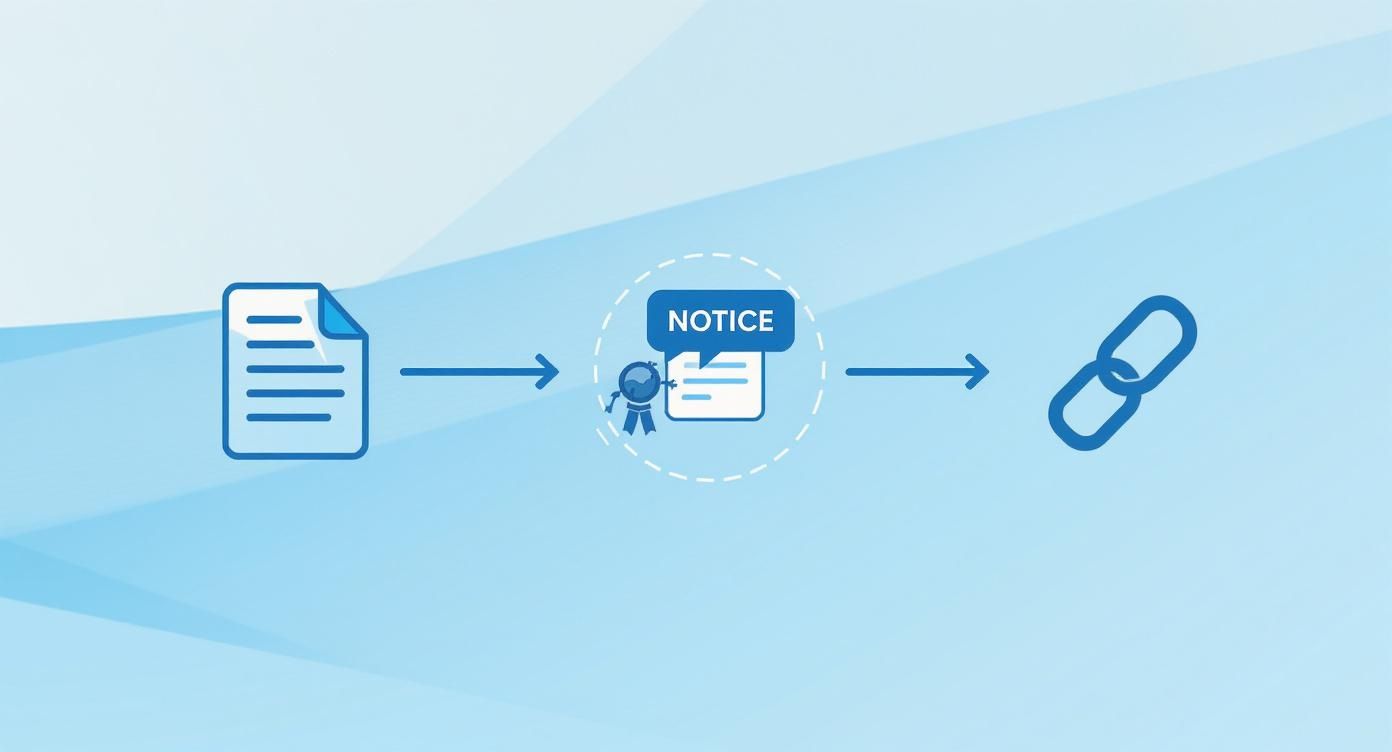
These three elements—the Policy, the Notice, and the Link—are the building blocks for transparent communication.
- Update Your Privacy Policy: Your privacy policy is due for a major overhaul. It now needs to spell out the exact categories of data you collect, why you’re collecting it, and the types of third parties you share it with. It also has to clearly explain the five consumer rights and give simple instructions on how to use them.
- Implement “Just-in-Time” Notices: Think small, clear, and right on time. Add brief notices at every single point of data collection. For an SMS marketing popup, this could be a short sentence right under the phone number field that links to your privacy policy and explains what kind of messages they’re signing up for.
- Create the “Do Not Sell or Share” Link: You need to place a prominent link on your website’s homepage, usually in the footer, titled “Do Not Sell or Share My Personal Information.” This link has to go to a page where customers can easily opt out without having to jump through hoops like creating an account.
Phase 3: Building Consumer Rights Workflows
This is where the rubber meets the road. It’s all about creating reliable, repeatable processes to handle consumer requests accurately and on time.
You must respond to verifiable consumer requests within 45 days. You can get a 45-day extension, but only if you notify the consumer. Missing this deadline is a clear violation, so don’t let it happen.
To get ready, you need a rock-solid internal system.
- Designate Intake Methods: The CCPA says you need to offer at least two ways for people to submit requests, including a toll-free number and an easy-to-use web form or email address. Make these easy to find.
- Develop a Verification Process: You can’t just hand over data to anyone who asks. You need a “commercially reasonable” way to verify the identity of the person making the request to prevent fraud. This usually involves matching the information they give you with the data you already have.
- Train Your Team: This is a big one. Anyone who interacts with customers—from your support agents to your marketing staff—needs to be trained to recognize a CCPA request and know exactly what to do with it. One missed request is a compliance failure. For more help on this, especially for SMS, check out our comprehensive SMS compliance checklist which covers these key operational steps.
To help you organize these efforts, here’s a simple table breaking down the implementation process.
CCPA Compliance Implementation Steps
| Phase | Action Item | Key Consideration |
|---|---|---|
| 1: Assessment | Conduct a full data audit and map all data flows. | Identify every point of data collection, storage, and sharing, including third-party vendors. |
| 1: Assessment | Review and update all vendor/third-party contracts. | Ensure partners can meet CCPA obligations and will assist with consumer rights requests. |
| 2: Policy Updates | Rewrite the privacy policy to include all required CCPA disclosures. | Clearly state consumer rights, data categories collected, and purposes for collection. |
| 2: Policy Updates | Add “Just-in-Time” notices at all data collection points. | Make notices clear, concise, and easy to understand at the moment of collection. |
| 2: Policy Updates | Implement the “Do Not Sell or Share My Personal Information” link. | Place the link in a conspicuous location (e.g., website footer) and ensure the opt-out process is simple. |
| 3: Operationalization | Establish at least two methods for consumers to submit rights requests. | A toll-free number and a web form are the most common and recommended methods. |
| 3: Operationalization | Create and document a process for verifying consumer identities. | The process must be reasonable and not overly burdensome for the consumer. |
| 3: Operationalization | Train all customer-facing staff on how to recognize and escalate requests. | A clear internal protocol prevents requests from falling through the cracks. |
| 4: Ongoing | Regularly review and update your data maps and policies. | Compliance is not a one-time project; it requires ongoing maintenance. |
By working through this checklist methodically, you can shift from feeling uncertain to being confident in your compliance. You’ll not only meet your legal obligations but also build the kind of trust that keeps customers coming back.
Preparing for Audits and Risk Assessments
Staying compliant with the CCPA is no longer a one-time project you can check off a list. The law has grown, and now it demands a much higher level of scrutiny through mandatory cybersecurity audits and formal risk assessments. This is a huge shift—moving away from reactive compliance to a more proactive, fully documented approach to managing data.
Basically, these new rules are designed to make sure businesses don’t just have a privacy policy slapped on their website. Regulators now want to see a genuinely robust and defensible data protection program. They want proof that you are actively finding, evaluating, and fixing privacy risks across your entire operation, creating a continuous cycle of improvement, not just a static checklist.
Getting a Handle on the New Audit Mandates
The biggest change is the introduction of annual cybersecurity audits for businesses whose data processing activities are considered a “significant risk.” Think of this as a formal, independent review of your security measures, policies, and procedures to ensure they’re actually strong enough to protect consumer data.
The California Privacy Protection Agency (CPPA) has rolled out a phased timeline for these audits, giving businesses some breathing room to prepare. The deadlines are based on your company’s annual gross revenue, which means larger organizations with more resources are expected to lead the charge.
Key Takeaway: These audits aren’t about saying your security is effective; they’re about proving it. You need to have everything documented—from employee training records to your incident response plan—and ready for a third party to validate.
These new cybersecurity and risk assessment obligations are now part of the CCPA’s core compliance requirements, with deadlines staggered by business size. Starting in 2025, businesses with annual gross revenues over $100 million must complete and submit their audit certifications by April 1, 2028. For companies with revenues between $50 million and $100 million, the deadline is April 1, 2029. And for those with revenues under $50 million, the deadline is April 1, 2030.
So, What Do Risk Assessments Actually Involve?
Alongside the formal audits, certain high-risk activities now require you to conduct regular privacy risk assessments. These are your own internal deep dives into how a specific process—like rolling out a new marketing automation tool or handling sensitive data—could affect consumer privacy.
Your assessment needs to carefully weigh the benefits of what you’re doing against the potential risks to consumer rights. Using a comprehensive cybersecurity audit checklist can be a massive help here, making sure you’re ready for any compliance reviews that come your way.
The assessment should dig into several key areas:
- Data Security: What technical and organizational protections are in place? We’re talking about things like encryption, access controls, and regular employee training.
- Consumer Impact: How could this processing activity negatively affect your customers? You need to consider potential harms from a data breach or if their information is misused.
- Necessity and Proportionality: Is collecting this data genuinely necessary for the reason you’ve stated? Are you only collecting the absolute minimum amount you need?
- Mitigation Measures: What steps have you already taken to reduce the risks you’ve identified? This could be anything from minimizing the data you collect to giving consumers more transparent controls over their information.
By getting into the habit of conducting these assessments, you create a defensible record of your due diligence. More importantly, it shows you’re committed to being a responsible steward of your customers’ data—a mindset that’s absolutely central to navigating modern CCPA compliance.
How Technology Can Simplify Your Compliance Efforts
Let’s be honest, staying on top of CCPA compliance can feel like a full-time job, especially for a busy e-commerce team. The good news? You don’t have to drown in spreadsheets and calendar reminders to get it right. The right tech can automate the trickiest parts of your compliance work, turning those legal headaches into simple, manageable workflows.
This is especially true for SMS marketing. Platforms built with compliance in mind can do the heavy lifting for you, from managing consent to handling consumer rights requests. This frees up your team to focus on what you do best—growing your business—instead of getting bogged down in administrative tasks.
Automating Consent and Opt-Outs
One of the cornerstones of the CCPA is honoring a customer’s choice to opt out. A tool like CartBoss has this built right into its DNA. When a customer replies with “STOP,” the platform instantly and automatically unsubscribes them from all future messages. It also creates a clear, documented record that the request was made and handled.
This kind of immediate, automated process is a lifesaver. It completely removes the risk of human error that could lead to a slip-up and a costly fine.
On the flip side, CartBoss also helps you document the initial consent you need to send messages in the first place. By integrating with your store’s checkout or sign-up forms, it keeps a perfect trail of when and how a customer agreed to get texts from you.
Key Insight: Automation is your best friend when it comes to compliance. It makes sure every single opt-out request is handled immediately and reliably, 24/7, without anyone on your team needing to lift a finger.
Streamlining Data Management and Reporting
Beyond just opt-outs, technology also makes it much easier to handle other consumer rights requests, like the Right to Know or the Right to Delete. An integrated system gives you one central place to see all the data you’ve collected via SMS for any given customer. When a request lands in your inbox, pulling that information becomes a simple task, not a frantic search.
Choosing the right platform is the key to building a compliance strategy that can grow with your business. When you’re looking at different options, think about how their features directly solve your legal requirements. To help you sort through the choices, you can check out our guide on finding the best SMS marketing platforms that offer a great mix of marketing power and solid compliance tools.
By picking a system that puts privacy first, you can turn CCPA compliance from a burden into just another smooth, automated part of your daily operations.
Got Questions About CCPA Compliance? We’ve Got Answers.
Even when you feel like you have a handle on the big picture, the little details of CCPA compliance can trip you up. Let’s tackle some of the most common questions that pop up for businesses trying to get it right.
What Is The Difference Between CCPA and GDPR?
This is a big one. While both laws are all about data privacy, they come at it from different angles. The GDPR (General Data Protection Regulation) is the EU’s comprehensive privacy law. It’s built on a “permission-first” model, meaning you need a specific, lawful reason to even touch someone’s data.
The CCPA, on the other hand, is a California law that focuses more on giving consumers control over their information after it’s been collected. Think of it as an “opt-out” model. Its main power is giving Californians the right to say “stop selling or sharing my data.”
Does CCPA Apply to B2B Companies?
Yes, and this catches a lot of people off guard. For a while, the CCPA had some temporary exemptions for business-to-business (B2B) data, but those days are over. Now, any personal information you collect from employees, owners, or contractors of another company is covered just like regular consumer data.
So, that contact info you have for your business partner in California? They now have the same rights to know, delete, and opt out as any other consumer. It’s a massive shift that B2B companies can’t afford to ignore.
How Long Do I Have to Respond to a Consumer Request?
When a verifiable request comes in, a 45-day countdown starts immediately. You have that long to respond to the consumer.
If things get complicated and you need more time, you can get another 45-day extension, bringing the total to 90 days. The catch? You must tell the consumer you’re taking the extension within that first 45-day window and explain why you need it.
Key Takeaway: That 45-day clock is non-negotiable. Missing it is a clear violation, so having a smooth, efficient process for handling these requests isn’t just good practice—it’s a fundamental part of compliance.
Are There Penalties for Non-Compliance?
You bet, and they can sting. The California Attorney General has the power to hit businesses with civil penalties up to $2,500 for each violation. If they decide the violation was intentional, that fine triples to $7,500.
On top of that, the CCPA gives consumers the right to sue directly if a data breach happens. If their unencrypted personal info gets stolen because a company failed to maintain reasonable security, consumers can seek statutory damages from $100 to $750 per person, per incident—or their actual damages, whichever is higher. Imagine that number multiplied by thousands of customers.
Ready to turn compliance from a headache into a seamless part of your marketing? CartBoss has built-in features to manage SMS consent and opt-outs automatically, helping you honor customer rights effortlessly. Discover how CartBoss can simplify your compliance strategy and boost your sales.
