



Sending a group text is something we all do, but doing it effectively is another story. On the surface, it’s simple: you pop open your messaging app, start a new conversation, and add a few people to the “To” field before hitting send.
For iPhone users, this usually creates a blue-bubbled iMessage chat if everyone is on an Apple device. If not, it defaults to a green-bubble MMS/SMS chat. For those on Android, the system uses RCS for those richer features, or the standard MMS for groups with mixed devices.
Why Mastering Group Texts Matters

Knowing the ropes of group texting goes way beyond just adding names to a chat. It’s really about getting your message across immediately and effectively. Think about it—whether you’re trying to wrangle family for dinner, keep a project team in sync, or send an update to your customers, a group text is often the fastest way to get eyes on your message.
This instant connection is precisely why so many businesses are jumping on board. The stats don’t lie: SMS open rates are a staggering 98%, with 95% of those messages being read within just three minutes. You just don’t see that kind of engagement with email.
Plus, with 93% of U.S. consumers already open to getting texts from businesses they know, it’s a channel built on trust and efficiency.
Understanding the Different Types of Group Messages
You’ve probably noticed that not all group texts feel the same. The experience can change a lot depending on who’s in the chat and what phones they’re using. Getting a handle on the tech behind it can save you a ton of headaches from failed messages or missing features.
At its core, there are two main flavors of group messages you’ll run into:
- SMS (Short Message Service) Group Message: This is the old-school, bare-bones version. It essentially sends an individual, text-only message to each person on your list. If they reply, that reply only comes back to you, not the whole group. It’s less of a group chat and more like a one-way broadcast.
- MMS (Multimedia Messaging Service) Group Chat: This is what most of us picture when we think of a “group text.” It creates a single, shared conversation where everyone sees all the messages and replies. MMS is also what allows for pictures, videos, and GIFs. On modern phones, this is often beefed up with extras like read receipts and those little “typing…” indicators.
Let’s break down the key differences.
Group Message Types at a Glance SMS vs MMS
| Feature | SMS Group Message | MMS Group Chat (e.g., iMessage, RCS) |
|---|---|---|
| Conversation Type | One-way broadcast; replies are private (only to the sender) | Two-way, interactive conversation; everyone sees all replies |
| Media Support | Text only; no photos, videos, or GIFs | Supports text, images, videos, audio clips, and GIFs |
| Group Management | No shared group; recipients can’t see each other | Participants can see who is in the group; can name the group |
| Advanced Features | None | Read receipts, typing indicators, reactions |
| Best For | Quick, simple announcements where replies aren’t needed | Collaborative discussions, sharing media, social planning |
Basically, your phone is smart enough to automatically pick the right format based on who’s in the group and what their devices can handle.
Of course, when a business needs to reach a large audience, a personal phone just won’t cut it. That’s where professional SMS platforms come in, giving you the tools to manage mass texts legally and efficiently. If you’re curious about that, we’ve got a great guide on why you should use a dedicated mass text service.
But before we dive into those pro-level strategies, let’s nail down the basics on your own device.
How to Send a Group Text on Your iPhone
Sending a group text from an iPhone seems simple enough, but there are a few nuances that can trip people up. The biggest thing to understand is whether you’re creating an iMessage group or a standard MMS group chat. This single factor determines what features you get and who can even be in the conversation.
As soon as you start adding people to a new message, your iPhone gives you a clue. The color of the text bubbles tells you exactly what kind of group chat you’re creating.
If everyone you add is using an Apple device, you’ll see blue bubbles. That means you’re in a feature-packed iMessage group. But the moment you add someone with an Android phone, all the bubbles will turn green. This instantly converts the entire conversation into a standard MMS chat, stripping away iMessage perks like typing indicators, read receipts, and end-to-end encryption. You can get a full rundown on the crucial distinctions in our guide to the differences between SMS and MMS messaging.
Creating Your First iPhone Group Chat
Getting started is easy. Just open the Messages app and tap that compose icon in the top-right corner.
In the “To:” field, you can start typing names, phone numbers, or Apple IDs. As you add contacts, your iPhone automatically figures out what kind of group it needs to be.
Let’s say you’re planning a weekend trip with three friends. Two have iPhones, but one has an Android. When you add their names, you’ll immediately see them turn green, confirming it’s an MMS chat. Everyone will still get the messages, but you won’t get to name the group or see if your messages have been read.
Key Takeaway: The group chat is only as “smart” as the least advanced device in the conversation. Even one Android user in a group of ten iPhone users downgrades the whole thing to a standard MMS chat.
Managing and Customizing iMessage Groups
Now, if your group is made up entirely of iPhone users, a bunch of cool features unlock. These tools are fantastic for keeping ongoing conversations organized, whether it’s for a work project or your family’s never-ending chat thread.
Here are the most useful features you get with iMessage groups:
- Name Your Group Chat: Tap the group icons at the top of the chat, then hit “Change Name and Photo.” Giving a chat a name like “Q4 Marketing Project” makes it way easier to find later.
- Add or Remove People: From that same menu, you can add new people or kick someone out. To remove a contact, just swipe left on their name and tap “Remove.” Just a heads-up, this only works in iMessage groups with four or more people.
- Mute Notifications: If a chat is blowing up your phone, you can silence it without leaving. Go into the group details and toggle on “Hide Alerts.” You’ll still see all the messages when you open the app, but your phone won’t buzz every two seconds.
These are the kinds of management tools that make iMessage groups so powerful for collaboration and social planning, offering a much smoother experience that standard MMS just can’t match.
Getting Group Texts Right on an Android Device
Android’s greatest strength is its flexibility, but that same flexibility can sometimes make the messaging experience feel a little inconsistent across different phones. Thankfully, sending a group text on most modern Android devices is dead simple, especially since Google Messages is now the standard app on so many of them.
This whole experience is built on a technology called RCS (Rich Communication Services). You can think of RCS as Android’s version of Apple’s iMessage. When everyone in your group chat has an Android phone with RCS turned on, the conversation really comes to life.
Suddenly, you get all the modern features that make chatting feel more dynamic and interactive.
- Typing Indicators: You can see when someone is in the middle of typing a reply.
- Read Receipts: No more guessing—you know exactly when your message has been seen.
- High-Quality Media: Share photos and videos that are actually sharp, not the blurry, compressed messes you get with old-school MMS.
- Messaging Over Wi-Fi: Keep your conversations going even when you’re stuck with a weak cell signal.
These features make for a much cleaner, more engaging group chat, putting it on par with dedicated messaging apps.
How to Create Your Android Group Message
Starting a new group chat in Google Messages couldn’t be easier. Just pop open the app and look for the “Start chat” button, which you’ll usually find in the bottom-right corner of the screen. Tap that, and you’ll see an option to “Create group.”
From there, you just start tapping on the contacts you want to pull into the conversation. As you add people, your phone handles all the behind-the-scenes stuff automatically.
The ability to text multiple people at once is now a baseline expectation for any smartphone. With 83.7% of the entire world’s population now owning a cell phone, sending group texts has become a universal skill. You can dive deeper into the incredible rise of mobile communication over at SimpleTexting.com.
Here’s a look at what that initial group creation screen looks like inside Google Messages.
As you can see, you just search for names and add them to the list to get your group chat started.
Dealing with a Mix of Androids and iPhones
So, what happens when you throw an iPhone user into the mix? The second an iOS device joins your group chat, the entire conversation gets downgraded to the older MMS (Multimedia Messaging Service) standard.
This is the Android side of the “green bubble” phenomenon. Your chat will still work perfectly fine for sending basic texts and pictures, but you’ll immediately lose all those great RCS features we talked about.
Pro Tip: If your group chat suddenly feels stripped down—no typing indicators, no read receipts—it’s a safe bet that someone in the group doesn’t have an RCS-enabled phone. This is the single most common reason for a feature downgrade.
Because of this, it helps to be aware of who’s in your group. If you’re coordinating with a project team and everyone’s on Android, you can rely on RCS for a smooth, collaborative experience. But for a family chat with a mix of iPhones and Androids, just know that the conversation will operate as a standard MMS group text for everyone.
Best Practices for Effective Group Messaging
Knowing how to fire off a group text is one thing. Knowing when and why to do it is what separates a welcome message from a digital headache.
Let’s be real—nobody enjoys being trapped in a chaotic group chat. Without a bit of common sense and etiquette, even your best intentions can quickly turn into an annoyance for everyone involved. The goal is always to make your communication something people want to see, not something they immediately mute.
The first rule is the simplest: think about your audience. Before you rope 30 people into a group chat for a birthday party, ask yourself if everyone is cool with being included. For a business, this isn’t just polite; it’s a hard requirement. You must have explicit permission before adding any customer to a promotional group text.
Keep It Clear and to the Point
Group chats are not the place for long-winded stories or novels. They work best when the messages are short, scannable, and get straight to the point. If you have a lot to say, it might be a sign that an email or a quick phone call is the better tool for the job.
A few tips I’ve learned over the years:
- Lead with the “Why.” Don’t bury the important info. “Team lunch tomorrow at 12:30 PM at The Corner Cafe” is miles better than a vague “Hey everyone, what’s the plan for lunch?”
- Cut the “Ok” clutter. A storm of notifications for “Sounds good,” “Ok,” and “👍” can drive people nuts. Try to encourage the group to only reply if they have something new to add or a question to ask.
- Use threads when you can. On platforms that support them (like RCS chats), replying directly to a message keeps the conversation organized. It’s a lifesaver for preventing related side-chats from getting lost in the main feed.
Respect People’s Time and Boundaries
Timing is absolutely everything. Dropping a non-urgent group message at 5 AM or 11 PM is a fantastic way to irritate a lot of people all at once. Unless it’s a true emergency, stick to reasonable hours.
This is a non-negotiable principle in professional outreach. In fact, the most successful campaigns follow strict timing rules, which you can read more about in this comprehensive guide to text marketing best practices.
Pro Tip: If a conversation starts getting heated or veers way off-topic, be the one to move it to a private chat. A quick “Hey [Name], let’s jump into a DM to figure this out” can save the rest of the group from a notification nightmare.
For businesses using group texts to coordinate teams, these small details make a huge difference in productivity. Following solid internal communication best practices ensures every message has a purpose and respects everyone’s time. The same logic applies whether you’re managing a project or just planning a family reunion—clear, respectful communication always wins.
Using Group Texts for Your Business
When you’re trying to rally your friends for a weekend hangout, a quick group text on your phone is perfect. But when you need to reach hundreds—or thousands—of customers, your personal phone just can’t handle the job. The group size limits, the lack of automation, and the serious legal risks make it the wrong tool for professional communication.
This is where dedicated SMS marketing platforms like CartBoss step in. These tools are built specifically for sending messages at scale in a way that’s compliant, measurable, and effective. Unlike your phone, a professional platform is designed to manage large contact lists, schedule messages for the perfect time, and show you exactly how your campaigns are performing.
Why a Professional Tool Is Non-Negotiable
Switching to a specialized service isn’t just about making your life easier—it’s about protecting your business and looking professional. Sending marketing texts requires getting explicit permission from your customers first, a process known as opt-in. Just as critical is giving them a clear and easy way to opt-out, which is a legal requirement in many countries.
Professional platforms handle all the compliance details automatically, saving you from the risk of hefty fines. Plus, you get access to powerful features you could never get on a personal device:
- Personalization: Go beyond “Hey you!” Address customers by name or even reference products they were looking at. It makes a huge difference.
- Scheduling: Got a flash sale starting Friday at 5 PM? You can write and schedule the announcement days in advance to hit their phones at the perfect moment.
- Analytics: See exactly who opened your message, who clicked the link, and most importantly, how much revenue your text generated.
These features turn a simple text blast into a genuine marketing channel. We dive deeper into how to use these tools to get real results in our guide on effective group SMS messaging strategies.
Making the Right Choice for Your Goal
So, how do you know when to use a simple group text versus a professional platform? It all comes down to what you’re trying to achieve. This decision tree breaks it down clearly.
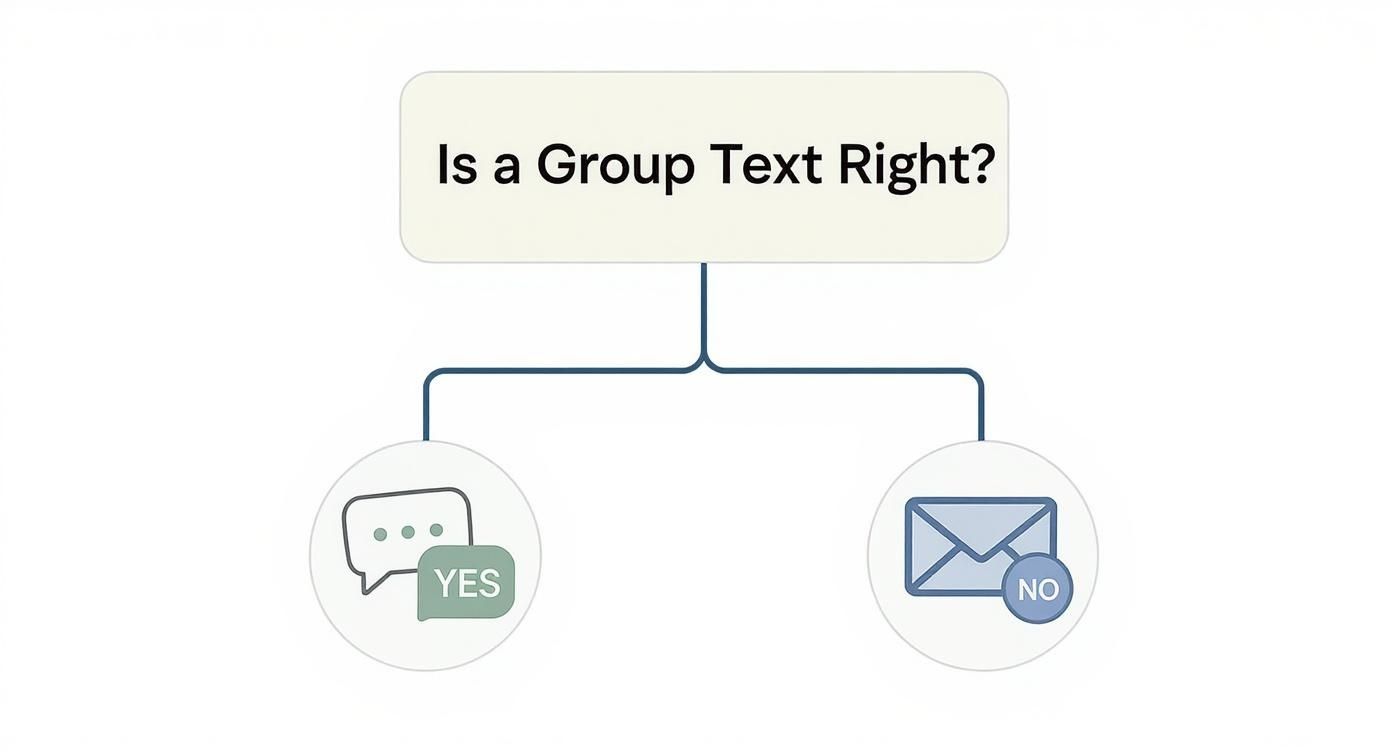
The bottom line is simple: if your message is intended to promote a product, announce a sale, or engage with customers to drive business, you need a compliant, professional tool.
Group texting is no longer just a trend; it’s a core part of how people want to communicate. By 2025, an estimated 83% of consumers will prefer texting over other channels, and 70% prefer notifications by text. This isn’t a niche preference—it’s the mainstream. The global SMS market is even projected to grow at a compound annual growth rate (CAGR) of 20.8% through 2030.
Platforms like CartBoss are built to capitalize on this massive shift in consumer behavior, offering features tailored specifically for e-commerce stores, like turning abandoned carts into completed sales with automated, personalized reminders.
When you’re deciding how to send group texts for your business, it’s crucial to understand the fundamental differences between using your personal phone and a dedicated SMS platform.
Personal Phone vs SMS Platform for Business Texts
| Feature | Personal Smartphone | Professional SMS Platform |
|---|---|---|
| Group Size Limit | Very limited (often 10-25 people) | Virtually unlimited (can handle thousands) |
| Legal Compliance | None. No built-in opt-in/opt-out management. | Built-in. Automatically manages consent & unsubscribes. |
| Automation | Manual only. You have to send every text yourself. | Fully automated. Schedule campaigns in advance. |
| Personalization | Not possible at scale. | Automatic. Merge tags for names, order details, etc. |
| Performance Tracking | None. No way to track opens, clicks, or sales. | Detailed analytics. Track CTR, conversions, and ROI. |
| Sender ID | Your personal phone number. | Dedicated short code or branded number. |
As you can see, a personal phone puts your business at a significant disadvantage, both legally and functionally. A professional platform is designed from the ground up to not only protect you but also to generate real, measurable results.
Common Questions About Group Texting
Even with the slick smartphones we carry around, sending a group text can sometimes go sideways. When things don’t work the way you expect, it’s almost always because of a messy mix of different devices, carrier settings, and network quirks. Let’s clear up a few of the most common headaches people run into.
One of the biggest frustrations? You send a message to a group, only to find it’s been delivered as a bunch of individual, one-on-one texts. This shatters the group conversation into separate threads, completely defeating the whole point.
Why Do My Group Texts Split Into Individual Messages?
This problem almost always boils down to the difference between MMS and SMS. For a true group chat to work—where everyone sees all the replies—your phone has to send the message as a single MMS (Multimedia Messaging Service) package. If it falls back to sending individual SMS texts instead, the conversation breaks apart.
A few things can cause this to happen:
- A setting is off. Many Android phones have a specific “Group Messaging” toggle buried in the settings. If that’s not enabled, it won’t send proper group chats.
- Carrier limitations. Sometimes, a mobile carrier might struggle to process an MMS message, especially if you’re in an area with a spotty data connection. This can force your phone to revert to the simpler SMS protocol.
- Network glitches. A temporary hiccup in the network can stop an MMS from sending correctly, making your phone use SMS as a fallback so the message at least gets through.
For a business, this is a total non-starter. Using a dedicated platform completely sidesteps these device and carrier-level problems by handling all the message delivery from a central system.
How Many People Can Be in a Group Text?
Yes, there are limits, and they can vary wildly depending on the technology you’re using. The number of people you can add is a huge factor when you’re deciding how to send a group message.
If everyone in the chat is using an Apple device, you’re in an iMessage group. These can often handle over 100 people without breaking a sweat. However, for standard MMS group chats—the kind that includes a mix of iPhone and Android users—the limit is set by the mobile carriers. That number is usually much lower, typically somewhere between 10 to 50 participants.
These carrier caps make personal phones impractical for any kind of large-scale communication. Professional SMS tools are built to bypass these limits entirely, letting you message thousands of contacts at once. For businesses, this is also a critical compliance issue. You can dive deeper into the legal side of things in our guide covering TCPA rules for text messages.
How Can I Leave a Group Chat?
This one depends entirely on the type of group you’re stuck in.
If it’s an iMessage group (all blue bubbles) and there are at least three other people in it, you can tap the group icons at the top of the conversation and select “Leave this Conversation.” Easy.
Unfortunately, you cannot leave a standard SMS/MMS group chat (the ones with green bubbles). Your only real option here is to mute the conversation. This will stop the notifications from driving you crazy, even though you’ll technically still be in the group.
Ready to move beyond the limitations of your personal phone? CartBoss transforms your communication strategy, turning abandoned carts into sales with powerful, automated SMS campaigns that are fully compliant and built for scale. Discover how CartBoss can boost your revenue today!