


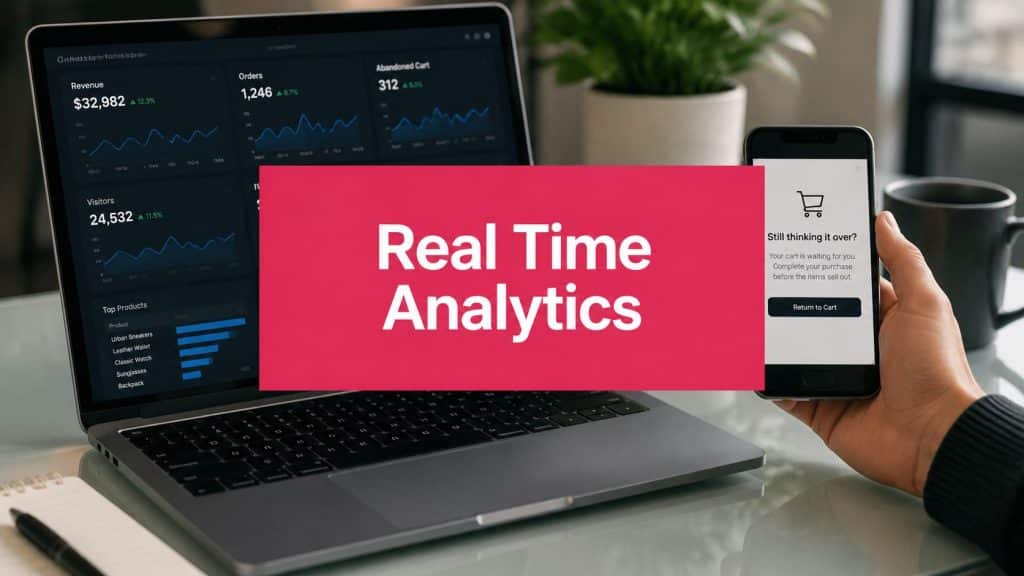
You open your dashboard in the morning, check yesterday’s abandoned carts, and immediately see the problem. Some shoppers were ready to buy. They added products, started checkout, then disappeared. By the time you spot it, that buying moment is gone.
That delay is the main issue. Not the cart itself. Not even the missing order. The issue is data lag, the gap between what the customer does and when your team can respond. If your reports show what happened hours ago, you’re managing a store through the rearview mirror.
For an e-commerce owner, that changes how you measure performance. You’re not only asking whether campaigns worked. You’re asking whether your systems gave you a chance to act while the shopper still cared. That’s why store operators who want cleaner attribution and faster decisions often move beyond standard reporting and study how to measure marketing campaign success in a more operational way.
The Hidden Cost of Waiting for Your Data
A familiar scenario goes like this. A shopper lands on your product page during lunch, adds two items to cart, reaches checkout, then gets distracted by a call, a child, or a Slack message. Your system logs the session. Your report updates later. Your team notices the abandonment the next day.
At that point, the report is accurate, but it’s no longer useful for recovery.
What data lag looks like in a store
Data lag shows up in small ways that add up:
- Late cart alerts: Your recovery message goes out long after the shopper has lost urgency.
- Slow merchandising decisions: A product starts trending, but your pricing or inventory response comes too late.
- Missed campaign adjustments: You keep spending on traffic without seeing which sessions are stalling in checkout.
Practical rule: If your data arrives after the customer has mentally moved on, it may still help reporting, but it won’t help conversion.
This is why real time analytics matters. It shortens the gap between behavior and action. Instead of finding out tomorrow that a customer left checkout, you can react while that intent is still warm.
Why yesterday’s insight can cost today’s sale
Store owners often think they have an abandonment problem. In practice, many have a response-timing problem. The cart event happened. The buying signal was there. The store just didn’t respond fast enough.
That’s the hidden cost. You paid to acquire traffic. You got the shopper close to purchase. Then your data system made you wait.
Real time analytics changes that by turning customer activity into something operational, not just historical. You stop using data only to explain what happened. You start using it to influence what happens next.
What Is Real-Time Analytics Really
When one hears “real time analytics,” they often picture a complicated tech stack. For a store owner, the simpler definition is better.
Real time analytics means your system can detect an event, process it, and make it usable fast enough for you or your tools to act on it while the moment still matters.
A good mental model is this:
- Batch analytics is like checking your mailbox once a day.
- Real time analytics is like getting a text notification the second something important happens.

The speed difference that changes everything
In practical terms, real time usually means a user-facing result comes back in under 100 ms to a few seconds, according to StarTree’s explanation of real-time analytics. That’s fast enough for a site to react during a session, not after it.
This is the part many marketers miss. Real time doesn’t just mean “faster reports.” It means your tools can support live decisions such as:
- Showing a better offer now
- Triggering a recovery message now
- Flagging suspicious behavior now
- Updating recommendations now
That’s very different from a dashboard that refreshes later.
What makes it work behind the scenes
You don’t need to build the infrastructure yourself, but it helps to understand the logic. Modern systems make real time possible by combining event streaming with fast databases so data can be queried right after it’s ingested. That’s what enables low-latency actions instead of delayed summaries.
Here’s the plain-English version:
| Approach | What happens | Business effect |
|---|---|---|
| Batch | Data is collected and processed on a schedule | You learn later |
| Real time | Data is processed as it arrives | You can respond immediately |
If you already track clicks, sessions, and checkout steps, you’re collecting behavior data. The difference is whether that data becomes useful in time. That’s also why marketers who want better segmentation often look at behavioral analytics in e-commerce as the practical cousin of real time analytics. One tells you what customers do. The other lets you act while they’re still doing it.
What real time analytics is not
It’s not magic, and it’s not automatically valuable.
A live dashboard by itself won’t recover a cart. A fast event stream won’t improve conversion unless something happens after the signal appears. The point is not speed for its own sake. The point is speed tied to action.
Real time analytics starts paying off when a live signal triggers a useful response.
For e-commerce, that usually means one of three things. Recovering a cart, personalizing the experience during the visit, or protecting the checkout from risky activity before damage happens.
Why Real-Time Data Is a Game Changer for E-Commerce
The strongest case for real time analytics isn’t technical. It’s commercial.
Retail adoption of real-time analytics has correlated with a 35% to 40% increase in customer conversion rates, retailers using it for personalization saw 25% higher revenue growth, and organizations using it for fraud detection reduced financial losses by up to 60%, according to the Databricks summary of industry findings. For a store owner, those are not abstract improvements. They hit the three pressure points that decide whether growth feels smooth or expensive.
It helps you convert more of the traffic you already paid for
Most stores don’t suffer from a total lack of demand. They suffer from leakage.
Traffic comes in. People browse. Some reach checkout. Then friction, distraction, or hesitation gets in the way. Real time data helps because it lets your store react before the shopper disappears for good. That reaction might be a checkout reminder, a personalized product prompt, or a risk check that keeps payment flow clean.
If you’re already spending on acquisition, conversion gains matter more than vanity metrics. That’s why owners who want a tighter performance model often dig into digital commerce analytics instead of relying only on channel reports.
It creates a smoother buying experience
Customers don’t experience your business in channels. They experience it in moments.
A shopper expects the site to reflect what they’re doing right now. If they’re browsing winter products, they expect relevant recommendations. If an item is selling fast, they expect availability to be current. If they return to checkout, they expect the process to pick up where they left off.
Real time analytics supports that kind of responsiveness. It helps the store feel awake.
A responsive store feels easier to buy from, even when the customer can’t name the technology behind it.
That matters because convenience often wins over persuasion. Many buyers won’t tell you they abandoned because the experience felt stale. They’ll just leave.
It lets smaller teams act faster
Large brands have more people. Smaller brands can still compete with speed.
A real time setup gives a lean team something valuable. It compresses the time between signal and action. You don’t need to hold a meeting to decide what to do about checkout drop-off if your system already knows the trigger and sends the follow-up automatically.
Here’s where that edge shows up:
- Fewer missed opportunities: You act during the session or shortly after it.
- Smarter merchandising: You spot behavior patterns while they’re still relevant.
- Less manual monitoring: Automation handles routine interventions.
- Better protection: Fraud checks happen during the transaction, not after the damage.
It changes your operating mindset
Stores that rely only on delayed reporting tend to ask historical questions. What happened yesterday? Which campaign drove the most sessions? Where did conversion dip last week?
Those are useful questions, but they won’t save a sale in progress.
Stores using real time data ask operational questions instead. Which carts need intervention now? Which visitors are signaling purchase intent now? Which checkout sessions look abnormal now?
That shift is why real time analytics feels so different once it’s in place. It moves data from the reporting layer into the revenue layer.
Real-Time Analytics Use Cases in Action
The easiest way to understand real time analytics is to watch what it does in situations you already deal with.

Cart recovery while intent is still high
A customer adds products to cart, starts checkout, enters contact details, then leaves. This is the use case where speed matters most.
The average cart abandonment rate reached 70.19%, and when abandonment data is delayed beyond 30 minutes, the probability of recovering the sale drops by over 50%, according to Baymard’s cart abandonment research. For a marketer, that means the timing of your response is not a nice extra. It’s the whole play.
The sequence is simple:
- The shopper abandons checkout.
- The event is captured immediately.
- A recovery workflow sends a message within minutes.
- The shopper returns before the buying mood fades.
That message could be email, SMS, or another owned channel. In practice, many stores start with SMS because it fits the urgency of the moment. A tool like CartBoss uses that live abandonment signal to trigger automated cart recovery messages without waiting for a next-day report.
If your recovery system starts working only after the customer has forgotten the cart, you’re not running recovery. You’re running a reminder for a moment that already passed.
Personalization during the session
Now take a different shopper. She clicks several products in one category, ignores another, spends extra time comparing variants, and keeps returning to a specific price range.
With delayed analytics, you learn that pattern later.
With real time analytics, the site can adapt while she’s still browsing. Product suggestions can shift. Merchandising blocks can update. Offers can align with the behavior she is showing right now, not what she did last week.
This kind of responsiveness also supports pricing decisions. If you’re thinking through when live demand signals should influence your offers, OrderOut’s dynamic price strategy is a useful read because it connects pricing moves to actual buying conditions rather than fixed assumptions.
Here’s a quick comparison:
| Problem | Real-time response | Likely result |
|---|---|---|
| Shopper hesitates at checkout | Trigger immediate recovery outreach | Better chance of return |
| Shopper browses with clear intent | Update recommendations live | More relevant product discovery |
| Unusual transaction pattern appears | Run risk checks instantly | Fewer costly fraudulent orders |
A related area worth exploring is churn prediction models for e-commerce, especially if you want to spot when a shopper is moving from hesitation into disengagement.
A short demo helps make this less abstract:
Fraud detection without punishing good customers
Fraud checks are another strong fit for real time analytics because delay is expensive in two directions.
If you react too slowly, bad orders slip through. If you react too aggressively, you block legitimate customers and hurt trust.
A real time system helps by evaluating signals during the transaction itself. Maybe the order pattern looks inconsistent with normal behavior. Maybe the session shows unusual checkout attempts. Maybe the purchase should trigger an extra verification step instead of a full block.
The key is that the store responds in the moment. Not after fulfillment starts. Not after a chargeback shows up.
For the owner, this means real time analytics is not just a marketing upgrade. It’s an operations tool that protects margin, protects customer experience, and supports cleaner revenue.
The Technology Behind Instant Insights
You don’t need to become a data engineer to use real time analytics well. But you should understand the basic flow, because it helps you evaluate tools and ask better questions.
Most systems follow a simple loop. Capture, compute, respond, then store. IBM describes real-time analytics as a multi-stage capture–compute–respond loop where streaming data is collected, processed with high-performance engines, and used to trigger automated actions. IBM also notes that for cart recovery, a shorter path from ingestion to action is critical while purchase intent is still high, as explained in IBM’s overview of real-time analytics.

Capture the signal
This is the listening stage. Your store records actions such as product views, add-to-cart events, checkout starts, purchases, or failed payment attempts.
The important point is freshness. The event needs to move into the system right after it happens, not in a delayed nightly sync.
Compute what the event means
A raw event on its own isn’t very useful. The system needs to interpret it.
That might mean deciding that a shopper has abandoned checkout, that a recommendation block should change, or that an order pattern looks risky. Rules, models, and logic do the heavy lifting.
Respond while the moment is still open
This is the part store owners care about most.
Once the system recognizes the event, it can trigger something useful:
- A customer message
- A dashboard alert
- A price or inventory update
- A fraud review step
- A content change on site
If a platform only captures and computes but doesn’t respond, you’ve built visibility, not action.
Fast analytics without a response layer is like seeing smoke and having no alarm.
Store the history for later learning
Real time doesn’t replace historical analysis. It complements it.
You still want to review patterns over time. Which campaigns produce abandoned carts with the highest recovery potential? Which products trigger hesitation? Which checkout steps create the most drop-off? This stored history helps you refine the rules and improve future automation.
That’s also why integrations matter. The more smoothly your apps, checkout, messaging tools, and analytics systems share events, the easier it becomes to turn real-time signals into actual business actions. If you’re comparing platforms, it helps to understand how third-party integrations in e-commerce tools affect speed, data flow, and execution.
How to Put Real-Time Analytics to Work
For most stores, the smartest starting point isn’t building a huge live-data program. It’s choosing one place where a fast signal can trigger a fast action.
That matters because real-time tracking alone isn’t automatically valuable. The value comes from having a clear, fast, automated response mechanism. For most e-commerce sites, the biggest gains come from an action layer such as cart recovery, not from observation alone, as argued in Ergo Digital’s take on when real-time analytics is worth it.

Start where speed changes revenue
Don’t begin with a broad platform question. Begin with a revenue question.
Ask yourself: where does a delayed response cost us the most?
For many stores, the answer is abandoned checkout. For others, it might be fraud review, inventory changes, or on-site personalization. Start with one use case where a live event can trigger a useful action immediately.
Use a simple decision checklist
Before you invest, run through this checklist:
- Clear trigger: Do you know the exact event you want to detect, such as checkout abandonment or suspicious payment behavior?
- Immediate action: Do you know what should happen once that event is detected?
- Operational owner: Does one team own the response, so the signal doesn’t die in a dashboard?
- Clean measurement: Can you compare before and after performance using a small set of metrics?
- Reliable tooling: Can your current apps, store platform, and messaging tools work together without heavy custom development?
If you answer “no” to most of these, you probably need a narrower first project.
Track a few metrics, not everything
Real time systems can create a lot of noise if you track too much too early. Keep your KPI set tight.
A practical starter set includes:
| KPI | Why it matters |
|---|---|
| Cart recovery rate | Shows whether fast intervention is working |
| Checkout completion rate | Reveals whether live actions improve conversion |
| Time to intervention | Measures how fast your system responds |
| Revenue recovered | Connects the workflow to business value |
| False positive rate for risk actions | Helps protect customer experience |
For a broader measurement framework, it helps to review the core e-commerce metrics to track so your real-time efforts stay tied to business outcomes rather than dashboard activity.
Avoid the common mistakes
The biggest mistakes are usually practical, not technical.
- Watching without acting: A live dashboard feels useful, but it won’t change revenue by itself.
- Automating the wrong trigger: If your event logic is messy, you’ll send bad messages or flag the wrong sessions.
- Overreacting to noisy data: Not every unusual action needs intervention.
- Trying to do everything at once: One strong workflow beats five half-built ones.
Key takeaway: Start with one automated response that protects or recovers revenue. Prove it. Then expand.
Real time analytics becomes worth the effort when it closes the gap between customer behavior and store action. For most e-commerce teams, that first win comes from turning abandonment into a live recovery process instead of a next-day report.
If your store is already seeing checkout abandonment, the easiest first step is to connect that event to an automated response. CartBoss helps e-commerce stores trigger SMS cart recovery from live shopper behavior, so you can act while purchase intent is still fresh instead of waiting for delayed reports.