


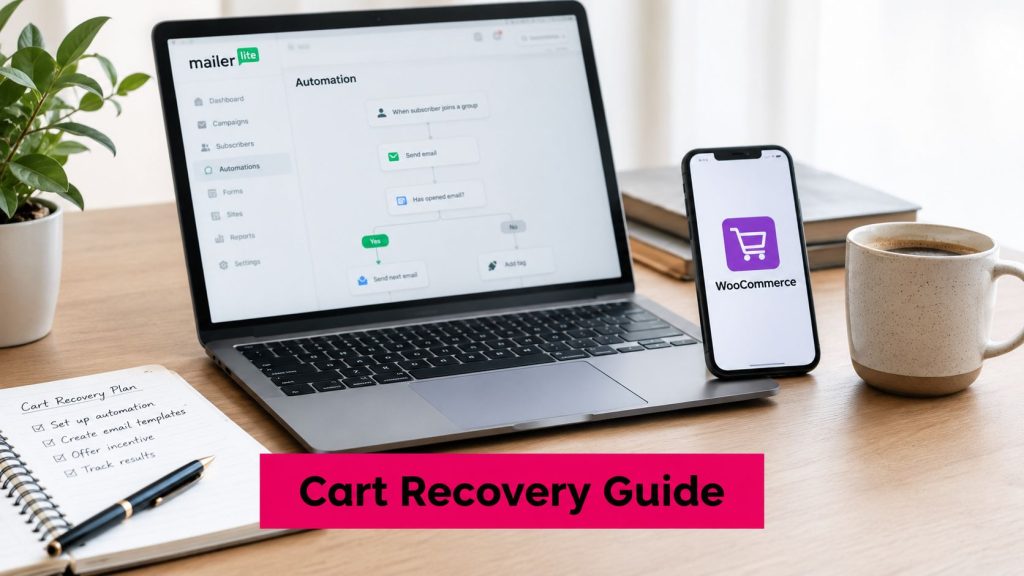
If your MailerLite automation is connected, your WooCommerce store is live, and carts are still slipping away, the problem usually isn’t the idea. It’s the wiring. A lot of store owners turn on mailerlite woocommerce abandoned cart recovery expecting a simple switch, then discover that only certain shoppers can enter the flow, the cart data has to exist at the right moment, and a generic email template won’t restore anything useful.
That gap matters because cart abandonment is still huge. Baymard’s global benchmark puts abandonment at 70.22% based on an average of 50 studies, which means roughly 7 out of every 10 carts never become completed orders, and only about 29.78% convert in the original session (Baymard Institute benchmark). For a WooCommerce merchant, that’s not a side issue. It’s one of the main revenue leaks in the store.
Table of Contents
- What MailerLite’s Abandoned Cart Trigger Can and Cannot Do
- Connecting MailerLite to Your WooCommerce Store
- Building the Abandoned Cart Automation
- Email Recovery vs SMS Recovery for Cart Abandonment
- Timing Delays and Copy That Convert
- Measuring Recovery Beyond Open Rates
- Where MailerLite Stops Short and SMS Fills the Gap
What MailerLite’s Abandoned Cart Trigger Can and Cannot Do
I’ve watched store owners expect MailerLite to rescue every abandoned cart the moment a shopper leaves checkout. The actual setup is narrower than that. MailerLite’s WooCommerce abandoned-cart feature is an event-triggered email automation, and it only works after the store is connected and the shopper is identifiable enough for the system to treat them as a subscriber (MailerLite abandoned cart automation).
What the trigger actually watches
MailerLite exposes an “Abandoned cart” e-commerce trigger once WooCommerce is connected. It fires after a subscriber adds products to a cart and exits before checkout completes. From there, you can set a delay and send one or more emails. MailerLite’s documented trigger requirements also support a staged sequence, with an initial reminder, a delay such as 2 days, a click condition, and a follow-up for people who never engage (MailerLite abandoned cart automation).
Practical rule: if the shopper never becomes a known subscriber, the flow never starts.
That is the part many store owners miss. Anonymous visitors who never share an email address stay outside the email workflow, so MailerLite is useful for delayed follow-up on known contacts, but it does not recover every lost cart. The email can still include an abandoned-cart content block that pulls the left-behind products into the message, which matters because it keeps the reminder tied to the exact cart instead of feeling like a generic promo.
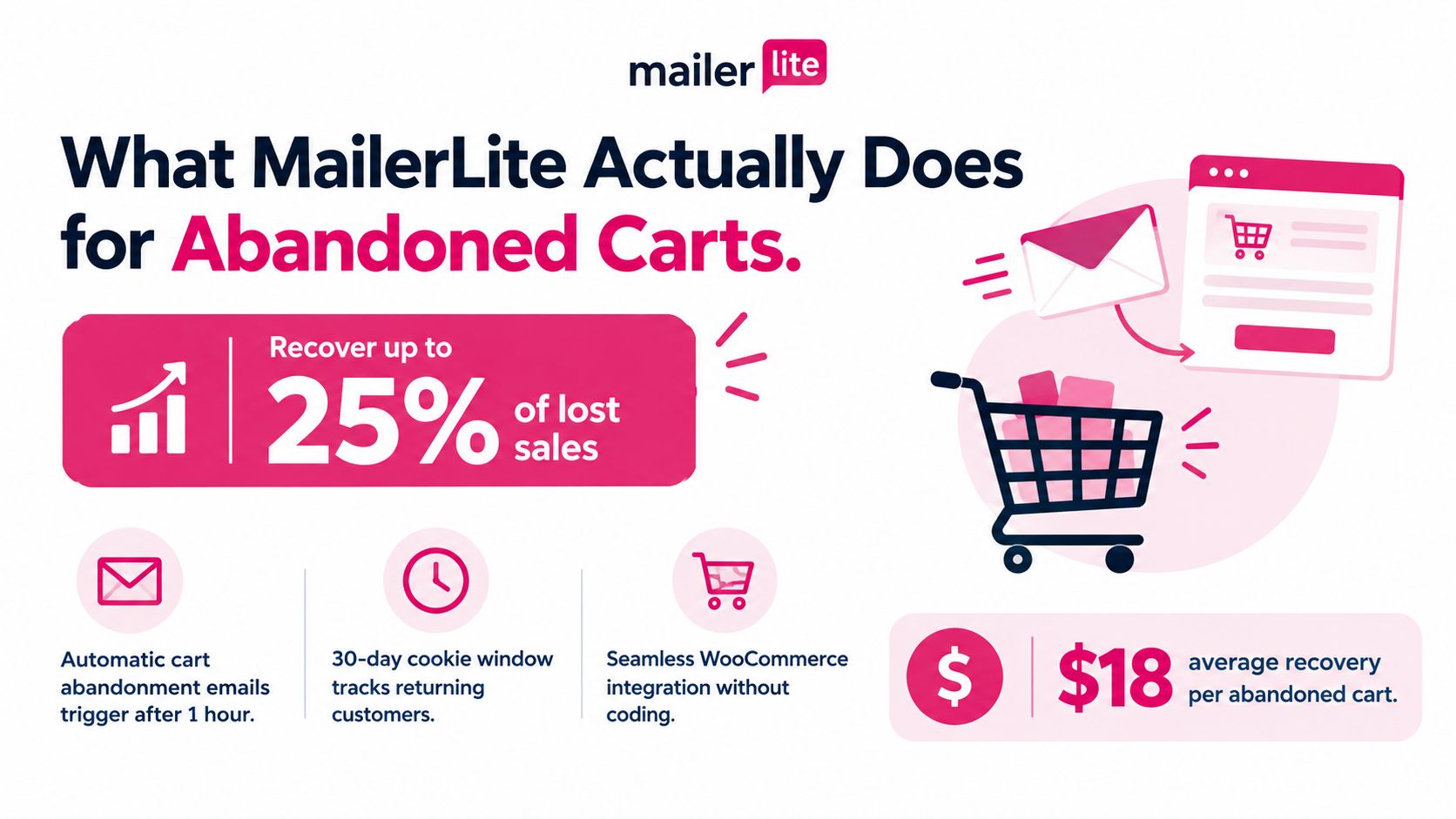
The opportunity is real if your store captures enough customer data for the trigger to fire. If the checkout never collects an email, or the visitor never reaches the point where MailerLite can identify them, the automation has nothing to work with. That is why the trigger is best treated as a recovery tool for known shoppers, not as a blanket fix for every abandoned cart.
Connecting MailerLite to Your WooCommerce Store
The cleanest integrations are the boring ones, because they’re the ones that keep working. For MailerLite and WooCommerce, that starts with the store connection itself, not the automation editor.
Set up the connection in the right order
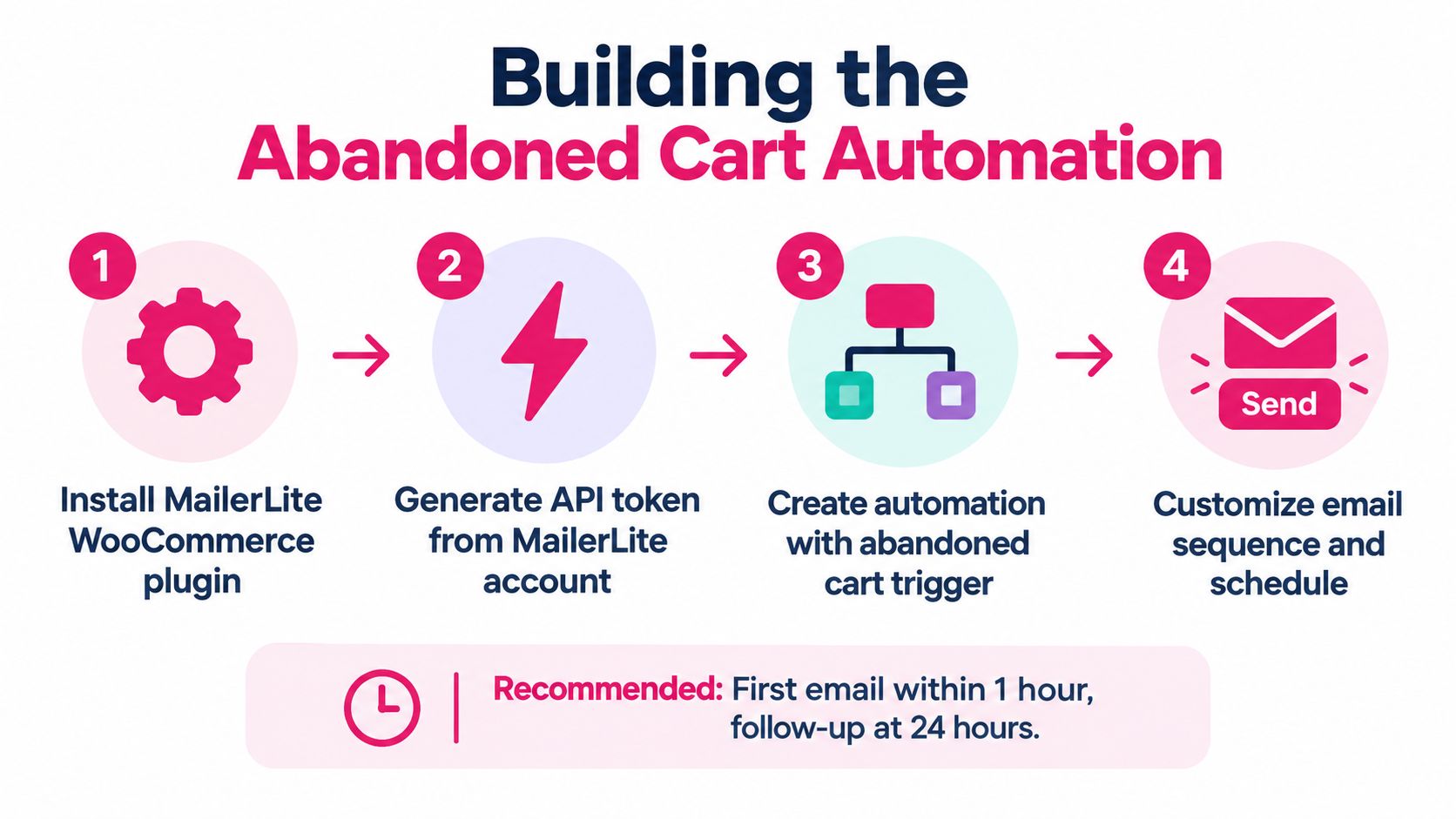
Install and activate the official WooCommerce plugin first. Then generate a MailerLite API token, connect the store, choose the subscriber group, and finish the initial import. If you skip the import or connect the wrong group, you can end up with a working-looking integration that never routes the right shoppers into the automation.
The checkout details matter just as much. MailerLite’s documented trigger requirements say the shopper generally needs to be logged into the store account, and the abandoned-cart workflow also depends on a captured customer email address. If your checkout doesn’t collect that address, or the shopper never reaches the stage where it’s stored, there’s nothing to trigger from.
A recovery flow can only work on data the store actually captures.
That’s why this setup is less about “turning on a feature” and more about making sure the store is eligible to use it. If the automation is active before the cart event, the integration is synced, and a test subscriber exists, you’ve cleared the most common silent-failure points. If not, the workflow can sit there looking healthy while it never receives a real event.
For a broader view of how integrations fail in e-commerce setups, I’d also sanity-check your stack against a guide on third-party integrations so you can spot whether the issue is MailerLite itself or a broken handoff elsewhere.
A simple test purchase usually tells the truth fast. If the email lands and the cart block populates, your connection is alive. If it doesn’t, the fix is almost always in the setup chain, not in the copy.
Building the Abandoned Cart Automation
A working recovery flow starts in the workflow editor. There, you build the Abandoned cart e-commerce automation, set the delay before the first reminder, decide what the follow-up says, and choose what happens after a click that still does not lead to checkout.
Build the flow around the cart, not around generic products
Start with the abandoned-cart trigger and add a short delay before the first send. A practical setup is one reminder soon after abandonment, then a second message after roughly 1 to 2 days if the order is still incomplete. MailerLite’s link-click condition lets you split engaged shoppers from everyone else, so the sequence can react to behavior instead of sending the same follow-up to every contact.
Use the dynamic abandoned-cart block so the email shows the exact items left behind. That keeps the cart visible and gives the shopper a direct path back to checkout. A static product grid may look cleaner, but it makes the customer rebuild the order by hand, and that is where recovery often stalls.
If the email does not restore the cart, it is a reminder, not recovery.
Keep the first message simple. A discount can wait. Measure revenue per recipient first, then decide whether an incentive belongs in the later email. That approach avoids training shoppers to abandon carts and wait for a coupon.
For teams that want to cut setup time without losing control of the sequence, cutting campaign production time is a useful benchmark for how automation should support the workflow. For a broader e-commerce perspective, a practical read on marketing automation for eCommerce helps frame where email fits in the recovery stack.
Treat click behavior as the main branch point. A shopper who clicks but does not buy needs a different follow-up from someone who ignored the first reminder entirely, and the automation should reflect that difference.
Email Recovery vs SMS Recovery for Cart Abandonment
MailerLite gives you a clean email layer for known subscribers. SMS recovery fills a different gap, because it reaches people who never entered an email-based flow in the first place. That difference matters more than channel preference.
Where the channels diverge
Email depends on the checkout flow capturing a usable address and on the subscriber being eligible for automation. SMS can cover carts that never make it into the email list, and it can reach shoppers faster, which is useful when the decision window is short. The trade-off is compliance and permission management, especially if you’re sending into the U.S., where Twilio’s documentation points to TCPA quiet hours from 9:00 p.m. to 8:00 a.m. local time for non-essential messages and stresses consent, location, and opt-out handling (Twilio compliance toolkit).
| Dimension | MailerLite Email Layer | SMS Cart Recovery |
|---|---|---|
| Coverage | Known subscribers with captured email | More useful for carts that never enter email capture |
| Timing | Delayed reminders with staged follow-up | Faster first contact during the abandonment window |
| Compliance | Email consent and unsubscribe handling | Consent, quiet hours, time zone, and STOP handling |
| Recovery path | Works best with dynamic cart block and checkout link | Works best with pre-filled or direct-return checkout flow |
| Use case | Structured nurture for known contacts | Fast recovery for shoppers who would otherwise disappear |
If you want a wider view of how teams stop shoppers abandoning checkout, the same principle applies across channels, the message has to remove friction, not just remind people they left.
Email is the cleaner nurture layer. SMS is the coverage layer.
For stores with meaningful anonymous traffic, that gap is real. MailerLite can do the delayed-email work well, but it doesn’t recover what it never identified. That’s why some stores pair it with a dedicated SMS recovery tool and use each channel for what it does best. For a closer comparison of channels, this is also where email marketing vs SMS marketing becomes a practical decision, not a theoretical one.
Timing Delays and Copy That Convert
The strongest recovery emails are usually the least dramatic. They arrive on time, they name the cart clearly, and they send the shopper back to the exact checkout state they left behind.
Use timing that matches buyer intent
A practical sequence starts with a first reminder within about an hour, then a second touch 1 to 2 days later, and a third only if the cart is high value or the first two messages were ignored. MailerLite’s automation can handle a staged path like that, but the timing only works if you keep the cart restoration intact and the checkout link direct. If the shopper clicks and lands on a generic catalog page, the sequence loses momentum.
For subject lines, keep the language direct and specific. Short cart reminders usually beat cleverness because buyers already know what they abandoned. The body copy should do three things fast, remind them what they left, show the products in the cart, and return them to checkout without extra steps.
A workable checklist looks like this:
- First message delay: send after a short wait, not hours later.
- Second message timing: use a later follow-up after the buyer has had time to decide.
- Incentive placement: reserve the discount for a later email if the first reminder doesn’t work.
- Link destination: send shoppers straight back to the restored cart or checkout, not a homepage or product grid.
- Compliance items: include a clear sender identity, an unsubscribe path, and a physical address where required.
That last point matters because recovery email still sits inside standard marketing rules. A clean footer and a clear from-name reduce confusion, especially when the shopper is opening the message on mobile and deciding in seconds whether to return.
For campaign teams who like working from reusable playbooks, abandoned-cart timing is where the mechanics get easier to standardize. Use that logic, then adapt the wording to your own products instead of borrowing generic copy.
Measuring Recovery Beyond Open Rates
Open rates can tell you that a subject line got noticed. They can’t tell you whether the cart came back, the checkout was restored, or the order really closed. Recovery needs a better scoreboard.
Track orders, not curiosity
Define recovery conversion as completed orders attributable to the workflow divided by eligible abandoned carts. Then segment by first-message delay, device, country, traffic source, and discount exposure. That makes the data useful instead of decorative, especially when you’re testing whether a shorter delay or a stronger incentive performs better.
One useful benchmark comes from an analysis of more than 143,000 abandoned-cart flows, which reported an average recovery-email conversion rate of 3.33% and top-performing flows reaching 7.69% (abandoned-cart flow analysis). Those numbers aren’t a promise, but they’re far more grounded than judging success by opens alone.
High opens don’t pay the shipping bill. Completed orders do.
The failure mode depends on where the funnel breaks. High clicks with weak checkout completion usually point to broken cart restoration, expired coupons, pricing surprises, or a slow mobile checkout. Low clicks with decent delivery usually means the offer or copy isn’t convincing enough to bring the shopper back. If the click-through looks healthy but the order still doesn’t close, the checkout experience itself is probably the root issue.
A compact measurement checklist helps keep the review honest:
- Delivered messages: confirm the flow reached people.
- Click-through rate: watch for interest in the offer or cart.
- Checkout-start rate: see whether the link lands in the right place.
- Completed orders: tie revenue back to the workflow.
- Unsubscribe rate: spot fatigue or over-sending.
For teams building their own reporting, how to calculate recovery rate is a useful reference point for keeping the math consistent across tests.
Where MailerLite Stops Short and SMS Fills the Gap
A solid MailerLite flow still has a hard boundary. It works for shoppers whose email was captured, the store connection is live, and the abandoned-cart trigger can fire. If the checkout never asks for an email, or the visitor never logs in and leaves before that step, MailerLite has nothing to work with.
That is the practical limit to plan around. Email can still carry the follow-up for known contacts, especially when you want a branded reminder sequence. SMS fills the gap on carts that would otherwise vanish before the shopper ever becomes a contact.
The handoff should follow the cart source. Send the logged-in subscriber into MailerLite, where the abandoned-cart flow can take over. Send the anonymous mobile shopper to SMS first, because that is the only channel that can reach them before the session goes cold. If your store sees a large share of carts from visitors who never identify themselves, email-only recovery will cap out early. In that case, add SMS coverage before you spend more time polishing the email sequence.
For store owners, the decision is usually simple. Keep MailerLite for the contacts it can see, and use SMS for the carts it cannot.