


A dynamic coupon code is a personalized, single-use offer tied to a shopper, while a static code can be reused and shared. Coupon supply per retailer nearly 5x’d from mid-2022 to late 2025, moving from roughly 2 active codes to nearly 10, yet the median best available discount remained 15% off, showing that growth is coming from better targeting and control rather than deeper price cuts. SimplyCodes market data supports the shift.
That distinction changes how you recover abandoned carts. A static code such as SAVE10 broadcasts a concession. A dynamic coupon code turns the concession into a controlled behavioral prompt, delivered only when a shopper qualifies, with rules that limit sharing, delay, and margin exposure. The code itself matters, but the timing, eligibility, expiry, and checkout experience determine whether it recovers revenue or teaches customers to abandon deliberately.
Table of Contents
- What a Dynamic Coupon Code Actually Is
- Why Dynamic Coupon Codes Work for Cart Recovery
- How to Generate and Apply Dynamic Coupon Codes
- Wiring Dynamic Codes Into Automated SMS Recovery
- Best Practices, Pitfalls, and Margin Protection
- Quick-Start Checklist and How to Measure the Lift
What a Dynamic Coupon Code Actually Is
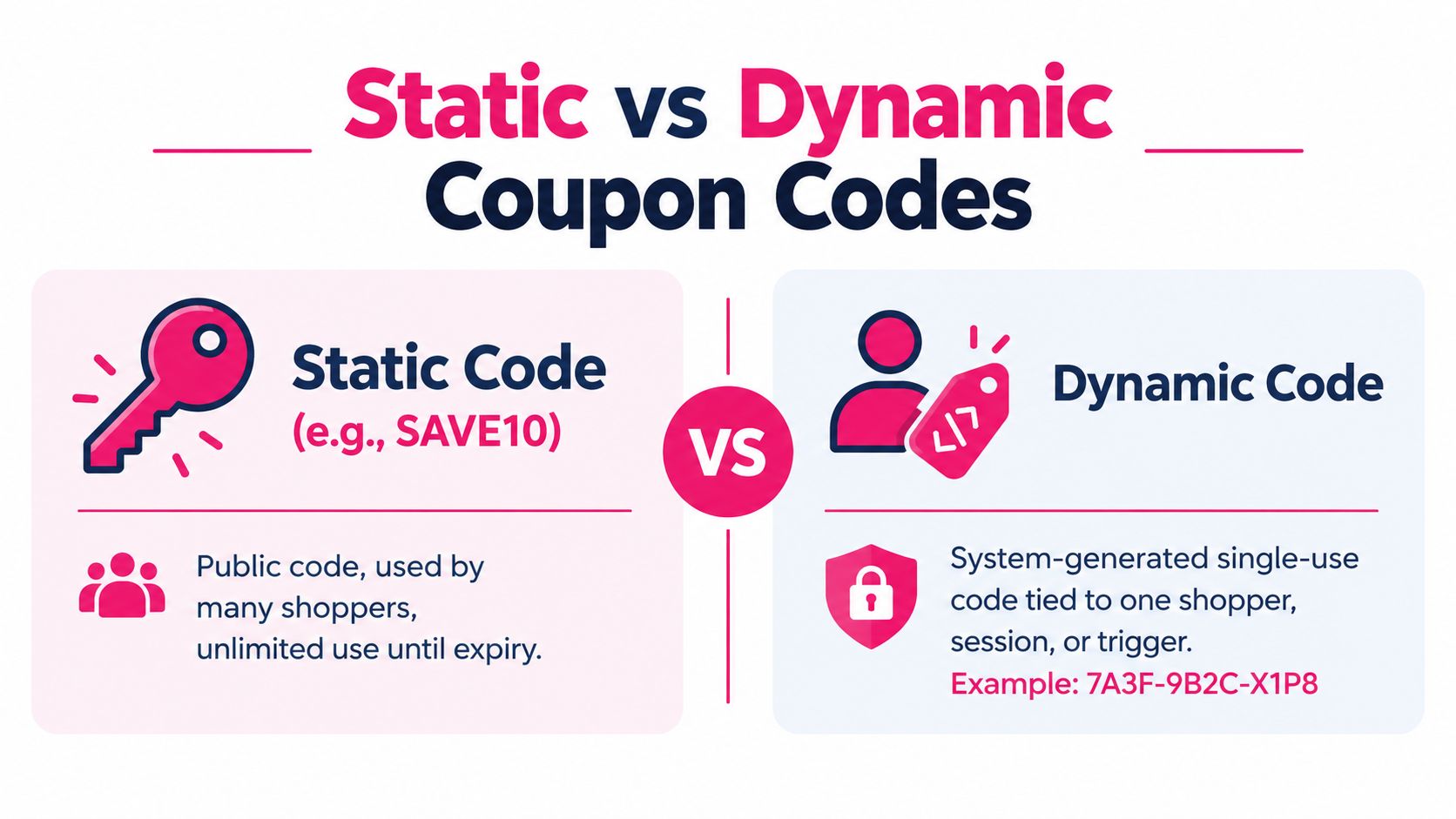
A dynamic coupon code is a discount token generated for a defined shopper, session, cart, or event. The store creates it after a qualifying action, then places it in an email, SMS, account area, or checkout link. Its value comes from the rules attached to it, including who can use it, what the code covers, and when it expires.
A public code such as SAVE10 is easy to share and reuse. It can appear on coupon sites, apply to customers who never abandoned a cart, or combine with another promotion if the checkout rules allow it. A dynamic code might instead look like 7A3F-9B2C-X1P8, belong to one customer, and stop working after redemption or expiry.
The controls that make the code dynamic
Automatically generating random characters is only the starting point. A useful recovery code has enforceable controls:
- Recipient binding: Connect the code to one customer email or account.
- Single redemption: Set the total usage limit to one and block repeat use by that customer.
- Expiry: Give the offer a defined end time instead of leaving it active indefinitely.
- Eligibility: Set conditions such as minimum order value, customer segment, shipping region, or excluded products.
- Traceability: Attach a campaign, cart, order, or customer reference so each redemption can be reviewed.
These settings also shape shopper behavior. A code tied to a cart and an expiry can address price hesitation without turning every abandoned checkout into an automatic discount. A code with no recipient, usage, or timing rule is just a public promotion with extra formatting.
Adobe Commerce shows why coupon governance matters. As of Commerce 2.4.7, more than one coupon code can be applied to a single order, and the platform stores those codes in the dedicated sales_order_coupons table, according to Adobe Commerce’s coupon documentation. Layering makes rule design important because one discount can affect another at checkout.
Shopify and WooCommerce use different interfaces, but the working model is similar: generate the token, assign its audience, restrict usage, set an expiry, and deliver it through a controlled message. This dynamic coupon generation guide can help connect those rules to an automated recovery flow.
Why Dynamic Coupon Codes Work for Cart Recovery
Cart recovery improves when the offer answers a specific hesitation. A shopper may be weighing price, timing, shipping, or purchase risk. A generic discount treats every abandonment alike. A dynamic coupon code connects the incentive to the shopper, cart, and moment, then removes it when the recovery window closes.
The commercial gain comes from better decision rules, not automatically from a deeper cut. Recent coupon-market data shows average published discounts of 18.8% in 2023, 19.7% in 2024, and 19.5% in 2025. That pattern supports a targeted approach: relevance identifies who needs help, scarcity gives the decision a credible deadline, and eligibility keeps the offer within margin limits.
Three mechanisms create the lift
Relevance ties the offer to observable intent. Someone who abandoned a specific cart can receive an incentive for that cart, rather than a broad promotion that also applies to products they never considered.
Scarcity limits indefinite delay. A single-use code with a defined expiry creates a reason to decide, as long as the deadline matches the recovery message and does not feel artificial.
Eligibility controls the economics. Rules can exclude low-margin products, require a minimum cart value, or reserve the offer for shoppers who have not recently received a concession. The same conditions that improve targeting reduce the chance that shoppers learn to abandon deliberately.
The flow matters too. Start with a reminder that restores the cart and answers practical objections. Introduce the recipient-bound code only if the shopper still has not returned. This sequence protects the first recovery attempt and avoids paying for a discount the shopper never needed.
| Metric | Generic static code | Dynamic single-use code |
|---|---|---|
| Audience | Broad or loosely segmented | Bound to a shopper, cart, or trigger |
| Sharing risk | High, because the code is reusable | Lower, because the code is unique and restricted |
| Eligibility | Often broad | Can use cart, customer, and product rules |
| Expiry control | Usually campaign-wide | Can be attached to issuance or recovery timing |
| Margin control | Limited once distributed | More precise by segment and cart condition |
| Measurement | Tracks campaign usage | Connects redemption to a recipient and event |
A practical cadence uses an initial reminder, a later incentive, and a final message. Put the dynamic code in the incentive stage rather than the opening reminder. On Shopify or WooCommerce, the rule should reflect the recovery trigger and customer history, not just confirm that a cart exists. That distinction helps recover uncertain buyers without turning abandonment into a reliable path to a discount.
How to Generate and Apply Dynamic Coupon Codes
The implementation has two jobs: create a code with enforceable rules, then remove as much redemption friction as possible. The following setup pattern works across the Shopify and WooCommerce mental models, although API names and plugin behavior can vary by store configuration.
Shopify setup
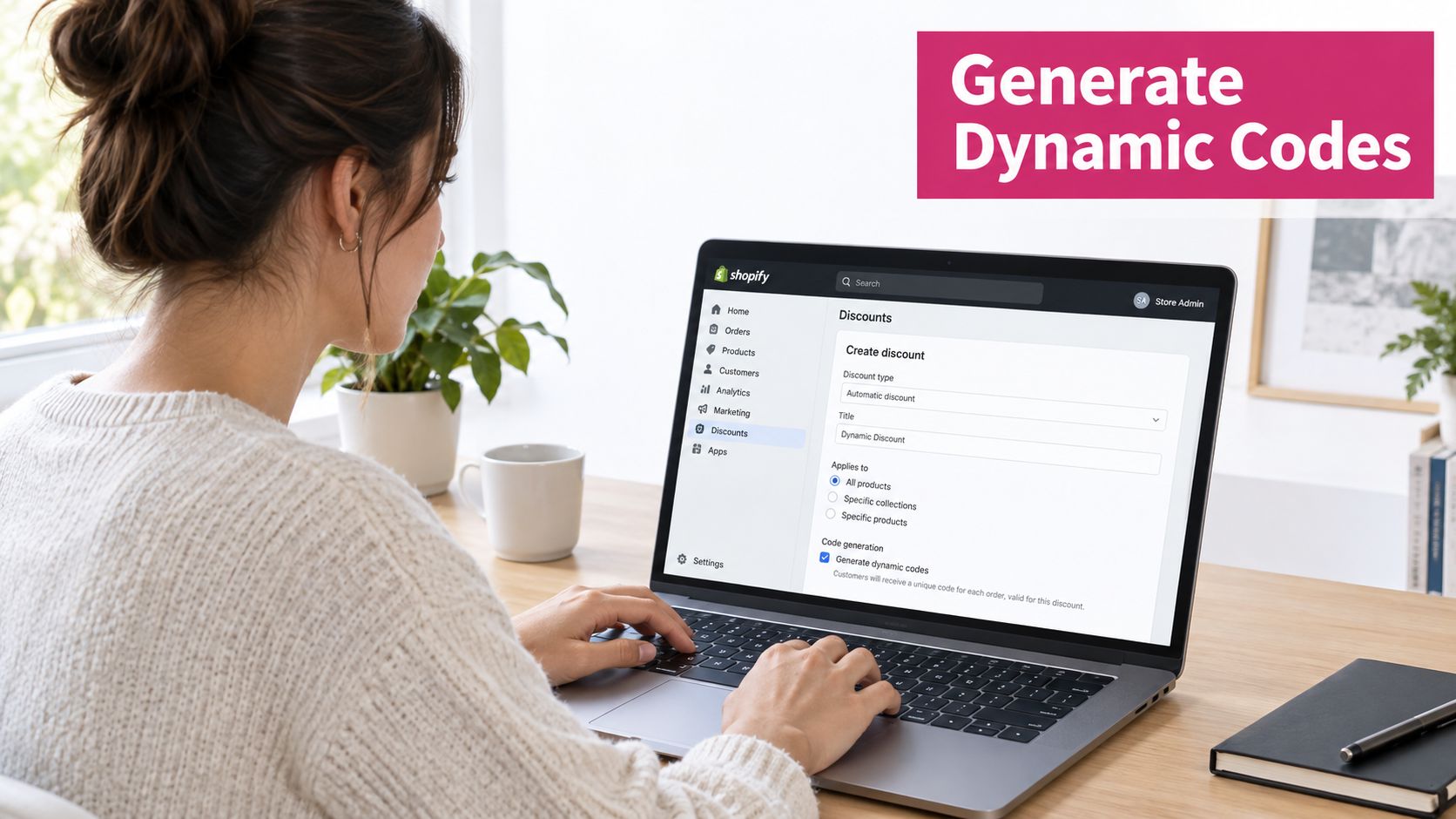
For a custom Shopify implementation, use the Discounts API or a Shopify Function to create a unique code from the abandoned-cart event. Pass the customer email or customer identifier into the generation request, then define:
- A unique code token, generated per eligible cart.
- A percentage or fixed discount type.
usage_limitset to1.usage_limit_per_customerset to1.- A start time through
discount_code.starts_at. - An end time through
discount_code.ends_at. - Product, collection, minimum-value, and customer eligibility conditions.
A 60-minute expiry can work for a tightly timed recovery test when the shopper is still actively considering the purchase. For broader recovery windows, use a longer period that matches the message schedule, but don’t leave the code open-ended.
The Shopify admin is the fallback for teams without development support. Use a token based on a cart or customer reference in the discount code field, select one customer where the interface allows it, set the usage limit to one, and define a fixed expiry. Verify the generated code with a real test customer before sending it to a live audience.
WooCommerce setup
For WooCommerce, create the coupon programmatically with wp_insert_post, then add the required coupon metadata. The core fields should include:
usage_countset to0.usage_limitset to1.usage_limit_per_userset to1.customer_emailset to an array containing the shopper’s email.date_expiresset to the intended end time.- Product, category, minimum-spend, and exclusion rules as required.
If you use a WooCommerce coupon extension, fill the equivalent fields in its admin interface. Confirm that the extension enforces the customer email restriction at checkout, rather than merely displaying it as a campaign label.
A code that requires manual entry creates unnecessary failure points. The recovery message should link to a checkout or cart URL that carries the discount token, such as /checkout?discount=CODE, where the store supports that convention. Test the link on mobile, confirm the discount appears before payment, and verify that the code cannot be redeemed again after a completed order.
The guide to applying a discount can help teams document the customer-facing redemption path and reduce checkout confusion.
When the code and checkout link are ready, connect them to the message template. Platforms such as Klaviyo describe using coupon tokens or merge tags that render a personalized code in email or SMS, often alongside an auto-apply URL. Klaviyo’s coupon documentation describes the practical lifecycle: create the code, limit it, expire it, and insert it into a recipient flow.
Use this video as a visual reference while checking the Shopify discount configuration:
A single-use code with no expiry isn’t a complete dynamic offer. It’s a static code with extra steps, because the merchant still hasn’t created a meaningful time boundary or liability limit.
Wiring Dynamic Codes Into Automated SMS Recovery
SMS gives dynamic coupons a strong delivery channel because shoppers tend to see the message quickly. Independent recovery benchmark roundups report SMS open rates of around 98%, that abandoned-cart texts are often read within 90 seconds, and that SMS recovery conversion rates commonly fall in the 10–20% range. Geysera’s email versus SMS comparison provides that benchmark context.
The flow should use the coupon as a deliberate escalation, not as the first thing the shopper sees.
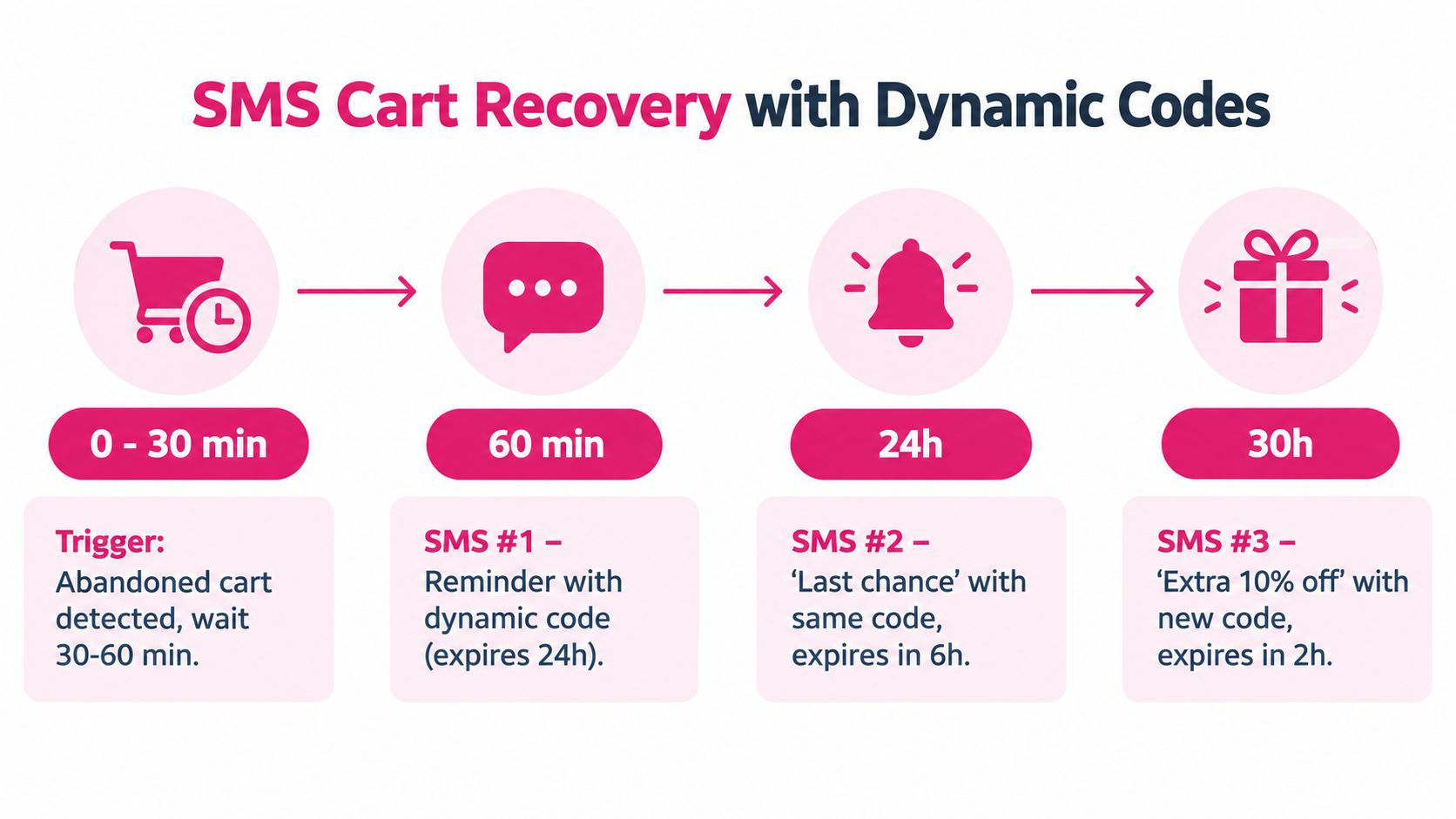
- First message: Send a plain cart reminder roughly 30 to 60 minutes after abandonment. Show the product, restore the cart, and avoid anchoring the shopper on a discount.
- Second message: Send the dynamic code after the reminder has had time to work. A common operational gap is 4 to 6 hours after the first message.
- Final message: Send a concise expiry reminder around the following day. Don’t create a new discount unless the segment and margin rules justify it.
The exact timing should follow consent, local SMS rules, quiet hours, and the store’s customer behavior. Recovery roundups consistently emphasize speed, with one benchmark identifying 1 to 2 hours as a strong timing window and another reporting that recovery within 1 hour can outperform waiting 48 hours. Visionary Marketing’s timing analysis supports treating the first contact as time-sensitive rather than postponing every message.
Build the message payload correctly
Generate the code from the campaign’s discount template, then pass two values into the SMS merge fields:
- The unique coupon code.
- The cart or checkout permalink with the discount attached.
A campaign or order tag can appear in the code string for internal traceability, provided it doesn’t expose sensitive customer information. The URL should open the cart with the code prefilled, so the shopper doesn’t need to copy, remember, or type anything.
If you’re building a broader lead attribution process around recovery, these lead tracking tips from Benjiads offer useful context for preserving source and campaign information across follow-up activity. The same discipline helps you connect an SMS redemption to the original cart event.
Keep the code tied to the recipient and define a short expiry. Vendor documentation commonly recommends usage limits, formatting controls, and short windows such as 48 to 72 hours for urgency and liability management, as described in Shopify’s dynamic coupon app guidance. For a more focused recovery flow, a 24 to 48 hour window usually keeps the offer connected to the abandoned cart rather than turning it into a general promotion.
Use SMS coupon message guidance to refine the copy, but keep the central promise clear: the shopper’s cart is ready, the code is personal, and the checkout link removes the work.
Best Practices, Pitfalls, and Margin Protection
A dynamic coupon code can stop sharing abuse while still creating a worse habit: intentional abandonment. If shoppers learn that waiting reliably produces a better price, the store has trained them to delay purchase. The solution isn’t to remove personalization. It’s to make the eligibility and frequency rules stricter than the discount message.
Start with exclusions
Suppress the offer for shoppers who don’t need recovery treatment:
- Recent buyers: Exclude customers who completed a purchase during the last 30 days.
- Prior redeemers: Suppress anyone who used a recovery code during the prior 60 days.
- Support cases: Don’t send an incentive while a shopper is resolving an order problem with support.
- Completed checkouts: Stop the flow immediately when the order is paid, even if the automation hasn’t processed the event yet.
CartBoss coupon distribution guidance can help teams think through how an offer moves from generation to delivery without treating every contact as equally eligible.
Use cart value and margin as decision inputs. A smaller cart might receive a fixed-dollar offer only when it reaches a profitable threshold. A larger cart may support a percentage discount, while margin-thin products, clearance items, or already-discounted collections stay excluded. VIP customers may need no price cut at all. Early access, free shipping, or priority service can protect the relationship without reducing product revenue.
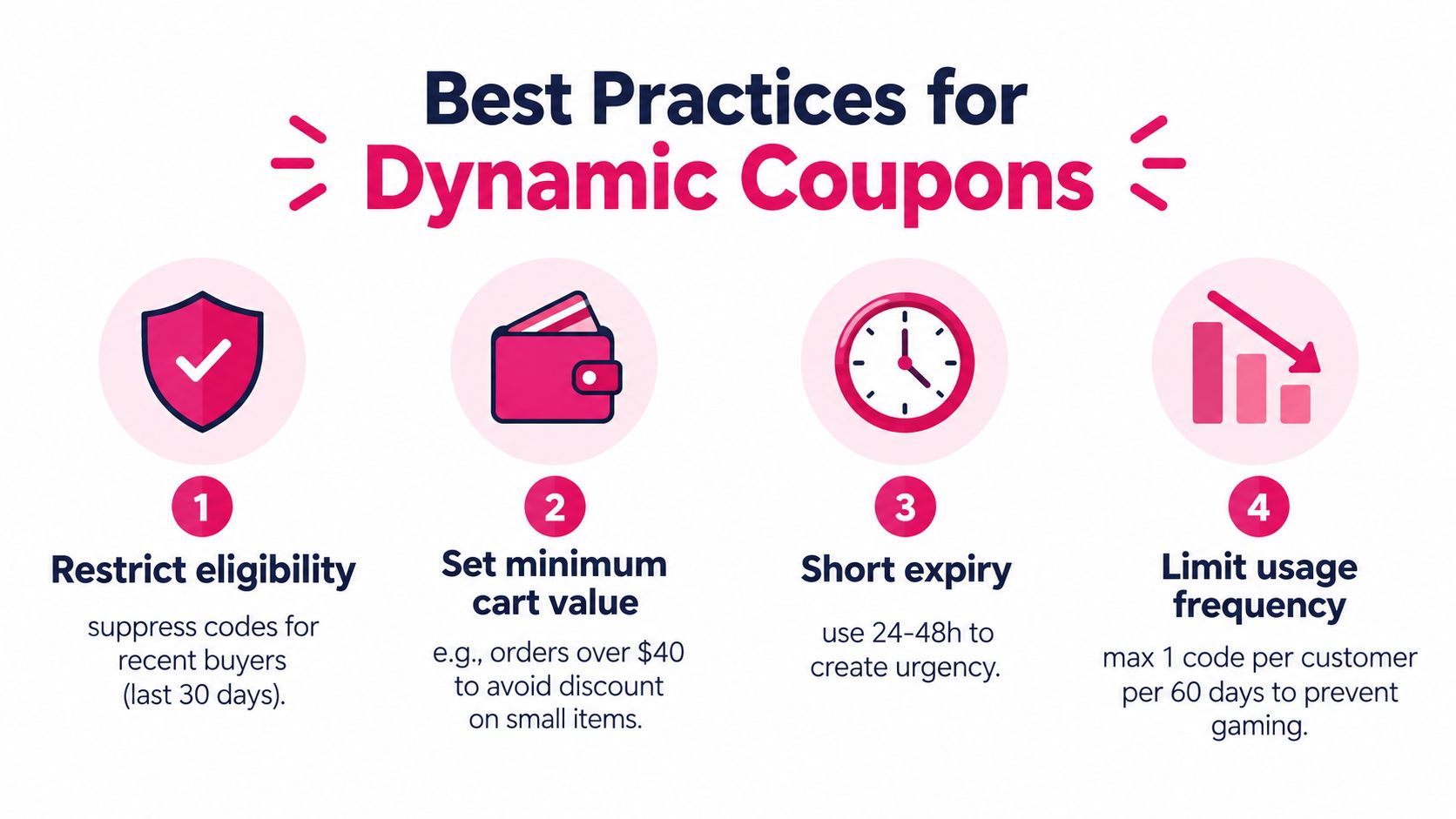
Keep the offer modest. The objective is to remove a final hesitation, not to fund a permanent buying pattern. Set the expiry inside a narrow window that matches the abandonment event, and audit redemption by customer cohort rather than looking only at total recovered orders.
Margin check: A recovered order isn’t automatically incremental revenue. Ask whether the shopper would have bought without the code, then compare the offer cost with the value of the recovered basket.
A 2025 tracking analysis covering more than 1,500 products across 120 retailers in 40+ countries found predictable category patterns in cart-abandonment discounts, according to Fortune’s reporting. That predictability creates the conditioning risk. Vary the trigger logic by segment, test a reminder-only holdout, and avoid escalating every abandoned cart to a larger concession.
Quick-Start Checklist and How to Measure the Lift
Use this launch checklist before activating the flow:
- Define the trigger: Choose when an abandoned cart qualifies and stop the sequence after purchase.
- Create the code: Generate a single-use discount in Shopify or WooCommerce, tied to the customer and cart.
- Set the expiry: Start with a 24-hour window, then adjust it only after testing behavior and margin.
- Build the cadence: Use a reminder first, introduce the incentive later, and send a final expiry message.
- Remove friction: Add an auto-apply checkout link and test it on a mobile device.
- Add suppression: Exclude recent buyers, previous redeemers, support cases, and ineligible products.
- Track consent: Respect opt-in requirements, quiet hours, unsubscribe requests, and regional compliance rules.
Measure the flow with recovered-order rate, average recovered order value, redemption rate per send, and incremental revenue after discount cost and SMS fees. A unique code makes attribution easier, but attribution still isn’t proof of lift.
Create a holdout group that receives a plain reminder without the dynamic coupon. Compare that group with shoppers who receive the incentive, then repeat the test monthly. The recovery-rate calculation guide can help standardize the core metric across campaigns.
If redemption rises while total abandonment stays unchanged, shoppers may be waiting for the offer. Tighten eligibility, shorten the offer window, or reserve discounts for higher-margin carts instead of scaling the concession.
CartBoss can generate a unique, single-use dynamic discount for an abandoned cart, send it by SMS, and provide an auto-applied checkout path for the recipient. If you want to connect controlled coupon rules with automated cart recovery across Shopify or WooCommerce, visit CartBoss and evaluate the flow against a reminder-only holdout.