



Skyrocket Your Sales with a Seamless Checkout
A frictionless ecommerce checkout is essential for converting browsers into buyers. This listicle reveals eight ecommerce checkout best practices to minimize cart abandonment and boost your bottom line. Learn how optimizing your checkout flow with features like guest checkout, mobile optimization, and clear progress indicators can significantly impact your sales. Implementing these ecommerce checkout best practices will create a more enjoyable customer experience and maximize your revenue in 2025.
1. Guest Checkout Option
One of the most effective ecommerce checkout best practices is offering a guest checkout option. This allows customers to complete their purchase without creating an account, significantly reducing friction in the checkout process and potentially boosting conversion rates. By prioritizing the immediate sale over account creation, you cater to the customer’s desire for a quick and easy purchase. Account creation can then be offered as an optional step after the purchase is complete.

This approach is especially valuable for first-time customers who may be hesitant to create an account with a new store. It streamlines the checkout experience by reducing the number of required form fields and shortening the overall checkout time. Key features of a well-implemented guest checkout include: no account creation required, reduced form fields (only essential information like shipping address and payment details), a faster checkout process, and a post-purchase account creation option.
Why this deserves a top spot in ecommerce checkout best practices: Guest checkout directly addresses a major pain point for online shoppers – the often cumbersome account creation process. By removing this barrier, you can significantly reduce cart abandonment rates and improve the overall customer experience.
Pros:
- Reduces cart abandonment rates: Customers are less likely to abandon their cart when faced with a shorter, simpler checkout.
- Speeds up checkout process: Fewer form fields mean faster completion times.
- Caters to first-time customers: Removes the hesitation associated with creating an account with an unfamiliar brand.
- Removes a significant friction point: Simplifies the buying journey, leading to a more positive user experience.
Cons:
- Less customer data collected: Without an account, you gather less information about the customer’s preferences and purchase history.
- Fewer opportunities for relationship building: Account creation facilitates personalized marketing and loyalty programs.
- May reduce customer loyalty: While not always the case, the absence of an account can sometimes make it easier for customers to shop elsewhere in the future.
Examples of Successful Implementation:
- Amazon: A prime example of guest checkout done right, offering the option to create an account after purchase with pre-filled information.
- Apple Store: Allows purchases without requiring an Apple ID, streamlining the checkout process for all users.
- ASOS: Saw notable conversion rate increases after implementing guest checkout, demonstrating its effectiveness.
Actionable Tips for Implementation:
- Placement: Position the guest checkout option as the first or most visible choice on the checkout page.
- Essential Information Only: Request only the absolute minimum information required to process the transaction.
- Post-Purchase Account Creation: Offer account creation after the purchase is complete, pre-filling the form with the information already provided.
- Highlight Benefits (Without Pressure): Clearly communicate the benefits of creating an account (e.g., order tracking, faster checkout in the future) without making it mandatory.
By following these best practices and understanding the pros and cons, you can leverage the power of guest checkout to optimize your ecommerce checkout flow, reduce cart abandonment, and ultimately increase conversions.
2. Mobile-Optimized Checkout
In today’s ecommerce landscape, mobile optimization isn’t just a nice-to-have—it’s a necessity. A mobile-optimized checkout streamlines the purchasing process for customers using smartphones and tablets, ultimately boosting conversion rates and revenue. This involves designing a checkout experience that’s specifically tailored to smaller screens and touch interactions. It considers elements like button sizes, form simplification, and a touch-friendly interface. With mobile commerce dominating over 70% of ecommerce traffic in many markets, ignoring mobile optimization means leaving money on the table. This is a crucial element of ecommerce checkout best practices as it directly impacts a significant portion of your potential customer base.
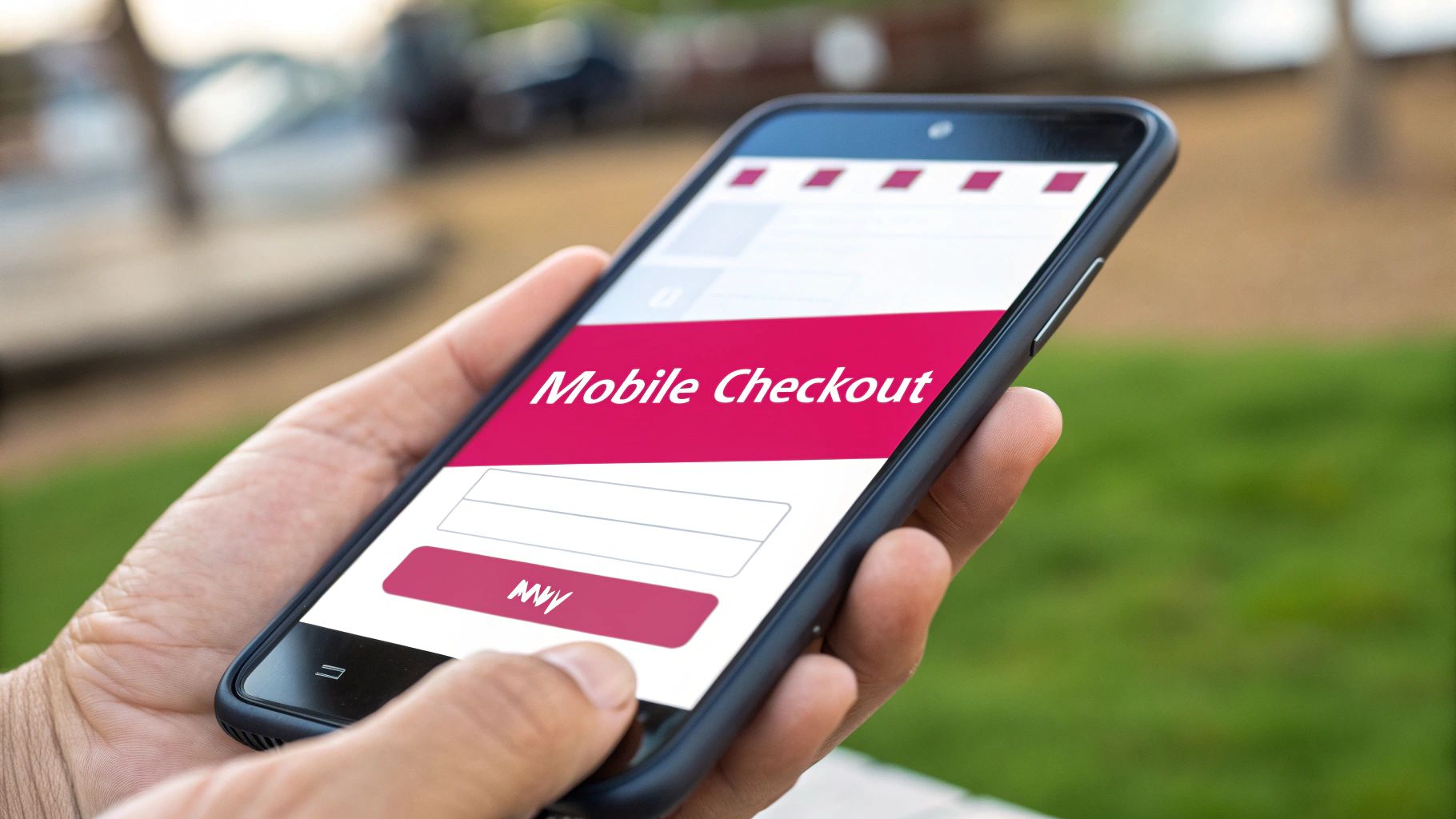
A truly mobile-optimized checkout experience boasts features like large, touch-friendly interface elements, a single-column layout that’s easy to scroll through, minimal keyboard switching between number and text input, clear progress indicators to reassure the customer, and a responsive design that adapts flawlessly to various screen sizes. This approach minimizes friction and makes purchasing on the go effortless. Brands like Sephora, Nike, and Warby Parker exemplify successful mobile checkout design. Sephora utilizes large call-to-action buttons and simplified form fields, while Nike employs a thumb-friendly design. Warby Parker takes it further with a mobile-first checkout experience that prioritizes the mobile user.
The benefits are clear: improved mobile conversion rates, catering to the ever-growing mobile shopping audience, reduced form abandonment, and an overall enhanced user experience on smaller screens. However, it’s important to acknowledge the potential drawbacks. Implementing a mobile-optimized checkout requires dedicated design considerations and may necessitate ongoing optimization for a diverse range of devices. The limited screen real estate can also restrict opportunities for upsells and cross-sells.
To create a truly effective mobile checkout, consider these actionable tips: Use large touch targets (at least 44×44 pixels) for buttons and links to avoid accidental clicks. Implement numerical keyboards for number fields like phone numbers and credit card details. Reduce form fields to the absolute minimum, requesting only essential information. Support digital wallets like Apple Pay and Google Pay for faster and more secure payments. Finally, rigorously test your checkout process on multiple devices and screen sizes to ensure a consistent experience across the board. Learn more about Mobile-Optimized Checkout for additional insights.
Platforms like Shopify, Walmart, Instagram Shopping, and Pinterest Shopping have popularized and streamlined mobile checkout, making it easier than ever to implement these best practices. By prioritizing mobile optimization as part of your overall ecommerce checkout best practices, you can significantly enhance the customer journey, reduce friction, and drive sales from this crucial segment of your audience.
3. Multiple Payment Options
One of the most effective ecommerce checkout best practices is offering a variety of payment options. Providing multiple payment methods allows customers to choose their preferred or most convenient way to pay, significantly increasing the likelihood of completed transactions. This approach recognizes the diverse preferences of customers and accommodates varying payment norms across different regions, ultimately reducing a major cause of cart abandonment. By streamlining the payment process and catering to individual needs, businesses can create a more positive checkout experience and boost their bottom line.

This best practice deserves its place on the list because payment flexibility directly impacts conversion rates. Features like credit/debit card processing are essential, but integrating digital wallets (Apple Pay, Google Pay), buy now, pay later services (Klarna, Affirm), and alternative payment methods expands your reach and caters to a wider customer base. Think about offering local payment options for international sales – this can be a game-changer. For example, Alipay and WebMoney are crucial for reaching customers in specific regions, as demonstrated by Aliexpress’s successful implementation. Similarly, Target’s inclusion of Affirm and PayPal alongside traditional card payments showcases a commitment to diverse payment preferences. Etsy, another prime example, provides a comprehensive suite of options, including credit cards, PayPal, Apple Pay, Google Pay, and Klarna.
Pros of offering multiple payment options:
- Increased conversion rates: Catering to payment preferences streamlines the purchase process.
- Expanded customer base: Reaching a wider demographic, including those who may not have access to traditional banking.
- Reduced payment-related abandonment: Minimizing friction at checkout by offering preferred methods.
- Support for international sales: Facilitating transactions across borders with region-specific options.
Cons to consider:
- Integration complexity: Each new payment method adds to the technical integration workload.
- Varying transaction fees: Different providers have different fee structures, impacting profit margins.
- Increased security compliance: Maintaining compliance with various payment regulations can be challenging.
- More complex reconciliation: Managing transactions across multiple platforms can complicate accounting.
Actionable Tips for Implementation:
- Clear Visual Cues: Display all payment options with easily recognizable icons for quick identification.
- Prioritize Based on Region: Feature the most popular payment methods in a given region prominently.
- Single Screen Checkout: Keep the payment selection process on a single screen to avoid confusion.
- Strategic BNPL Integration: Implement “Buy Now Pay Later” options, especially for higher-value purchases, to reduce financial barriers.
- Consider Cryptocurrency: Explore cryptocurrency payment gateways for tech-savvy audiences, depending on your target market.
By offering multiple payment options, businesses can significantly improve their ecommerce checkout best practices. This strategy is particularly beneficial for online retailers experiencing high cart abandonment rates, those operating in multiple languages or countries, and businesses focused on customer retention. Implementing these tips allows e-commerce stores of all sizes, including Shopify and WooCommerce users, to optimize their checkout process and drive conversions. Companies like PayPal, Stripe, Klarna, Affirm, and Amazon Pay have not only popularized this approach but also provide the infrastructure to seamlessly integrate various payment methods.
4. Streamlined Form Design
Streamlined form design is a crucial element of ecommerce checkout best practices. It focuses on simplifying the checkout process by minimizing the number of form fields and optimizing the user experience. This approach directly combats cart abandonment by reducing the cognitive load and time required to complete a purchase. By only asking for essential information and presenting it in a clear, concise manner, you can significantly improve conversion rates. A streamlined checkout experience makes it easier and faster for customers to complete their purchases, leading to increased sales and customer satisfaction.

Features of a streamlined form design include minimal required fields, a logical form flow, inline validation, smart defaults, field auto-fill capabilities, and often a single-page or accordion-style checkout process. These features work together to create a frictionless experience for the customer. For instance, inline validation provides immediate feedback on input errors, preventing frustration and saving time. Smart defaults, such as pre-filling fields based on location data, further expedite the process.
Examples of successful implementations include Apple’s checkout, renowned for its minimal fields, excellent spacing, and clear visual hierarchy. Bellroy effectively uses an accordion-style checkout with progressive disclosure, revealing information step-by-step to avoid overwhelming the user. Glossier’s clean, minimal checkout form incorporates real-time validation, providing a seamless and user-friendly experience. These brands demonstrate the power of streamlined design in optimizing the checkout flow and driving conversions.
Actionable Tips for Streamlined Form Design:
- Leverage Browser Autofill: Use browser autofill attributes (like
autocomplete) to pre-fill common fields. - Real-Time Validation: Implement real-time field validation to provide immediate feedback to users.
- Auto-Formatting: Auto-format fields like phone numbers and credit cards for a better user experience.
- Address Finder: Use single-line address inputs coupled with an address finder tool to simplify address entry.
- Minimize Optional Fields: Remove optional fields or clearly mark them as such to reduce clutter.
- Smart Defaults: Implement smart defaults based on location data or other available information.
Pros and Cons:
- Pros: Reduces checkout abandonment, decreases time to complete purchase, minimizes user errors, improves mobile experience.
- Cons: Less customer data collected, may require more sophisticated validation, potential complexity in implementation.
When and Why to Use Streamlined Form Design:
Streamlined form design is particularly beneficial for businesses experiencing high cart abandonment rates. It’s especially crucial for mobile users, who often have less patience for lengthy forms. This approach is a core component of ecommerce checkout best practices because it directly addresses a major pain point for online shoppers. By removing unnecessary hurdles and simplifying the process, you create a more positive user experience, ultimately leading to increased sales and customer loyalty.
For those using WooCommerce, learn more about Streamlined Form Design and available plugins to enhance your checkout process. The work of the Baymard Institute and Luke Wroblewski’s form design research, along with the innovations of companies like Shopify and Amazon (with its one-click ordering concept), have further popularized and validated the importance of streamlined form design in ecommerce.
5. Transparent Pricing and Shipping Costs
One of the most impactful ecommerce checkout best practices is transparent pricing and shipping costs. This involves displaying all costs upfront – the product price, taxes, shipping fees, and any other surcharges – before the customer reaches the final checkout stage. This transparency is crucial for building trust and minimizing checkout abandonment, a pervasive issue that sees an average of 70% of online shopping carts abandoned across the e-commerce industry. Unexpected costs revealed late in the checkout process are a major contributor to this high abandonment rate.
How does transparent pricing work? It’s about setting clear expectations from the outset. Instead of surprising customers with added fees at the end, you present the full cost picture early on. This is achieved through features like an upfront total cost display, integrating a shipping calculator, providing early tax estimations (often based on zip code), presenting optional expedited shipping choices, and clearly explaining any applicable fees.
Several successful businesses exemplify this best practice. Everlane, for instance, shows shipping costs directly on the cart page before the checkout process begins. Best Buy provides real-time tax estimates as soon as the customer enters their zip code early in the shopping journey. And Zappos strategically promotes free shipping prominently throughout the entire shopping experience. These approaches create a sense of openness and honesty, encouraging customers to proceed with confidence.
Why is this so important for your ecommerce business?
Transparent pricing directly addresses a major pain point for online shoppers. By eliminating the “price shock” that often occurs at the end of the checkout process, you significantly reduce cart abandonment. This, in turn, boosts conversions and increases revenue. Learn more about Transparent Pricing and Shipping Costs. Moreover, transparent pricing fosters customer trust, setting the stage for long-term loyalty. It also reduces the burden on customer service by preemptively answering common questions about costs.
Here are some actionable tips to implement transparent pricing in your own checkout flow:
- Show shipping costs on product or cart pages: Don’t wait until the checkout page to reveal shipping fees.
- Offer free shipping thresholds with clear messaging: Promote free shipping options (e.g., “Free shipping on orders over $50”) clearly and consistently.
- Display tax calculations as early as possible: Implement a system that calculates and displays estimated taxes based on location information provided early in the process.
- Use progress bars that include a payment summary: This allows customers to see a running total of their costs as they progress through checkout.
- Allow shipping method selection before requiring full address details: This allows customers to compare shipping options and costs before committing to a lengthy address form.
While the benefits are numerous, there are a few potential drawbacks to consider. Displaying higher total costs upfront might deter some price-sensitive shoppers. Implementing accurate tax and shipping integrations can be complex, particularly for businesses shipping internationally. However, the long-term gains in customer trust and reduced cart abandonment far outweigh these challenges.
Pros:
- Reduces abandonment from price shock
- Builds customer trust
- Sets clear expectations
- Decreases customer service inquiries
Cons:
- May highlight higher total costs
- Requires accurate tax and shipping integrations
- Complex to implement for international shipping
The success of Amazon Prime’s free shipping model and Zappos’ transparent pricing strategy, combined with extensive research by organizations like the Baymard Institute, have solidified transparent pricing as a fundamental ecommerce checkout best practice. Implementing these strategies can significantly improve your bottom line and create a more positive customer experience.
6. Trust Signals and Security Indicators
In the competitive world of ecommerce, building trust is paramount. A key element of optimizing your checkout process and minimizing cart abandonment involves incorporating visible trust signals and security indicators. This practice is crucial for reassuring customers about the safety of their personal and payment information during the checkout process, directly impacting your bottom line as part of your broader ecommerce checkout best practices. Over 90% of online shoppers consider security a major factor influencing their purchasing decisions, according to multiple consumer studies. Addressing these concerns proactively can significantly boost conversions.
Trust signals work by visually communicating the security and legitimacy of your online store. These signals reassure customers that their sensitive data is protected and that your business is credible. They alleviate anxieties related to online fraud and data breaches, encouraging customers to complete their purchases.
Features you can implement include:
- SSL certificate indicators: The padlock icon in the address bar and the “https” prefix are fundamental.
- Trusted payment logos: Displaying logos of accepted payment methods like Visa, Mastercard, PayPal, and American Express instills confidence.
- Security badges: Badges from reputable security providers like Norton Secured or McAfee SECURE provide third-party validation of your site’s security.
- Customer reviews integration: Positive reviews displayed near the checkout can further bolster trust.
- Clear privacy policy access: A readily accessible and transparent privacy policy demonstrates your commitment to data protection.
- Secure checkout messaging: Using phrases like “Secure Checkout” or “Your information is safe” reinforces the security of the transaction.
Pros:
- Increases customer confidence: Visible security reassures customers, making them more likely to complete their purchases.
- Reduces security-related abandonment: Addressing security concerns directly minimizes cart abandonment due to trust issues.
- Builds brand credibility: Trust signals contribute to a positive brand image and foster long-term customer loyalty. This is particularly important for new or less-known businesses looking to establish themselves in the market.
Cons:
- Cluttered design if overdone: Too many badges can overwhelm the customer and negatively impact user experience.
- Some indicators require third-party certification: Obtaining and maintaining certain security badges may involve costs and ongoing compliance.
- Regular renewal and compliance requirements: Security certifications often require periodic renewals and adherence to specific standards.
Examples of Successful Implementation:
- Norton Secured Seal on Dell’s checkout pages: Dell leverages the widely recognized Norton Secured seal to assure customers of their transaction security.
- McAfee SECURE certification on Lenovo’s website: Lenovo displays the McAfee SECURE badge to communicate its commitment to website security.
- Shopify’s integration of trust badges near checkout buttons: Shopify makes it easy for merchants to add trust badges near the “Buy Now” button, reinforcing security at the point of purchase.
Actionable Tips:
- Display security badges near sensitive information fields: Place security icons next to credit card details and personal information fields.
- Include recognized payment method logos: Show all accepted payment methods clearly.
- Use lock icons and secure checkout messaging: Reinforce security visually and verbally.
- Place trust signals near the final purchase button: Provide reassurance at the critical moment of purchase.
- Ensure mobile visibility of security elements: Optimize trust signals for mobile devices to maintain consistent reassurance across all platforms.
- Don’t overdo it—select quality over quantity: Choose a few reputable trust signals rather than cluttering the checkout page with numerous badges.
Companies like Norton, McAfee, TrustPilot, and payment providers offering services like PayPal Verified, Visa Secure, and Mastercard SecureCode have popularized these trust-building practices. Learn more about Trust Signals and Security Indicators to understand their impact on reducing cart abandonment and fostering customer loyalty.
By implementing these ecommerce checkout best practices, you can create a more secure and trustworthy shopping experience, ultimately leading to increased conversions and revenue for your business.
7. Progress Indicators and Clear Navigation
A smooth and intuitive checkout experience is crucial for converting shoppers into paying customers. One of the most effective ecommerce checkout best practices is the implementation of progress indicators and clear navigation. These elements guide customers through each step of the checkout process, reducing uncertainty and fostering a sense of momentum towards purchase completion. This is particularly important for multi-step checkouts, where customers need to input various pieces of information. By clearly outlining the steps involved, you minimize confusion and anxiety, which are major contributors to cart abandonment.
Progress indicators and intuitive navigation work by providing visual cues and clear pathways through the checkout funnel. This typically involves features like step-by-step progress bars (linear or percentage-based), numbered steps with the current step highlighted, breadcrumb navigation, and distinct “Next” and “Previous” buttons. Clear step naming conventions, like “Shipping Information,” “Payment Method,” and “Review Order,” also enhance clarity. Visual completion indicators, such as filled circles or checkmarks for finished steps, further reinforce progress and encourage customers to continue.
Several successful brands leverage these features effectively. Booking.com, for example, utilizes clear progress steps with visual indicators, ensuring customers know exactly where they are in the booking process. IKEA employs a numbered checkout process with the current step highlighted, while Adidas opts for a minimalist progress bar displaying the completion percentage. These examples demonstrate how different approaches can cater to various branding and user experience preferences.
Why This Matters for Your Ecommerce Store:
This approach deserves its place in the list of ecommerce checkout best practices because it directly addresses a major pain point for online shoppers: checkout complexity. By simplifying the process and providing transparency, you build trust and reduce the likelihood of customers abandoning their carts due to confusion or frustration. This ultimately translates to higher conversion rates and increased revenue.
Pros and Cons of Progress Indicators and Clear Navigation:
Pros:
- Reduces Uncertainty: Eliminates guesswork and provides a clear roadmap.
- Creates Psychological Momentum: Encourages completion by highlighting progress.
- Decreases Abandonment from Confusion: Minimizes frustration and keeps customers engaged.
- Improves User Experience and Confidence: Builds trust and enhances the overall checkout experience.
Cons:
- Can Make the Process Seem Longer: Too many steps can be overwhelming.
- Requires Thoughtful UX Design: Poorly designed indicators can be counterproductive.
- May Add Visual Complexity: Overly elaborate designs can clutter the interface.
Actionable Tips for Implementation:
- Limit Checkout to 3-5 Clearly Labeled Steps: Consolidate information where possible to avoid overwhelming customers.
- Use Visual Cues: Employ filled circles, checkmarks, or color changes to indicate completed steps.
- Ensure Backward Navigation: Allow users to easily return to previous steps without losing entered data.
- Consider a Single-Page Checkout with Collapsible Sections: Streamline the process for simpler flows.
- Make the Final Step Explicit: Use clear labels like “Review Order” or “Complete Purchase.”
Learn more about Progress Indicators and Clear Navigation to further optimize your checkout flow.
By implementing these ecommerce checkout best practices, you can significantly improve the user experience and boost your conversion rates. Remember, a clear and intuitive checkout process is an investment in customer satisfaction and business growth. Just as Amazon’s streamlined checkout flow and Shopify’s checkout template system have demonstrated, and as conversion rate experts consistently advise, optimizing this critical stage of the customer journey is paramount for success in the competitive world of ecommerce.
8. One-Click Reordering and Saved Information
One of the most effective ecommerce checkout best practices for boosting customer retention and minimizing friction is enabling one-click reordering and saved information. This functionality allows returning customers to breeze through the checkout process without the tedious task of re-entering their shipping, billing, and payment information. By streamlining repeat purchases, you can significantly improve the customer experience, encourage loyalty, and ultimately increase customer lifetime value. This is particularly crucial for businesses with high cart abandonment rates, as it removes a significant barrier to completing a purchase.
How it Works: One-click reordering leverages saved customer data, including shipping addresses, billing details, and preferred payment methods. When a customer wants to reorder a previous purchase or quickly buy a frequently purchased item, they can simply click a “Buy Now” or “Reorder” button, bypassing the standard multi-step checkout process. This seamless experience is especially valuable for mobile shoppers, where form-filling can be particularly cumbersome.
Features that Power One-Click Reordering:
- Secure Credential Storage: Robust security measures are essential for protecting sensitive customer data.
- Address Book Functionality: Allowing users to save multiple shipping addresses with descriptive nicknames (e.g., “Home,” “Office,” “Mom’s House”) enhances convenience.
- Saved Payment Methods: Storing preferred payment methods (credit cards, PayPal, etc.) eliminates a major checkout hurdle.
- Quick Reorder Capability: Prominent “Reorder” buttons in order history or product pages facilitate repeat purchases.
- User Account Integration: Seamlessly integrating this functionality with user accounts provides a personalized and convenient experience.
Examples of Successful Implementation:
- Amazon’s 1-Click Ordering: While originally patented, Amazon’s pioneering work with 1-Click ordering set the standard for streamlined purchasing.
- Instacart’s Reordering Capability: Easily reordering past grocery lists simplifies the weekly shopping routine.
- Starbucks app’s Stored Payment and Quick Reorder Functionality: Combining saved payment details with quick reorder options makes grabbing a morning coffee a frictionless experience.
Pros of Implementing One-Click Reordering:
- Dramatically Speeds Up Repeat Purchases: Reduces checkout time to mere seconds.
- Increases Customer Loyalty and Retention: A convenient experience encourages customers to return.
- Reduces Form-Filling Abandonment: Eliminates a major cause of cart abandonment.
- Improves Mobile Purchasing Experience: Simplifies checkout on smaller screens.
Cons to Consider:
- Requires Secure Data Storage Compliance: Adhering to PCI DSS and GDPR is paramount.
- Depends on User Account Creation: This feature relies on customers creating and using accounts.
- May Raise Privacy Concerns for Some Users: Transparency about data security is crucial.
- Implementation Complexity with Payment Processors: Integrating with various payment gateways can be technically challenging.
Actionable Tips for Implementation:
- Implement robust encryption for stored payment details.
- Allow multiple saved addresses with nicknames.
- Make saved information easily editable and deletable.
- Clearly communicate the security measures protecting stored data.
- Create easy-to-find reorder buttons in order history and product pages.
- Ensure GDPR and PCI compliance for data storage.
Why This Deserves a Spot in the Ecommerce Checkout Best Practices List:
In today’s fast-paced world, convenience is king. One-click reordering directly addresses a major pain point in the online shopping experience by removing friction and simplifying repeat purchases. For e-commerce businesses, especially those targeting repeat customers or selling consumable goods, this feature is no longer a luxury but a necessity. By prioritizing customer convenience and streamlining the checkout flow, you can significantly impact your bottom line by boosting conversions, fostering customer loyalty, and maximizing customer lifetime value. This is especially relevant for Shopify and WooCommerce store owners, as plugins and extensions are readily available to implement this functionality. By adopting this best practice, you’re demonstrating a commitment to providing a superior customer experience, which is essential for thriving in the competitive e-commerce landscape.
8 Ecommerce Checkout Best Practices Comparison
| Best Practice | Implementation Complexity 🔄 | Resource Requirements ⚡ | Expected Outcomes 📊 | Ideal Use Cases 💡 | Key Advantages ⭐ |
|---|---|---|---|---|---|
| Guest Checkout Option | Low to Medium – simple flow but needs post-purchase options | Low – minimal data and form fields | Increased conversion rates, reduced abandonment | First-time/customers avoiding sign-up | Removes friction, speeds checkout, reduces abandonment |
| Mobile-Optimized Checkout | Medium – requires responsive design and testing | Medium – UX/UI and device testing | Higher mobile conversions, better UX on small screens | Mobile shoppers on smartphones/tablets | Improves mobile usability, reduces form abandonment |
| Multiple Payment Options | High – complex integrations and compliance requirements | High – payment gateway/processor setups | Lower payment-related abandonment, increased sales | Diverse customer base with varied payment prefs | Increases conversion by offering preferred payment methods |
| Streamlined Form Design | Medium to High – needs smart validation and autofill | Medium – design and development effort | Reduced errors, faster checkout, improved conversions | All checkout flows aiming to reduce friction | Reduces abandonment, decreases time, improves UX |
| Transparent Pricing and Shipping Costs | Medium – requires accurate cost calculation integration | Medium – tax/shipping API integrations | Builds trust, reduces price shock abandonment | Stores with variable shipping/tax costs | Builds trust, sets clear expectations |
| Trust Signals and Security Indicators | Low to Medium – visual elements and third-party certs | Low to Medium – certificate costs and design | Increased confidence, reduced security concerns | All e-commerce, especially new or lesser-known brands | Builds credibility, reduces security-related abandonment |
| Progress Indicators and Clear Navigation | Medium – UX design and multi-step flow control | Medium – design and development resources | Reduced confusion and abandonment, improved flow | Multi-step checkout processes | Creates momentum, reduces uncertainty |
| One-Click Reordering and Saved Information | High – secure data storage and compliance required | High – backend infrastructure and security | Faster repeat purchases, increased loyalty | Returning customers with accounts | Drastically speeds repeat purchases, boosts retention |
Reap the Rewards of a Frictionless Checkout
By implementing these eight ecommerce checkout best practices—from offering guest checkout and mobile optimization to displaying trust signals and simplifying form design—you can significantly enhance the customer experience, reduce cart abandonment, and boost sales. Remember, providing multiple payment options, transparent pricing, clear navigation, and features like one-click reordering are crucial elements of a seamless checkout flow. Mastering these approaches streamlines the buying journey, making it easier for customers to complete their purchases and increasing your conversion rates. For a deeper dive into optimizing your checkout process, check out this comprehensive guide on essential ecommerce checkout best practices.
Optimizing your ecommerce checkout process is an ongoing journey. Continuously analyze your checkout data, gather customer feedback, and stay up-to-date on the latest trends to ensure your checkout flow remains a powerful engine for growth. This continuous improvement mindset is essential for staying ahead of the curve and adapting to the ever-evolving ecommerce landscape. With the right strategies and tools in place, you can transform your checkout experience from a potential roadblock into a high-converting sales machine, driving revenue and building customer loyalty.
Ready to take your checkout optimization to the next level and recover lost sales? Explore CartBoss, a powerful tool that helps re-engage customers who abandoned their carts through targeted SMS messages, further maximizing your revenue potential and complementing your ecommerce checkout best practices.