


Think of a marketing automation workflow as a series of smart, automated conversations. It’s a sequence of actions that kicks off based on what a user does on your site, designed to guide them toward a sale without you lifting a finger. It’s about re-engaging shoppers at just the right moment, turning what could be a lost sale into a win.
The Power of an Automated Marketing Workflow
Imagine recovering lost sales while you’re asleep. That’s the reality of a well-tuned marketing automation workflow. This isn’t about blasting out generic messages; it’s about creating intelligent, automated sequences that help customers along their buying journey. For e-commerce brands, this is a total game-changer.
The core of it is actually quite simple, but incredibly powerful:
- Triggers: These are specific actions a shopper takes, like abandoning a cart or making their first purchase.
- Timing: This is all about the strategic delays between your messages. You don’t want to be annoying, but you need to be timely.
- Content: This is the actual message you send, tailored to fit the context of the shopper’s action.
By putting these elements on autopilot, you build a system that works for you 24/7.
Why SMS Workflows Are a Priority
So why are so many leading e-commerce stores making SMS workflows a top priority? One word: engagement. SMS has near-perfect open rates, which means your message gets seen almost instantly. That kind of speed is priceless for time-sensitive actions, like trying to recover an abandoned cart before the customer moves on.
A solid marketing automation workflow turns what used to be a manual, time-sucking follow-up process into an efficient engine. It nurtures leads, gets those sales back, and builds real customer loyalty—all without adding to your daily grind.
This hands-off approach lets you focus on big-picture strategy and growth while the system handles the repetitive, but absolutely crucial, customer communication. It’s the definition of working smarter, not harder.
Turning Automation Into Revenue
The financial impact here is undeniable. We’ve seen that automated workflows, especially for cart recovery, can generate up to 30 times more revenue per recipient than a standard promotional campaign. That’s a staggering number, and it really drives home the power of sending the right message at the right time.
Ultimately, tools like CartBoss make this level of automation easy to get started with. They handle all the complex logic—the triggers, timing, and personalization—so you can deploy a powerful marketing strategy in minutes. For an even deeper dive into this, check out our complete guide to an automated marketing strategy.
To really see what’s possible, it helps to look at some actionable marketing automation workflow examples. Seeing these systems in action shows how you can adapt them to almost any customer touchpoint, from the initial welcome message to long-term win-back campaigns.
Designing Your Abandoned Cart Recovery Workflow
The abandoned cart. It’s the single biggest revenue leak for just about every online store. I see it all the time—a customer is literally moments away from buying, then something happens. They get distracted, have second thoughts, or the doorbell rings.
This is exactly where a smart marketing automation workflow comes in. With a few well-timed SMS reminders, you can turn that potential loss into a recovered sale.
The key is to be helpful, not pushy. We’re aiming for a multi-message flow that feels like a friendly nudge back to the checkout page. Unlike email, which can sit unread for hours, SMS is immediate and personal. That makes it the perfect channel for this critical moment.
At its core, a solid workflow is pretty straightforward. You just need three key components: a specific trigger that kicks things off, a defined time delay before the message goes out, and of course, the carefully crafted content of the text itself.
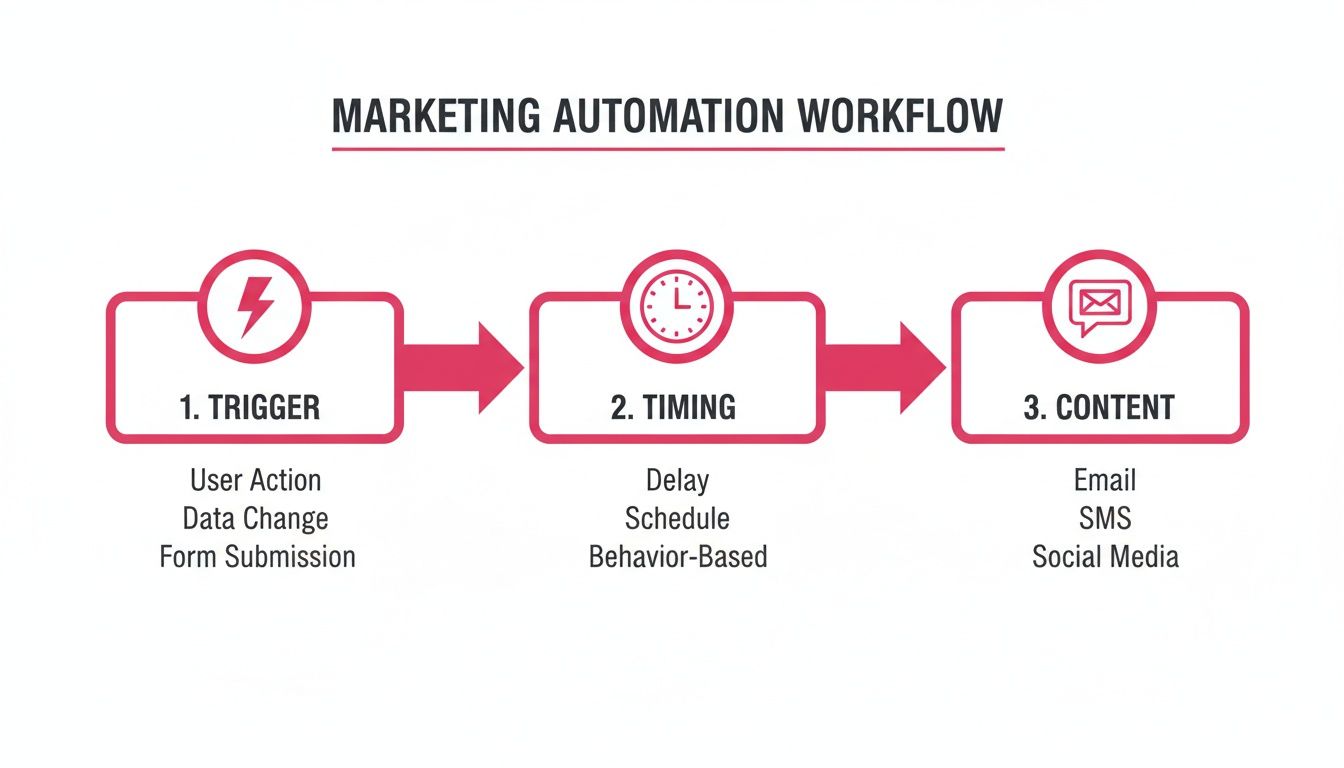
As you can see, it isn’t rocket science. It’s just a logical sequence from action to communication, and the best part is, it all runs on its own.
Crafting the Initial Reminder
The first message is your most important shot. You need to send it quickly enough to be relevant but not so fast that it feels creepy or intrusive.
From what I’ve seen, the sweet spot is typically between 30 and 60 minutes after the cart is abandoned. This timing catches the shopper while the purchase is still fresh in their mind, but they’ve had enough time to get distracted.
Your tone should be conversational and helpful. You’re not scolding them for leaving; you’re just checking in. A little personalization goes a long way here.
- Example Template 1 (Gentle Nudge):
“Hey [Customer Name]! It looks like you left some amazing items in your cart at [Your Store]. Did you need any help? Your cart is saved and ready for you here: [Link]”
This message nails three things perfectly: it uses their name, reminds them of what they were doing, and gives them a direct, one-click link back to their pre-filled checkout. Making it frictionless is vital for recovery. We’ve got even more strategies to recover abandoned carts with text messages in our deep-dive guide.
The Follow-Up Offer
Okay, so what if the first message doesn’t do the trick? Your second message needs to bring something new to the table. Sending the same reminder again just feels lazy.
This next message, sent around 12 to 24 hours later, is the perfect time to introduce a small incentive.
A common mistake I see is throwing a huge discount at them right away. This can cheapen your brand. Instead, start small with something like free shipping or a modest percentage off. It’s often just enough to get them over the line.
This follow-up acts as a final, friendly reminder that also makes the customer feel a bit special. The offer should feel like a little bonus for coming back, not a desperate plea.
- Example Template 2 (Incentive Offer):
“Hi [Customer Name]! Still thinking it over? We’d love for you to join the [Your Store] family. Use code WELCOME10 for 10% off your order. Complete your purchase now: [Link]”
Notice the language is still welcoming, not aggressive. It frames the discount as a welcome gift.
The Final Chance Message
For the really tough-to-convince shoppers, a final message after 24 to 48 hours can be your last attempt. This is where you might roll out your best offer, but it’s absolutely crucial that your automation stops the second a customer buys. No one wants to get a discount code right after they paid full price.
You can create a bit of urgency here by mentioning the offer is time-sensitive or that the items in their cart are popular and might sell out.
- Example Template 3 (Urgency Offer):
“Last chance, [Customer Name]! Your cart at [Your Store] expires soon. We’ve saved your items and added free shipping to your order. Don’t miss out: [Link]”
This creates a sense of scarcity without being dishonest. The good news is that platforms like CartBoss automate this entire sequence for you—from spotting the abandoned cart to sending the right message at the right time, and even applying dynamic discount codes automatically. It takes all the manual work out of building a powerful marketing automation workflow, turning what was once lost revenue into a consistent profit stream.
Building Post-Purchase and Win-Back Automations
That “cha-ching” sound is great, but the conversation with your customer shouldn’t end at the checkout. In fact, what happens after the sale is just as important as what happens before. This is where you build real, long-term relationships, and a solid post-purchase marketing automation workflow is your secret weapon for turning one-time buyers into loyal fans.
Then you have another group of customers—the ones who went quiet. They bought something a few months ago and haven’t been back since. A smart win-back workflow can wake these dormant accounts up and bring that revenue back where it belongs.
Both of these automated sequences are incredibly cost-effective because they work with customers you already have. You’ve probably heard the old saying that acquiring a new customer can cost five times more than keeping an existing one. Well, these workflows are how you put that principle into action automatically.
Crafting the Perfect Post-Purchase Flow
The whole point of a post-purchase sequence is to make your customer feel great about their decision. It’s about killing buyer’s remorse before it even starts and opening the door for future business. This isn’t the time to immediately shove another product in their face; it’s about providing value and showing you’re there for them beyond the transaction.
A simple, but powerful, post-purchase SMS flow looks something like this:
- Order Confirmation (Instant): The second their payment goes through, hit them with an SMS confirming the order. It gives them instant peace of mind.
- Shipping Notification (When it ships): Trigger an SMS the moment a shipping label is created. Always, always include the tracking link.
- Review Request (7-14 days after delivery): Once they’ve had a chance to actually use the product, send a friendly text asking for a review. This is how you build up that all-important social proof.
This approach keeps the customer in the loop and builds a foundation of trust.
A great post-purchase workflow does more than just update; it makes the customer feel seen. A simple “How are you enjoying your new [Product Name]?” text a week after delivery can make a huge impact on their perception of your brand.
For example, a quick message like, “Hey [Customer Name]! We hope you’re loving your new gear from [Your Store]. We’d be thrilled if you could share your thoughts and leave a review: [Review Link]” feels personal, gets straight to the point, and gives your business a massive boost.
Winning Back Lapsed Customers
Every e-commerce store has a customer graveyard—people who bought once 60, 90, or 120 days ago and then vanished. A win-back marketing automation workflow is your tool for re-engaging this specific group with an offer they can’t refuse.
The trigger is straightforward: a customer hasn’t purchased within a set timeframe, like 90 days. That’s when your automation should kick in with a carefully timed message. Trying to win back lost customers is a core part of any sustainable e-commerce plan, and automation makes it totally manageable. If you want a deeper dive, our article on data-driven strategies to win back lost customers has some fantastic ideas.
A classic mistake is waiting too long. After 180 days, that customer has likely forgotten your brand completely. The 60-90 day mark is usually the sweet spot to start reaching out.
To give you a head start, here is a quick-reference table with some templates you can use for the core e-commerce SMS workflows.
Essential E-commerce SMS Workflow Templates
| Workflow Stage | Timing/Trigger | SMS Template Example |
|---|---|---|
| Abandoned Cart | 10-15 minutes after abandonment | “Hey! Looks like you left something behind at [Your Store]. Your cart is saved for you right here: [Cart Link]” |
| Post-Purchase | 7-14 days after delivery | “Hi [Customer Name]! How are you liking your new [Product Name]? We’d love it if you could leave a quick review: [Review Link]” |
| Win-Back | 90 days of inactivity | “Hey [Customer Name]! It’s been a while. We miss you at [Your Store]! Here’s 15% off your next order. Use code COMEBACK15: [Link]” |
These templates are designed to be direct, personal, and drive action. They acknowledge the customer’s specific situation—whether they forgot something, just received a product, or haven’t shopped in a while—and give them a clear next step.
Here are a couple more win-back ideas you could try:
-
The “We Miss You” Offer:
“Hey [Customer Name]! It’s been a while. We miss you at [Your Store]! Here’s 15% off your next order as a little welcome back gift. Use code COMEBACK15: [Link]” -
The “New Arrivals” Nudge:
“Hi [Customer Name]! A lot has changed since your last visit. Check out our new collection at [Your Store]—we think you’ll love it. Plus, enjoy free shipping on us this week: [Link]”
These messages show you remember the customer without being creepy and provide a real incentive to click through. And with a tool like CartBoss, you don’t even have to think about it. You just set the rules, and the system automatically finds lapsed customers and sends your messages at the perfect moment, turning forgotten shoppers into repeat buyers on autopilot.
Integrating and Launching Your Automated Workflows
Having a brilliant strategy for a marketing automation workflow is one thing, but getting it live and making you money is another. A clunky, complicated setup can kill your momentum before you even start. Thankfully, modern tools are designed for a simple, plug-and-play experience.
The goal here isn’t to spend days wrestling with code. You want to go from concept to a live, revenue-generating system in under an hour. Take a tool like CartBoss, for example. Connecting it to your e-commerce platform, whether you’re on Shopify or WooCommerce, is as simple as installing an app or plugin and linking your account with a few clicks.
This seamless connection is the bedrock of your automation engine. It’s what allows the tool to monitor store activity—like a customer abandoning a cart—in real-time and trigger your workflows instantly.
Getting Your Integration Dialed In
First things first: you have to connect your store. For platforms like Shopify, this usually just means finding the app in their App Store and giving it the green light. If you’re on WooCommerce, you’ll install the plugin and paste in an API key. This initial handshake between your store and your automation tool is what makes everything else possible.
Once you’re connected, it’s time to establish your brand identity. You’ll want to configure your Sender ID, which is the name that pops up when a customer gets your SMS. Using your store’s name here is non-negotiable for building trust. A message from “[YourStoreName]” is instantly recognizable; one from a random number is instantly suspicious.
Just getting this one step right can give your open rates a serious boost because customers know exactly who’s reaching out.
Your Pre-Launch Must-Haves
Before you unleash your workflows on the world, a few quick checks are essential. Don’t skip these—they can be the difference between a smooth launch and a frustrating mess of customer complaints.
Here’s a quick rundown of what to double-check:
- Compliance Features Are On: Make sure your GDPR and CCPA settings are enabled. This includes adding the automatic “Reply STOP to unsubscribe” language and respecting quiet hours so you’re not blasting customers with texts at midnight.
- Dynamic Discounts Actually Work: Go through the motions and test your discount codes. If your flow promises a unique 10% off code, run a test to make sure it’s generated correctly and applies at checkout. Nothing kills a sale faster than a broken discount link.
- Personalization Tags Are Pulling Data: Send a test message to your own phone. You need to see that tags like
[Customer Name]and[Cart Link]are pulling the right information. A text that says “Hey [Customer Name]!” just looks amateur and completely defeats the purpose of a personal touch.
Seriously, running through these checks takes maybe five minutes, but it can save you from a world of headaches and lost revenue. A flawless customer experience, starting with that very first automated message, sets the tone for your entire relationship.
The payoff for this small time investment is huge. On average, marketing automation delivers an ROI of $5.44 for every $1 invested over three years. It’s no wonder that 76% of organizations see a positive return within the first year alone. This kind of efficiency comes from cutting down repetitive tasks by 30% and trimming marketing overhead by 12.2%.
With your pre-launch checks done, you’re ready to flip the switch. A great way to start is with a single, proven sequence like an abandoned cart recovery flow. See how it performs, then start rolling out more. And if you’re still weighing your options, our marketing automation tools comparison can help you figure out which platform is the right fit for your store.
Measuring and Optimizing Your Workflow Performance
Once your marketing automation workflow is live, it’s tempting to set it and forget it. But the real growth comes from paying close attention to what happens next. Launching your automation is just the beginning; continuous measurement and optimization are what separate a good workflow from a great one.
This is where you dig into the data to understand exactly what’s working, what isn’t, and how you can make your automated sequences more profitable over time. Don’t get lost in vanity metrics—focus on the numbers that actually move the needle.
Key Performance Indicators You Must Track
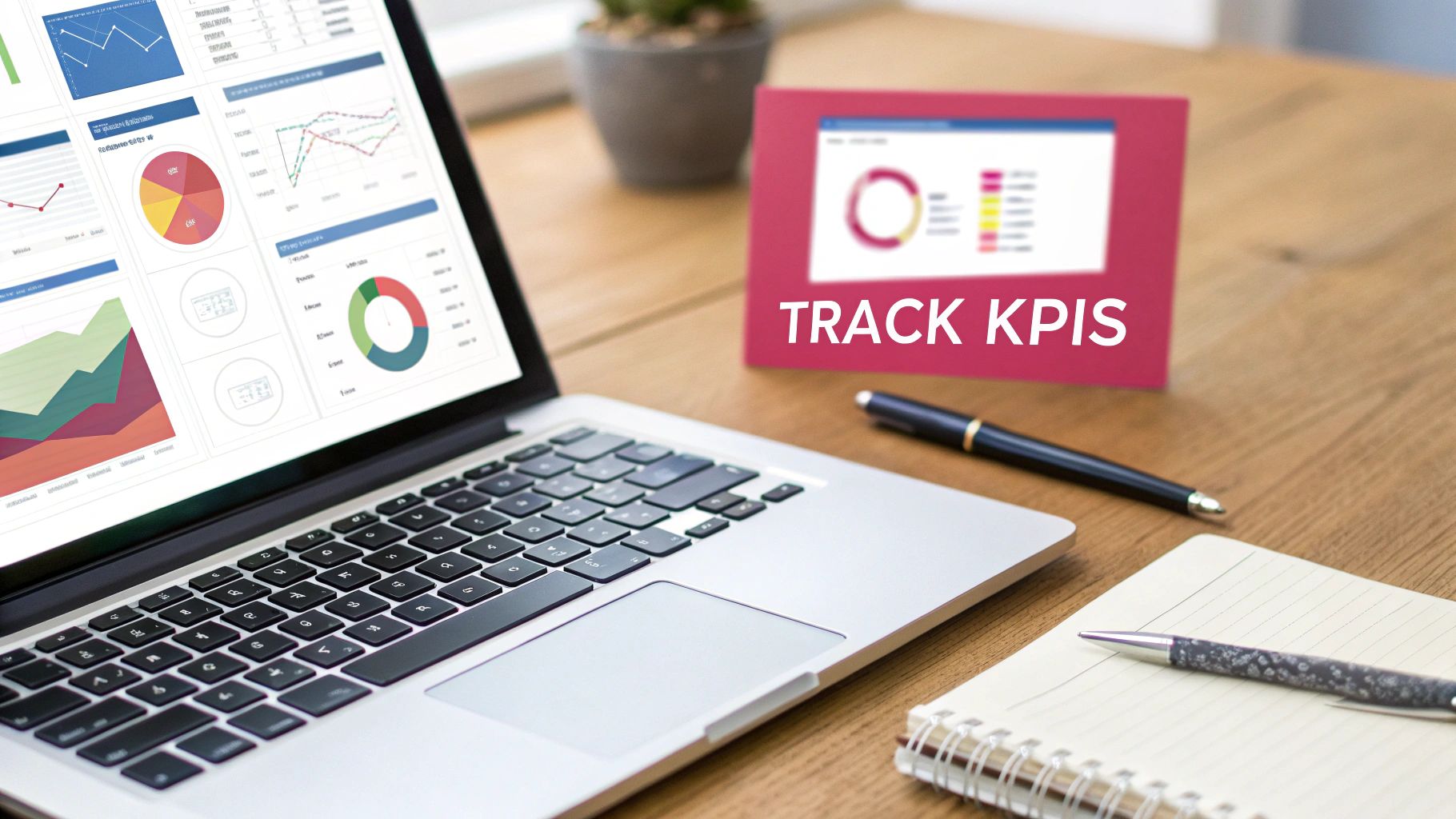
The analytics dashboard in a tool like CartBoss isn’t just for show—it’s your command center. It gives you a real-time view of how your messages are performing and where you can improve.
Here are the essential metrics to keep a close eye on:
- Conversion Rate: This is the big one. It tells you the exact percentage of customers who received a message and went on to buy. A high conversion rate means your timing, copy, and offer are hitting the mark.
- Revenue Recovered: The total dollar amount brought in directly by your workflow. It’s the clearest measure of your automation’s financial impact, making it easy to see what’s working.
- Return on Investment (ROI): How much revenue are you generating for every dollar spent? With a tool that has no subscription fees, calculating this becomes even more straightforward and impressive.
- Click-Through Rate (CTR): This metric shows the percentage of people who clicked the link in your SMS. A low CTR could signal that your message copy isn’t compelling enough or your call-to-action is unclear.
Tracking these specific numbers helps you move beyond guesswork. You can learn more about this process in our guide on how to measure marketing campaign success.
A Framework for Continuous Optimization
Optimization isn’t a one-time task; it’s an ongoing process of testing and refining. A structured approach will help you make small, incremental improvements that add up to significant gains over time. This is where you put on your scientist hat and start running experiments.
The explosive growth of marketing automation is reshaping e-commerce. The global market hit $6.65 billion and is projected to reach $15.58 billion by 2030. A staggering 79% of marketers now automate customer journeys because it works, and 91% report a surging demand for these tools. This trend impacts everything from email to social media and especially SMS, which is used in 28% of automations.
This rapid adoption means staying ahead requires constant fine-tuning.
The most common mistake is trying to test too many things at once. If you change the timing, the copy, and the discount all at the same time, you’ll have no idea which change actually made a difference. Isolate your variables for clean, actionable data.
Start by forming a hypothesis. For instance, “I believe offering free shipping instead of 10% off in our second abandoned cart message will increase our conversion rate.” Then, use A/B testing to prove or disprove it.
Practical A/B Tests to Run Now
With a clear framework, you can begin testing specific elements of your marketing automation workflow. Don’t overcomplicate it. Start small.
Here’s a simple comparison of tests you can run to get immediate feedback:
| Element to Test | Version A (Control) | Version B (Variant) |
|---|---|---|
| Message Timing | Send first message 30 mins after abandonment | Send first message 60 mins after abandonment |
| Discount Strategy | Offer a 10% discount code | Offer free shipping |
| Message Copy | “Your cart is waiting!” | “Did you forget something?” |
| Urgency | “Complete your order now” | “Your cart expires in 24 hours!” |
Run each test long enough to gather a meaningful amount of data—don’t jump to conclusions after just a few conversions. Once you find a winner, make it your new control version and start a new test. This cycle of measurement, testing, and implementation is the engine of a continuously improving, highly profitable automated system.
Still Have Questions About SMS Marketing Automation?
Jumping into any new marketing strategy brings up a lot of questions. When it’s something as direct as SMS automation, you want to be damn sure you’re getting it right from the jump.
Let’s go over some of the most common things e-commerce owners ask. Getting these fundamentals right is what separates a killer automation from one that just annoys people.
Is SMS Marketing Really Still Effective for Cart Recovery?
Absolutely. You could argue it’s more effective now than ever before, simply because it cuts right through the digital noise. Think about it—your promotional emails are fighting for attention in a crowded inbox. But a text message? That’s different.
SMS messages have an almost unbelievable open rate of up to 99%, and most of those are read within minutes.
This is the perfect weapon against the short attention spans of online shoppers. You can land a reminder about their cart at the exact moment they might be having second thoughts. For any e-commerce store, that direct line translates into much higher recovery rates than email alone can deliver.
When you pair that instant visibility with a link that takes them straight back to their pre-filled checkout, a well-timed text becomes one of the most powerful tools you have.
How Do I Make Sure My SMS Messages Are Compliant?
This is a big one, and it’s completely non-negotiable. The good news is that modern platforms are built with compliance as a core function, so you don’t have to become a legal expert overnight.
The golden rule is simple: you must have explicit consent (opt-in) from a customer before sending them any marketing messages.
Your automated flow also needs a crystal-clear, easy way for people to opt out whenever they want. Usually, this is handled by including simple instructions like “Reply STOP to unsubscribe.”
A reliable platform like CartBoss handles this entire compliance layer for you. It manages opt-in lists, automatically adds the required unsubscribe language, and even respects quiet hours so you’re not texting customers at 2 AM. It protects your brand and keeps your marketing firmly on the right side of the rules.
Essentially, the system ensures you’re only messaging people who have clearly said “yes,” taking all the compliance guesswork off your plate.
How Many Messages Should I Send in an Abandoned Cart Sequence?
It’s all about finding that sweet spot between persistent and just plain annoying. Based on what we’ve seen work time and time again, the magic number for an abandoned cart sequence is between two and three messages. These should be spread out over 24 to 48 hours.
A single message is too easy to ignore. More than three starts to feel like spam and will just lead to people opting out.
A sequence that consistently brings in sales usually looks something like this:
- The Gentle Nudge: Sent 30-60 minutes after they leave. This is just a simple, helpful reminder.
- The Follow-Up Incentive: Sent 12-24 hours later. Here, you can sweeten the deal with a small offer, like free shipping.
- The Final Offer: Sent around the 24-48 hour mark. This is your last shot, so make it your best offer.
It is absolutely critical that your automation is smart enough to stop the sequence the second a customer buys something. Nothing sours the experience faster than getting a discount code right after you paid full price.
Can I Automate These Workflows in Different Languages?
Yes, and for stores selling internationally, this is a total game-changer. The best tools have automatic language detection built right in. The system sees a customer’s browser language and automatically sends messages in their native tongue.
This removes a massive friction point. These platforms come pre-loaded with professionally translated templates for dozens of languages, so you can offer a perfectly localized experience without lifting a finger.
This feature alone can dramatically improve your conversion rates in foreign markets, turning your marketing automation workflow into a global sales machine.
Ready to turn abandoned carts into your biggest revenue source? CartBoss makes it simple. Our plug-and-play SMS automation tool is designed for Shopify and WooCommerce stores that want to recover lost sales on autopilot. With pre-written, translated messages and a system that runs itself, you can get started in minutes. See how much revenue you can recover at https://www.cartboss.io.