



Customizing your Shopify checkout page is about more than just slapping your logo on it—it’s one of the most powerful things you can do to stop losing sales at the finish line. Small, smart changes to this final step can create a smooth path to purchase, directly boosting your conversions and recovering sales that would have otherwise vanished.
Why Checkout Customization Is Your Biggest Conversion Lever
Cart abandonment is the bane of every eCommerce store owner. You do all the hard work to get a customer to your site, they find a product they love, add it to their cart… and then they just disappear. It’s like they walked up to the cash register and just left.
The reasons are always the same: unexpected shipping costs, a clunky process, or just a gut feeling that something isn’t right. The checkout page is where all these last-minute doubts pop up. This is exactly why Shopify checkout page customization is so critical. It’s not about making things pretty; it’s about building trust and removing friction when it matters most.
Every single field, button, and line of text on your checkout page either helps or hurts. By making the design match your brand and simplifying the process, you tackle the most common reasons people leave. You turn a generic, forgettable page into your best salesperson.
The Financial Impact of a Better Checkout
The numbers don’t lie. With global cart abandonment rates still stuck around 70.19%, you’re losing 7 out of every 10 shoppers who start the checkout process. Think about that. Even tiny improvements here can translate into a serious amount of extra revenue.
This is where Shopify really shines. An independent study showed that Shopify’s checkout converts up to 36% higher than other platforms, with an average lift of 15%. A big reason for that is its blazing-fast, optimized experience right out of the box. You can read the full research on Shopify’s checkout performance to see the data for yourself.
“Treating your checkout page as an afterthought is like building a beautiful retail store with a broken front door. It’s the final, most crucial step where trust is either solidified or shattered, directly impacting your bottom line.”
A Strategic Approach to Conversions
Optimizing your checkout isn’t a “set it and forget it” task—it’s an ongoing strategy. When you combine it with your other marketing efforts, the results really start to compound.
Think about it: a clean, trustworthy checkout is the perfect landing spot for an SMS cart recovery campaign from a tool like CartBoss. When a shopper clicks that recovery link, they need to land on a page that’s fast, familiar, and dead simple to complete. Any friction at that point is a lost sale.
Beyond direct tweaks, you need to look at the bigger picture. Broader ecommerce checkout optimization strategies cover the entire customer journey. For even more practical tips, check out our guide on Shopify conversion rate optimization, which will give you actionable advice to improve your store from the homepage all the way to the thank you page.
In this guide, we’ll walk you through exactly what you can do on every Shopify plan, from the basic branding tweaks available to everyone to the powerful customizations possible on Shopify Plus.
Checkout Customization Available on Every Shopify Plan
There’s a common misconception that you need to be on Shopify Plus to make any real changes to your checkout page. While the Plus plan certainly unlocks the most advanced tools, don’t overlook the powerful features baked into every Shopify plan. You can do a lot to create a branded, trustworthy, and high-converting checkout experience right from your admin dashboard—no developer needed.
Small adjustments at this final stage can have a massive impact on your bottom line.
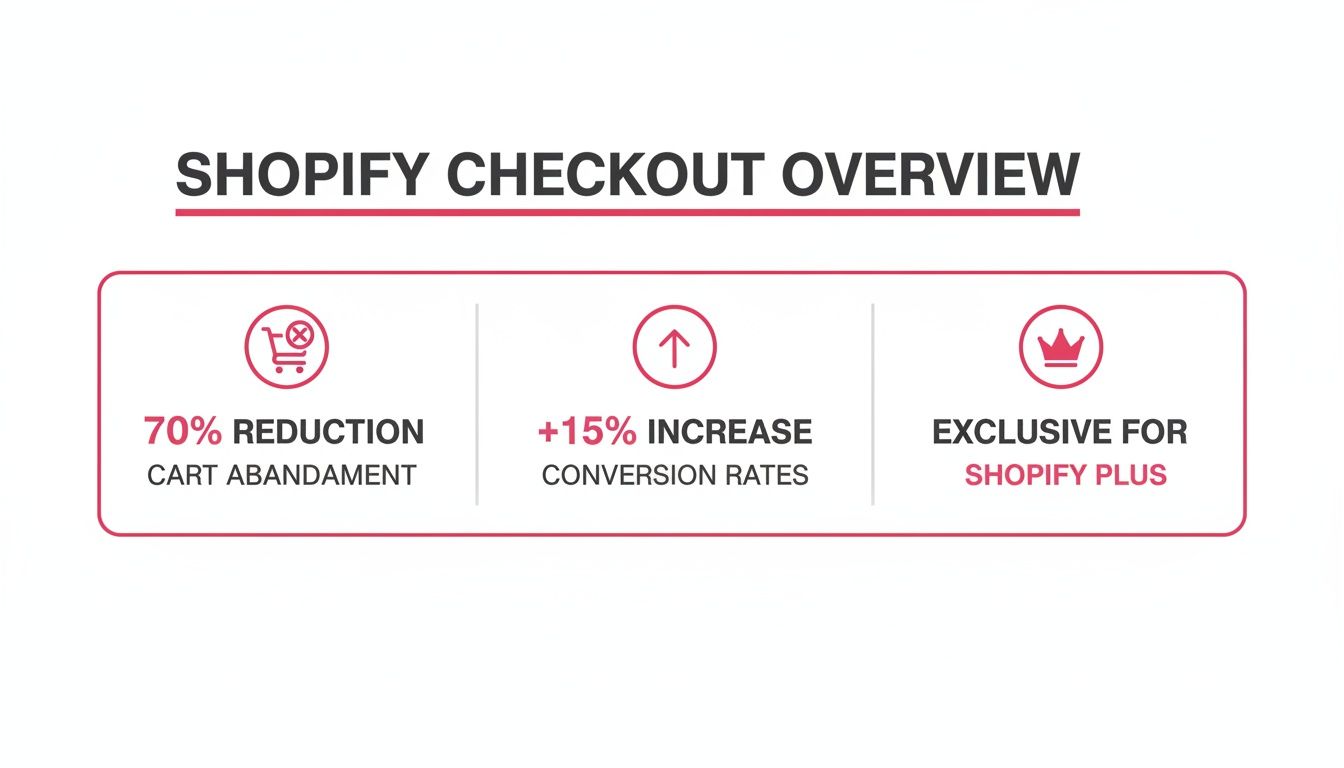
As you can see, cart abandonment is a huge hurdle for every store, but Shopify’s optimized checkout gives you a leg up. It’s all about building trust and removing friction.
Aligning Your Checkout with Your Brand Identity
First things first: your checkout page needs to feel like a seamless part of your store. A jarring transition to a generic page can instantly kill a customer’s confidence right when they’re about to pull out their credit card.
Shopify makes it easy to align the checkout’s look and feel with your brand. From your theme editor, you can quickly tweak the core visual elements:
- Logo: Add your logo to the top of the checkout to keep your brand front and center. You can play with the size and alignment to get it just right.
- Colors: Swap out the default colors for your brand’s palette. Matching the background, accents, and button colors creates a cohesive, professional feel.
- Fonts: Choose typography that matches your store’s personality. Whether you’re modern and sleek or classic and elegant, font consistency is key.
- Background Images: You can even add a subtle background image to the order summary section for a bit of extra personality—just make sure it doesn’t distract from the main task.
You can find all these options by heading to Online Store > Themes > Customize and then choosing “Checkout” from the dropdown menu at the top. When a customer feels like they’re still in your store, they’re much more likely to trust the process and complete their purchase.
Think of a visually consistent checkout as a digital handshake. It reassures customers that their information is safe and they’re dealing with a legitimate business. This visual trust is often the deciding factor between a sale and an abandoned cart.
Pre-Filled Checkout Links for Frictionless Recovery
Beyond the visuals, one of the most powerful—and often overlooked—features on every Shopify plan is the pre-filled checkout link. This is a special URL that takes a customer directly to the checkout page with specific items already waiting in their cart.
Imagine a shopper leaves your site with a specific size and color of a t-shirt in their cart. With a tool like CartBoss, your automated SMS recovery message can include a pre-filled link. When they tap it, they skip the product and cart pages completely and land right back at the checkout, ready to pay.
This simple trick drastically cuts down the number of steps needed to buy, making it incredibly effective for cart recovery campaigns. The path to purchase becomes a single tap.
Using Dynamic Discounts to Drive Action
Another great tool in your arsenal is the dynamic discount code. Instead of a generic “10% OFF” coupon that anyone can use, you can create unique, time-sensitive codes that apply automatically when a customer clicks a recovery link.
When you combine this with pre-filled checkouts in an SMS message, the results are powerful. A customer gets a text with a special discount just for them, clicks the link, and sees the savings already applied to their pre-filled cart. This one-two punch of personalization and convenience creates a strong psychological nudge to buy now.
- Urgency: “Your 15% discount expires in 3 hours!”
- Convenience: The link takes them straight to a ready-to-go checkout.
- Value: The discount is applied automatically, no code to remember or type.
While you can create these links and codes manually, an integrated app automates the entire flow, turning it into a scalable way to bring back lost revenue. If you’re looking to take things even further, exploring the best Shopify checkout apps can unlock more tools for things like upsells and custom fields.
Shopify Checkout Customization Features by Plan
To help you see exactly what’s possible, here’s a quick breakdown of the checkout customization features available on different Shopify plans. While Shopify Plus offers the ultimate control, you can see there’s a lot you can do even on the basic plans.
| Feature | Shopify Basic/Standard | Shopify Plus |
|---|---|---|
| Logo & Branding | Yes | Yes |
| Colors & Fonts | Yes | Yes |
| Pre-filled Checkout Links | Yes | Yes |
| Dynamic Discount Codes | Yes | Yes |
| Custom Checkout Fields | Via Apps | Via Checkout UI Extensions |
| Checkout UI Extensions | Limited access for some apps | Full access for custom apps & branding |
| Direct Code Editing | No | Yes (checkout.liquid for now, migrating to Extensions) |
| Custom Scripts | No | Yes (Shopify Scripts for discounts, shipping, payments) |
| Post-Purchase Upsells | Via Apps | Yes (Native & via Apps) |
| Custom Thank You Page | Via Apps | Yes (Checkout UI Extensions & checkout.liquid) |
This table makes it clear: every merchant has powerful tools at their disposal. The key is to start with the foundational elements available on your plan and then layer on more advanced strategies as your business grows.
Unlocking Advanced Customization with Shopify Plus
While every Shopify plan gives you the essential tools to brand your store, Shopify Plus is where the real magic happens for Shopify checkout page customization. This tier is built from the ground up for high-volume merchants who need absolute control over the final, most critical step in the customer journey. Stepping up to Plus unlocks a whole new toolkit designed to squeeze every last drop of conversion potential out of your checkout.
For brands on Shopify Plus, the checkout stops being a static, one-size-fits-all page. It becomes a dynamic, interactive part of your sales funnel. This is your chance to add custom fields, smart upsells, loyalty program integrations, and unique shipping options that perfectly match how your business actually runs.
The Modern Approach: Checkout UI Extensions
The future of deep checkout customization on Shopify Plus is all about Checkout UI Extensions. The best way to think of them is like secure, mini-apps that you can drop into specific spots within the checkout flow. They’re the modern, and highly recommended, way to add new functionality because they are built to be upgrade-safe. That means you can add custom features without the constant fear that a future Shopify platform update will break your entire checkout process.
With Checkout UI Extensions, you can get incredibly creative. Need to add new fields to capture extra order info? Want to show personalized product recommendations? Or even integrate a third-party service directly on the checkout page? Extensions make it possible.
Here are a few real-world examples of what you can build:
- Custom Fields: A gift shop could add a field for a “Gift Message,” or a B2B store could add an input for a “Purchase Order Number.”
- Delivery Options: A local flower shop could integrate a date and time picker so customers can schedule their delivery.
- Loyalty Programs: You could show a customer’s current point balance and give them a button to redeem their rewards right there and then.
- Upsell Banners: A subtle banner could offer a complementary product, like batteries for an electronic toy in the cart.
These extensions do more than just add shiny new features; they actively reduce friction. By collecting all the necessary information in one place, you stop customers from having to hunt for answers, contact support, or worse, just give up on their purchase. If you’re brainstorming ideas, our guide on key third-party integrations can offer some great insights into what other successful stores are implementing.
Understanding the Legacy Method: Checkout.liquid
Before UI Extensions came along, the only way to get this level of control was by directly editing the checkout.liquid file. This template file gave developers full access to the checkout page’s HTML, CSS, and JavaScript, allowing for almost limitless changes to its look and feel.
But all that power came with some serious risks. A single typo or coding error could bring down your entire checkout. More importantly, any custom code you added to checkout.liquid wasn’t guaranteed to work with Shopify’s platform updates, which often forced merchants into a stressful cycle of maintenance and emergency fixes.
Shopify is actively phasing out
checkout.liquidin favor of the much more stable and secure Checkout UI Extensions. While it still works for existing stores, new Plus merchants are strongly encouraged to build with extensions from the start, and everyone else should be planning their migration.
This shift away from checkout.liquid shows Shopify’s commitment to reliability and speed, making sure even the most heavily customized checkouts stay fast, secure, and always online.
Shopify Scripts and the Branding API
Beyond just changing the layout, Shopify Plus gives you two other powerful tools for fine-tuning the checkout experience: Shopify Scripts and the Checkout Branding API.
Shopify Scripts are small snippets of Ruby code that run directly on Shopify’s servers. They allow you to create custom business logic for pricing, shipping methods, and payment gateways. For instance, you could write a script that automatically applies:
- A “buy one, get one free” promotion on specific products.
- Tiered discounts that increase as the cart value goes up.
- Free shipping for customers tagged as “VIP” in your system.
- Rules to hide certain payment options based on what’s in the cart.
Scripts let you run complex, dynamic promotions that are simply impossible with standard discount codes.
The Checkout Branding API, on the other hand, gives you programmatic control over the checkout’s visual appearance. While the theme editor handles basic colors and fonts, this API lets your developers write code to make highly specific and conditional style changes.
Shopify’s focus on extensibility has transformed checkout customization into a data-driven performance tool. The platform handled an insane 145 billion requests on Black Friday 2023, peaking at $4.2 million in sales per minute. This forced engineers to build components that can execute logic in under 5 milliseconds. Brands on Plus can now tap into this power, using the Branding API and UI extensions to programmatically adjust everything from fonts and colors to field visibility, creating a seamless experience for SMS recovery flows. You can learn more in Shopify’s deep dive into its one-page checkout architecture.
This level of control ensures your checkout doesn’t just look on-brand—it intelligently adapts to every customer and every scenario.
Supercharging Recovery with SMS and a Streamlined Checkout
Your checkout page doesn’t just sit there waiting. It’s the final stop for customers from every channel, but it’s absolutely critical for high-intent shoppers you’re trying to win back. This is where your Shopify checkout page customization becomes a powerful ally to your cart recovery strategy, especially when you bring in a direct, immediate channel like SMS.
Think of an optimized checkout as the perfect handshake at the end of a recovery campaign. A customer ditches their cart. A few minutes later, their phone buzzes with a perfectly timed SMS from a tool like CartBoss. This message isn’t some generic, forgettable reminder; it’s a personalized invite to finish what they started, with almost zero effort on their part.
This is where the magic happens—the synergy between a slick checkout experience and SMS. The entire goal is to pave the smoothest possible path from the reminder text back to a completed sale.
The Psychology of a Frictionless Return
When a customer clicks a recovery link in an SMS, they’re in a different headspace. They already want the product; they’ve proven that. But their patience for any kind of hassle is paper-thin. Any friction at all—a slow-loading page, a confusing form, or god forbid, having to re-enter all their details—is an instant deal-breaker.
That’s why features like pre-filled checkout links are so vital. When that shopper taps the link in their text, they shouldn’t land on a product page or an empty cart. They need to land directly on the checkout page with their info—name, address, and everything in their cart—already locked and loaded.
Here’s how this powerful sequence plays out:
- A shopper gets a timely, personalized SMS.
- The message dangles a compelling offer, like a dynamic, one-time-use discount.
- They click the link, which zips them straight to a pre-filled, one-page checkout.
- The discount is already applied to their order. No fuss.
This flow strips out virtually every point of friction. The customer doesn’t have to think, search, or type. All they have to do is confirm their payment and hit “Buy.”
This is the core value: turning lost carts into profit with automated SMS. The key is letting the tech handle the tricky parts—like generating unique links and discounts—so you can just focus on the results.
Why a One-Page Checkout Magnifies SMS Impact
The data is clear: your checkout design is a revenue lever, not just a branding choice. Shopify’s move to a one-page checkout, for instance, has been a game-changer for many stores. One merchant saw an 88% week-over-week conversion increase just three days after switching to the new layout. Other analyses have shown that a one-page flow can slash abandonment by around 35% compared to the old multi-step slog.
When your recovery SMS sends a customer to a single, clean page, you’re capitalizing on that fleeting moment of impulse. There are no “Next Step” buttons to create hesitation and no extra pages to invite second thoughts. The whole transaction is laid out right in front of them, creating a direct path to the finish line.
By combining an automated SMS nudge with a pre-loaded, one-page checkout, you are essentially escorting the customer past the velvet rope, directly to the front of the line. It’s a VIP experience that respects their time and rewards their interest.
Integrating Dynamic Discounts for Maximum Effect
The final piece of this high-conversion puzzle is the smart use of dynamic discount codes inside your SMS campaigns. A generic “COMEBACK10” coupon just doesn’t hit the same as a unique, auto-applied code that feels like it was made just for them.
With a tool like CartBoss, the SMS can say something like, “We saved your cart! Here’s an extra 15% off, just for you. Your discount will be applied automatically at checkout.”
- Personalization: It feels like a genuine, one-on-one offer.
- Urgency: These codes can be set to expire, which lights a fire under them to act now.
- Automation: The discount is applied without the customer having to copy and paste—a clunky process that kills conversions on mobile.
This automatic application is a crucial part of the Shopify checkout customization ecosystem. The system sees the unique link and applies the right discount, making the whole thing seamless. For merchants serious about driving sales, understanding the power of Shopify SMS marketing as a revenue channel is key to making these combinations work.
Ultimately, a great checkout is the engine, but a smart SMS strategy is the fuel that powers it to win back otherwise lost sales.
Best Practices for a High-Converting and Compliant Checkout
Getting the technical side right is only half the battle. A truly effective checkout experience comes down to smart design that builds trust, cuts out the friction, and gently guides customers over the finish line. It’s about blending visual trust signals with a rock-solid legal foundation to protect both your business and your shoppers.
This means you have to get inside your customer’s head and anticipate what they need at every single turn. The small, thoughtful details you add at this final stage can have a massive impact on your conversion rate.
Conversion-Focused Design Checklist
Think of your checkout page as the final handshake. It has to feel reassuring, clear, and totally effortless. Even a tiny bit of confusion or doubt can be enough to send a potential customer clicking away for good.
Here are the non-negotiables for a checkout that actually converts:
- Nail Mobile Responsiveness: Well over half of all online traffic now comes from mobile devices. Your checkout has to be flawless on a small screen—I’m talking big, easy-to-tap buttons and text that’s readable without pinching and zooming.
- Show Off Express Payments: Make sure options like Shop Pay, Apple Pay, and PayPal are front and center. These one-click methods let customers fly past manual data entry, which is a huge source of cart abandonment.
- Flash Those Trust Badges: Don’t be shy about placing logos from payment providers (Visa, Mastercard) and security seals (Norton, McAfee) where people can see them. They’re powerful visual cues that tell shoppers their information is safe with you.
- Keep Navigation Clean: This is not the time for distractions. Remove any links that could possibly lead a customer away from the checkout page. The only goal here is completing the purchase.
- Add a Progress Indicator: If you have a multi-step checkout, a simple progress bar is a game-changer. It helps manage expectations and makes the whole process feel less overwhelming.
Putting these elements in place creates a checkout environment that feels secure and professional, giving shoppers the confidence they need to finalize their order. For a deeper dive, check out our guide to ecommerce checkout best practices.
Navigating the Waters of Compliance
In today’s world, trust is built on more than just slick design—it demands a real commitment to legal compliance. Regulations like the General Data Protection Regulation (GDPR) in Europe and the California Consumer Privacy Act (CCPA) aren’t just suggestions. They’re strict laws that dictate how you collect and handle your customers’ data.
Ignoring these rules can lead to eye-watering fines and, even worse, a complete breakdown of customer trust. Your checkout page is ground zero for compliance since it’s the main spot where you collect personal information.
A compliant checkout isn’t just a legal hoop to jump through; it’s a powerful conversion tool. When customers see that you respect their privacy, their confidence in your brand skyrockets, making them more likely to buy and come back for more.
This is especially true when you start using SMS for cart recovery. You absolutely must have explicit consent from shoppers before you send them a text. This is why tools like CartBoss are built with compliance baked in from the start, making sure that consent is gathered and managed the right way. It lets you run powerful recovery campaigns without stepping over legal lines or annoying your customers.
Here’s why this is so critical for your recovery efforts:
- Consent is Mandatory: You cannot legally send marketing texts to anyone who hasn’t clearly opted in. Compliant tools handle this automatically.
- Clear Unsubscribe Options: Every single message has to include an easy way for someone to opt out. This is a standard feature on any compliant platform.
- Data Protection: The way you store and manage phone numbers and other personal data is tightly regulated.
By choosing tools that prioritize compliance and adopting transparent practices, you can bring back lost sales while building a reputation as a brand people can trust. This dual focus on conversion and compliance is the secret sauce of a successful, long-lasting ecommerce business.
Your Top Shopify Checkout Customization Questions, Answered
Jumping into Shopify checkout customization can feel like opening a can of worms. There are a lot of questions, especially around what you can actually do on your specific plan. Let’s clear the air and tackle some of the most common questions merchants ask.
Think of this as your quick-reference guide to make smart, confident decisions about your checkout.
Can I Customize the Shopify Checkout Without Shopify Plus?
Yes, you absolutely can. Every single Shopify plan gives you powerful branding tools right inside the theme editor. This is your home base for making the checkout page look and feel like your store.
You can easily dial in these crucial customizations:
- Drop your store’s logo right in the header.
- Tweak background colors and even add background images.
- Pick the fonts that match your brand’s personality.
While you won’t be able to fundamentally change the layout or add custom fields without upgrading to Shopify Plus, don’t underestimate these branding tweaks. They build a seamless, trustworthy experience that reassures customers at the most critical point of their journey.
What’s the Difference Between Checkout UI Extensions and Checkout.liquid?
This is a big one for Shopify Plus merchants. For a long time, checkout.liquid was the go-to method for deep, code-level checkout customizations. It let developers directly edit the checkout’s code, which offered a ton of flexibility. The downside? It was complex, fragile, and often broke whenever Shopify pushed a platform update. It’s now being phased out for a much better system.
Enter Checkout UI Extensions, the modern and highly recommended approach. Think of them as secure, app-like modules that you can place in specific, pre-approved areas of the checkout. They let you add new features—like custom fields, loyalty program banners, or slick upsell offers—in a way that is 100% upgrade-safe. Your customizations won’t break with platform updates, making this a far more stable and secure way to enhance your checkout.
How Does Customizing My Checkout Help with SMS Cart Recovery?
A well-optimized checkout is the perfect landing spot for any SMS cart recovery campaign. When a tool like CartBoss zips a recovery link over to a customer’s phone, you need them to land on a page that’s fast, familiar, and dead simple to use.
Here’s how your customizations directly fuel that goal:
- Consistent Branding: A checkout that mirrors your store’s design instantly tells the shopper, “Yep, you’re in the right place.”
- One-Page Layout: Shopify’s modern, standard layout cuts out extra steps and gives shoppers less time for second thoughts.
- A Frictionless Finish: When you pair a pre-filled checkout link with a dynamic discount delivered via SMS, you create an almost effortless path to purchase. This combination absolutely crushes conversion rates.
The real goal here is to make finishing the purchase easier than abandoning it a second time. A customized, pre-filled checkout demolishes the friction that caused them to leave in the first place, making that SMS nudge incredibly effective.
Is It Safe to Make Major Changes to My Shopify Checkout?
It’s completely safe, as long as you stick to Shopify’s best practices. For all the standard branding changes made through the theme editor, the process is built to be user-friendly and basically risk-free.
If you’re a Shopify Plus merchant, using Checkout UI Extensions is by far the safest route for adding new functionality. These extensions operate in a “sandbox,” which means they can’t mess with the core checkout process. If you still have a reason to work directly with code, always, always test your changes in a duplicated theme or a separate development store first. Run through the entire checkout flow on multiple devices before you even think about pushing it live.
Ready to turn those abandoned carts into your biggest revenue source? CartBoss uses the power of automated SMS to bring customers back to your optimized checkout, recovering lost sales on autopilot.