


In the competitive world of e-commerce, the right message at the right time can be the difference between a sale and a lost customer. Generic, one-size-fits-all communication no longer cuts it. Customers expect personalized, timely, and relevant interactions that speak directly to their needs. This is where a powerful arsenal of templates for messages becomes a non-negotiable asset for any online store.
A well-crafted template doesn’t just save you time; it systematizes success by embedding proven conversion tactics directly into your marketing workflows. Whether you’re recovering an abandoned cart, welcoming a new subscriber, or re-engaging a past customer, the right template ensures your message is impactful and drives action. For those aiming to master consistent guest communication, understanding how to implement effective automated Airbnb messages can be a game-changer for boosting reviews and saving time, showcasing the power of templated communication across industries.
This comprehensive guide dives into the top platforms for battle-tested message templates, with a special focus on the SMS strategies that generate the highest ROI for e-commerce brands. We’ll explore platforms that offer ready-to-use scripts, powerful automation features, and the insights you need to turn every message into a revenue-generating opportunity. Each entry in this list includes direct links and screenshots to help you quickly identify the best solution for your business. You’ll find actionable templates you can copy and paste today to immediately improve your abandoned cart recovery, customer win-back campaigns, shipping notifications, and promotional efforts.
1. CartBoss
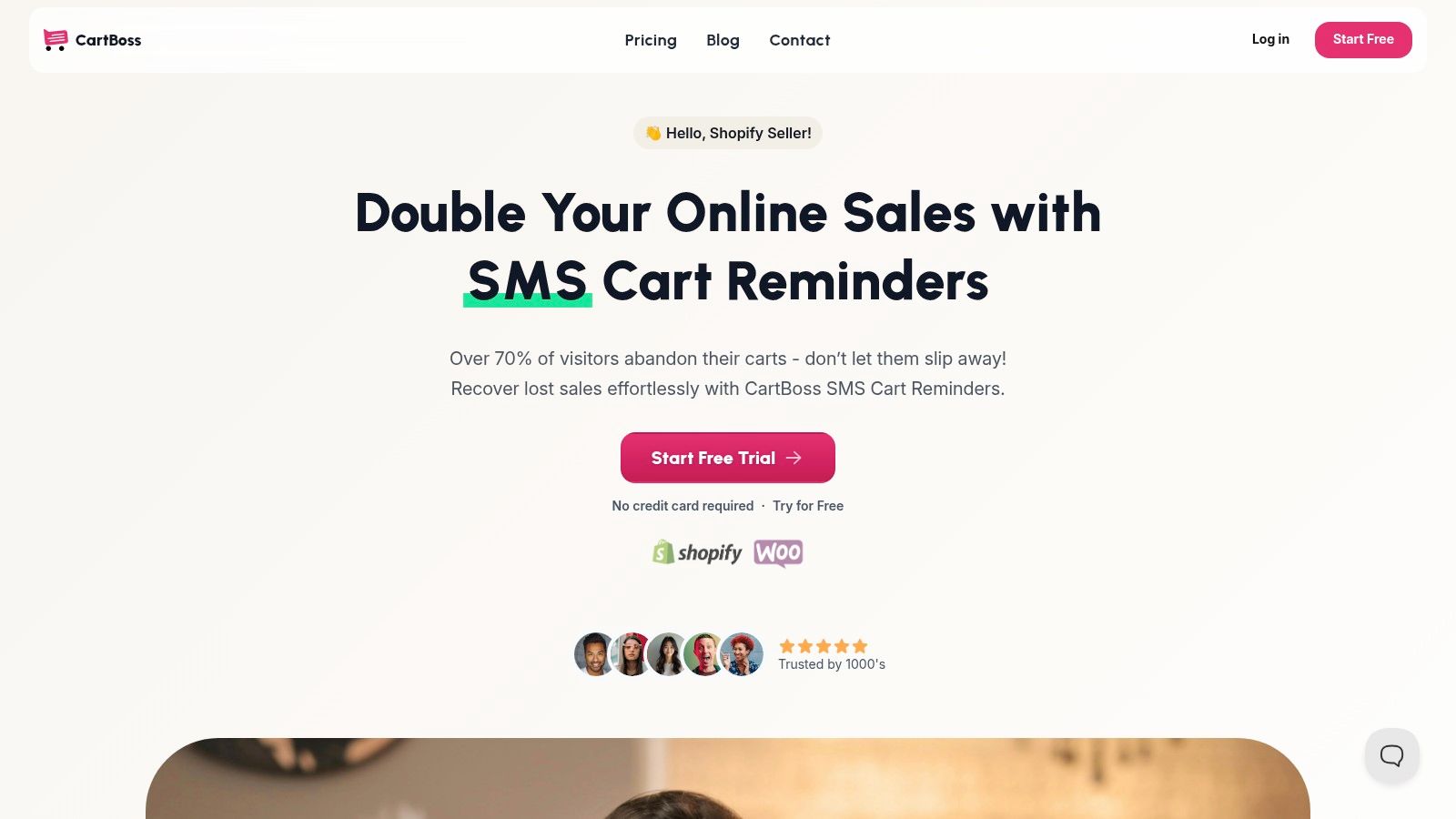
CartBoss establishes itself as a premier, high-impact solution for e-commerce stores seeking expertly crafted templates for messages specifically designed for SMS cart recovery. Rather than offering a generic library, its platform is a purpose-built engine that automates the entire process of reclaiming lost sales. It combines pre-written, conversion-optimized SMS templates with powerful automation features, making it an indispensable tool for Shopify and WooCommerce merchants.
The platform’s core strength lies in its plug-and-play simplicity. Installation takes a mere two minutes, and stores can immediately deploy a sequence of timed, behavior-triggered messages. These templates are not just static text; they are dynamic, multi-lingual, and fully compliant with global regulations like GDPR and CCPA.
Key Features and Strategic Advantages
CartBoss is engineered with a singular focus: turning abandoned carts into revenue with minimal friction. Its feature set reflects this, providing a comprehensive toolkit that addresses the entire recovery lifecycle.
- Automated, Multi-Lingual Messaging: The platform comes pre-loaded with message templates translated into over 30 languages. Its automatic language detection ensures that customers receive reminders in their native tongue, significantly boosting engagement and conversion rates.
- Conversion-Centric Tools: Every message includes a pre-filled checkout link, which removes purchase barriers by taking shoppers directly back to their populated cart. Users can also implement dynamic, time-sensitive discounts that are automatically applied at checkout, creating a powerful sense of urgency.
- Intelligent Automation and Compliance: CartBoss automates sending sequences (e.g., a reminder at 15 minutes, a follow-up with a discount at 3 hours) but also respects customer boundaries. It includes built-in Do-Not-Disturb hours and a simple one-click unsubscribe option to maintain compliance and a positive brand reputation.
- Robust Analytics and Scalability: A detailed dashboard provides insights into sent messages, click-through rates, recovered carts, and overall ROI. The platform supports unlimited site connections, making it an ideal choice for agencies or entrepreneurs managing multiple online stores.
Expert Insight: The true power of CartBoss lies in its synthesis of automation and personalization. By combining pre-filled checkouts with localized messaging and dynamic offers, it transforms a simple SMS reminder into a highly effective, frictionless purchasing experience.
Practical Use Cases and Implementation
CartBoss is designed for immediate impact, making it suitable for a wide range of e-commerce businesses. A small boutique on Shopify can use the default templates to instantly start recovering sales, while a larger brand can customize the tone, timing, and offers to perfectly align with its marketing strategy. For an even deeper dive into crafting effective messages, you can explore these SMS templates for recovering abandoned carts from CartBoss.
The platform’s success is backed by impressive metrics, including a reported 99% SMS open rate and a 4,500% average ROAS. This level of performance makes it a standout choice for any store owner focused on maximizing marketing spend without adding to their manual workload.
Pricing and Access
CartBoss operates on a performance-based model, advertising no monthly subscription fees. Instead, costs are typically associated with the SMS messages sent. This low-risk approach is reinforced by a free trial (no credit card required) and the first recovered cart being free, allowing merchants to validate its effectiveness before committing financially.
Website: https://www.cartboss.io
2. Canva
Canva is a powerhouse in the design world, but its true value for marketers lies in its vast repository of templates for messages that are visually driven. While many platforms focus on text-only templates, Canva excels at providing a foundation for graphical messages, such as email headers, social media announcements, promotional banners, and even animated GIFs for MMS marketing. It’s the ideal platform for anyone needing to create polished, on-brand visual assets to accompany their text-based communications.
The platform’s core strength is its accessibility. You don’t need to be a graphic designer to produce professional-quality visuals. Its drag-and-drop editor, combined with an enormous library of stock photos, icons, fonts, and illustrations, makes customization incredibly straightforward. This is perfect for e-commerce stores that need to quickly create a graphic for a flash sale or a new product launch.
Key Features and Offerings
Canva’s user experience is designed for speed and efficiency. The search functionality allows you to find templates by type (e.g., “email header,” “Instagram story”), style, or color. Its AI-powered “Magic” features can help generate text, translate designs into different languages, or even suggest design elements, streamlining the creative process.
- Vast Template Library: Find thousands of professionally designed templates for everything from sale announcements and thank you cards to event invitations and marketing memos.
- Easy Customization: The web and mobile editors are intuitive, allowing for quick changes to text, colors, and images to match your brand identity.
- AI-Powered Tools: Features like Magic Write can help you craft compelling copy for your visuals, while Magic Switch can resize a design for multiple platforms in one click.
- Multiple Export Options: Download your finished designs as PNG, JPG, PDF, or even GIF/MP4 files for use in emails, MMS messages, or social media posts.
How to Use Canva Effectively
To get the most out of Canva, start by setting up your Brand Kit (available on paid plans). This feature stores your brand’s logos, color palettes, and fonts, allowing you to apply them to any template with a single click, ensuring brand consistency across all your visual messages.
Another practical tip is to create a set of master templates for recurring campaigns, such as abandoned cart reminders or shipping notifications. This way, you only need to update specific details like the discount code or product image, saving significant time. While Canva itself doesn’t send messages, pairing its visual assets with a powerful text-based tool can significantly boost engagement. For instance, incorporating a custom-designed Canva graphic into an SMS campaign can make it stand out.
Pricing and Plans
Canva operates on a freemium model, making it accessible for businesses of all sizes.
| Plan | Price (Annual Billing) | Key Features |
|---|---|---|
| Free | $0/year | Over 250,000 free templates, 1M+ free photos, 5GB cloud storage. |
| Canva Pro | $119.99/year for one person | Everything in Free, plus Brand Kit, Magic Switch, 100M+ premium stock assets, 1TB storage. |
| Canva for Teams | $300/year for 5 people | Everything in Pro, plus real-time collaboration, brand controls, and approval workflows. |
Canva’s unique offering is its blend of a massive template library with user-friendly design tools, making it an indispensable resource for creating the visual components of your messaging strategy.
Website: https://www.canva.com
3. Etsy
Etsy is a global marketplace for unique and creative goods, but it’s also a surprisingly rich source for highly specialized templates for messages. Unlike software platforms, Etsy connects you with thousands of independent creators who design and sell downloadable message scripts, editable card templates, and digital communication kits. It’s the perfect destination for finding niche-specific templates, such as SMS scripts for real estate agents, client communication bundles for photographers, or thank you message cards for craft businesses.
The platform’s strength lies in its immense variety and specificity. If you’re looking for a template with a particular tone, aesthetic, or for a very specific industry, chances are an Etsy seller has created it. You purchase directly from a small business or individual designer, often receiving a more personalized or handcrafted feel than you would from a large SaaS company. This is ideal for businesses that want their communications to feel authentic and less corporate.
Key Features and Offerings
Etsy’s user experience is centered around its powerful search and filter system, which helps you navigate the vast number of listings. You can filter by price, format (e.g., Canva, Word, PDF), and seller location. The review system is crucial, as it provides social proof and helps you gauge the quality and usability of a template before purchasing.
- Profession-Specific Templates: Discover thousands of listings for specific roles and industries, from appointment reminders for salons to follow-up messages for freelance writers.
- Instant Digital Downloads: Most templates are available for immediate download after purchase, allowing you to use them right away.
- Multiple Formats: Sellers often provide templates in various editable formats, including Canva, Microsoft Word, Google Docs, or Adobe Photoshop files.
- Seller Ratings and Reviews: Vet the quality of templates and the reliability of sellers through a transparent star-rating system and customer feedback.
How to Use Etsy Effectively
To get the most out of Etsy, use very specific search terms. Instead of just “message templates,” try “real estate text message scripts” or “e-commerce customer service email templates.” Pay close attention to seller ratings, especially for “Star Sellers,” who are recognized for excellent customer service. Always read the item description carefully to understand what format the template comes in and what software you’ll need to edit it.
A great strategy is to bundle purchases from a single shop. Many sellers offer cohesive branding kits that include email signatures, social media posts, and message templates, ensuring a consistent look and feel across all your customer touchpoints. While Etsy provides the raw materials, you’ll need to integrate these templates into your own SMS platform, email service provider, or CRM.
Pricing and Plans
Etsy is a marketplace, not a subscription service. You pay a one-time fee for each digital product you purchase, with no recurring costs.
| Item Type | Common Price Range | Key Features |
|---|---|---|
| Single Message Template | $2 – $10 | A single, editable template for a specific purpose (e.g., a shipping notification). |
| Template Bundle | $10 – $35 | A collection of related message templates (e.g., a full client onboarding sequence). |
| Business Communication Kit | $25 – $75+ | Comprehensive kits that may include message templates, social media assets, and more. |
Etsy’s unique offering is its creator-driven marketplace, providing access to a massive and diverse library of specialized message templates that you can purchase à la carte, making it a cost-effective resource for highly targeted communication needs.
Website: https://www.etsy.com/market/message_templates
4. Envato Elements
Envato Elements is a massive subscription library that provides unlimited access to millions of creative assets, making it an incredible resource for businesses needing a high volume of diverse templates for messages. Unlike platforms focused on a single editor, Envato Elements is a vast marketplace of digital assets created by a global community of designers. This is the go-to solution for agencies, marketing teams, and e-commerce stores that require a constant stream of fresh, professionally designed templates for email campaigns, social media graphics, and digital advertisements.
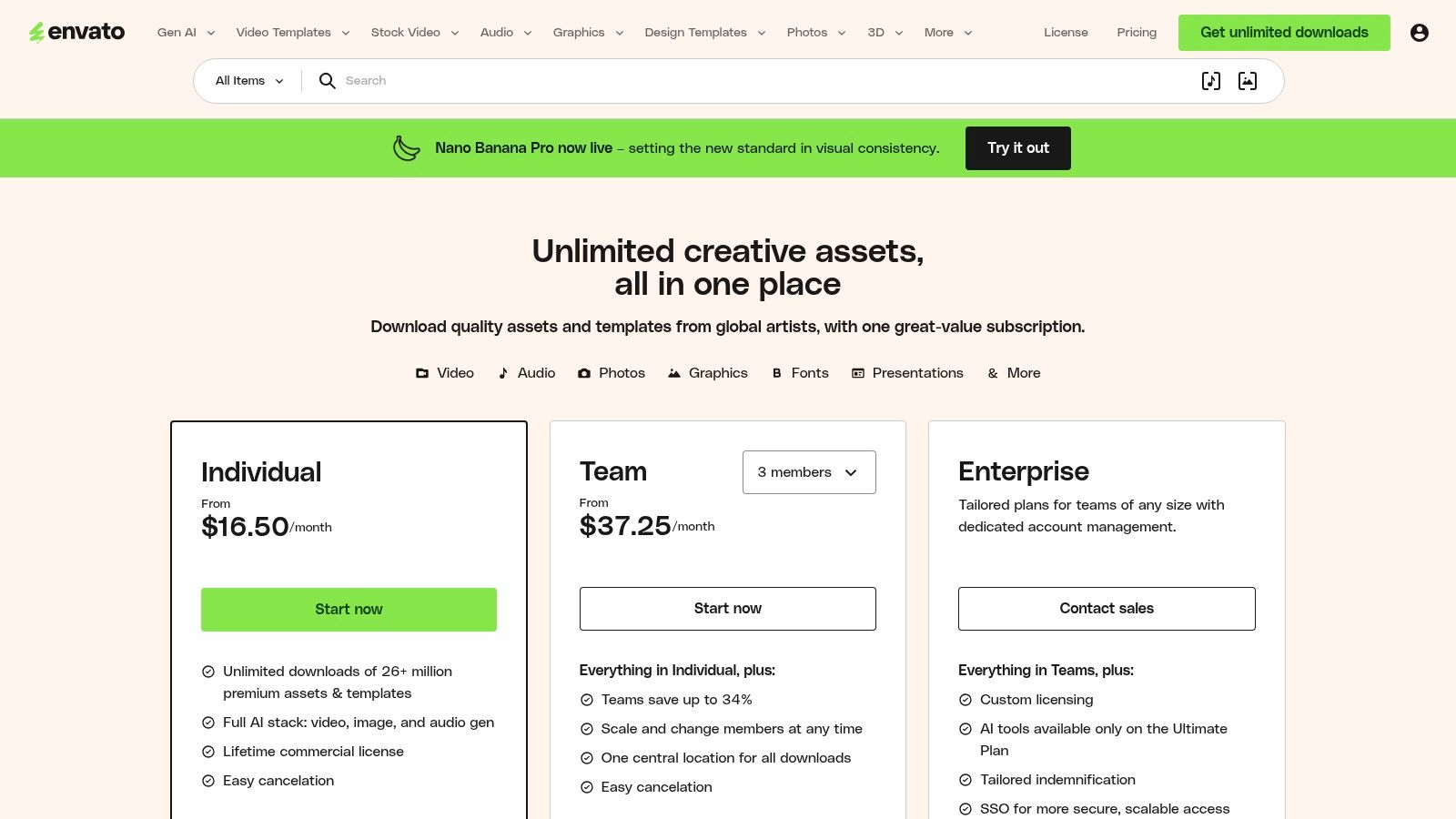
The platform’s primary advantage is its all-inclusive subscription model. For a single monthly fee, you get unlimited downloads of everything from email newsletter templates and social media post mockups to video assets and presentation decks. This is ideal for teams that need to produce a wide variety of marketing materials without worrying about per-asset costs. The simple commercial license that covers all downloads further streamlines the creative workflow.
Key Features and Offerings
Envato Elements is designed for creative professionals and marketers who need constant access to high-quality assets. Its library is not just large; it’s also incredibly varied, with templates compatible with different software like Adobe Photoshop, Illustrator, and Figma, as well as HTML templates for emails.
- Unlimited Downloads: Gain access to over 26 million assets, including thousands of email, social media, and graphic templates, for one flat fee.
- Simple Commercial Licensing: A single, straightforward commercial license covers all items downloaded, simplifying legal concerns for business use.
- Extensive Template Variety: Find templates for almost any need, including HTML email newsletters, Instagram stories, promotional flyers, and even video message intros.
- Team-Focused Plans: Offers plans designed for teams, providing centralized asset management, billing, and the ability to share resources seamlessly.
How to Use Envato Elements Effectively
To maximize your Envato Elements subscription, use its powerful search and filtering tools to your advantage. You can filter templates by application (e.g., “Photoshop,” “Mailchimp”), color, orientation, and more to quickly find the perfect asset. Before downloading, always check the file specifications and software requirements to ensure compatibility with your team’s tools.
A great strategy for e-commerce businesses is to download a “template pack” or a collection from a single designer. These often contain a cohesive set of assets (e.g., email header, social post, banner ad) with a unified style, which is perfect for maintaining brand consistency across a single campaign. Like Canva, Envato Elements provides the creative assets, which you then need to integrate into your email service provider or social media scheduling tool.
Pricing and Plans
Envato Elements operates on a simple subscription model, offering significant value for users who need assets regularly.
| Plan | Price (Annual Billing) | Key Features |
|---|---|---|
| Individual | $16.50/month | Unlimited downloads for one person, simple commercial license, access to millions of creative assets. |
| Teams | Starting at $29.00/month for 2 members | Everything in Individual, plus centralized billing and management, ability to scale the team. |
| Enterprise | Custom Pricing | Tailored solutions for large organizations, including custom licensing and dedicated account management. |
Envato Elements stands out for its incredible value proposition, providing an almost endless supply of professional templates for messages and other creative assets under a simple, cost-effective subscription.
Website: https://elements.envato.com
5. HubSpot (Email Templates)
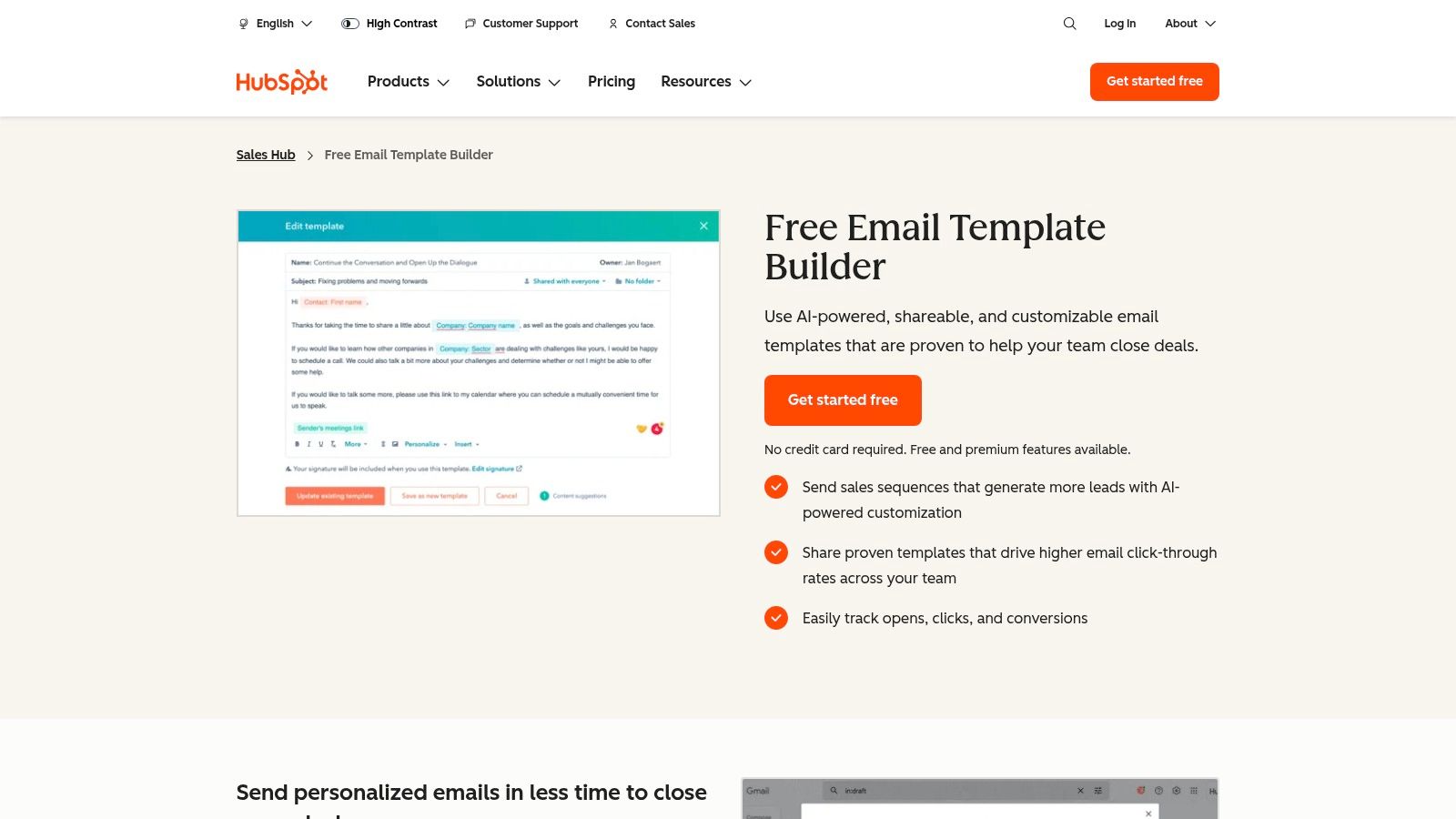
HubSpot is a dominant force in the CRM and marketing automation space, and its email template features are a cornerstone of its offering. While known for its comprehensive suite, HubSpot provides powerful and accessible templates for messages specifically designed for sales, marketing, and customer service outreach. It excels at creating reusable, trackable, and shareable email templates that integrate seamlessly into a broader communication strategy, making it perfect for teams that need consistency and data-backed insights.
The platform’s primary strength lies in its deep integration with the HubSpot CRM. This connection transforms a simple template into a dynamic tool for personalized communication. You can create templates for common scenarios like follow-ups, meeting requests, or customer feedback, and then use personalization tokens to automatically pull in contact data, ensuring every message feels tailored. This makes it an invaluable resource for teams aiming to scale their outreach without sacrificing quality.
Key Features and Offerings
HubSpot’s template functionality is built for team efficiency and performance tracking. The ability to see open and click-through rates on individual templates allows managers to identify which messages resonate most with their audience and standardize best practices across the team.
- Customizable Email Templates: Build templates from scratch or use pre-made examples for common business scenarios, and customize them with your own branding and copy.
- Deep CRM Integration: Automatically populate templates with contact, company, and deal information directly from the HubSpot CRM for hyper-personalization.
- Performance Analytics: Track the open and click rates for each template to understand what’s working and optimize your messaging over time.
- Team Sharing and Management: Create a centralized library of approved templates that can be shared across your sales or service teams to ensure brand consistency and efficiency.
How to Use HubSpot Effectively
To maximize HubSpot’s potential, focus on building out a library of templates for every stage of the customer journey. Create templates for initial outreach, post-demo follow-ups, onboarding sequences, and even cart recovery. This is where combining different channels becomes powerful; for instance, you can coordinate your SMS strategy with more detailed follow-ups using these abandoned cart email templates.
Another effective strategy is to use the performance data to A/B test your templates. Create two versions of a key template with different subject lines or calls-to-action, monitor their performance, and then standardize the winning version for your team. This data-driven approach removes guesswork and continuously improves your communication effectiveness.
Pricing and Plans
HubSpot’s email templates are available within its various Hubs, including the free tools, but advanced features are tied to paid tiers.
| Plan | Price (Annual Billing) | Key Features |
|---|---|---|
| Free Tools | $0/month | 5 email templates, basic tracking and notifications, CRM access. |
| Sales Hub Starter | Starts at $15/month/seat | 1,000 email templates, removes HubSpot branding, live chat. |
| Sales Hub Professional | Starts at $90/month/seat | Everything in Starter, plus email sequences, advanced automation, and team management. |
HubSpot’s unique value is its ability to embed templates for messages directly into a powerful CRM and sales workflow, making it an essential tool for data-driven teams.
Website: https://www.hubspot.com/products/sales/email-templates-sales
6. SimpleTexting
SimpleTexting is a dedicated business texting platform that shines with its practical and accessible approach to templates for messages. It directly addresses the needs of businesses looking for effective, compliant, and easy-to-deploy SMS campaigns. The platform provides a valuable library of industry-specific text message templates and a free SMS template generator, making it an excellent starting point for marketers who need to quickly launch anything from promotional alerts to customer service notifications. Its core focus is on streamlining the process from template selection to a live, personalized campaign.
Unlike design-focused platforms, SimpleTexting is built for direct text-based communication. It guides users through the complexities of SMS marketing in the U.S. market, offering clear guidance on 10DLC compliance and carrier fees. This focus on the technical and regulatory aspects of SMS makes it a reliable choice for businesses that want to ensure their messages are not only effective but also delivered correctly. The platform is designed to get campaigns running with minimal friction, which is ideal for time-sensitive promotions or essential customer updates.
Key Features and Offerings
SimpleTexting’s user experience is centered on efficiency and simplicity. You can browse over 50 ready-to-use templates categorized by industry (e.g., e-commerce, real estate) and use case (e.g., promotions, reminders). The platform makes personalization straightforward with merge fields, allowing you to insert customer names or other data dynamically. For an in-depth review, you can find a comprehensive guide covering SMS messaging platforms.
- Template Library and Generator: Access dozens of pre-written SMS templates or use the free generator to craft messages tailored to your specific goals.
- Easy Personalization: Use merge fields (like
[FirstName]) to customize messages for each recipient, improving engagement and response rates. - Built-in Automation: Set up autoresponders to instantly reply to new subscribers or create drip campaigns to nurture leads over time.
- Compliance and Transparency: The platform provides clear guidance on 10DLC registration and transparently breaks down U.S. carrier fees.
How to Use SimpleTexting Effectively
To maximize your results with SimpleTexting, lean heavily on its automation features. Create a welcome series using an autoresponder to immediately engage new subscribers with a discount or valuable information. This sets a positive tone for future communications.
Another effective strategy is to duplicate and modify existing templates for A/B testing. Create two versions of a promotional message with slightly different calls to action or offers. Send them to different segments of your audience to see which one performs better. This data-driven approach will help you refine your messaging strategy over time. While SimpleTexting is SMS-focused, you can integrate it with tools like Mailchimp or Zapier to coordinate your text campaigns with your broader marketing efforts.
Pricing and Plans
SimpleTexting uses a credit-based pricing model, where one credit typically equals one SMS message. Plans are based on the number of monthly credits you need.
| Plan | Price (Annual Billing) | Key Features |
|---|---|---|
| 500 Credits | $29/month | 500 monthly credits, 1 user, free number, unlimited contacts, rollover credits. |
| 1,000 Credits | $49/month | 1,000 monthly credits, all features from the 500 credit plan. |
| 2,000 Credits | $79/month | 2,000 monthly credits, includes 3 users and dedicated support. |
| Higher Tiers | Custom Pricing | Plans available up to 500,000+ credits with more users and advanced features. |
SimpleTexting’s strength lies in its specialized focus on SMS, offering a robust set of tools and compliant templates that make it easy for businesses to launch effective text message marketing campaigns quickly.
Website: https://simpletexting.com
7. TextMagic
TextMagic is a robust business texting platform that excels in providing powerful and reusable templates for messages directly within its ecosystem. Unlike visually-focused platforms, TextMagic is built for high-volume, scalable SMS and email communication, making it a go-to for organizations that need reliable, text-first templates with deep personalization capabilities. Its strength lies in its “mail merge” functionality, which allows users to insert dynamic fields into their templates for customized, at-scale outreach.
The platform is designed for utility and efficiency, catering to businesses that prioritize function over aesthetic flair in their internal tools. Its straightforward interface allows users to create, save, and manage templates for various scenarios, such as appointment reminders, shipping notifications, and promotional campaigns. This is particularly useful for businesses that need to send consistent, personalized messages without reinventing the wheel for every broadcast.
Key Features and Offerings
TextMagic’s feature set is geared towards developers and marketers who need programmatic control over their messaging. The platform offers a powerful API that allows businesses to integrate template-based messaging directly into their existing software, websites, or CRM systems. This makes it an ideal solution for automating transactional communications.
- Template Creation and Management: Easily create and save unlimited SMS templates with dynamic fields for personalization (e.g.,
{{firstName}},{{orderNumber}}). - Mail Merge Functionality: Personalize bulk messages by automatically inserting data from your contact lists into your templates.
- Powerful API: Integrate template sending into your applications for automated alerts, notifications, and marketing messages.
- Two-Way Messaging: Manage replies directly within the platform, allowing for genuine customer conversations.
- Email to SMS: Send text messages directly from your email client using pre-defined templates.
How to Use TextMagic Effectively
To maximize TextMagic’s potential, create a library of essential templates for messages covering your entire customer journey. For example, build templates for welcome messages, order confirmations, shipping updates, and feedback requests. You can find inspiration and best practices for these in a comprehensive SMS marketing template guide.
Leverage the API to automate your most common communications. For an e-commerce store, this could mean integrating TextMagic with your backend system to automatically trigger a shipping confirmation template the moment an order is dispatched. This not only saves time but also ensures timely and accurate communication with your customers.
Pricing and Plans
TextMagic’s standout feature is its flexible and transparent pricing model, offering both pay-as-you-go and monthly plans.
| Plan | Price | Key Features |
|---|---|---|
| Pay-as-you-go | Credits from $0.049/text | Credits never expire, pay only for what you use, ideal for variable sending volumes. |
| Monthly Plans | Custom pricing | Includes volume discounts on texts, a dedicated account manager, and bundled features. |
It’s important to note that features like virtual numbers and carrier lookups may incur additional costs. This a-la-carte approach provides flexibility but requires careful cost management. TextMagic is best suited for businesses that need a reliable, scalable platform for text-based message templates with flexible, transparent costs.
Website: https://www.textmagic.com
Top 7 Message Template Providers Comparison
| Tool | Implementation Complexity 🔄 | Resource Requirements ⚡ | Expected Outcomes ⭐📊 | Ideal Use Cases 💡 | Key Advantages ⭐ |
|---|---|---|---|---|---|
| CartBoss | Low — plug-and-play (2‑min install) 🔄 | Requires opted-in phone numbers, SMS credits, Shopify/WooCommerce ⚡ | High recovery & revenue lift (reported 99% open, 50%+ click, 4,500% ROAS) ⭐📊 | Ecommerce stores with abandoned carts; agencies managing stores 💡 | Automated SMS recovery, pre-filled checkout, localization & compliance ⭐ |
| Canva | Very low — drag-and-drop editor 🔄 | Design time; Pro for advanced brand/AI features ⚡ | Improved engagement via visual assets; exportable designs ⭐📊 | Marketers & small teams creating message visuals and social posts 💡 | Huge template library, fast personalization, AI assist ⭐ |
| Etsy | Low — download and adapt templates 🔄 | Small per-item purchase; manual vetting of quality ⚡ | One-off, niche templates; results vary by seller ⭐📊 | Buyers seeking specialized or profession-specific scripts/kits 💡 | Affordable, niche-specific packs and immediate downloads ⭐ |
| Envato Elements | Low — subscription access & download 🔄 | Monthly/annual subscription for unlimited assets ⚡ | High-volume access and consistent quality for many projects ⭐📊 | Teams/creatives needing frequent, commercially licensed templates 💡 | Unlimited downloads, clear commercial license, team plans ⭐ |
| HubSpot (Email Templates) | Moderate — template builder + CRM setup 🔄 | HubSpot account; paid tiers for advanced automation ⚡ | Trackable outreach and scalable sequences; stronger CRM-driven ROI ⭐📊 | Sales, customer success, and marketing teams using CRM workflows 💡 | CRM integration, analytics, shareable team templates ⭐ |
| SimpleTexting | Low — template → campaign flow 🔄 | Monthly credits, carrier fees, US 10DLC guidance ⚡ | Fast deployment and compliant SMS campaigns; good deliverability ⭐📊 | US-based SMS marketing, reminders, and alerts 💡 | Industry templates, merge fields, compliance guidance & integrations ⭐ |
| TextMagic | Moderate — template management + API options 🔄 | Pay-as-you-go credits or plans; virtual numbers may cost extra ⚡ | Transparent per-message costs and scalable personalization ⭐📊 | Organizations needing API-driven SMS and flexible billing 💡 | PAYG pricing, mail-merge fields, API support for scale ⭐ |
From Templates to Transactions: Activating Your Messaging Strategy
Navigating the world of communication tools can feel overwhelming, but as we’ve explored, the right templates for messages are your foundational building blocks for success. This guide has armed you with a diverse arsenal, from the highly specialized e-commerce SMS templates within CartBoss and SimpleTexting to the visually rich designs offered by Canva and Envato Elements. We’ve seen how platforms like Etsy provide niche-specific inspiration, while giants like HubSpot offer comprehensive email frameworks for longer customer journeys.
The core takeaway is simple: a template is only as powerful as the strategy behind it. The most effective campaigns don’t just copy and paste; they adapt, personalize, and automate. For e-commerce brands, this means moving beyond generic blasts and implementing intelligent, behavior-triggered communication that feels personal and timely. The difference between a message that converts and one that gets ignored often comes down to sending the right content, to the right person, at the exact right moment.
Key Takeaways for Immediate Action
To transform these insights into tangible results, focus on these critical next steps:
- Audit Your Primary Goal: Before selecting a tool, define your most urgent need. Is it reclaiming lost sales through abandoned cart recovery? If so, a specialist like CartBoss is engineered for that exact purpose. Is it building a visual brand identity? Then Canva or Envato Elements should be your starting point. Clarity of purpose prevents tool fatigue.
- Prioritize Automation and Personalization: The true power of these templates for messages is unleashed through automation. Manually sending shipping updates or win-back offers is unsustainable. Look for platforms that integrate seamlessly with your store (like Shopify or WooCommerce) and offer robust personalization tokens, such as
{{customer_name}},{{cart_items}}, and dynamic discount codes. - Embrace A/B Testing: Don’t assume one template fits all. Test different tones, offers, and send times. A 10% discount might work for one audience segment, while free shipping resonates with another. The data you collect from small, iterative tests will become your most valuable asset in refining your messaging strategy for maximum ROI.
Implementing Your Chosen Solution
Once you’ve selected a platform, implementation requires a strategic mindset. It’s not just about turning on the switch; it’s about integrating the tool into your customer lifecycle. For instance, when implementing SMS for cart recovery, consider how it complements your email flow. An SMS sent 30 minutes after abandonment followed by an email 24 hours later creates a powerful, multi-channel safety net.
Furthermore, ensure every message adds value. A constant stream of promotions can lead to unsubscribes. Balance sales-focused messages with valuable content like shipping updates, back-in-stock alerts, and helpful tips related to their purchase. When looking to streamline your messaging strategy and ensure every communication is both concise and impactful, exploring resources like shortgenius for concise, impactful messaging can help you refine your copy for maximum clarity and engagement.
Ultimately, the journey from template to transaction is about building a system. It’s about choosing the right tools, deploying proven copy, and relentlessly optimizing based on real-world customer behavior. By doing so, you move from simply sending messages to creating meaningful conversations that drive loyalty and, most importantly, revenue. Don’t let your perfect message get lost in a flawed delivery system. Choose wisely, implement strategically, and watch your conversions climb.
Ready to stop losing sales to abandoned carts? CartBoss provides pre-optimized, fully translated SMS and WhatsApp templates for messages that are automated to recover lost revenue from day one. Sign up for CartBoss today and see for yourself why it’s the go-to solution for e-commerce stores serious about growth.