


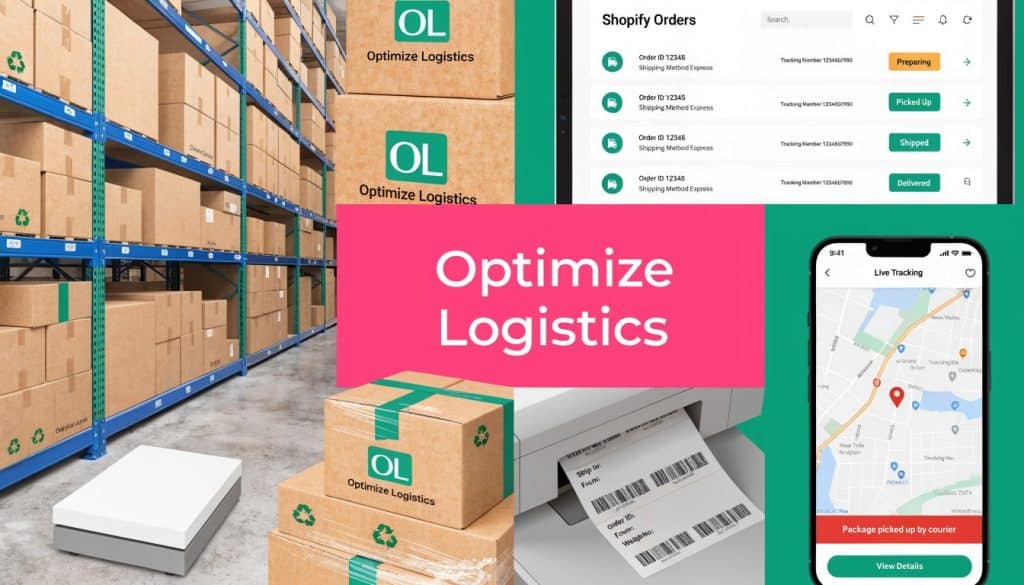
You open Shopify in the morning, print a few labels, answer a customer asking where their order is, notice a checkout complaint about shipping cost, then realize one product is being undercharged because your default rates don’t match its size. By noon, shipping has already touched margins, support workload, and conversion rate.
That’s the part many merchants miss. Shipping isn’t only a warehouse task. It shapes what customers see before they buy, what they feel after they buy, and whether they come back.
The good news is that Shopify gives you a deep bench of tools. The challenge is choosing the right one for your store, your catalog, and your fulfillment setup. The best shipping apps for shopify don’t just print labels. They tighten rate logic, reduce manual work, improve delivery visibility, and protect conversion at checkout.
Why Your Shipping Strategy Is Hurting Your Store
At 9 a.m., shipping looks like a back-office task. By 3 p.m., it has already changed your conversion rate, your support queue, and your margin.
I’ve seen this pattern across small catalogs, high-SKU stores, subscription brands, and shops shipping bulky products. The team starts with basic Shopify settings, one carrier, and a few flat-rate rules. That setup works until the order mix gets less predictable. Then one oversized item wipes out profit on a discounted order, a customer abandons checkout after seeing an unexpected shipping total, and support starts answering “Where is my order?” all afternoon.
The problem is not shipping volume alone. It’s mismatch.
A rate setup that works for lightweight products breaks on mixed carts. A process that feels manageable at 15 orders a day creates delays and label errors at 150. A post-purchase flow that gives buyers little visibility does not stay a warehouse issue. It affects repeat purchase rate, review quality, and how confident people feel buying from you in the first place.
The damage hits three parts of the business
Margins get chipped away first.
If your store uses blunt shipping rules, you absorb costs on heavy, fragile, or multi-box orders. If you swing the other way and pad rates too aggressively, conversion drops. Neither outcome is rare. I usually find both happening in the same store, just on different products.
Checkout gets harder to finish.
Customers can accept shipping charges. They resist shipping charges that feel inconsistent, late, or hard to explain. That matters before the order is placed, not only after. If a shopper reaches checkout, sees a shipping total that clashes with what the cart seemed to promise, that friction can kill the session and weaken later cart recovery performance.
Support load rises after purchase.
Weak tracking communication creates tickets. Slow label creation creates fulfillment delays. Vague delivery updates create refund requests and chargeback risk. Your team ends up doing manual status updates that software should handle automatically.
Shipping errors do not stay inside operations. They affect acquisition efficiency, checkout completion, and retention.
That is why merchants often rebuild around more scalable ecommerce shipping strategies once the store gets past its early stage. The return is not just cheaper labels. The return is fewer exceptions, cleaner checkout logic, and a buying experience customers trust.
Shipping tools affect pre-purchase revenue too
This is the part many app roundups miss. Shipping software is usually discussed as an operations stack decision, but buyers feel its impact before they ever click “Pay now.”
Clear rates, accurate delivery estimates, and reliable tracking reduce hesitation at checkout. They also improve what happens if the customer leaves. SMS cart recovery tools like CartBoss perform better when the shipping experience feels credible. If your abandoned cart message brings someone back but your checkout still shows confusing rates or weak delivery expectations, the recovery spend is wasted. Strong ecommerce shipping best practices support both fulfillment and conversion.
Good shipping apps fix the underlying logic. They help you set carrier-specific rates, apply product or location rules, automate labels, and keep customers informed after purchase. That lowers manual work, but the bigger payoff is broader. Fewer surprises at checkout. Better cart recovery efficiency. Fewer support tickets after the sale.
First Analyze Your Own Shipping DNA
Most merchants shop for apps too early. They browse reviews, install two or three tools, test a few labels, and then try to force the app to fit the business. That usually creates more exceptions, not fewer.
Start with your shipping DNA. That means the specific operational traits that decide what kind of app will help.

Look at the shape of your orders
Ask these questions first:
-
How many orders do you process in a normal day or week?
Low volume stores can tolerate more manual work. Higher volume stores need batch workflows, automated label creation, and fewer clicks per order. -
Are your orders mostly single-item or multi-item?
Multi-item carts create packing complexity. That matters if your rates depend on box size, combined dimensions, or split shipments. -
Do your orders vary a lot in size or weight?
If one SKU is tiny and another is oversized, flat shipping rules will break quickly. -
How often do customers buy bundles or mixed carts?
Mixed carts expose weak rate logic. They’re often the first sign that basic shipping settings are no longer enough.
Map where you ship and from where you ship
A merchant shipping only domestic parcels from one location has a very different app requirement than a brand shipping from multiple warehouses into several countries.
Use this quick filter:
| Question | Why it matters |
|---|---|
| One origin or multiple origins? | Multi-origin routing changes rates, delivery times, and inventory logic |
| Domestic only or international too? | International shipping adds duties, customs, and carrier coverage requirements |
| One main carrier or several? | Multi-carrier tools matter more when service levels and rates vary by order |
| Local delivery or pickup needed? | You may need specialized local delivery and pickup workflows |
If you ship internationally, go one step further. Decide whether you want to show more accurate landed costs before checkout or keep the experience simpler and handle edge cases manually. For many stores, that one choice separates a good customer experience from repeated support headaches.
Practical rule: If your shipping policy has a lot of “except when” statements, your store probably needs stronger rate logic.
Review your products like an operator, not a marketer
Catalog complexity drives app complexity.
A beauty brand with small, uniform products can often keep its setup lean. A furniture, electronics, subscription, or mixed-goods store usually can’t. Fragile items, hazmat restrictions, temperature-sensitive products, and dimensional products all put pressure on your shipping stack.
Build a short requirements list around these factors:
- Product dimensions matter if carriers price by package size, not just weight.
- Packaging rules matter if some items need mailers and others need boxes.
- Margin sensitivity matters if a bad rate setup can wipe out profit on certain SKUs.
- Returns matter if your category has frequent exchanges or fit-related issues.
Write the one-page brief before you install anything
This doesn’t need to be formal. A plain document is enough. Include:
- Your current carriers
- Your shipping origins
- Your top problem today
- Your most common exception
- Your must-have workflow
- Your future need if volume grows
That short brief makes app evaluation much easier. It also stops you from buying a label printer with extra features when what you really need is a rules engine, or a tracking app when your main problem is checkout pricing.
Merchants who skip this step usually choose based on popularity. Merchants who do this step choose based on operational fit. The second group migrates less, patches less, and spends less time untangling broken shipping rules later.
Navigating the Four Main Types of Shipping Apps
A merchant installs a shipping app because labels are taking too long. Two weeks later, the fundamental issue persists. Checkout rates are off, abandoned carts keep coming in, and support is buried in “where is my order?” tickets.
That happens because “shipping app” is not one category. It is four different jobs. If you match the app type to the bottleneck, setup gets easier and the return is clearer.

Multi-carrier rate and label tools
These are built for fulfillment speed and carrier choice. They connect Shopify to carriers, pull rates, print labels, and keep shipments in one queue.
Common options include Shippo, ShipStation, ShippingEasy, Easyship, and the Shopify Multi Carrier Shipping Label App.
They fit stores that need to:
- Compare services across multiple carriers
- Print labels in batches
- Route orders by cost, speed, or destination
- Handle domestic and international shipping in one workflow
The upside is operational efficiency. The trade-off is setup overhead. If a store ships one product line through one carrier, a multi-carrier stack can add screens, rules, and monthly cost without fixing the actual issue.
I usually recommend this category only when the shipping team is already making carrier decisions every day, or when label volume is high enough that manual work is starting to hurt margins.
In-cart rate calculators and rules engines
This group fixes the promise you make before the order is placed.
Apps like Parcelify, Intuitive Shipping, and ShipperHQ are built for stores with shipping logic that Shopify’s default setup cannot model cleanly. They let you set rates by product, tag, location, box logic, order mix, or delivery condition.
This is the right category when checkout friction is the primary problem. I have seen stores buy a label app first because fulfillment felt messy, then realize the bigger leak was at cart level. Customers were seeing rates that looked too high, too vague, or disconnected from delivery reality.
That matters beyond operations. Clear shipping logic improves trust before purchase, and trust affects recovery after abandonment. If your SMS program brings shoppers back to checkout but the shipping offer still looks confusing, recovery performance suffers. Teams that connect shipping events with tools that support third-party integrations for SMS and post-purchase flows usually get more value from both systems because the pre-purchase message and the post-purchase experience match.
Tracking and post-purchase platforms
These apps are for visibility after the label is created.
AfterShip is the best-known example, but the broader category includes branded tracking pages, automated shipment updates, exception alerts, and delivery status messaging. Stores usually add this layer when support volume rises or when repeat purchase depends on a polished post-purchase experience.
What they improve:
- Branded tracking pages
- Automated shipping notifications
- Fewer WISMO tickets
- More confidence after checkout
This category also has conversion value, even though merchants often treat it as support software. A reliable tracking experience makes buyers more comfortable ordering again. It also gives SMS and email teams better moments to message customers without sounding pushy. Delivered order updates, delay alerts, and reorder reminders work better when tracking data is accurate.
Specialized tools for specific fulfillment models
Some stores do not need a broad shipping platform. They need one hard problem solved well.
That includes apps for:
- Local delivery
- Store pickup
- Returns and exchanges
- Packaging selection
- Carrier-specific workflows
A grocery brand may care more about delivery slots than rate shopping. A fashion brand with high exchange volume may get more value from returns software than from another label feature. A bulky-goods merchant may need packaging logic that prevents undercharging at checkout.
Narrow tools often beat all-in-one platforms on ROI. They do less, but they do the one job the store needs. If you’re comparing newer tools or adjacent operational products, directories such as Shipahead can help you spot purpose-built options faster than browsing the app store blind.
The practical question is simple. Which app type removes the biggest source of lost margin, lost time, or lost conversions first? Start there. Then add a second category only when it supports a distinct part of the customer journey.
Key Features Your Shopify Shipping App Must Have
A merchant turns on a new shipping app on Friday, sees clean screenshots and strong reviews, and by Monday the warehouse is fixing bad rates, reprinting labels, and answering “where is my order?” tickets. That pattern is common because feature lists are easy to market and much harder to test under real order volume.
The apps worth keeping usually do five jobs well. They price accurately, save labor in fulfillment, set clear delivery expectations before purchase, support the exceptions that hurt margins, and pass data cleanly into the rest of your stack.

Accurate rates with rule control
Rate shopping matters, but raw carrier access is only part of the job. The app also needs to apply your actual business rules at checkout and in ops.
Look for:
- Live rates from the carriers you use
- Service-level comparisons by cost and delivery speed
- Rate rules for free shipping thresholds, zones, exclusions, and product tags
- Packaging logic that matches how orders are really packed
- Fallback options when a carrier API fails
If rates are off by even a small amount, the problem shows up in three places. Margin drops when you undercharge. Conversion drops when you overcharge. Support tickets rise when the promised service level does not match the label your team buys.
Bulk label workflows that remove daily labor
The fastest way to spot a weak shipping app is to watch a team ship 100 orders with it.
Good apps support batch label creation, bulk manifests, scan-based workflows, pickup scheduling, tracking sync, and basic exception handling. Great apps also make it easy to split orders, hold risky ones, and reroute labels by shipping rule instead of forcing staff to click into each order.
This is usually where ROI becomes obvious. Saving thirty seconds per order does not sound dramatic until the store is processing hundreds of orders per week.
Packaging logic that matches carrier billing
Weight-only logic breaks down fast for mixed catalogs. Apparel bundles, home goods, subscription boxes, and oversized products all create edge cases that simple rate tables miss.
Use an app that can handle box selection, dimensional rules, and package splitting. Carrier rate guides from UPS and FedEx make the billing risk clear. Size changes the shipment cost, not just weight. If your app cannot model that well enough, you end up subsidizing shipping without realizing it.
I have seen this feature pay for itself faster than almost any dashboard improvement. Stores often blame carrier increases when the actual issue is bad package logic.
Delivery promises that help conversion before the sale
Estimated delivery dates are not just a post-purchase convenience. They affect whether the order happens at all.
The best shipping apps let you show delivery windows based on carrier service, warehouse cut-off times, handling days, weekends, and destination. That matters for gifts, event-driven purchases, refill products, and any store where timing is part of the offer.
This is also where shipping starts influencing recovery and retention. If checkout shows a believable arrival date and post-purchase tracking stays accurate, SMS messages land better across the full customer journey. Abandoned cart reminders can reinforce confidence about delivery. Shipment updates feel useful instead of promotional. Reorder texts arrive with better timing because the system has real fulfillment data behind it. If your stack includes SMS, review how your shipping data connects with third-party integrations for ecommerce growth.
International support that reduces exceptions
Cross-border shipping gets expensive when the app leaves too much to manual work.
Look for support for customs forms, duties and taxes, landed cost visibility, international service mapping, and country-specific delivery options. Shopify’s own documentation on international shipping is a useful baseline for what merchants need to configure. The app should reduce exceptions, not create another queue for your ops team.
For domestic-only stores, this may be irrelevant today. For stores planning expansion, it is cheaper to choose an app that can grow with you than to migrate during peak season.
Integration quality decides whether the feature set holds up
Feature count is easy to inflate. Clean execution is harder.
A shipping app has to pass accurate data into support, notifications, analytics, returns, and marketing tools without manual exports or rule duplication. If tracking events are inconsistent, your support team sees it first. Your SMS team sees it next. Cart recovery, delay alerts, delivery follow-ups, and win-back flows all perform worse when the shipping layer is unreliable.
That is why I care less about how many tabs an app has and more about whether the handoff works. The stores that get the most value out of shipping software usually choose the app that fits their workflow, not the one with the longest marketplace description. Teams building in this ecosystem can see the same lesson from the app side in How To Launch Market And Scale A Shopify App In 2026.
A Practical Checklist for Choosing the Right App
A bad shipping app choice rarely fails on day one. It fails three weeks later, when rates look close enough in testing, then margin slips on bulky orders, support starts answering WISMO tickets, and the team is exporting CSVs to patch gaps the app was supposed to solve.
That is why I evaluate shipping apps like operating systems, not add-ons. The right one should remove labor, reduce avoidable shipping cost, and support conversion before and after the sale.
Score the app on the five criteria that matter
Use a simple scorecard for your top two or three options. Keep it practical.
| Criteria | What to check |
|---|---|
| Pricing and ROI | Monthly fee, onboarding time, and whether the app removes a real labor or margin problem |
| Integration and usability | How cleanly it fits Shopify, how easy rules are to configure, and whether your team can use it without workarounds |
| Carrier network | The carriers and service levels you need now, plus near-term expansion plans |
| Scalability | Performance across higher order volume, multiple locations, subscriptions, bundles, or international shipping |
| Support quality | Help docs, implementation support, response speed, and whether support can solve rule-based issues |
Cheap software gets expensive fast if someone on your team has to babysit it every day. I would rather pay more for an app that gets rates right, prints correctly, and passes tracking data cleanly than save a few dollars and absorb the labor cost forever.
Test the app with real orders
Clean sample orders hide the problems that hurt stores in production. Use the messiest orders you get.
Test scenarios like these:
- A mixed cart with items that ship in different box sizes
- An order going to a remote or surcharge-heavy zone
- An international shipment with duties and customs fields
- A return or exchange that touches the shipping workflow
- A rush order where delivery promise affects conversion
Dimensional packing, carton logic, and accurate checkout rates matter here. If the app cannot handle your real catalog and packaging setup, the promised savings stay theoretical. The same goes for conversion. Surprise shipping charges and vague delivery expectations hurt checkout confidence, which is why I also compare shipping tools against revenue tools like these Shopify apps to increase sales. Shipping software affects margin, but it also affects whether the order happens in the first place.
Match the app to the problem that costs you the most
Different stores need different starting points.
- If checkout rates are wrong, choose a rate and rules app first.
- If the warehouse is slow, choose batch labels, presets, and automation first.
- If customers keep asking where the order is, choose tracking visibility and branded notifications first.
- If growth is stressing the current setup, choose the app that can handle more locations, carriers, and workflow complexity without a rebuild.
This is the filter that saves the most time. Fix the most expensive friction first.
Read app positioning like an operator
App listings are sales pages. Useful ones still tell you something if you know what to look for. I look for specifics. Which workflows are shown? Which edge cases are mentioned? How much of the pitch is about features, and how much is about implementation?
For merchants who want a better read on how Shopify apps are packaged and sold, How To Launch Market And Scale A Shopify App In 2026 is worth skimming. It helps explain why some apps look polished in the marketplace but still need close vetting in a live store.
One more test matters. Ask whether the app helps your pre-purchase and post-purchase experience connect. Better delivery estimates at checkout can protect conversion. Accurate tracking events can power SMS updates, delay notices, and reorder campaigns later. If the shipping layer is unreliable, your cart recovery and retention stack gets weaker too. That is the standard I use before approving any rollout.
Connecting Shipping and SMS for Maximum Profit
Most discussions about shipping apps stop at labels, rates, and tracking. That’s too narrow. The post-purchase shipping experience shapes future revenue because it affects trust, timing, and customer sentiment.
The strongest stores treat shipping data as a trigger, not just a record.

The post-purchase window is commercially valuable
When an order ships, is delayed, or gets delivered, you’ve got a customer attention moment. Those moments can calm anxiety, reinforce confidence, and set up the next sale if your messaging is timed well.
That’s where shipping and SMS start to work together. A shipping platform provides the operational signal. Messaging tools use that signal to communicate at the right moment.
One useful example comes from recent shipping app development. ShipStation can now forecast delivery delays with 85% accuracy, according to this article on AI and shipping app trends. Used well, that lets merchants send proactive updates before frustration builds.
Better timing creates better outcomes
A practical workflow looks like this:
-
Order ships
Send a concise shipping confirmation with tracking access. -
Delay risk appears
Trigger a message that resets expectations before the customer asks support. -
Order is delivered
Confirm delivery and give the customer a clear next step if there’s an issue. -
A follow-up window opens
Use the positive delivery moment to ask for a review, recommend a refill, or promote a second purchase.
The same source notes that SMS marketing can lift conversions by 10% amid 65% consumer preference for sustainable options when paired with shipping communications and operational signals. That doesn’t mean every store should blast offers after delivery. It means the right message, tied to the right shipping event, can turn fulfillment data into retention activity.
Shipping data improves customer communication
This is especially useful for:
- Consumables and replenishment products
- Giftable items
- Subscription-adjacent brands
- Stores with common delay periods
- Brands focused on repeat purchase timing
For a broader view of how SMS supports revenue, this guide on Shopify SMS marketing as a revenue-driving channel gives good context around why mobile messaging works so well when timing is accurate.
Good shipping communication reduces uncertainty. Good SMS timing turns that clarity into revenue.
Used together, shipping and messaging stop being separate systems. They become part of one customer lifecycle.
Common Shipping App Pitfalls and How to Avoid Them
The most expensive shipping mistakes usually come from false simplicity. Merchants assume one rule can cover every product, one app can solve every workflow, or one quick setup is enough.
That’s how avoidable problems become recurring ones.
Pitfall one, ignoring dimensional reality
If your app doesn’t account for package dimensions, your rates can look right at checkout and still come back wrong on the carrier invoice. This happens most often with bulky but lightweight products.
Avoid it by testing real package combinations and confirming how the app handles dimensional logic before rollout.
Pitfall two, stacking apps that fight each other
A common setup mistake is using multiple apps that all try to influence shipping logic. One app handles rates, another adds local delivery, another injects ETA messaging, and suddenly the checkout experience becomes inconsistent.
Keep role clarity:
- One app owns checkout rate logic
- One app owns labels if needed
- One app owns tracking if needed
- Specialized apps should solve narrow edge cases only
If your checkout starts behaving unpredictably, audit app overlap before you change your carrier setup.
Pitfall three, treating international shipping as a minor extension
International fulfillment isn’t just domestic shipping with longer transit. Duties, customs information, carrier coverage, and customer expectations all change.
The safest approach is to define international rules separately from domestic ones, then test them end to end with a real order scenario before launch.
A broken international setup creates support issues faster than a broken domestic setup because customers have fewer ways to self-correct.
Pitfall four, waiting too long to upgrade
Merchants often stick with a starter app long after the store has outgrown it. The warning signs are familiar: manual workarounds, staff-only tribal knowledge, and recurring exceptions nobody wants to document.
If shipping costs are already affecting checkout behavior, this article on how shipping costs influence cart abandonment rates is worth reviewing. It connects the operational problem to a commercial one.
The fix is usually not dramatic. Document your current exceptions, identify the one that hurts most, and choose the app that removes that issue cleanly. Shipping gets easier when the system matches the catalog.
From Cost Center to Conversion Driver
Shipping starts as an operational necessity, but it doesn’t stay there. It affects margin, checkout confidence, support load, and repeat purchase behavior. The right shipping apps for shopify help you control rates, speed up fulfillment, improve visibility, and create a better customer experience before and after the sale.
The stores that get the best results don’t choose apps by hype. They match tools to their shipping DNA, test with real orders, and connect operations to revenue goals. When shipping works well, the store feels easier to buy from.
CartBoss helps Shopify stores recover lost revenue with automated SMS cart recovery that’s built for speed, compliance, and conversion. If you want to turn more abandoned carts into completed orders without adding manual work, see how CartBoss fits into your revenue stack.