



The best Shopify apps to increase sales aren’t just the ones everyone’s talking about. The real power players are the apps that plug a specific leak in your sales funnel, whether that’s recovering abandoned carts, bumping up order values with upsells, or building a base of loyal, repeat customers.
Instead of just grabbing popular tools, you need to play detective. Figure out your store’s biggest weakness—is it a low average order value? A lack of repeat business? Once you know the problem, you can install an app that targets it directly for a real, measurable boost in revenue.
Build Your App Strategy Before You Browse

Jumping into the Shopify App Store without a plan is a bit like going to the grocery store hungry—you’ll walk out with a cart full of stuff that looked good at the moment but doesn’t actually make a complete meal. The goal isn’t to find the single “best” app out there; it’s to find the right app for the specific leaks in your sales funnel.
Before you even think about browsing, take a step back and audit your customer’s journey. Pinpointing exactly where you’re losing money is the single most important first step. You can get a huge head start on this by using our guide on https://www.cartboss.io/blog/customer-journey-mapping-template-guide/.
Pinpoint Your Biggest Sales Leaks
Take a hard look at your analytics. Are shoppers constantly ditching their carts right at the finish line? Is your average order value (AOV) stuck in a rut? Maybe you’re great at getting first-time buyers but struggle to get them to come back. Each one of these issues needs a completely different kind of app to fix it.
A store bleeding sales from abandoned carts needs a sharp SMS or email recovery tool. On the other hand, a store with a low AOV will see much better results from an app focused on upsells and cross-sells. Don’t fall into the trap of installing an app just because it’s popular—make sure it solves a real, data-backed problem for your business.
Create Your Feature Checklist
Once you’ve identified the bottleneck, jot down a simple checklist of the features you absolutely need. For instance, if your main goal is to pump up your AOV, your list might look something like this:
- One-click post-purchase upsells: These are offers you can show a customer after they’ve already paid for their initial order.
- In-cart product recommendations: Suggestions for related items that pop up before they even hit the checkout button.
- “Frequently bought together” bundles: An easy way to package complementary products together.
This simple shift in thinking turns your app search from a random hunt into a focused mission. You’ll install tools with a clear purpose and know exactly how to measure their impact on your revenue.
This prep work is more important than ever, given the sheer number of options. By 2025, the Shopify App Store is expected to have over 12,000 apps, and the average merchant already has six installed. This reliance on apps just goes to show how critical it is to pick tools that genuinely support your business goals.
And before you get laser-focused on apps, it’s always a good idea to brush up on general strategies to increase ecommerce sales. Your app choices should always support your bigger picture goals, ensuring every tool you add has a clear purpose and contributes directly to your bottom line.
Finding High-Impact Apps in a Crowded Store
Let’s be honest, opening the Shopify App Store can feel like stepping into a chaotic bazaar. Thousands of apps, all promising to skyrocket your sales, with flashy banners and perfect five-star ratings. It’s easy to get analysis paralysis.
The trick isn’t just finding a good app, but finding the right one for the problem you’re actually trying to solve. This starts by ditching the vague searches.
Instead of typing “sales app” and hoping for the best, get granular. Think back to the strategy you defined. If you need to bump up your average order value, search for terms like “post-purchase upsell” or “frequently bought together.” This simple shift in approach cuts through the noise and puts the most relevant tools right in front of you.
How to Vet an App Listing Like a Pro
Once you’ve got a handful of promising candidates, it’s time to put on your detective hat. The app listing page is a goldmine of information—if you know where to look. That overall star rating? It can be seriously misleading.
Here’s what I focus on instead:
- Recent Reviews: The first thing I do is filter for reviews from the last three to six months. This gives you a real-time pulse on the app’s stability, the quality of recent updates, and how responsive the developers are right now.
- Negative Reviews: Go straight to the one and two-star comments. Are people complaining about the same things over and over? Slow support, site-crashing bugs, or surprise charges are massive red flags. One disgruntled customer is an outlier; a pattern is a problem.
- Developer Responses: How does the team handle criticism? A developer who leaves a thoughtful, helpful reply to a negative review shows they actually care. A canned, defensive response tells you everything you need to know about their support culture.
A brilliant app with nonexistent support is a ticking time bomb for your store. I’ve learned the hard way that prioritizing developers who are actively engaged with their users saves you from massive headaches down the line.
Uncovering Hidden Costs and Support Quality
Many Shopify apps to increase sales use tiered pricing, and the devil is always in the details. Scrutinize the feature list for each plan. More often than not, the one feature you desperately need is conveniently locked behind a more expensive tier.
Before you commit, do the back-of-the-napkin math. Is a $50/month app realistically going to generate more than $50 in extra profit for your store?
Support quality is the other non-negotiable. Check the listing for their support channels. Do they offer live chat and email, or are you stuck with a dusty FAQ page? An app that touches your checkout or sales process needs to have reliable, fast support. Period.
Properly vetting an app ensures it becomes a sales-driving asset, not just another technical headache. If you’re looking for more ideas, you can explore these different customer engagement solutions that focus on building stronger, more profitable relationships with your shoppers.
The Core App Categories That Actually Drive Sales
Once you have a clear strategy, it’s time to zero in on the types of Shopify apps that actually drive sales. Sure, the App Store is overflowing with thousands of options, but from my experience, only a handful of core categories consistently move the needle on revenue.
These aren’t just flashy add-ons; they’re strategic assets that tap into proven sales psychology. Think of it like building a high-performance engine for your store. You need specific, powerful components working together, each with a distinct job. You absolutely need a way to boost the value of each transaction, a system to keep customers coming back, and a direct line of communication to re-engage shoppers who drift away.
Upselling And Cross-selling Apps
Let’s be honest, the easiest sale to make is to a customer who is already committed to buying from you. Upselling and cross-selling apps are built to maximize this exact moment, driving up your Average Order Value (AOV) with minimal effort.
Here’s the simple breakdown:
- Upselling is all about encouraging a customer to buy a more expensive version of an item or add premium upgrades. Think offering a larger size or a premium material for a small extra cost.
- Cross-selling suggests related or complementary products. If someone adds a camera to their cart, a smart cross-sell app will instantly recommend a memory card and a carrying case. It just makes sense.
These apps work so well because they present relevant, convenient options right when a customer’s buying intent is at its absolute peak. The key is to make the offers feel genuinely helpful, not just another sales pitch.
A well-timed post-purchase upsell is one of the most powerful tricks in the book. This is an offer you present after the customer has already paid. They’ve already trusted you with their credit card, making a one-click add-on an incredibly easy “yes” and boosting your AOV without ever risking the original sale.
Take a look at how a simple upsell suggestion, placed directly on the product page, can seamlessly guide a shopper toward a higher-value purchase.
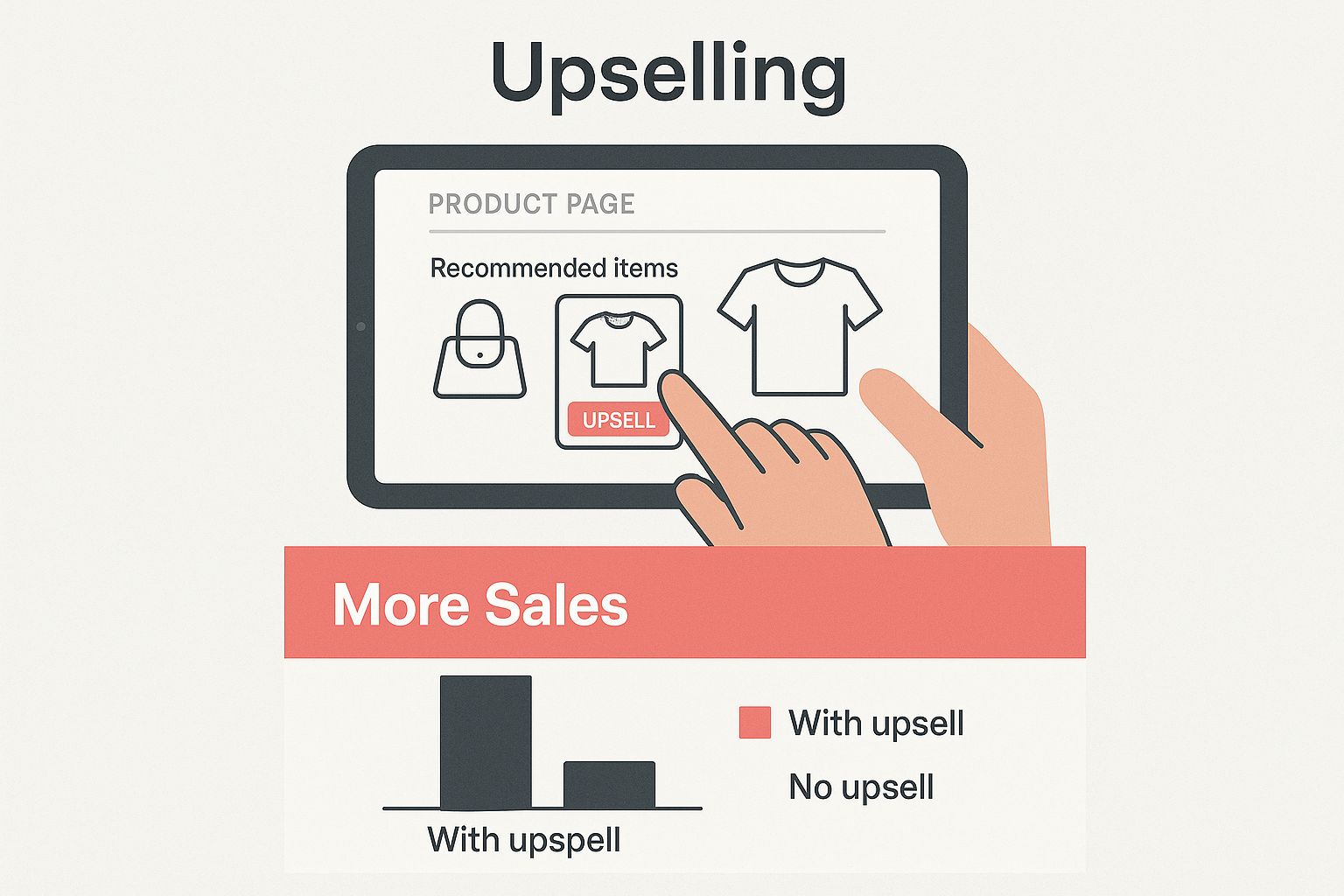
When you integrate these recommendations naturally, you’re not just increasing the value of each order—you’re genuinely improving the shopping experience.
Loyalty And Rewards Programs
You’ve probably heard the stat: acquiring a new customer can cost five times more than keeping an existing one. Loyalty and rewards apps are your secret weapon for fostering that repeat business, turning one-time buyers into genuine brand fans.
These programs reward customers for sticking with you, offering points, exclusive discounts, or early access to new products. It creates a powerful incentive for them to choose your store over a competitor next time they need something. The best programs I’ve seen go beyond just points; they build a sense of community and exclusivity that makes customers feel truly valued.
Email And SMS Marketing Automation
Your email and SMS lists are gold. Seriously. Unlike your social media followers, you own these communication channels. Marketing automation apps turn these lists into powerful, automated sales machines that work for you 24/7.
These tools are non-negotiable. They handle everything from abandoned cart recovery sequences that claw back lost revenue to welcome series that nurture new subscribers into loyal customers. It’s all about sending the right message to the right person at the right time, completely on autopilot. A well-timed SMS, for instance, can recover a cart just minutes after a shopper leaves your site.
Personalization And Product Recommendations
In a world of endless choice, personalization is king. These apps use customer data and AI to create a shopping experience that feels like it was built just for them. By analyzing browsing history and past purchases, they can display highly relevant product recommendations.
This does more than just increase the chance of a sale; it helps shoppers discover products they might have otherwise missed, making them feel like you truly understand their needs.
The Shopify ecosystem is incredibly powerful because of its diverse tools. For example, some studies show apps for 3D product visualization can increase conversion rates by up to 250% simply by giving shoppers a better, more tangible feel for products.
Essential Shopify App Categories for Sales Growth
To help you get started, here’s a quick rundown of the key app categories, what they do, and what features you should be looking for. Think of this as your cheat sheet for building a high-growth app stack.
| App Category | Primary Sales Function | Example Apps | Key Features to Look For |
|---|---|---|---|
| Upsell & Cross-sell | Increases Average Order Value (AOV) | ReConvert, Zipify OneClickUpsell | Pre- and post-purchase offers, one-click add-to-cart, AI-powered recommendations |
| Loyalty & Rewards | Boosts Customer Lifetime Value (CLV) | Smile.io, Yotpo Loyalty & Rewards | Points-based system, VIP tiers, referral programs, easy redemption options |
| Email & SMS Marketing | Recovers abandoned carts, drives repeat sales | Klaviyo, Omnisend, CartBoss | Pre-built automation flows, segmentation, A/B testing, detailed analytics |
| Personalization | Improves conversion rates with tailored experiences | Nosto, Limespot Personalizer | AI-driven product recommendations, real-time behavior tracking, personalized content |
| Reviews & UGC | Builds social proof and trust | Judge.me, Loox, Yotpo Reviews | Photo/video reviews, automated review requests, on-site display widgets |
By focusing on these core categories, you create a powerful, interconnected system. Personalized recommendations can lead to a higher initial cart value, which can then be boosted further by an upsell offer, all while earning the customer loyalty points for their next visit. It all works together to create a seamless growth engine for your store.
If you want to dive deeper into one specific area that can make a huge impact, check out our guide on the best Shopify checkout apps to grow your conversions.
Installing and Configuring Apps for Peak Performance
Clicking “install” on a promising app is just the starting line. The real work—and the real results—happen during the setup. This is where you transform a generic tool into a sales asset built specifically for your store.
It’s tempting to jump right in and start flipping switches, but that’s a common mistake. Instead, approach configuration with two clear goals: make sure the app doesn’t hurt your user experience and make sure it aligns perfectly with your brand.
Prioritize Site Speed and User Experience
One of the biggest risks when adding any new app is slowing down your store. It’s a killer. Even a one-second delay in page load time can slash your conversions by up to 7%. A clunky, slow app will cost you more sales than it could ever generate, no matter how cool its features are.
Before you let any new app go live, especially one that customers will see (like a pop-up or chat widget), you need to test your site speed. Run a test before and after you activate the app to see what kind of impact it has. If you notice a major slowdown, it’s probably time to find a lighter alternative.
A smooth, fast shopping experience isn’t a “nice-to-have”—it’s a requirement for growing your sales. Any app that adds friction is working against you.
Speed is just one piece of the puzzle. You also have to think about placement and flow. Does that new upsell widget block the “add to cart” button on mobile? Is your welcome pop-up so aggressive that it stops people from actually browsing your products?
Always check how the app looks and feels on both desktop and mobile. The goal is to enhance the shopping journey, not throw obstacles in the way.
Fine-Tune App Settings for Maximum Impact
Once you’ve confirmed the app isn’t a performance hog, it’s time to dial in the settings to get the best results. Default settings are almost never optimal. Smart configuration is what separates the stores that see a real lift from those that just add clutter.
Here are a few things I always do:
- Match Your Brand’s Look and Feel: Dive into the customization options. Change the colors, fonts, and button styles to make every widget or pop-up feel like a seamless part of your store. A jarring, off-brand element screams “unprofessional” and can kill trust in an instant.
- Segment Your Offers: Don’t blast every visitor with the same message. That’s lazy marketing. Use the app’s targeting rules to create specific segments. For example, you could show a 15% discount pop-up only to first-time visitors. Or, you could display a specific upsell only when a customer adds a certain product to their cart. Get granular.
- Always Be Testing: Many of the best Shopify apps to increase sales have built-in A/B testing. Use it. Test different headlines, offers, button colors, and even the timing of your pop-ups. You might discover that a free shipping offer crushes a 10% discount, but you’ll never know for sure unless you test.
This detailed setup is what turns a simple tool into a revenue-generating machine. For anyone using email and SMS apps, learning how to set up marketing automation is the perfect next step. It’s all about applying these same principles of targeting and personalization to make sure every part of your tech stack is working smarter, not just harder.
Measuring the ROI of Your Shopify App Stack

Okay, so you’ve installed a bunch of the best Shopify apps to increase sales. That’s a solid first step, but it’s really only half the battle. If you’re not actually measuring their impact, you’re just throwing things at the wall and hoping something sticks.
Each app you add is an investment—not just in subscription fees, but in site resources that can affect your store’s speed. You absolutely need to know if that investment is paying off.
You don’t need a degree in data science to figure this out. The trick is to tie each app to a specific Key Performance Indicator (KPI) and then track it like a hawk. You wouldn’t launch an ad campaign without tracking clicks and conversions, right? Your app stack deserves the same level of scrutiny.
Tying Apps to Core Business Metrics
First things first, you need to assign a primary KPI to every app based on what it’s supposed to do. This creates a direct line between the tool you’re paying for and its real-world financial impact on your store. We’re moving past vanity metrics and focusing on the numbers that actually hit your bottom line.
A simple, effective framework looks like this:
- Upsell App: The main metric here is your Average Order Value (AOV). Is it climbing? You can also dig a little deeper and look at the upsell offer acceptance rate to see if your offers are actually resonating with customers.
- SMS Recovery App: This one’s easy. It’s all about the abandoned cart recovery rate. How much money is this specific app bringing back that you would have otherwise lost for good?
- Loyalty App: Here, you want to watch your Customer Lifetime Value (CLV). Are members of your loyalty program spending more over their lifetime compared to non-members? That’s your answer.
- Reviews App: The goal here is a higher conversion rate. Compare the conversion rates on product pages with lots of great reviews against pages with few or no reviews. The difference tells the story.
By assigning one critical KPI to each app, you simplify your tracking and get a crystal-clear signal on whether it’s pulling its weight. This data-driven mindset is what separates a bloated, slow store from a lean, effective one.
Using Dashboards to Track Performance
Once you know what you’re tracking, you need a system for how you’re going to track it. The good news is you probably don’t need fancy third-party software. The data you need is already there—you just need to know where to find it. For a more detailed breakdown, our guide on how to calculate marketing ROI offers a great framework that applies perfectly here.
Start by pulling insights from two key places:
- Shopify Analytics: Your native Shopify dashboard is a goldmine. Use it for your big-picture metrics like overall conversion rate, AOV, and returning customer rate. It’s great for spotting trends before and after you install a new app to see the immediate effect.
- App-Specific Dashboards: Any sales app worth its salt will have its own analytics dashboard. This is where you’ll find the nitty-gritty details, like the exact revenue generated from post-purchase upsells or the specific number of carts clawed back by an SMS campaign.
Block out some time each month to actually sit down and review these numbers. If an app isn’t moving its assigned KPI in the right direction after a fair trial run, it might be time to tweak its settings or start shopping for a better alternative. A regular audit like this ensures your store stays fast, lean, and powered only by the tools that are actively making you money.
Got Questions About Shopify Sales Apps? Let’s Clear Things Up.
Diving into the Shopify App Store can feel a bit overwhelming, and it usually sparks a few key questions. Getting solid answers is the first step to building an app stack that actually makes you money instead of just slowing down your site.
Let’s tackle some of the most common things merchants worry about when using Shopify apps to increase sales.
How Many Shopify Apps Are Too Many?
There’s no magic number here. The real judge is your site’s performance. While some studies say the average merchant has about six apps installed, your focus should always be on impact, not just hitting a certain number.
The real danger isn’t the quantity of apps, but the quality. A handful of poorly coded or resource-hogging apps can do more damage than a dozen lightweight ones. This can absolutely crush your site speed, which is a notorious conversion killer. A slow store frustrates shoppers and sends them bouncing right over to your competitors.
Take a hard look at your app list every so often and ask one simple question: “Does this tool directly help me sell more or make the customer experience noticeably better?” If the answer is a hesitant “maybe” or a flat “no,” it’s probably time to uninstall it. A great strategy is to find multi-functional apps that solve several problems at once, keeping your store lean and fast.
Can I Actually Make More Money with Free Shopify Apps?
You absolutely can. Especially when you’re just starting out, many free apps pack a serious punch and can make a real difference in your revenue. You don’t always need to shell out cash for paid tools to see growth.
Think about it: apps for collecting product reviews, adding a simple email pop-up, or enabling a basic live chat often have fantastic free plans. These are perfect for building crucial social proof and growing your marketing list without touching your budget.
The key is to start with a specific goal. Need to build trust with first-time visitors? A free reviews app is a no-brainer. As your store scales, you can then decide if the premium features in paid apps offer a clear return on investment that justifies the cost.
How Do I Know if an App Is Safe to Install?
This is probably the most important question you can ask before hitting that “install” button. A trustworthy app protects your store, your data, and your customers’ information. Luckily, there are a few dead giveaways of a quality app.
The two biggest signs of a dependable app are recent, positive reviews and an active developer who cares.
Here’s a quick checklist for vetting any app on the store listing:
- Recent Updates: Check the “last updated” date. If it was updated recently, it means the developer is actively squashing bugs and keeping it compatible with the latest Shopify updates.
- Support Mentions: Skim the reviews for comments about customer support. Responsive, helpful support is worth its weight in gold when you run into a snag.
- “Built for Shopify” Badge: This badge is a big deal. It means the app has met Shopify’s highest standards for performance, quality, and seamless integration.
And one last pro tip: always back up your theme before installing any app that messes with your store’s code. This simple step can be a real lifesaver.
Ready to turn those abandoned carts into your biggest revenue stream? CartBoss uses automated SMS to bring shoppers back and recover sales you thought were gone for good. It’s time to start converting more visitors on autopilot.