


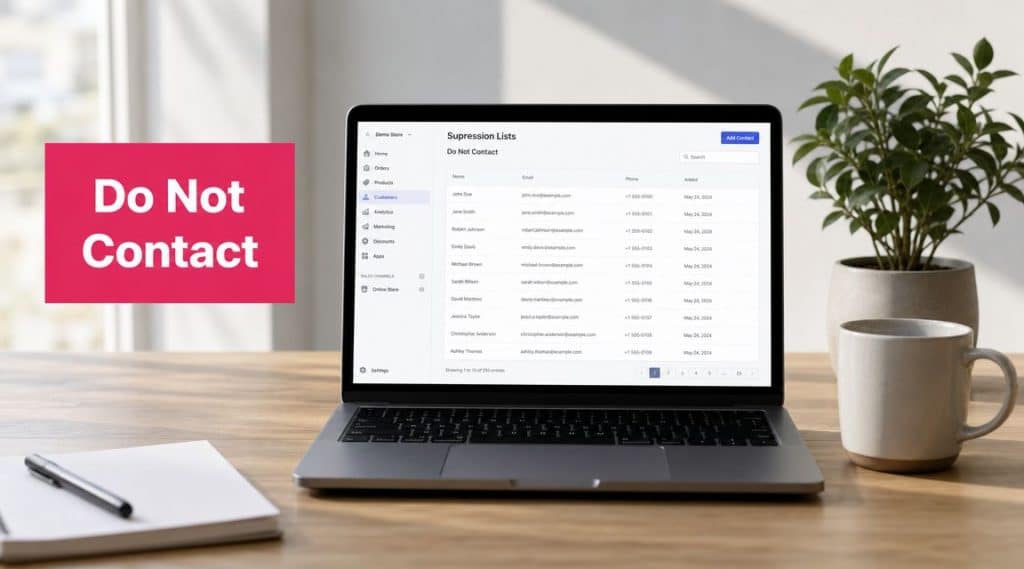
A Do Not Contact list—often called a suppression list—is your master record of everyone who has opted out of your marketing. This isn’t just email unsubscribes. It includes people who reply “STOP” to an SMS or ask your customer service team to be removed.
Simply put, it’s your master list of who not to message.
Why Do Not Contact Lists Are a Profit Driver, Not a Cost Center
Many store owners view suppression lists as a legal chore—a box to check to avoid fines. This mindset is a missed opportunity. A well-managed Do Not Contact list is a powerful business tool that can directly increase your marketing ROI.
Every message sent to someone who doesn’t want it is a waste of money. It damages your sender reputation with email providers and mobile carriers, and it erodes the customer trust you’ve worked hard to build.
How a Clean List Boosts Your Bottom Line
When you stop messaging uninterested contacts, your marketing budget immediately works smarter. A clean suppression list delivers measurable results.
Here’s how it directly impacts your revenue:
- Improved Deliverability & Higher Open Rates: Email providers like Gmail and mobile carriers track how recipients engage with your messages. High spam complaint rates sink your sender reputation, causing your emails to land in spam folders and your texts to be blocked. A clean list ensures your messages reach the customers who want them, leading to higher open rates (SMS open rates can be as high as 98%).
- Increased Engagement and Conversions: When you message an audience that has explicitly opted in, your open rates, click-through rates, and conversions naturally increase. This positive engagement signals to providers that your content is valuable, creating a virtuous cycle of better deliverability and performance.
- A Stronger Return on Ad Spend (ROAS): Why pay to send a text or email to someone who will delete it or complain? By focusing your spend only on willing recipients, every marketing dollar works harder. The result is a much healthier return on your marketing investment.

Ultimately, mastering your Do Not Contact lists transforms your marketing from a broad, inefficient broadcast into a targeted, respectful conversation. This doesn’t just keep you compliant; it builds a loyal customer base that trusts your brand and is more likely to buy from you again.
Decoding the Legal Rules of Do Not Contact Lists
Navigating the legal rules behind Do Not Contact lists can feel like swimming through alphabet soup—TCPA, GDPR, CCPA. Understanding these regulations is non-negotiable for any e-commerce store owner. Getting this wrong doesn’t just risk massive fines; it damages your brand’s reputation with customers who feel their privacy has been violated.
These laws are consumer protection mandates with serious consequences. The Telephone Consumer Protection Act (TCPA) in the U.S., for example, is notoriously strict about SMS marketing. It demands explicit written consent before you can send a promotional text—a much higher bar than the implied consent often used for email.
To put this in perspective, the U.S. National Do Not Call Registry, established in 2003, had over 222 million numbers by 2015. This is a massive, legally-backed signal that consumers demand respect for their contact preferences.
What This Means for Your E-commerce Store
The key takeaway is that you can’t use a one-size-fits-all approach. Different rules apply to different channels and regions. An email unsubscribe in the EU under GDPR must be handled differently than an SMS “STOP” reply in California under the CCPA.
Here’s a quick cheat sheet for marketers:
- TCPA (U.S.): This law governs consent for calls and texts. You need clear, unambiguous permission before messaging a phone number. For a deeper dive, read our guide on what TCPA compliance means for your business.
- GDPR (EU): This requires a legitimate reason for processing data and gives consumers the powerful “right to be forgotten.” Unsubscribes must be honored quickly and completely.
- CCPA (California): This law gives consumers the right to know what data you’re collecting and to opt out of its sale.
Best Practice: Your responsibility doesn’t end when a customer clicks “unsubscribe.” You must ensure their preference is recorded and honored across ALL your marketing platforms—from your email service provider to your SMS tool. Failing to sync opt-outs is a legal violation.
Using compliant tools with built-in protections, like CartBoss, is essential. It allows you to automate compliance and market confidently without risking costly mistakes.
How to Build and Automate Your Suppression List: A Step-by-Step Guide
Think of your suppression list as a living, automated system, not a static file you upload occasionally. To maintain compliance and maximize ROI, you need a process that is always on, capturing opt-outs from every channel. A robust Do Not Contact list isn’t just a legal requirement; it’s a sign of respect for your customers.
This means having a solid process for both manual and automated updates. Your customer service team might get an email from a customer asking to be removed from all marketing (a manual entry). More importantly, you need automation to handle instant requests, like when a customer replies ‘STOP’ to an SMS.
Key Takeaway: Automation is your best defense against human error and compliance delays. A missed unsubscribe request is a broken promise to your customer and a potential legal violation.
Checklist for Flawless List Hygiene
Keeping your contact lists clean is an ongoing job. Different regulations have specific timelines for how quickly you must process opt-outs and scrub your lists. For example, telemarketers in the U.S. must check their lists against the National Do Not Call Registry at least every 31 days. Failing to do so can result in fines up to $51,744 per violation as of 2026.
This table breaks down the required update frequency for common regulations:
| Regulation/Registry | Required Update Frequency | Grace Period for Compliance |
|---|---|---|
| National Do Not Call Registry (US) | Every 31 days | 10 business days for SMS/Email |
| TCPA (US) | As soon as possible | Immediately upon request |
| GDPR (EU/UK) | Immediately | Within one month at the latest |
| CASL (Canada) | Immediately | 10 business days |
Here’s a practical, step-by-step checklist to build a bulletproof system:
- Step 1: Capture All Unsubscribe Sources: Systematically log opt-outs, whether they come from email unsubscribe links, SMS “STOP” replies, customer service calls, or direct email requests. Don’t let any channel fall through the cracks.
- Step 2: Automate Everything Possible: Use tools like CartBoss that automatically process SMS opt-outs in real-time. This eliminates the risk of human error. Our guide on opting in and opting out explains exactly how to manage these flows.
- Step 3: Centralize Your List: Create one master suppression list. This should be the single source of truth that all your marketing tools—email platform, SMS provider, ad networks—reference before sending any message. This prevents accidentally contacting someone who opted out on another platform.
- Step 4: Schedule Regular Audits: Set a recurring calendar reminder (at least monthly) to audit your lists. Confirm that they are synchronized across all tools and that all recent unsubscribes have been processed correctly.
By combining diligent checks with smart automation, you guarantee that when a customer says “stop,” you honor their request instantly. This protects your sender reputation, ensures compliance, and makes your marketing more effective.
Keeping Your Do Not Contact Lists in Sync Across All Tools
Your Do Not Contact list is only as good as its reach. If a customer unsubscribes from an email but gets an SMS an hour later, it’s more than a bad look—it’s a compliance failure. This disconnect creates a jarring customer experience and puts your business at risk.
The only fix is synchronization. Your suppression data must flow seamlessly across your entire tech stack—from Shopify or WooCommerce to your email platform, SMS provider like CartBoss, and CRM. The goal is one master list, a single source of truth for who wants to hear from you.
A siloed suppression list is one of the most common—and dangerous—compliance mistakes. If an opt-out in one system doesn’t automatically update all others, you’re ignoring a customer’s legal request.
How to Automate Cross-Platform Compliance
Manually exporting and importing CSV files of unsubscribers between tools is slow, tedious, and prone to human error. It simply doesn’t scale. The only sustainable solution is automation.
Here are two practical ways to make this happen:
- Native Integrations: Many modern marketing tools are built to connect directly. For instance, your SMS platform might have a built-in integration with your email service provider that automatically syncs suppression lists. These are the simplest to set up and are highly reliable.
- Third-Party Connectors: If your tools don’t connect directly, platforms like Zapier or Make are invaluable. You can build a simple automated workflow to act as a bridge. For example, create a “Zap” that says, “When a contact is added to the suppression list in my email tool, add that same contact to the suppression list in CartBoss.” We’ve designed our third-party integrations to make this process as smooth as possible.
This infographic breaks down the flow of how to collect and automate opt-outs effectively.

Automation is the crucial link that connects gathering opt-outs with maintaining a clean, compliant, and effective contact list.
Designing a Better Unsubscribe Experience
It’s tempting to view every unsubscribe as a failure and react by hiding the unsubscribe link or creating a frustrating opt-out process. This is a huge mistake. Hiding the exit doesn’t stop people from leaving; it just makes them angry and leads directly to spam complaints, which are toxic for your deliverability.
The wrong mindset is treating an unsubscribe like a rejection. A simple, respectful opt-out process protects your sender reputation and shows customers you value their choice—a positive brand interaction, even on their way out.
Think about it: would you rather have a customer quietly remove themselves, or have them smash the spam button in frustration? Spam complaints are a massive red flag for email providers and SMS carriers that can damage your ability to reach the customers who do want to hear from you.

From Opt-Out to Opt-Down: A Smarter Strategy
Instead of an all-or-nothing choice, give users more control. This is your chance to turn a potential opt-out into an “opt-down,” keeping the connection alive on their terms.
Here’s what a great experience looks like in practice:
- One-Click Email Unsubscribes: Make it effortless. A single click should immediately confirm their opt-out. Forcing them to log in or fill out a form is a recipe for spam complaints.
- Honor Standard SMS Keywords: Your system must automatically recognize and process replies like ‘STOP’, ‘CANCEL’, or ‘UNSUBSCRIBE’. This is non-negotiable. Learn more in our guide to crafting the perfect unsubscribe message text.
- Offer a Preference Center: This is the gold standard. A preference center allows users to choose how they hear from you instead of leaving entirely. Maybe they only want monthly updates or new product alerts. Giving them this choice can significantly reduce your total unsubscribe rate.
Frequently Asked Questions About Do Not Contact Lists
Even with a solid plan, you’re bound to run into tricky situations. Let’s walk through common questions that e-commerce marketers face.
What Is the Difference Between a Hard Bounce and an Unsubscribe?
This is a great question. Both contacts end up on a suppression list, but for very different reasons.
- An unsubscribe is a direct request from a customer who no longer wants your messages. You must honor it immediately by adding them to your Do Not Contact list.
- A hard bounce is a technical failure. It means the email address or phone number is invalid. These contacts should also be suppressed immediately, as repeatedly messaging a dead address hurts your sender reputation and wastes money.
One is a user’s choice, the other is a technical dead end. Both require immediate suppression for good list hygiene.
Pro Tip: When a customer complains directly to your support team, treat it as a formal unsubscribe request. Add them to your Do Not Contact list immediately to prevent the issue from escalating.
How Long Must I Keep Someone on a Suppression List?
Forever—or until they give you explicit, new consent to start messaging them again.
Once someone opts out, they stay out. Removing a contact from your Do Not Contact list without their direct permission is a major compliance violation under regulations like the TCPA and GDPR.
For a deeper dive into the legal specifics, our guide on personal text message privacy laws is a great resource.
Can I text a customer who abandons a cart if they are on my Do Not Contact list?
No. An existing Do Not Contact request overrides any subsequent action, including abandoning a cart. The DNC request covers all future marketing messages, period. Respecting that choice is critical for both compliance and customer trust.
Stop losing sales to abandoned carts. CartBoss uses automated SMS to bring customers back, recovering revenue effortlessly and boosting your ROAS. Set it up once and watch your sales grow on autopilot. Start recovering carts with CartBoss today!
