


At its core, an API to send SMS is simply a way for your software to automatically send text messages without anyone needing to lift a finger. Think of it as a direct line from your e-commerce store to your customers’ phones, bypassing the need for manual intervention. It’s the behind-the-scenes magic that powers everything from order confirmations to those crucial abandoned cart reminders.
Why E-Commerce Runs on an API to Send SMS

Let’s be real: email inboxes are a war zone. While email still has its place, its punch for urgent, high-impact messages is fading fast. This is exactly where an SMS API completely changes the game for online stores.
The real power move here is the direct, automated integration. Instead of wrestling with a clunky third-party app or, worse, sending texts by hand, an API plugs SMS capabilities right into your store’s backend. This creates a smart, scalable system that reacts instantly to what your customers do.
To put it in perspective, here’s a quick look at how an API stacks up against manual sending.
SMS API vs Manual Sending Key Differences
The table below breaks down the core advantages of using an API over manually sending SMS messages for business purposes.
| Feature | Using an SMS API | Manual Sending |
|---|---|---|
| Speed | Instant, automated sending based on triggers. | Slow, requires a human to type and send each message. |
| Scalability | Sends thousands of messages simultaneously. | Extremely limited; impossible to scale for a growing business. |
| Automation | Fully automated workflows for abandoned carts, shipping. | No automation possible; requires constant manual effort. |
| Personalization | Dynamically inserts customer data (name, order details). | Basic personalization is tedious and prone to errors. |
| Cost | Highly cost-effective at scale. | Expensive in terms of time and labor. |
| Analytics | Provides detailed delivery reports and engagement data. | No tracking or data analysis available. |
As you can see, for any serious e-commerce operation, an API isn’t just a “nice-to-have”—it’s a fundamental tool for growth and efficiency.
The Power of Automation and Immediacy
When a customer leaves items in their cart, your system can automatically fire off a personalized SMS reminder an hour later. When an order ships, an instant notification with a tracking link lands on their phone. Trying to manage this level of real-time communication manually is a recipe for disaster, but it’s completely effortless with an API.
This direct line to your customer’s pocket has a massive impact. The growth of SMS marketing is exploding for a reason: it flat-out works. The global SMS marketing market was valued at $2.86 billion in 2023 and is projected to hit an incredible $38.4 billion by 2030, all driven by its unmatched engagement rates.
An API transforms SMS from a simple messaging tool into a powerful, event-driven marketing and customer service engine. It’s not just about sending messages; it’s about sending the right message at the exact right moment.
Ultimately, integrating an api to send sms is about more than just convenience. It’s a strategic decision to meet customers on the channel they prefer and trust most. By automating these critical touchpoints, you build stronger customer relationships, recover lost revenue, and create a professional experience that fosters loyalty. To dig deeper, check out our guide on the benefits of SMS marketing for your business.
How to Select the Right SMS API Provider
Choosing a partner to send SMS via an API isn’t just a technical task—it’s a critical business decision. The provider you pick becomes an extension of your brand, tasked with delivering important messages straight to your customers. Your evaluation has to go way beyond just comparing prices.
Reliability is everything when it comes to a solid SMS strategy. Before you even look at features, you should be asking potential providers for their uptime SLAs and average delivery rates. Think about it: a few percentage points in delivery can mean the difference between thousands in recovered carts and thousands in lost revenue.
Anything less than a 99.95% uptime guarantee and direct-to-carrier routes is a non-starter for a serious e-commerce store.
Evaluate Developer Experience and Core Features
A great API is useless without great documentation. Before you commit, get your developers to take a look at their API reference, guides, and SDKs. Are the code examples clear? Do they offer well-maintained libraries for your tech stack, whether it’s Node.js, Python, or something else? This quick check can save you a ton of headaches during the actual integration.
Once you’ve covered the basics, you need to look for features that will actually help you grow your store:
- 10DLC and Short Code Support: Absolutely essential if you’re sending high volumes of messages in the U.S. This is key to ensuring good deliverability and avoiding getting filtered by carriers.
- MMS Capabilities: Sending a product image in a cart recovery message can dramatically boost conversion rates compared to plain old text. It’s a game-changer.
- Two-Way Messaging: This lets you handle customer service replies directly through SMS, creating a much smoother, conversational experience for your shoppers.
- Global Coverage: If you sell internationally, you have to be sure the provider has strong, reliable routes to your key markets. Don’t just take their word for it; ask about specific countries.
These are the features that separate a basic utility from a true growth partner. For a deeper look into what different vendors bring to the table, you can find detailed comparisons of top SMS messaging platforms.
Understand the Pricing Model and Support
Transparent pricing is non-negotiable. Keep an eye out for hidden fees, monthly minimums, or confusing credit systems. A simple, pay-as-you-go model is usually the most predictable for e-commerce because your costs scale directly with your usage. No surprises.
Finally, give their support a test run. Can you get a knowledgeable human on the line quickly to help you troubleshoot? The quality of a provider’s support team is often a direct reflection of the quality of their entire service.
When you’re choosing an API to send SMS, your priorities should be reliability, developer-friendly tools, and transparent pricing. You’re looking for a long-term partner whose infrastructure can scale right alongside your business’s success.
The market for these services is huge. In fact, software platforms now account for over 64% of U.S. SMS marketing revenue, mostly because of the powerful APIs they offer. Cloud-based deployment is the standard, making up nearly three-quarters of the infrastructure, which gives businesses the flexibility and compliance they need. You can find more insights on the SMS marketing market on Mordor Intelligence. Taking the time to research your choice now sets the foundation for your entire SMS program down the road.
Making Your First API Call: A Hands-On Guide
Alright, let’s get down to business and send your first message. Making an API call might sound intimidating, but it’s really just sending a structured request to a server. That server then handles all the heavy lifting, turning your request into an SMS and making sure it gets delivered.
Before you even think about writing a single line of code, you need to lock down your API credentials. Your provider will give you an API key and a secret. You have to treat these like the keys to your kingdom—never, ever expose them in your frontend code or commit them to a public repository. The standard, and safest, practice is to store them as environment variables on your server.
This whole technical part is really the final step in a bigger process. First, you vet a provider for their deliverability and feature set, and only then do you dive into the code.
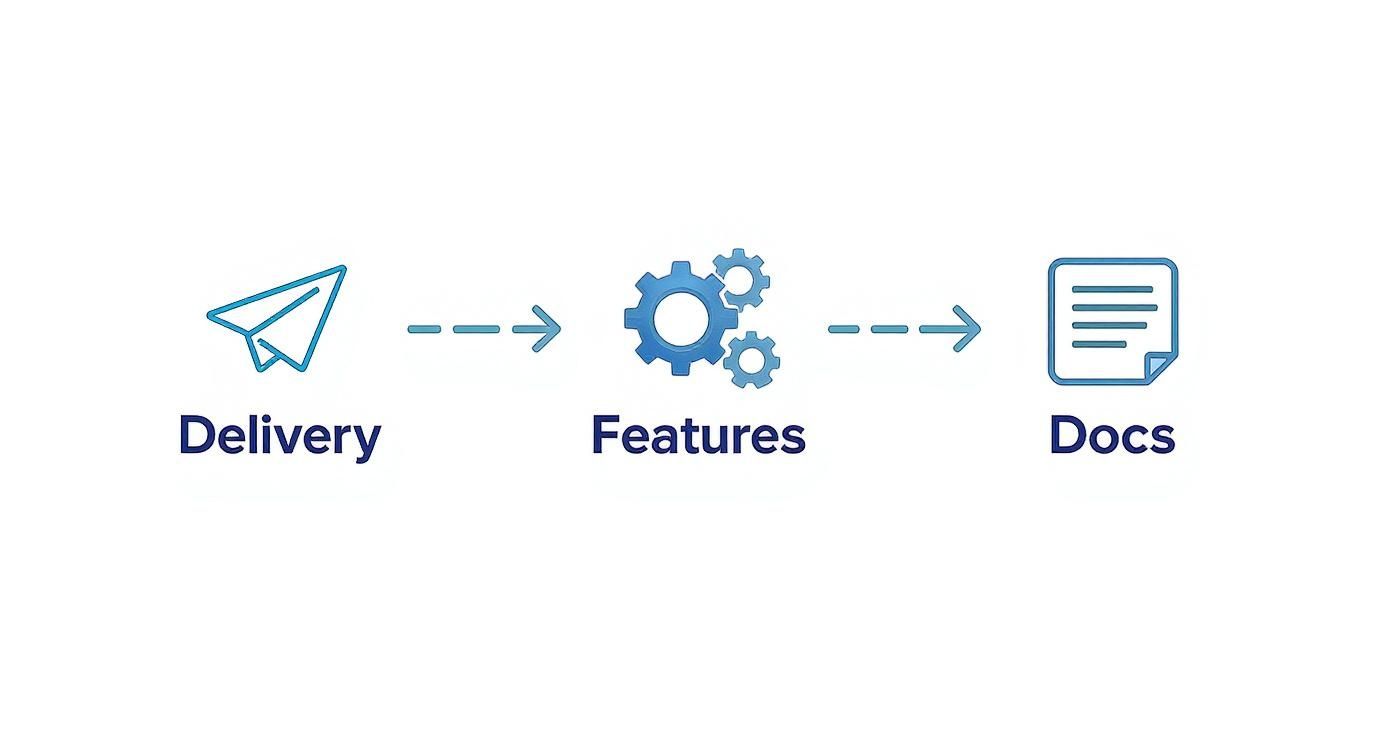
As you can see, the API call is the last piece of the puzzle. You have to be confident in your provider’s reliability before you start integrating.
A Quick Sanity Check with cURL
The fastest way to see if your credentials work is with a simple cURL command. It’s a command-line tool that lets you fire off requests straight from your terminal, which is perfect for a quick “Is this thing on?” test before you integrate the API to send SMS into your actual application.
Here’s what a basic request looks like. Just swap out the placeholder values with your real API key, sender number, recipient number, and message text.
curl -X POST https://api.yoursmsprovider.com/v1/messages
-H “Authorization: Bearer YOUR_API_KEY”
-H “Content-Type: application/json”
-d ‘{
“from”: “+15551234567”,
“to”: “+15557654321”,
“text”: “Your cart is waiting! Complete your order now.”
}’
If it all works, you’ll get a JSON response back almost immediately. Look for a unique message_uuid or something similar—that’s your confirmation that the message was successfully queued for sending.
Integrating with Node.js and Python
Once you’ve confirmed everything works with cURL, it’s time to build this logic into your backend. Most developers lean on the SDKs (Software Development Kits) provided by the API company. They’re a huge time-saver and handle a lot of the boilerplate stuff like authentication and request formatting for you.
For a Node.js app, sending an SMS can be as simple as this:
// Using a hypothetical SMS provider’s SDK
const smsClient = require(‘your-sms-provider-sdk’)(‘YOUR_API_KEY’);
async function sendCartReminder() {
try {
const response = await smsClient.messages.create({
from: ‘+15551234567’,
to: ‘+15557654321’,
body: ‘Hey! You left something in your cart. Here is a 10% discount: SAVE10’
});
console.log(‘Message sent! SID:’, response.sid);
} catch (error) {
console.error(‘Failed to send SMS:’, error);
}
}
sendCartReminder();
The core logic is the same no matter what language you’re using. You authenticate, build a message object with the sender, recipient, and body, and then fire off the command, making sure to handle any potential errors that pop up.
Python is just as straightforward, which makes it perfect for automation scripts or plugging into a Django or Flask backend. For a more detailed walkthrough, our guide on choosing an SMS sender API dives deeper into code examples and best practices for different platforms. Following this kind of step-by-step process means you can get your messaging system up and running in minutes, not hours.
Building High-Impact E-Commerce Automations
Sending a one-off text is a good start, but the real money is made with smart, automated workflows. When you integrate an api to send sms directly into your store’s logic, you can turn simple notifications into a powerful engine for sales and customer loyalty.
This isn’t just about blasting out messages. It’s about sending the right message at the perfect moment, completely on autopilot.
The numbers don’t lie. In 2024, businesses are on track to send a staggering 2.2 trillion A2P (Application-to-Person) SMS messages. And that figure is expected to jump by 50% to 3.4 trillion by 2028. This explosion shows just how critical SMS has become for retail, finance, and customer support. You can dig into more of these SMS usage statistics and insights on drips.com.
This massive scale isn’t an accident. It’s driven by high-impact automations that solve real e-commerce problems.
Crafting the Perfect Abandoned Cart Message
The abandoned cart is the lowest-hanging fruit for any online store. Period. And SMS is, without a doubt, the most effective tool for recovering that lost revenue.
The key is to make your message timely, personal, and incredibly easy to act on. Forget the generic, robotic pleas. Your message needs to feel like a helpful reminder, not a desperate sales pitch.
A great abandoned cart text should land about 30-60 minutes after someone leaves your checkout. It needs to use their name, mention a specific item they left behind, and give them a direct, pre-filled link right back to their cart. This simple formula removes all the friction and can seriously boost your recovery rates.
Here’s a template that just plain works:
Hey [CustomerName]! Did you forget something? Your [ProductName] is still waiting for you. Complete your order before it's gone: [Pre-filled Checkout Link]
Want to give them an extra nudge? Throw in a small, time-sensitive discount code. The goal is to make finishing the purchase easier than ignoring the message. For more advanced strategies, you might want to check out our complete guide to SMS marketing automation for e-commerce.
Beyond Cart Recovery: Essential Automations
While cart recovery gets all the glory, there are other automated messages that are just as crucial for building a world-class customer experience and getting people to buy from you again and again.
- Back-in-Stock Alerts: Don’t just let a sale walk away because an item is out of stock. Capture their number and send an instant SMS the second it’s available again. This creates a VIP feel and captures revenue you would have otherwise lost for good.
- Shipping & Delivery Notifications: These are the messages your customers are actually excited to get. Go beyond a simple “shipped” text. Use dynamic variables from your API to include the tracking number and a direct link to the carrier’s page so they can watch their package’s journey.
- Post-Purchase Review Requests: Timing is everything here. Send a polite request for a review about 7-10 days after the item has been delivered. This gives the customer enough time to actually use the product and dramatically increases your chances of getting high-quality, authentic feedback for your store.
A Quick Guide to SMS Compliance and Best Practices
Tapping into an SMS API gives you a direct line to your customers, but with great power comes great responsibility. Sending texts without knowing the rules isn’t just a simple mistake—it can land you in some seriously hot water, damage your brand, and rack up some eye-watering fines. This isn’t just a “nice-to-have”; it’s a fundamental part of running a professional and legal SMS program.
The absolute foundation of SMS compliance is getting explicit opt-in consent. Let me be crystal clear: you cannot, under any circumstances, send promotional text messages to a customer who hasn’t clearly agreed to receive them. This consent needs to be totally unambiguous. That means a customer has to take a clear action, like actively checking a box at checkout, to sign up.
Securing and Respecting Customer Consent
Just because a customer gave you their phone number with a past order doesn’t mean you have a green light for marketing. That’s a common and costly mistake.
Regulations like the Telephone Consumer Protection Act (TCPA) in the United States are incredibly strict on this. Getting it wrong can cost you up to $1,500 per message. Ouch.
To keep your business safe and build real trust with your audience, your consent process has to be transparent. Here’s what that looks like in the real world:
- Use Clear Language: Your opt-in form should flat-out state that the customer is agreeing to get marketing text messages from you. No vague stuff.
- Have a Separate Checkbox: The checkbox for SMS marketing can’t be pre-checked and must be completely separate from your general terms and conditions.
- Send a Confirmation Message: A solid best practice is to send an immediate confirmation text right after someone opts in. This message should confirm their subscription and, crucially, give them clear instructions on how to opt out.
If you want to go deeper, our guide on staying compliant with TCPA for text messages is a must-read. Seriously, check it out.
Handling Opt-Outs and Other Smart Practices
Getting consent is half the battle; the other half is honoring opt-outs instantly. Every single promotional message you send must include a dead-simple way for people to unsubscribe, usually by replying with a keyword like STOP.
Your SMS API needs to be set up to automatically process these keywords and immediately add the user’s number to a do-not-contact list. This isn’t optional—it’s a non-negotiable part of any compliant SMS program. Failing here is a major violation.
Beyond the legal must-dos, a few other best practices will make sure your messages actually get a good reception and do their job:
- Respect Quiet Hours: Nobody likes a marketing text at 2 AM. A good rule of thumb is to only send messages between 9 AM and 8 PM in the recipient’s local time zone.
- Identify Yourself: Always lead with your brand name. Don’t make your customers play a guessing game about who’s texting them.
- Avoid Spammy Language: Using ALL CAPS, a million exclamation points, or spammy trigger words like “free” or “winner” is a great way to get your messages filtered by carriers. If that happens, they never even make it to your customer’s phone.
When you treat compliance and best practices as a top priority, you’re not just avoiding fines. You’re building a sustainable, profitable SMS channel that customers will actually appreciate and engage with.
Troubleshooting Delivery and Handling Responses
Sending a message is only half the story. A professional setup requires a solid feedback loop to know what happens after you hit the API. Without it, you’re just firing messages into the void, crossing your fingers that they land.
The best way to track message status in real-time is with webhooks. Think of a webhook as an automated notification system. Your SMS provider sends a message to a specific URL you provide every time a message’s status changes. This is how you find out instantly if a message was delivered, failed, or got blocked by a carrier.
Setting up this kind of real-time monitoring is non-negotiable for a serious e-commerce operation. It lets you automatically update customer records, retry failed messages, or ping your support team when something goes wrong—no manual checks required.
Decoding Common Error Responses
When a message fails, the API will shoot back an error code and a brief description. While the exact codes can differ between providers, they usually fall into a few common buckets. Getting familiar with these will help you debug issues much faster.
Here are a few you’re almost guaranteed to run into:
- Invalid Destination Number: The phone number is formatted wrong or simply doesn’t exist. Your system should be smart enough to flag these numbers as invalid to stop wasting money on repeated failed attempts.
- Carrier Violation: This means the recipient’s carrier blocked the message. It often happens if the message content looks spammy or if you’re sending from an unregistered number (like a 10DLC in the US).
- Message Unroutable: The provider couldn’t find a path to deliver the SMS. This can sometimes point to an issue with a smaller, regional carrier that doesn’t have broad connectivity.
A proactive testing strategy is your best defense against delivery headaches. Before you launch any new automation, send a batch of test messages to a small, internal list of phone numbers on different carriers (e.g., AT&T, Verizon, T-Mobile). This simple step helps you catch formatting issues and carrier filtering problems before they ever impact a real customer.
By actively monitoring delivery receipts and understanding what the error codes mean, you graduate from just sending messages to intelligently managing your entire SMS communication strategy. This leads to higher deliverability, keeps your customers in the loop, and ultimately protects your brand’s reputation.
Common Questions About Sending SMS via API
If you’re just getting into sending SMS through an API, you probably have a few questions. Let’s tackle some of the most common ones we hear from developers and marketers.
How Much Does an SMS API Actually Cost?
This is a big one, and the answer is… it varies. A lot. Most providers operate on a pay-as-you-go model, so you’re only paying for what you send. You’ll typically be charged a tiny fraction of a cent for each message segment.
But several things can affect that price:
- Destination Country: Sending a text to the US will cost differently than sending one to the UK or Australia.
- Message Volume: Some providers offer discounts if you’re sending a high volume of messages.
- Number Type: Renting a dedicated short code or a 10DLC number will have its own monthly fee on top of your usage.
Your best bet is to always check the provider’s pricing page directly. They’ll have the detailed breakdown you need.
Can I Text My Customers in Other Countries?
Absolutely. Most of the big SMS API players have global reach. You can send a message from your headquarters in New York to a customer in Tokyo without much trouble.
However, there are a couple of key things to keep in mind. International rates are almost always higher, and you absolutely must follow the local laws of the country you’re sending to. This includes everything from opt-in consent rules to what you can say in your message. Make sure the API you choose has solid, reliable routes for the countries you’re targeting.
What’s the Difference Between Transactional and Promotional SMS?
It’s a critical distinction to make. Think of it this way:
- Transactional messages are functional. They’re triggered by something the user did, like an order confirmation, a shipping notification, or a password reset link. They provide essential information.
- Promotional messages are all about marketing. This is your flash sale announcement, your new product launch, or a special discount offer.
Why does it matter? Compliance rules are way stricter for promotional texts. You have to be extra careful with consent and opt-out language for marketing messages to stay on the right side of the law.
Ready to recover lost sales on autopilot? With CartBoss, you can turn abandoned carts into revenue using the power of automated SMS. Start recovering sales today.