

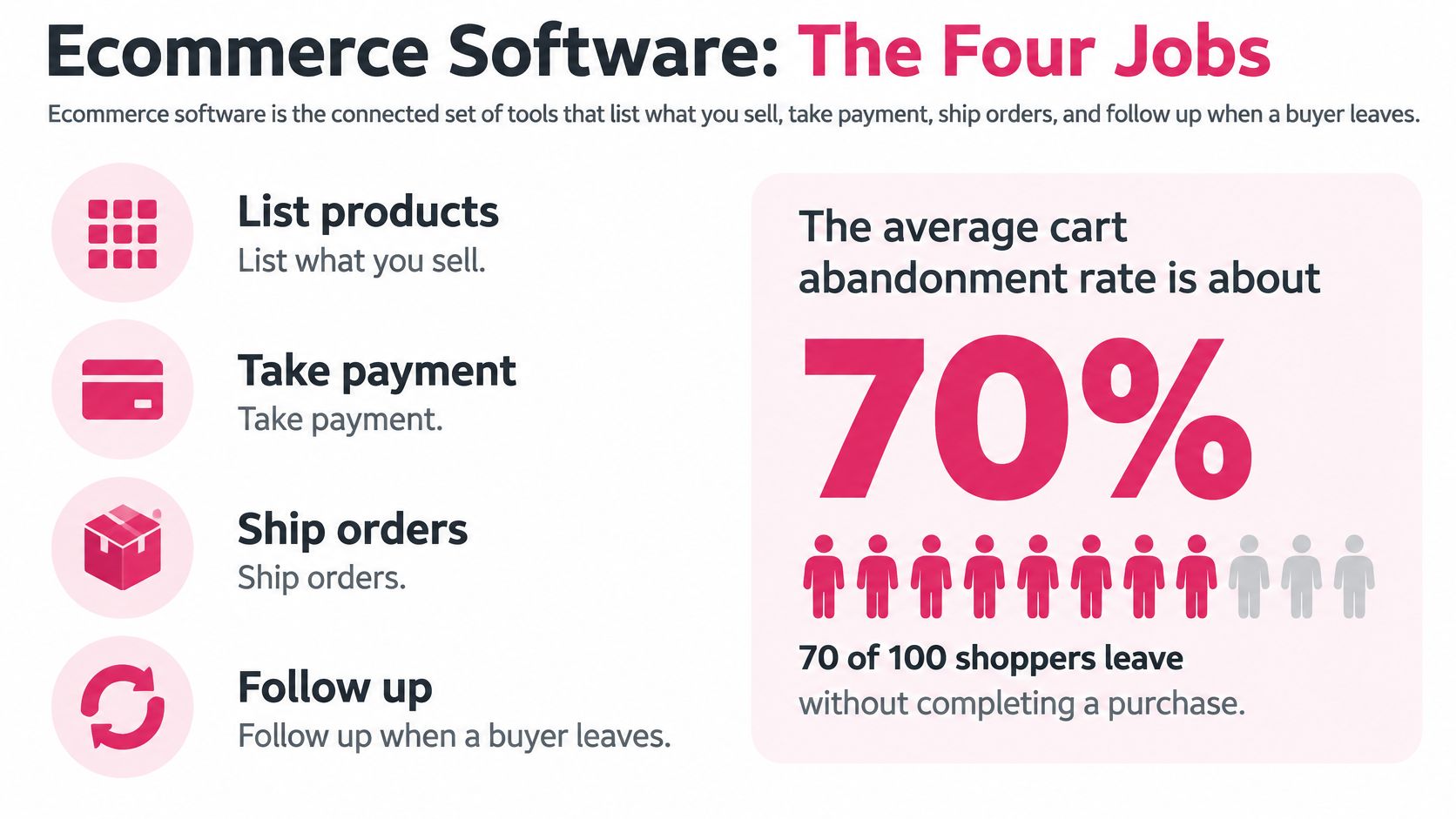
Roughly 70 of every 100 carts in an online store never reach payment. Baymard Institute’s running average across 50 studies puts the rate at 70.22%, as reported in Shopify’s ecommerce conversion research.
The reflex is to read that as a follow-up problem, and the app market has answered accordingly: reminder emails, SMS flows, discount popups, each one promising to claw back lost orders. Most of them work well enough to keep the subscription alive, which is why stores keep stacking more on top. The catch is that a reminder can only recover a cart the shopper was able to finish.
Every abandoned cart belongs in one of two buckets. Either the shopper could have paid and chose to pause, or the checkout itself stopped them, with a shipping cost that appeared at the last step, a rejected card, or an address form that refused their postcode. Software fixes the first bucket. Only your storefront fixes the second. Sorting each lost order into the right bucket before you buy anything is the highest-return decision in this category, and it’s the order this guide works in.
Table of Contents
- Why Stores Now Sell Through Software
- The Software Categories That Run a Store
- Find the Checkout Leak Before Buying Recovery Tools
- How to Choose Ecommerce Software Step by Step
- Example Stacks for Different Store Types
- Launch One Recovery Workflow This Week
Why Stores Now Sell Through Software
Ecommerce software is the connected set of tools that list what you sell, take payment, ship orders, and follow up when a buyer leaves.
The market underneath that definition is not niche. UN Trade and Development reported that business ecommerce sales reached nearly US$25 trillion in 2021 across 43 developed and developing economies representing about three-quarters of global GDP, a total 15% higher than the comparable pre-pandemic level in 2019. The organization estimated a further 10% rise in 2022, to almost US$27 trillion.
That scale changes what software means for a store. Digital selling moved from a side channel to core commercial infrastructure, and discovery, catalog management, checkout, payment, fulfillment, retention, and cross-border trade all run through it now.
The Shop Floor, the Till, and the Person by the Door
Picture a physical shop. The platform is the shop floor, where goods are laid out and priced. Payments are the till. A recovery message is the staffer who notices a full basket set down by the door and says something before the customer walks out.
None of the three repairs a broken door. If the till jams or the aisle is impassable, a polite reminder sends people back into the same obstacle, and they leave twice.
The measurable aim is narrow on purpose: more completed orders, a lower abandonment rate, and cleaner opt-in records. Not a longer app list. Stores that track app count usually end up with overlapping tools and data that disagrees between systems.
The next step is mapping the seven categories of ecommerce software to the job each one owns, so a tool gets matched to a specific leak before brands get compared.
The Software Categories That Run a Store
| Category | Core job | Result to measure | When you need it |
|---|---|---|---|
| Storefront platform | Catalog, cart, and checkout | Completed orders on a site you control | You sell direct to shoppers |
| Payment tools | Cards, wallets, local methods, retries | Fewer failed payments | Buyers leave when their method is missing |
| Checkout and forms | Guest checkout, address, tax, shipping totals | Fewer form drop-offs | Mobile shoppers stall on long forms |
| Orders and inventory | Stock, labels, and returns | Fewer oversells and late shipments | You ship physical goods |
| Email and SMS recovery | Follow-up after a built cart | Revenue from carts already started | Valid carts still go unfinished |
| Analytics | Funnel and device reports | A named leak, not a guess | You cannot see where buyers stop |
| Customer data and consent | Profiles, opt-in, and suppression | Legal sends and repeat purchases | You message across countries or campaigns |
Read the right-hand column before you open a single pricing page. It names the situation that justifies the spend, and a typical store fails at least two rows the moment it’s honest about them.
Where Two Rows Overlap
Payment tools and checkout software collide constantly. Checkout owns address entry, tax, and the shipping total shown before payment. Payments own authorization, wallets, and what happens when a card is declined. If both products claim to handle “checkout”, you’ve bought the same job twice and will spend a month reconciling which one wins.
Storefront platform and analytics overlap in the same way. The platform’s built-in reports are usually enough to find the biggest drop-off until you’re past a few hundred orders a month. Buy a dedicated analytics layer when you need device-level funnel detail the platform won’t show, not because a dashboard looks better.
The Rows Small Stores Skip
Customer data and consent is the one most merchants defer, and it’s the one that decides whether your messages are legal in three countries at once. A recovery tool inherits whatever your ecommerce CRM software already knows about a shopper’s language, consent, and opt-outs. If that record is a mess, fix the source before you bolt on another channel.
Analytics gets skipped for the opposite reason: it feels like reporting rather than selling. Skipping it means every later purchase becomes a guess about which leak you’re fixing.
Vertical Tools Outside the Seven
Some trades need software the seven rows don’t cover. A micro-bakery taking pre-orders needs pickup slots, batch capacity, and deposit handling, which is a fulfillment problem rather than a cart-recovery one. If that’s your situation, it’s worth looking at booking software for micro-bakeries instead of bending a cart app into a scheduler it was never built to be.
One rule settles most buying decisions: if two apps claim the same row, keep the one closest to the revenue event and drop the duplicate. Closest to the money means the tool whose failure you’d notice in the order count first.
Find the Checkout Leak Before Buying Recovery Tools
Shoppers who abandon a checkout name specific obstacles, and each obstacle points at a different piece of software. Shopify’s breakdown of checkout abandonment puts a number on three of them.
| Cause | Share of shoppers | First software fix |
|---|---|---|
| Extra costs such as shipping, tax, or fees | 40% | Show shipping and delivery expectations before payment |
| Forced account creation | 18% | Offer guest checkout |
| Checkout too long or complicated | 17% | Cut toward an optimized checkout of about 12 form elements |
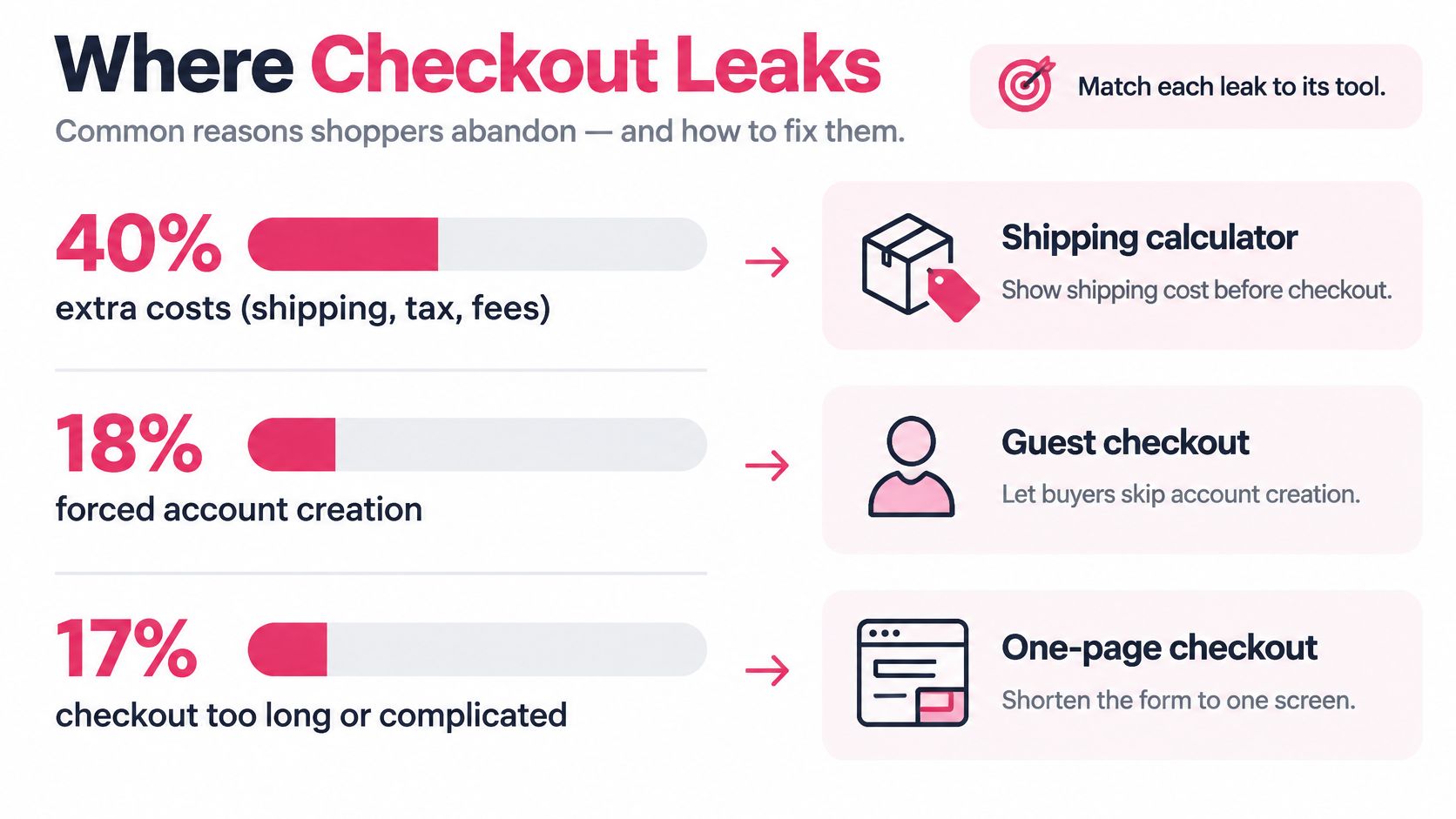
Each of those fixes costs nothing but a template edit and a settings change. Notice that none of them is a messaging problem, and none of them is solved by a discount code, which is the usual answer to a revenue dip.
The Storefront Is Usually the Leak
Baymard’s ongoing global research on checkout usability finds that 65% of sites have mediocre-or-worse checkout performance and only 2% qualify as good (Baymard’s checkout usability research). Read that again from a shopping perspective: most stores are asking for money through a form that a majority of their peers also get wrong.
The same body of testing shows how far a checkout can be compressed. An optimized flow can be reduced to roughly 12 form elements: 7 fields, 2 checkboxes, 2 dropdowns, and 1 radio-button group (Baymard’s checkout usability benchmark). Every element you add on top of that raises typing effort, validation failures, and the odds of a mobile input error.
The Two-Bucket Test
Take the last 30 days of abandoned carts and label each one.
- Recoverable cart: the shopper had a working path to payment and stopped. Shipping was visible, their payment method was accepted, the form submitted, and they left.
- Failed checkout: the shopper hit a wall. An address the form wouldn’t accept, a card rejected at authorization, a cost that jumped at the final step, a forced account creation, or a button that wouldn’t respond on a phone.
Payment failures are a bigger share of the second bucket than most merchants assume. In a 2023 study of 2,219 U.S. online shoppers, 11% had abandoned a checkout because the site lacked their preferred payment option and 6% because their credit card was rejected (Baymard’s payment method research). Neither shopper is waiting for a reminder. Both are waiting for you to accept their money.
Fix the failed path first. A text message cannot complete a form that won’t submit, and sending one to a shopper whose card was declined just advertises the failure a second time.
What to Do With Each Bucket
For failed checkouts, work through the list in order of volume: shipping cost and delivery estimate shown on the product page and again in the cart, guest checkout enabled by default, payment methods matched to the buyer’s country and currency, and a fallback path when authorization fails. Then cut fields.
For recoverable carts, run a plain reminder before you touch a discount. Segment the send by why the cart stopped: payment failure, address error, mobile friction, or a deliberate delay from a shopper comparing prices. Send the simplest version first, measure, then test an incentive against it as a separate campaign so you can tell which one moved revenue.
Split every funnel report by mobile, desktop, and tablet. A wide gap between devices points at usability or payment friction, not weak intent, and it tells you whether the fix is design work or a new gateway.
Measure incremental recovered revenue as the primary number, using a holdout group of carts you deliberately didn’t message. Message-attributed conversions double-count orders that would have completed anyway, and those are the easiest numbers to be fooled by.
If you want to see how the lost orders break down by cause before you change anything, this abandoned cart analysis walks through the segmentation.
The rule that saves the most money: fix the door before you hire someone to call people back to it.
How to Choose Ecommerce Software Step by Step
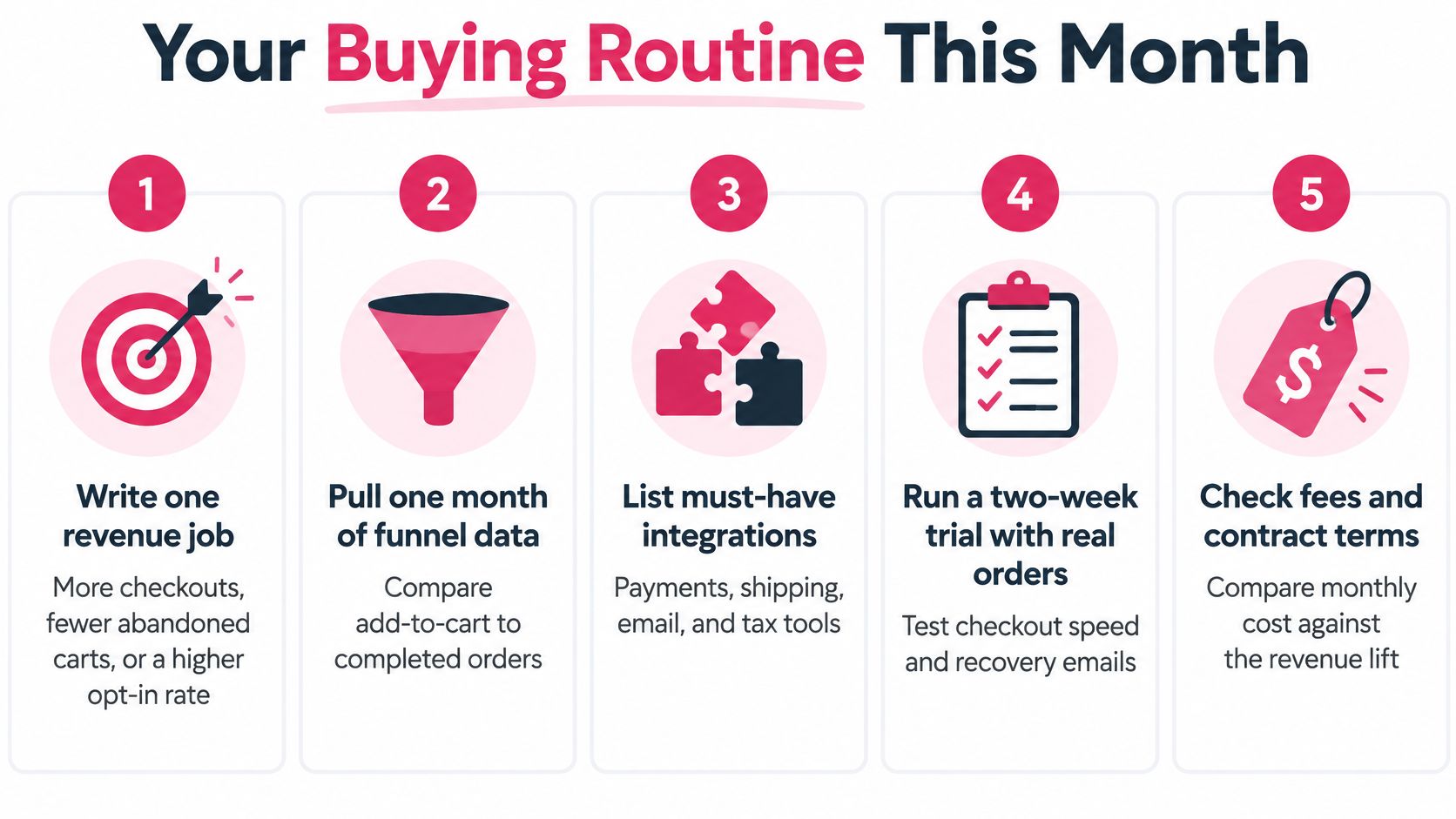
Run this routine once a quarter rather than once a year. Each step produces something concrete: a number, a fix, or a decision to walk away from a purchase.
- Write one revenue job. Not “improve marketing”. Name a single outcome: more completed checkouts, fewer abandoned carts, a higher opt-in rate. One job maps to one row in the category table, which gives you a shortlist instead of a spreadsheet of 40 vendors.
- Pull one month of funnel data by device. Compare add-to-cart against completed orders separately on mobile, desktop, and tablet, then stop at the largest gap. Write down what that gap is worth in currency, because that number is your budget ceiling for the whole project.
- Fix the basics, then list must-have integrations. Shipping cost and delivery estimate visible before payment, guest checkout on, field count reduced. Only then list what a tool must connect to: payment provider, shipping rates, tax engine, email platform. A tool that doesn’t talk to your tax or shipping setup adds a manual step, and manual steps get skipped during busy weeks.
- Add one automation, not a suite. The temptation to buy the full platform is real and usually expensive. A 2025 Online Retailer Survey found nine in ten participants considered implementing and integrating AI difficult, citing insufficient time, budget, expertise, or staff, with tool selection and data security also named as problems (Online Retailer Survey 2025). More automation than you can operate is a cost with a dashboard.
- Run a two-week trial with real orders. Test on live carts, not a demo store. Check the recovery link opens the correct pre-filled checkout on an actual phone, in an actual browser your buyers use.
- Check the money and the contract. Monthly fee, per-message cost, discount budget, refunds, and the staff hours to maintain it. A tool at zero subscription with a per-message fee can beat a cheaper one that nobody on your team has time to configure.
What the Minimum Stack Looks Like
Four things: a storefront you control, payments that cover your buyers’ methods, analytics that show a funnel by device, and one recovery channel. Everything else is an upgrade to one of those four, and it should be justified by the metric it moves.
CartBoss is an SMS cart recovery tool for Shopify stores and WooCommerce stores. Our free tools include a Cart Abandonment Rate Calculator, a Klaviyo SMS Savings Calculator, and an SMS Cart Recovery ROI Calculator, and on our pricing one SMS to the United States costs 0.025 €. If you’re still assembling the rest of the stack, this overview of ecommerce marketing tools covers what each layer is for.
Price the Lift, Not the Open Rate
A 99% open rate is not a result. Open rates are measured against delivered messages, not against your abandoned carts, so they say nothing about recovered revenue.
Score the tool against incremental profit: recovered order value minus message cost, minus any discount you offered, minus refunds on recovered orders, minus the hours someone spends managing the flow. A flow that recovers fewer carts at full price usually beats one that recovers more with a 20% code attached. The same logic applies when you compare SMS with email; this collection of text message statistics for ecommerce is a useful starting point for how the channels differ.
Example Stacks for Different Store Types
A single-product shop and a multilingual brand lose orders for different reasons. Match the software stack to the store’s main leak, then judge it by a metric the team can act on.
A Single-Product Shopify Shop
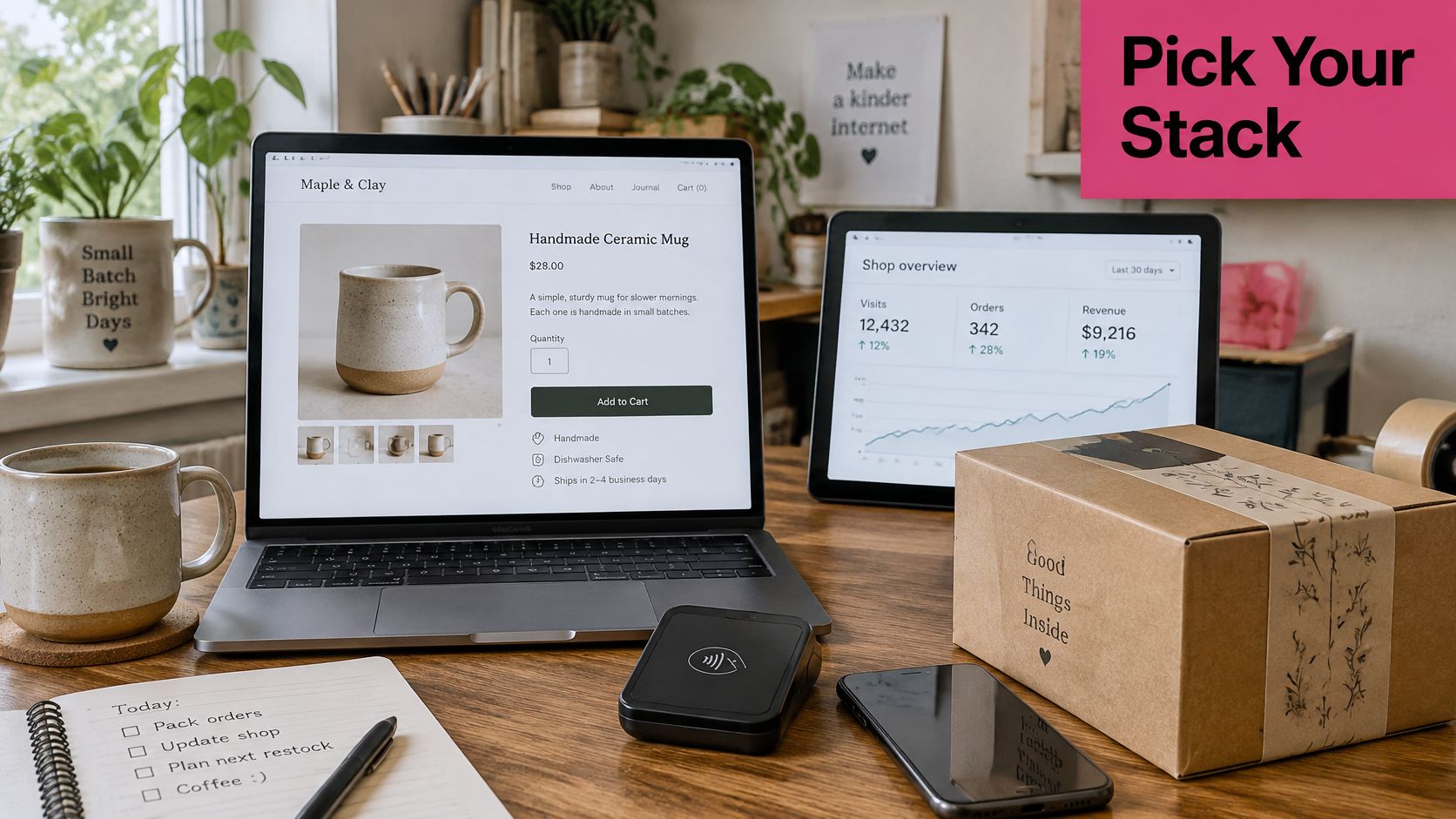
For one product and a few hundred orders a month, keep the stack lean: a commerce platform, a payment provider that supports the methods buyers use, guest checkout, and platform analytics. A CRM adds little until repeat purchases create useful segments. If carts are abandoned despite a straightforward checkout, consider whether SMS recovery fits the leak. CartBoss offers SMS cart recovery for Shopify stores.
Track checkout completion rate. Low completion points toward friction in the checkout; healthy completion alongside abandoned carts suggests shoppers may be pausing rather than failing to finish.
A WooCommerce Catalog With Physical Shipping
For a warehouse catalog with hundreds of SKUs, inventory accuracy and shipping operations deserve their own tools. Add inventory and label software, and configure stock to decrement at payment rather than at add-to-cart. That reduces the risk of accepting orders for items that are no longer available.
The trade-off is another integration to maintain. Review how your storefront connects to inventory, shipping, and recovery tools with this ecommerce platform integration guide. Track on-time shipment rate to see whether the operational stack is working.
A Multilingual Fashion Brand
A brand selling in several languages and currencies needs consistent checkout rules across locales, plus messages that fit each shopper’s language. CartBoss has SMS cart recovery pages for fashion and apparel, food and beverage, health and beauty, home and living, and sports and nutrition stores. Match the message and any offer to the product, not just the cart value.
Track recovered cart value per locale. It shows where recovery is contributing and where localization or the offer needs attention.
An Agency Running Several Client Stores
For an agency managing several storefronts, configure recovery separately for each store and assign a clear owner for consent records. Report recovered revenue by client, rather than relying on message opens to judge commercial performance.
Separate setups take more administration, but they help keep customer records and suppression decisions distinct. Track revenue per client per month to assess whether the service is delivering value to each account.
Start with the stack that matches your store’s main leak, then remove tools that do not support its stated metric. Stores that remove tools without a clear metric may still end up paying for overlapping subscriptions.
Launch One Recovery Workflow This Week
Start with the carts that can be saved. Pull the highest-value abandoned carts from the last seven days and confirm each one could have been completed: guest checkout available, shipping cost visible, payment method accepted.
Then set up one workflow and stop.
- One reminder, one delay. A single SMS pointing to a pre-filled checkout, sent after a delay you set deliberately rather than by default. For most stores that’s a few hours, not a few minutes.
- Consent before the first send. Since April 11, 2025, US consumers may opt out by any reasonable method, including keywords such as STOP and QUIT, and businesses have up to 10 business days to honor the revocation (FCC TCPA rules summarized by Courier). A marketing opt-out covers all future marketing texts from that sender, not just the campaign it came from.
- A record you can produce later. Store the consent, the sender identity, the campaign, and an auditable timestamp, then suppress that number across every future campaign.
- Clear roles. Your store stays the controller of end-user personal data; we act as the processor of that data. Keep it that way in writing.
Review message wording before you switch anything live; this set of abandoned cart text message examples is a quick reference for length and tone. If you’d rather see a triggered sequence mapped out first, this marketing automation example shows how the timing fits together.
After seven days, compare revenue from messaged carts against carts you didn’t message. Only then decide whether a second delay earns its place. The first cart we recover for a store is free of charge, so the cheapest way to test the workflow is to run it on live carts rather than a demo.
CartBoss sends automated SMS reminders to shoppers who leave a cart, with a pre-filled checkout link so the return trip takes one tap instead of a fresh form. It connects to Shopify and WooCommerce, and it’s built for the paused cart rather than the broken one, which is why the diagnosis comes first. Visit CartBoss to connect a store and watch the first recovered order land.