


A shopper leaves a jacket in their cart, and your store schedules a recovery text for late that evening. Around the same time, someone else receives a login code for an account they never created. To the merchant, both messages may look like ordinary SMS. To the people receiving them, one is a sales reminder and the other is a security warning.
An SMS code looks like a few simple digits, but it has three jobs that are easy to blur: a possession check, a shortcut in the customer experience, and a boundary around consent. Store owners and marketers don’t need to be cryptographers to manage those jobs well. They do need to know what a code proves, what it doesn’t, and how to keep verification separate from promotional messaging.
Table of Contents
- A Late-Night Code That Wasn’t Meant for You
- What an SMS Code Actually Is
- OTP Codes, Promo Codes, and Recovery Links Compared
- How an SMS Code Works Step by Step
- Where SMS Codes Quietly Fail
- SMS Codes in Cart Recovery and Checkout
- A Practical Playbook for Store Owners
A Late-Night Code That Wasn’t Meant for You
The merchant sees a familiar problem: a shopper added products to a cart, entered a phone number, and left before paying. A reminder might bring that shopper back. But if another customer receives an unexpected code for an account or purchase they don’t recognize, the same phone channel has become a source of confusion and concern.
That second customer shouldn’t enter the code, share it, or follow links in an unexpected message. The merchant, meanwhile, needs to ask a practical question: did the code go to the right person, for the right reason, and as part of the right flow?
The distinction matters because an SMS code isn’t just a message. It’s a possession check: the system is testing whether someone can receive a text at a particular number. It can also be a UX shortcut, helping a customer verify a phone or continue a checkout without creating a password. And it can sit beside a consent boundary, where a customer must be able to tell whether they’re confirming an order or agreeing to receive marketing.
Those purposes can overlap in a store’s systems, but they shouldn’t be blurred in the customer’s experience. A code entered to confirm a phone number doesn’t automatically mean the shopper wants promotional texts. A successful code entry also doesn’t prove who the person is beyond their current access to the phone number.
The merchant’s test: Can a customer tell why the code arrived, what it unlocks, and whether entering it affects marketing preferences?
That’s the useful lens for evaluating a Shopify checkout, login, account-recovery flow, or cart-recovery campaign. Get the purpose and permission right first, then ask whether the extra step helps customers or merely adds friction.
What an SMS Code Actually Is
An SMS code is a short-lived, server-generated secret sent through the mobile network to check control of a phone number or SIM-associated device. The customer starts an action on one channel, such as a website, then receives the code on a separate channel, SMS. They return to the original website and enter the code there.
NIST classifies this pattern as out-of-band authentication: the verifier creates a temporary secret, sends it to the uniquely addressable device, and accepts it only when the user returns it through the original session. In plain language, the website asks, “Can you receive a message at this number and bring its code back to this session?”
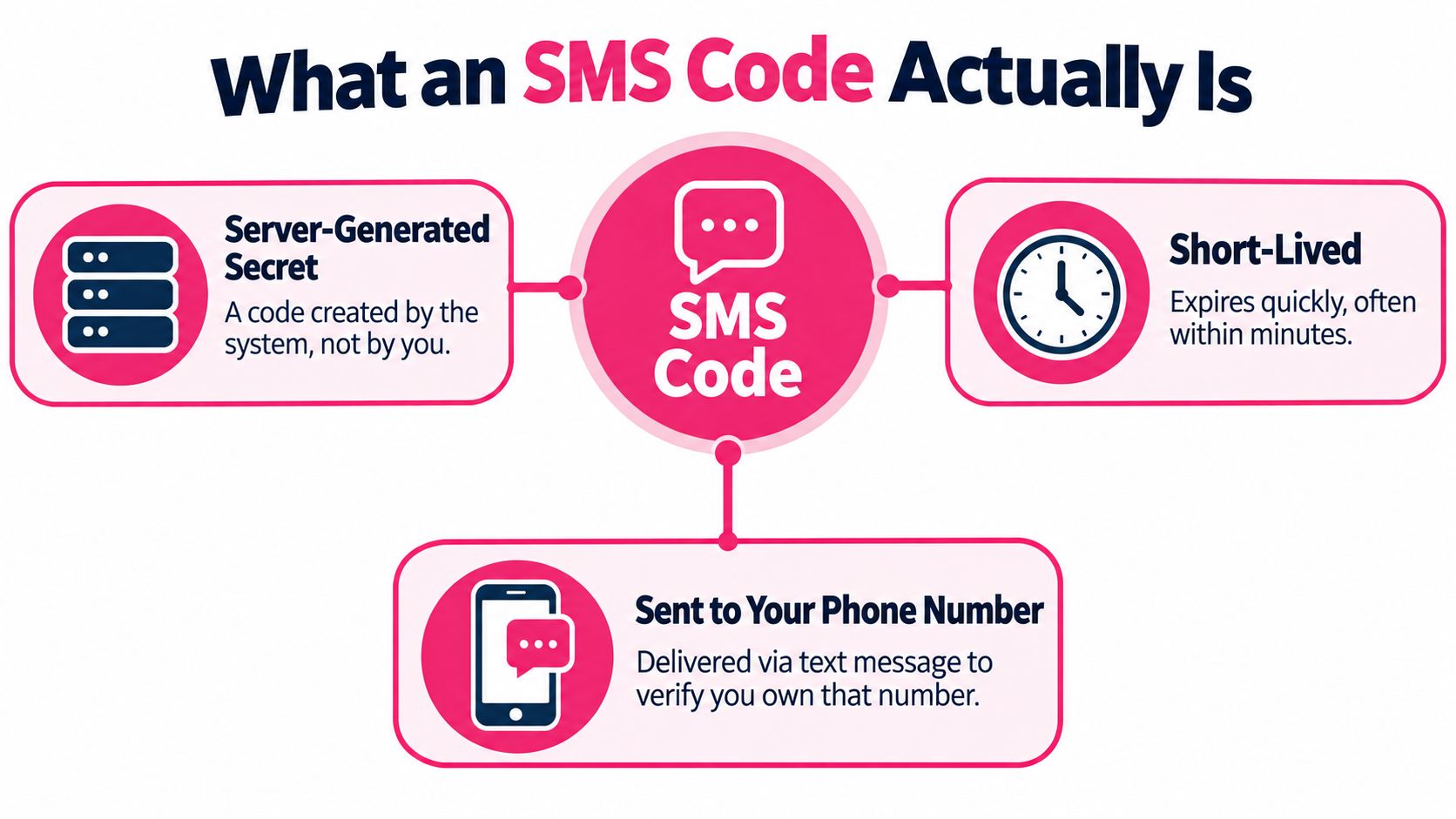
Think of the code as a single-use key to a coin vault, not an ID card. It can open a particular action when it’s valid, but it doesn’t establish a person’s identity on its own. A password is something the customer knows. An authenticator app or device-bound credential uses a different kind of possession check. A marketing SMS, such as a discount offer, is purely a promotional message, not a login credential.
Delivery also matters. NIST distinguishes SMS sent to a mobile network device from messages sent to an IP-based VoIP destination, which may not provide equivalent protection. The store’s developer should know what kind of number the system accepts and what fallback customers get if delivery fails.
A concise explanation for your team is: an SMS code checks access to a phone number for a particular action, for a limited time. It isn’t a password, proof of identity, or permission to send marketing. That distinction makes the rest of the implementation easier to assess.
OTP Codes, Promo Codes, and Recovery Links Compared
The word “code” can refer to several different messages in an e-commerce system. Label each one by its job before deciding what wording and permission belong with it.
| Use case | Consent needed | Security risk |
|---|---|---|
| One-time passcode (OTP) for login or checkout | The message supports the requested transaction. Don’t fold advertising into it. | A stolen or misdirected code may let someone continue the specific session or action it protects. |
| Promotional or discount code | Use appropriate marketing consent and provide opt-out handling. | The main risks are unwanted marketing, confusing terms, or sending to a number without valid permission. |
| Account-recovery code or link | Explain why the customer is receiving it; keep recovery separate from promotional messaging. | A valid link or code may help someone access or reset an account, so handle it as a sensitive credential. |
A login OTP should read like a service message: name the store, explain what the code is for, and keep the content focused on the action. A discount code is different. It’s an offer, so the customer should have knowingly opted into promotional messages and should have a clear way to opt out.
Recovery links and codes need especially careful handling. They can help a legitimate customer regain access, but they can also expose an account if the number is outdated or the message reaches someone else. Don’t add unrelated promotions to recovery messages, and avoid including sensitive account details in the text.
CartBoss’s guide to SMS two-factor authentication can help frame the security use case. For campaign design, the practical rule is simple: transactional verification and promotional SMS have different legal and trust profiles. Treat them as separate message types in your system, copy, and consent records.
How an SMS Code Works Step by Step
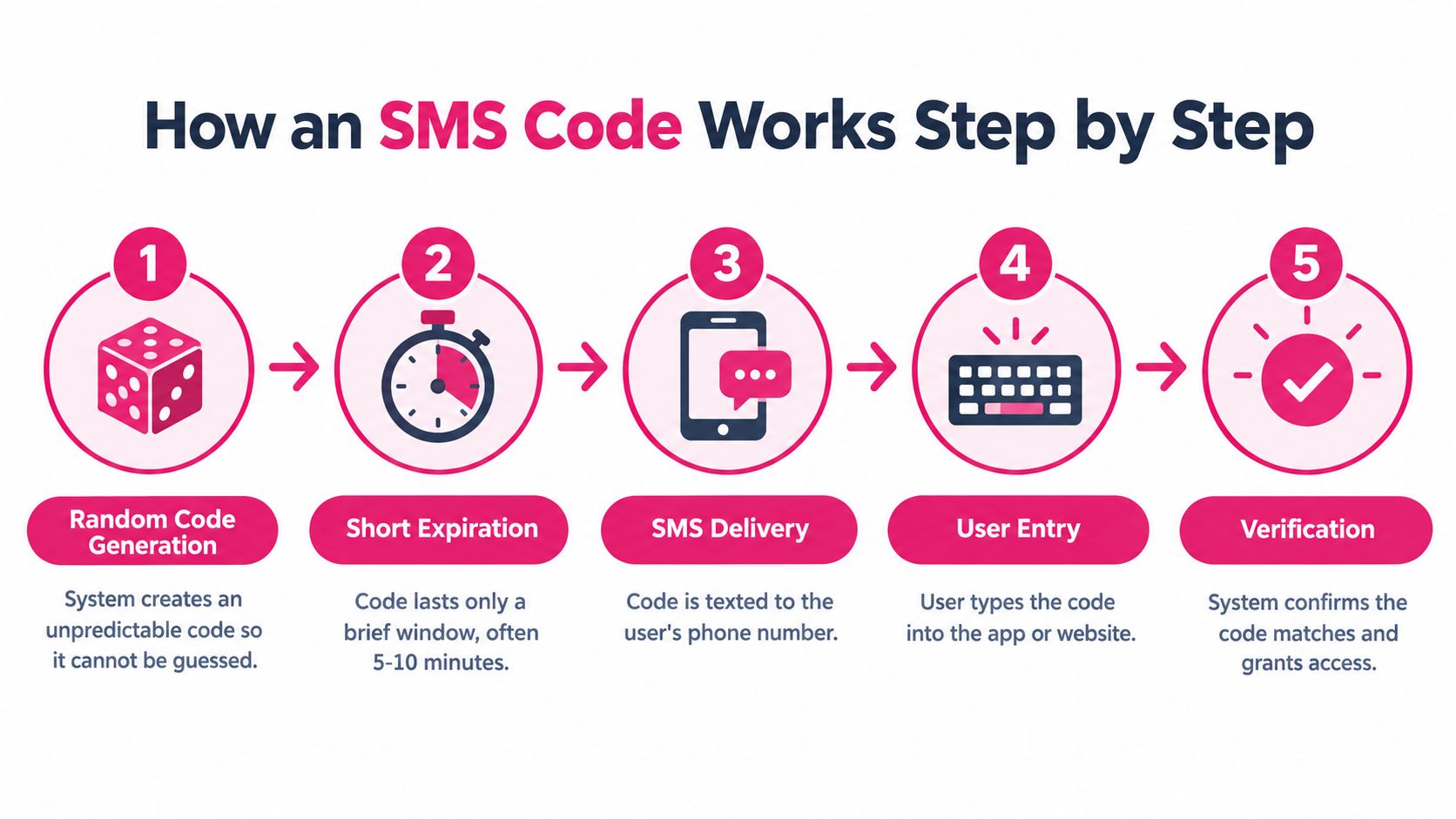
A code flow is easier to review when you can describe its lifecycle without discussing cryptographic implementation details. Ask your developer to walk through these controls:
- Generate an unpredictable code. The server creates the code so customers don’t choose it and attackers can’t guess it easily.
- Set a short expiration. A code should stop working promptly, limiting the usefulness of a code someone sees later.
- Limit requests and retries. Rate limits on sending and entry help slow repeated attempts and prevent excessive messages.
- Allow only one successful use. Once accepted, the code should be invalidated so it can’t be replayed.
- Bind it to the intended session or transaction. A code requested for one checkout shouldn’t work in another account or session.
A coffee-shop pickup ticket is a useful analogy. The ticket is valid for a particular order, and it becomes useless after it’s been used or the pickup window has passed. A code should work similarly: it’s not a reusable key for every page or purchase associated with a customer.
The message and screen matter too. Name the store, state the code’s purpose and expiration, and keep the entry screen tied to the action the customer started. Don’t ask a customer to copy the code into a support conversation or repeat it in a form that already displays the same secret. If delivery fails, offer a clear resend path or another verification method.
Developer handoff: Ask how codes are generated, expired, rate-limited, invalidated after use, and tied to the active session. You don’t need the underlying math to confirm the safeguards exist.
For a plain-language overview of message delivery, see how a text message works. The distinction to keep in mind is that successful SMS delivery doesn’t by itself mean a customer received, entered, or completed verification.
Where SMS Codes Quietly Fail
Phone-number possession can change hands. A number that once belonged to one customer may later be assigned to someone else, so an unexpected code can reach a person who has no connection to the account or purchase that triggered it. Independent summaries of measurement research report that 66% of sampled recycled numbers remained connected to the previous owner’s online accounts (research summary on recycled numbers and smishing). That creates a risk for both account holders and businesses that treat a phone number as permanent proof of identity.
If a code arrives for an account or purchase you didn’t initiate, don’t enter it, share it, or follow links in the message. Contact the business using a channel you find independently. Merchants should avoid putting sensitive information in codes or links, monitor repeated failed attempts, and offer recovery methods that don’t depend entirely on one phone number.
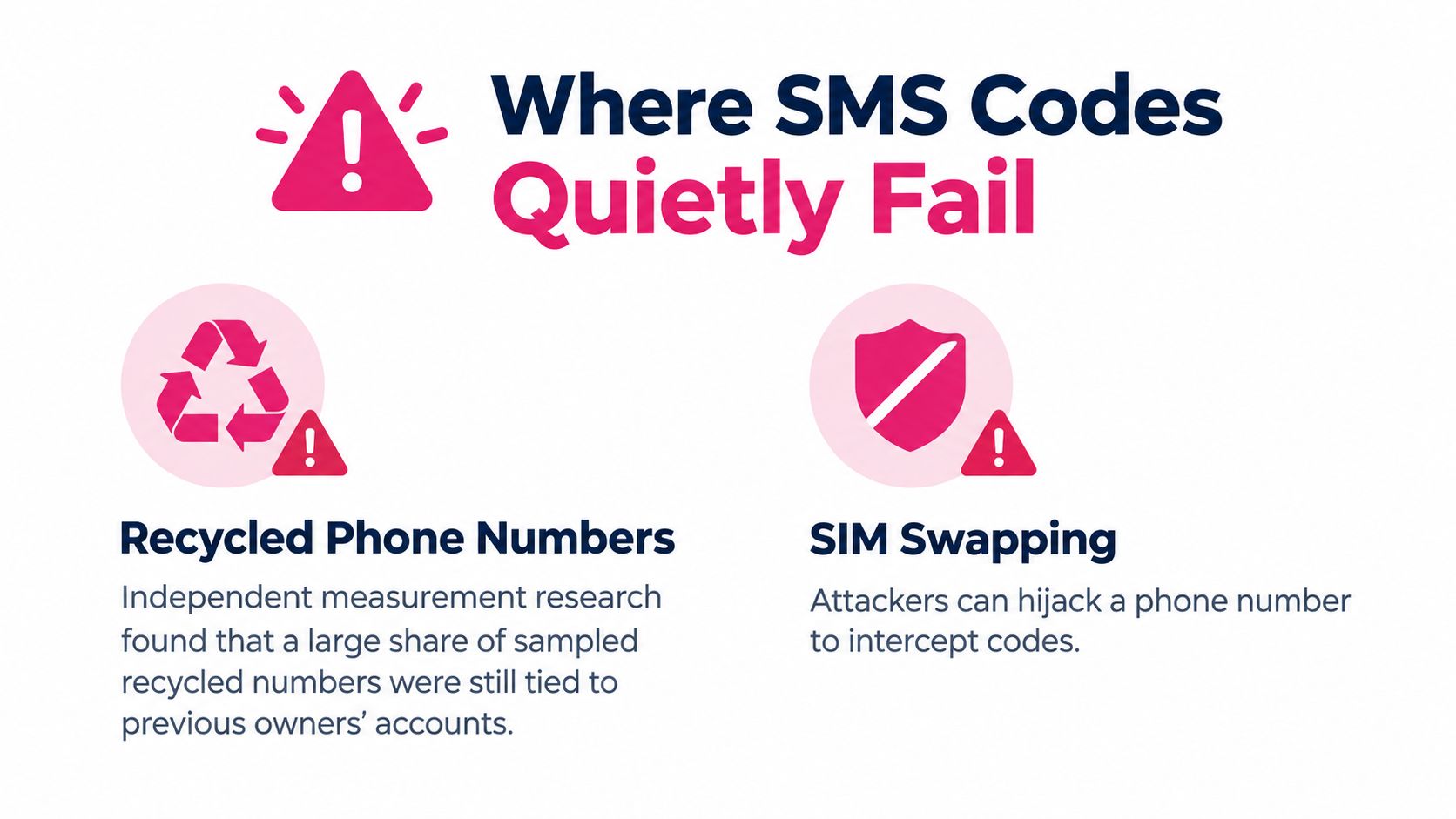
The other quiet failure is treating verification as consent. A customer who enters a code to confirm a number or complete an order hasn’t necessarily agreed to marketing texts. A 2025 Turkish data-protection authority decision required businesses to explain the code’s purpose and consequences, separate service delivery from consent collection, avoid making commercial-message consent appear mandatory, and let customers change consent preferences. Rules vary by jurisdiction, but the customer-facing principle is broadly useful: show service verification and promotional opt-in as distinct choices.
For example, a checkout can say, “Enter this code to confirm your phone number,” then provide a separate, unchecked choice for promotional messages with clear terms and privacy information. Don’t make a code entry do two things at once without the user realizing it.
If a shopper reports a message that doesn’t make sense, review the trigger, number status, delivery log, and wording before sending another code. These common text-message errors are easier to diagnose when each message has a clear purpose and event record.
SMS Codes in Cart Recovery and Checkout
Baymard Institute places average online cart abandonment at approximately 70.19% across its long-running dataset. Its analysis also reports that 17% of US online shoppers abandoned an order during the previous quarter because checkout was too long or complicated (Baymard’s checkout research). Those figures make friction worth investigating, but they don’t mean every abandoned cart needs a verification code.
A code can help when it replaces a more cumbersome step, such as creating a password just to continue an order. It can hurt when a customer who didn’t ask for phone verification is forced to stop and wait for another screen. Baymard’s documented checkout usability issues could produce an average 35.26% increase in conversion rate for large e-commerce sites (Baymard’s checkout usability benchmark). The practical lesson is to fix unnecessary checkout friction before adding a new gate.
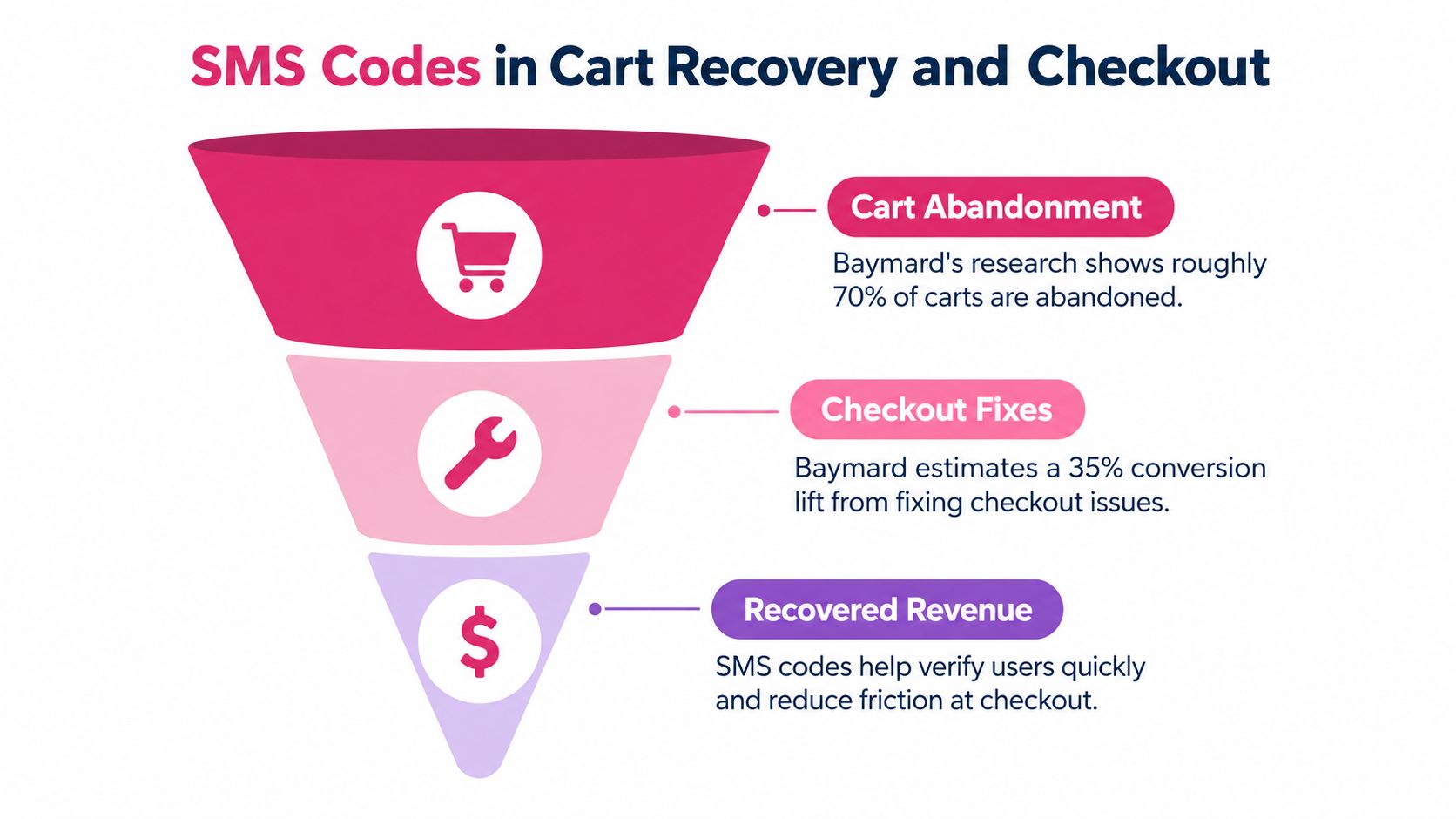
Measure each step separately so a sent code doesn’t get credited with a sale it didn’t cause. Use distinct events for cart created, checkout started, verification code requested, verification completed, and purchase completed. Then compare the completion path with an appropriate control group and track failed delivery, code entry, opt-outs, and recovered revenue.
Keep cart reminders separate from checkout verification as well. A reminder invites a shopper back; a code confirms access or an action. Baymard reports that 42% of US shoppers abandoned because they were only browsing or not ready to buy, so don’t assume every abandoned cart is recoverable (Baymard’s checkout research). For examples of how SMS can support checkout recovery, see using abandoned-cart recovery texts to optimize checkout.
A Practical Playbook for Store Owners
Use a short operational review to make your code flow safer and easier to understand. Treat security, consent, and measurement as parts of the same customer experience.
- Review security controls. Confirm that codes are unpredictable, tied to the active session or transaction, short-lived, rate-limited, and invalid after successful use.
- Separate permissions. Tell customers why a verification message is being sent. Present promotional opt-in as a distinct choice, with visible privacy information and a straightforward unsubscribe path.
- Make recovery usable. Provide a clear resend option or an alternative method when the message doesn’t arrive. Don’t make phone possession the only way to recover an account.
- Track the funnel. Record code requests, delivery and verification outcomes, checkout completion, opt-outs, and recovered revenue as separate events.
- Train staff and support. No employee, merchant, or caller should ask a customer to read out an account verification code.
That last rule is also the anti-scam rule. The FTC’s guidance is that anyone asking a customer to share an account verification code is a scammer, because the code is intended only for the customer’s own login or transaction (NIST’s FAQ on SMS verification codes and scams). If someone asks for the code, don’t share it. End the conversation and contact the business through an official channel.
For a broader implementation walkthrough, see phone-number verification online. The central product decision remains the same: an SMS code is a possession check, not a passport. Use it as one layer in a well-designed flow, and keep verification, marketing permission, and account recovery distinct.
CartBoss helps Shopify and WooCommerce merchants automate SMS cart reminders, send localized messages, and bring shoppers back to pre-filled checkouts. Review your recovery flow and consent choices, then visit CartBoss to see how its tools fit your store.