

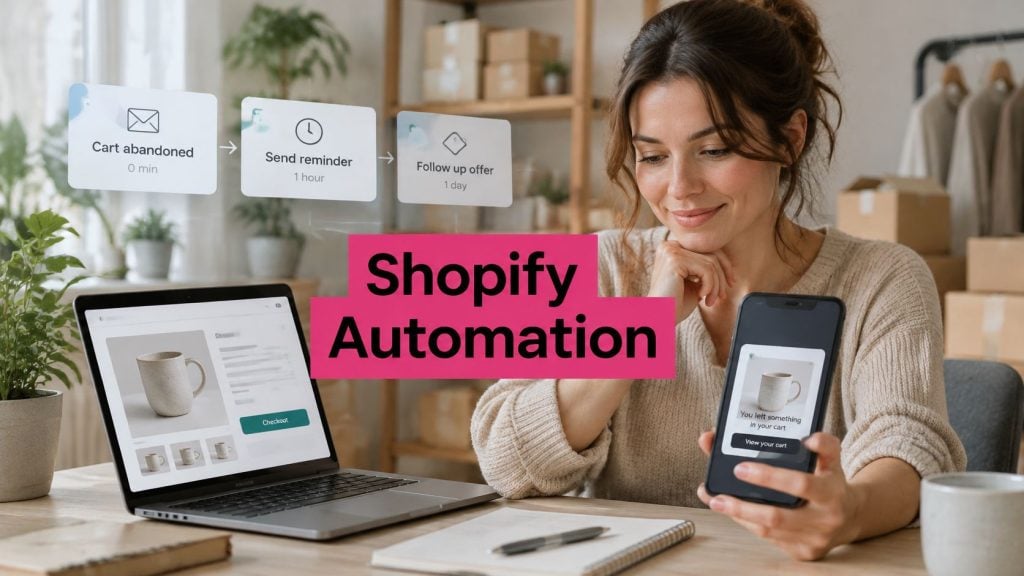
The Baymard Institute synthesis of 50 published studies puts average documented global cart abandonment at 70.22%. Roughly 7 out of 10 shopping carts don’t become completed orders. That doesn’t mean seven shoppers hated your products. Many picked an item, reached checkout, then hit a cost, a delay, or a distraction. Shopify marketing automation is how you follow up with that high intent group systematically, with consent, clear pricing, and a preserved cart, instead of sending the whole list another generic promotion and hoping.
Table of Contents
- What Shopify Marketing Automation Means for Your Store
- The Four Core Flows and When to Use Each
- Consent and Compliance Rules Before You Send
- Connecting Shopify Apps and Data Without Gaps
- KPIs to Track for Recovered Revenue
- Build and Launch Your Cart Recovery Flow
What Shopify Marketing Automation Means for Your Store
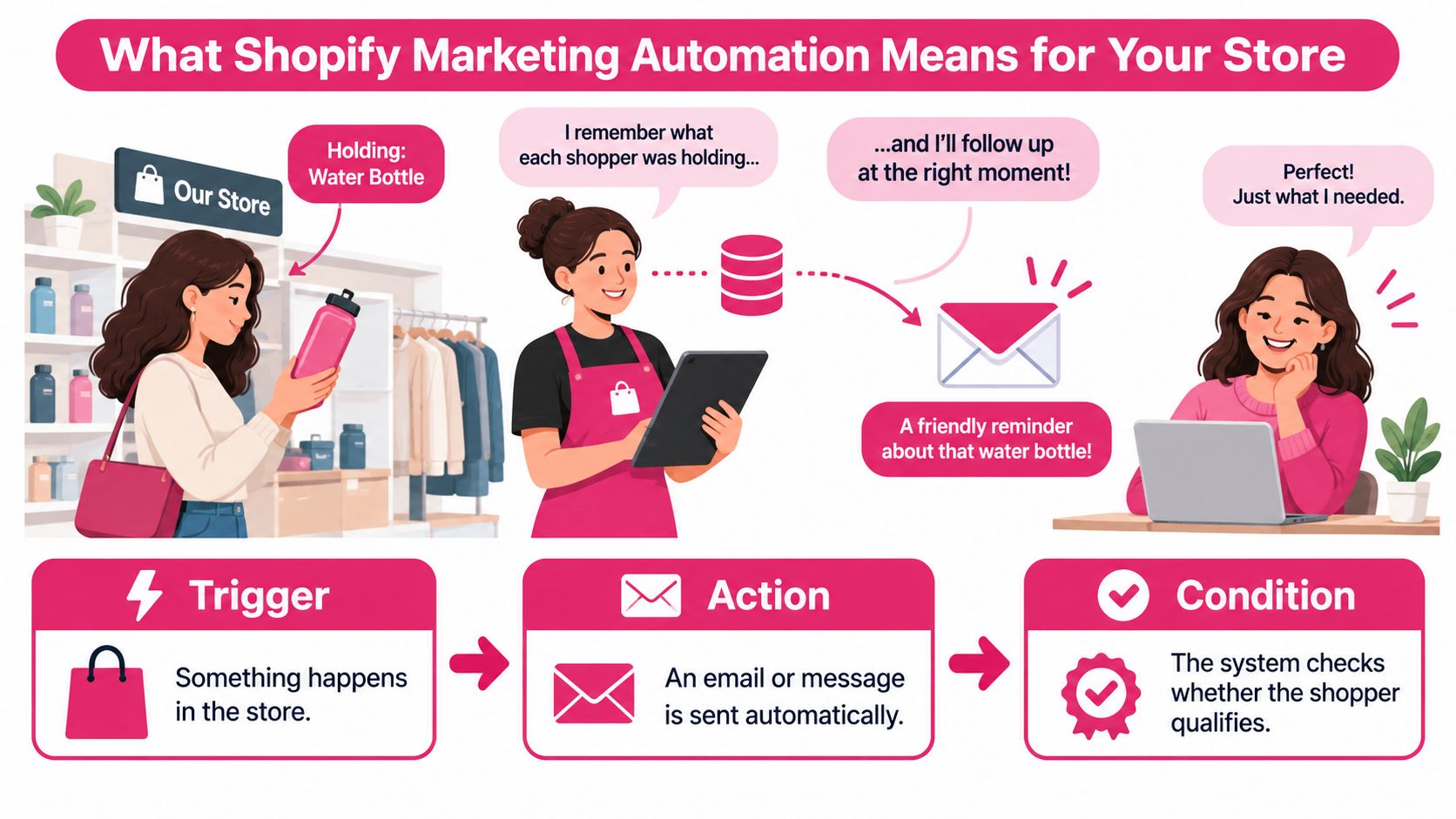
Think of a good shop assistant in a physical store. She notices you’re carrying a jacket, remembers the size, and checks back when you’re ready. She doesn’t shout the same offer at everyone who walks in. Automation does that remembering when no staff member is free, after the shopper has already left your site.
The illustration below breaks that assistant’s job into the three parts you’ll set up in software.
The Three Parts of Every Flow
- Trigger: Something happens in the store. A cart is left, a visitor subscribes, an order is paid, or a past buyer goes quiet.
- Rule or condition: The system waits a set time, checks consent, and confirms no purchase has happened since the trigger.
- Message: An email, SMS, or other lifecycle message is sent automatically, using the cart, product, or order context from that shopper.
That’s different from a batch campaign. A batch send goes to a whole list on a calendar date you pick. An automated flow goes to one person because of something that person just did, and it stops when that person buys, unsubscribes, or no longer qualifies.
Say a shopper adds running shoes on Tuesday evening, enters a phone number at checkout, consents to texts, then closes the tab. The trigger is the abandoned cart. The rule waits, checks that no order arrived, and checks the SMS consent state. The message names the shoes and links back to that same cart. Nobody on your team wrote or sent it by hand that night.
Why Abandonment Is the Starting Point
The abandonment evidence behind that opening figure spans studies from 2006 through 2025, and the rate has stayed broadly in the high 60% to low 70% range for more than a decade. It’s structural, not seasonal. That persistence is why recovery deserves a system, not an occasional sale email when revenue looks soft.
Use the market average as a planning reference, not a benchmark for your store. Your traffic mix, prices, shipping, and checkout will move your own rate up or down. What the average tells you is that the pool is large and recurring, and that even a modest recovery rate matters because these shoppers already chose a product.
A casual visitor needs convincing. A cart abandoner usually needs a reason removed and an easy way back.
Before you build anything, answer three questions from your own Shopify data. How many carts do you lose each month? What share do you recover today with no flow or with your current flow? What does a visitor receive after a first visit if they don’t buy? If you can’t answer the third one, that’s your starting gap.
The Four Core Flows and When to Use Each
Start by scanning the four flows side by side. You’ll build them one at a time, but seeing the full set helps you avoid overlaps later.
Core Shopify automation flows at a glance
| Flow | Trigger | Typical timing | Primary goal | Key KPI |
|---|---|---|---|---|
| Cart recovery | Cart left with consented contact | First reminder 15 minutes after leaving; second reminder with optional discount 3 hours later | Recover unpaid orders | Recovered gross profit against a holdout group |
| Welcome | New subscriber opts in | Within 1 hour, then 2 to 3 messages over 7 days | First purchase | Signup-to-first-order rate |
| Post-purchase | Order paid | Confirmation at once; review request or cross-sell 7 to 30 days later | Repeat purchase and reviews | Repeat purchase rate within 60 days |
| Win-back | No order in 60 to 90 days | Two or three messages over 2 to 3 weeks | Reactivate lapsed buyers | Reactivation rate and unsubscribe rate |
Which Flow Goes First
Cart recovery comes first for most stores. The shopper has the highest intent you’ll ever see, the cart contents give you something specific to say, and measurement is cleanest because you can hold out a control group. Welcome is second if you’re collecting signups that never convert. Post-purchase and win-back build repeat revenue once the first two are stable. If you want worked sequences for each stage, the examples in this marketing automation example walkthrough show how triggers and stop conditions fit together in practice.
Use this simple rule when you aren’t sure. If checkout abandonment is your biggest leak, start with cart recovery. If signups are healthy but first orders are low, start with welcome. Don’t launch all four in the same week. You won’t know which one caused a lift, an unsubscribe spike, or a support complaint.
For stores ready to connect post-purchase and win-back into a longer lifecycle, these customer retention automation workflows from Cyndra are a useful reference for sequencing retention touches without stacking messages on the same day.
What Every Flow Needs Before Launch
Each flow needs three things, no exceptions. A trigger that starts it. A stop condition, so a purchase or completed checkout removes the contact at once. A consent check for the exact channel you’re about to use.
Build one flow, let it run for a couple of weeks, then add the next. Staggering the launches keeps a new subscriber who also abandons a cart from getting a welcome message and a recovery message within the same hour. Set a simple priority rule when two flows want the same person. Cart recovery wins while the cart is fresh. Welcome resumes, or ends, after that window closes.
Consent and Compliance Rules Before You Send
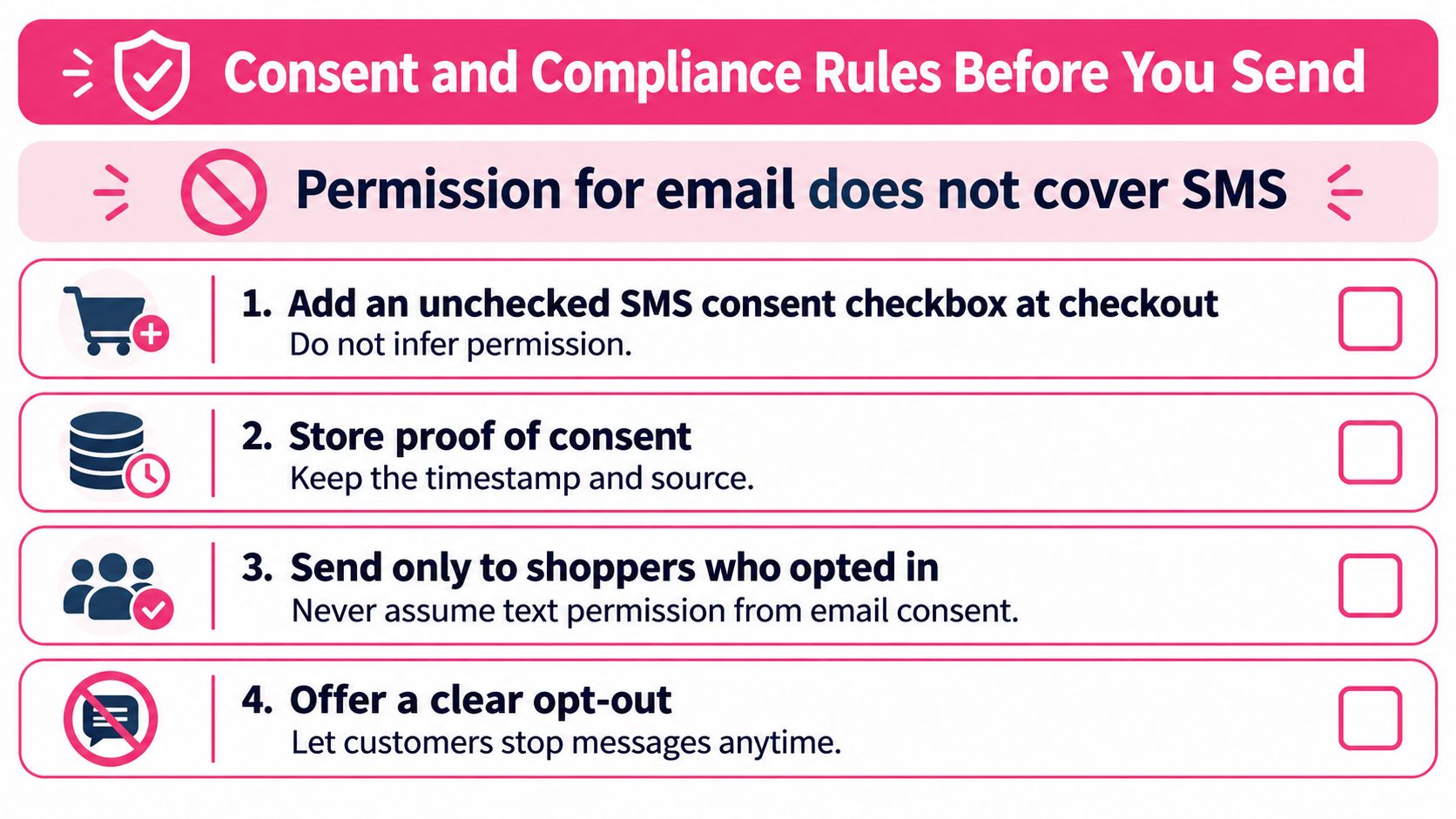
Permission for email does not cover SMS. Treat each channel like a separate door key: the email key opens email only. The Shopify SMS deliverability guidance requires stores to obtain SMS-specific consent before sending marketing messages. Permission given for email marketing does not automatically authorize SMS, and Shopify recommends collecting consent through a clear checkout checkbox or keyword signup rather than purchasing or importing contact lists.
Run this checklist in order before any flow goes live.
The Pre-Launch Checklist
- Add an unchecked SMS consent checkbox at checkout. A typed phone number is contact data, and an email opt-in is email permission; neither is a text-message opt-in.
- State the message types and expected frequency next to the checkbox, at signup, in plain words. “Cart reminders and occasional offers” is clearer than a broad marketing catch-all.
- Record the consent event. Save who opted in, when, and from which form or keyword, then send only to subscribers who opted in specifically to text messages.
- Check the saved state before every send. The Shopify page on collecting customer contact information states that a customer’s SMS or WhatsApp marketing preference collected during checkout is saved only after the customer submits the checkout, so a half-finished checkout should not leave a stale consent flag behind.
- Apply double opt-in where the market requires it. Some markets expect a confirmation step before a subscriber can receive marketing, so check local rules before sending and suppress anyone who does not complete confirmation.
- Publish your policies first. The Shopify SMS requirements page says your privacy and terms documentation must explain how phone numbers and customer data are collected, used, stored, and shared. It must also state message frequency, that data rates may apply, how customers can opt out, and how to contact support.
- Put an opt-out in every marketing message, such as an unsubscribe link. For email flows running alongside SMS, also verify your DKIM record so authentication problems do not push recovery emails to spam.
- Suppress and cap. Remove contacts after an unsubscribe, a complaint, or a purchase that makes a reminder pointless. Set frequency caps and quiet hours, and keep transactional messages such as order updates separate from promotional ones.
If you’re selling across regions, work through this GDPR and CCPA compliance guide for SMS marketing alongside the checklist, because consent and retention rules differ by market.
Route by the Consent You Actually Have
A shopper who gave only email consent belongs in an email abandoned-cart flow. Channel routing can feel slower because fewer shoppers qualify for SMS at launch. That smaller send is the cleaner test: it keeps complaint risk lower and makes any holdout comparison easier to read, since the SMS group is not padded with people who never agreed to texts.
One last warning on incentives. Repeated deep discounts in recovery messages can train shoppers to abandon carts on purpose and wait for the coupon. Keep discounts capped and occasional, so the reminder does the work and the discount stays a last resort.
Connecting Shopify Apps and Data Without Gaps
Automation fails when data arrives late or incomplete. Map the path before you write any copy. Store events come first, cart created, checkout started, order paid, customer updated. Those events flow into your automation tool. The tool checks consent first, then eligibility, and only then sends.
The Fields Each Event Must Carry
- Cart ID and checkout URL: So the shopper returns to a preserved cart, not your homepage.
- Phone number with its consent state: So the channel check happens on live data, not an old import.
- Locale and currency: So language, timing, and price match the shopper’s market.
- Product names: So the message can name what was left behind.
- Discount eligibility: So a code is only promised when it will apply.
Check every field on a real test cart. A wrong currency, a product that’s since sold out, or a discount code that doesn’t apply turns a recovery message into a support complaint. The destination matters as much as the send. The Baymard checkout usability research found that an ideal checkout can be reduced to roughly 12 to 14 form elements, whereas the average U.S. checkout displays substantially more by default. Deep-link to the preserved cart, surface shipping and tax information when you have it, and emphasize guest checkout if you offer it. That’s friction removal, not just reminding.
When you’re comparing connection options, this overview of third-party integrations for cart recovery helps you check what each app syncs before you commit.
Three Checks Before You Choose an App
An app such as CartBoss, which connects to Shopify and runs cart recovery, post-purchase, and win-back flows automatically, should pass the same three checks as any tool. First, confirm it sends the checkout link and any discount code correctly for your store, in the right currency. Second, place a real test order and confirm the suppression step stops the sequence at once. Third, confirm it doesn’t overlap with a Shopify email abandoned-cart flow messaging the same shopper at the same time.
Once CartBoss is live, its automated recovery engine works around the clock, sending SMS abandoned cart reminders. Because there’s no manual send to catch errors, testing before launch matters more than monitoring after it.
KPIs to Track for Recovered Revenue
Start with the test that tells you whether the flow earns money at all. A holdout test randomly keeps a share of eligible carts out of the flow. Everyone else gets the messages. You then compare orders between the two groups over the same window. Split the groups by device, traffic source, country, and cart value so one group doesn’t accidentally hold all your high-value carts.
A Worked Holdout Example
Say you have 1,000 eligible carts. You message 800 and hold back 200. The messaged group orders at 9%, which is 72 orders. The holdout orders at 6%, which is 12 orders. At the holdout rate, your 800 messaged shoppers would have produced 48 orders anyway. So 24 orders came from the flow itself.
That distinction is the whole game. Report incremental gross profit from those extra orders, after discount and message costs. Don’t report every order from a reminded cart as flow revenue. Some of those shoppers were coming back on their own, and counting them inflates the result while hiding whether discounts are even needed.
Practical rule: If you can’t name your holdout order rate, you don’t know your recovery rate. You only know your return rate.
Reading Message Level Numbers
Open rate isn’t a dependable SMS metric, so don’t build decisions on it. Track link clicks, conversions, revenue per recipient, and unsubscribe rates instead. The Klaviyo SMS benchmark guidance for US campaigns classifies click rates of 14.6% or higher as great, 8.9% to 14.5% as good, 6.0% to 8.8% as needing improvement, and below 5.9% as critical.
Benchmarks for SMS automation KPIs
| Metric | What It Tells You |
|---|---|
| Click rate (US SMS) | Whether the message earns attention, judged against the 8.9% to 14.5% good range |
| Recovered gross profit vs holdout | Revenue the flow created that would not otherwise have happened |
| Revenue per recipient | Value each message sends after discount cost |
| Unsubscribe rate | Whether timing or discount wording annoys shoppers |
| Repeat purchase rate (60 days) | Whether recovered buyers return |
| Complaint rate | Frequency or consent problems |
Read click rate and unsubscribe rate together, always. A rising click rate isn’t a win if unsubscribes rise with it, because you’re buying today’s orders by shrinking tomorrow’s reachable audience. Test one change at a time, discount wording or send timing, and watch both numbers move.
For the reporting side, this guide to Shopify abandoned cart analytics shows where to pull abandonment and recovery figures inside Shopify so your holdout math rests on clean inputs. Check the dashboard weekly, judge the flow monthly, and kill any message that lifts clicks while lifting complaints faster.
Build and Launch Your Cart Recovery Flow
Build the flow in eight steps, in this order. Consent and connection come before timing and copy, because a well written message sent without permission or to a broken cart link still fails.
The visual below lays out the same sequence so you can follow it while you build.
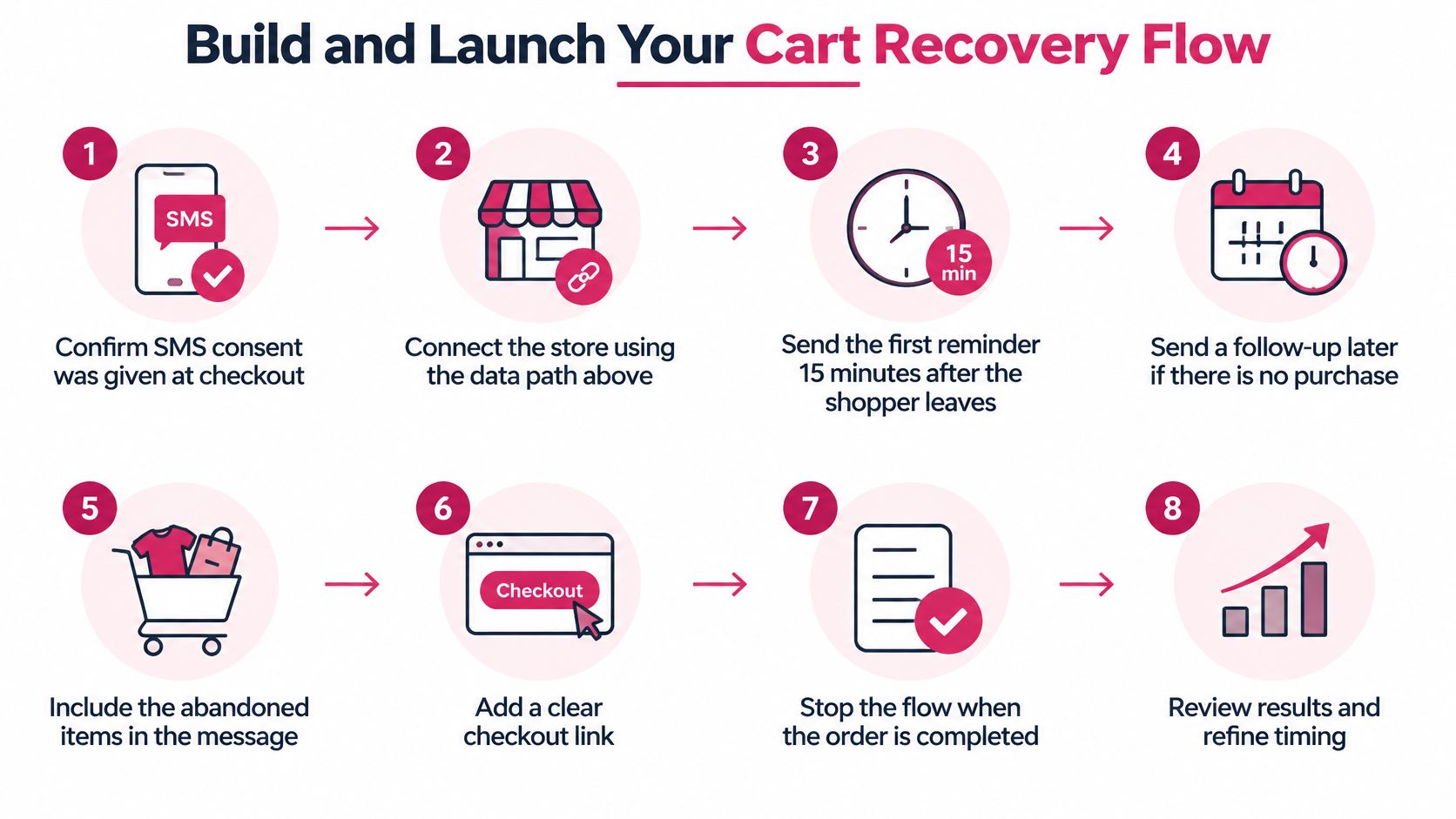
The Eight Build Steps
- Confirm SMS consent was given at checkout. No consent state, no send. Route email-only shoppers to email.
- Connect the store using the data path with cart ID, locale, currency, product names, discount eligibility, and checkout URL.
- Send the first reminder 15 minutes after the shopper leaves. CartBoss sends the first SMS cart reminder 15 minutes after a visitor leaves their cart, while the purchase is still fresh in mind.
- Send a second reminder 3 hours later. CartBoss sends a second reminder 3 hours after a visitor leaves their cart, and if they still have not ordered, it includes a discount offer.
- Match the message to the likely objection. The Baymard guide to reducing cart abandonment reports that 40% of US online shoppers abandoned a checkout because additional costs such as shipping, taxes, or fees were too high. Another 18% left because the site required account creation, while 17% cited a checkout process that was too long or complicated. A separate Baymard summary reports 20% abandoned because delivery was too slow and 9% because their preferred payment method was unavailable. So show the shipping cost, name the delivery estimate, or mention guest checkout when that’s the likely blocker, instead of repeating a brand slogan.
- Keep any discount capped, optional, and applied on click-through. When a shopper clicks the link in a CartBoss reminder, they return to their cart with an optional discount already applied. No code to copy, no second chance to drop off.
- Suppress the sequence the moment an order or checkout-completion event arrives. Test this with a real purchase, not a preview.
- Send a test to your own phone. Confirm the cart reloads with the right items and the right final price. If you also run an email version, test email deliverability before launch so the email reminder isn’t landing in spam while the SMS performs.
For copy examples, work from an abandoned cart text message guide, then check your send windows against this guide to abandoned cart timing before you lock the schedule.
A short video walkthrough can help you sanity check your own build against a working flow before you switch it on.
The Four Week Launch Plan
- Week 1: Publish the privacy policy and SMS terms, add the unchecked consent checkbox, connect the store, and build only cart recovery.
- Week 2: Test on iOS and Android, apply a test discount, and place a test order to confirm the flow stops.
- Week 3: Launch to live traffic with a holdout of about 20% of eligible carts, as in the worked example, where 200 of 1,000 carts were held back.
- Week 4: Compare recovered gross profit against the holdout, read click and unsubscribe rates together, and decide the next step.
Use clear decision rules in week 4. If a message falls into the critical click range, change copy or timing before you add discounts. Bigger coupons on a message nobody clicks just cost margin. If the flow beats its holdout on gross profit, scale in order. Add welcome next, then post-purchase, then win-back, each with its own stop conditions.
Start today with one number. Pull last month’s abandoned cart count, then estimate the upside with CartBoss’s free Cart Abandonment Rate Calculator and SMS Cart Recovery ROI Calculator. That estimate won’t prove lift. Only the holdout does that. It will tell you whether recovery is worth building this month or whether your bigger problem sits earlier, in traffic quality or checkout pricing.
CartBoss sends timed SMS cart reminders at 15 minutes and 3 hours, returns shoppers to their preserved cart with an optional discount already applied, and runs post-purchase and win-back flows automatically once it’s connected to your Shopify store. Build your first recovery flow with the consent, suppression, and holdout checks above, then visit CartBoss to connect your store and start recovering carts you can prove were incremental.