



Learning how to send an automatic text is all about getting your time back while engaging customers in the moments that matter most. It’s about using a service like CartBoss to create pre-written messages that fire off automatically when a customer does something specific, like leaving their cart or making a purchase.
Why Automated Texts Are Your Secret Weapon
Before we jump into the setup, it’s really important to get why automated SMS is so powerful. This isn’t just about convenience. It’s a direct line to your customer that slices through the digital clutter in a way no other channel can.
Think about your own email inbox for a second—how many promotional emails do you just scroll past every day? Now, think about your text messages. You probably open almost every single one, and quickly.
This isn’t just a hunch; the data tells the same story. SMS messages have an incredible 98% open rate, and 45% of people actually reply. To put that in perspective, email open rates are stuck around 20%. This is exactly why the global SMS marketing market is on track to hit $38.4 billion by 2030. With nearly 5 billion people using SMS, it’s an incredibly direct and effective way to connect.
Automated SMS vs Email Engagement: A Quick Comparison
When you stack automated SMS against traditional email marketing, the difference in immediate engagement becomes crystal clear. Here’s a quick breakdown of the key metrics that show why SMS is a more direct and impactful channel.
| Metric | Automated SMS | Email Marketing |
|---|---|---|
| Open Rate | 98% | ~20% |
| Response Rate | 45% | ~6% |
| Average Read Time | Within 3 minutes | 90 minutes or more |
| Click-Through Rate | 25-45% | ~2.5% |
As you can see, for timely, action-oriented communication, SMS is in a league of its own. It’s not about replacing email entirely, but about using the right tool for the right job—and when you need immediate attention, SMS wins.
Real-World Impact on Business Growth
So, what does this actually look like for a growing business? Automated texts are your ace in the hole for driving quick action and building real customer relationships. They really shine in scenarios where timing is everything.
- Recovering Abandoned Carts: Send a friendly reminder—maybe with a small discount—an hour after a shopper leaves items behind.
- Confirming Orders and Shipments: Instantly reassure customers that their order is on its way and give them tracking updates.
- Requesting Product Reviews: A week after delivery, pop up with an automatic request for feedback while the experience is still fresh in their mind.
By automating these key touchpoints, you’re no longer just sending another marketing blast. You’re providing a high-value service. Each message delivers relevant, timely information that builds trust and keeps customers coming back.
A Strategy for Lasting Loyalty
Ultimately, sending automated texts is about more than just one-off sales; it’s a long-term play. For a really powerful application, consider the massive benefits of building an SMS-first loyalty program. This is where you can send exclusive offers and updates directly to your most valued customers.
This approach ensures you’re not just shouting into the void but having a meaningful, one-on-one conversation that can scale with your business. For a deeper look at this strategy, check out our guide on how to https://www.cartboss.io/blog/transform-communication-automated-text-messages-guide/.
Your First Automated Campaign with CartBoss
Diving into automation can feel like a huge leap, but firing up your first campaign in CartBoss is refreshingly simple. We’re going to skip the technical jargon and walk through the exact steps to get your first automated SMS message live and working for you. The goal here is simple: get a basic trigger running so you can see the results for yourself.
First up, you’ll create your account and link it to your e-commerce store. CartBoss plays nicely with the big platforms like Shopify and WooCommerce, so connecting is usually just a matter of a few clicks. Once you’re in, you’ll land on the main dashboard—this is mission control for all your SMS campaigns.
This diagram breaks down the thought process when you’re deciding on an automation tool.
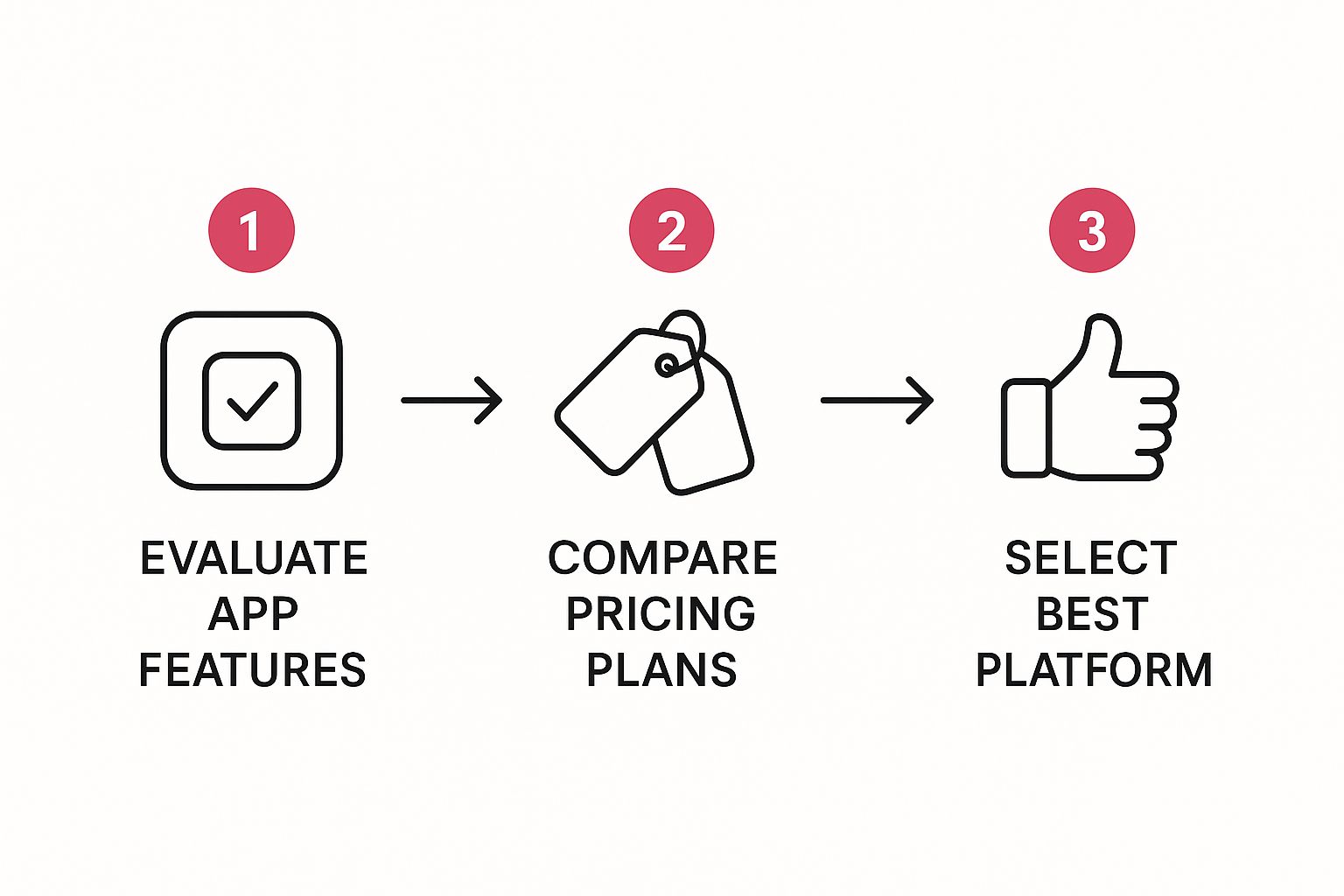
As you can see, it’s all about finding that sweet spot between features, cost, and what your specific store actually needs to thrive.
Finding Your Way Around and Setting a Trigger
The CartBoss dashboard is clean and built for action, not confusion. You won’t find yourself lost in a sea of menus. Your first job is to set up a trigger, which is just the specific customer action that tells CartBoss to send a text.
The classic abandoned cart recovery is the perfect first campaign to launch. It’s effective and incredibly easy to set up.
- Pick Your Trigger: Start by selecting “Abandoned Cart” from the trigger options. It’s one of the most powerful automations you can run.
- Set the Timing: Now, decide when to send the message. From what we’ve seen, sending it 60 minutes after a cart is abandoned is a great starting point. It’s quick enough to be relevant but not so fast it feels pushy.
- Choose Your Message: You don’t have to write a thing. CartBoss comes loaded with pre-written, translated message templates that are already proven to get clicks. Just pick one that sounds like your brand.
The best part about this is you’re not guessing. The entire system is built on proven practices that have already driven massive results for thousands of stores just like yours. You’re starting on third base.
Once you hit ‘activate,’ CartBoss takes over. It watches for abandoned carts and sends your perfectly timed message to bring shoppers back. Just like that, you’ve set up your first automated text message campaign.
Mastering Triggers for Perfect Message Timing
Effective automation isn’t just about what you send; it’s about when you send it. The real magic behind an automated text message lies in its triggers—the specific customer actions that kick off your messaging sequences. Nailing the timing is what turns a simple notification into a powerful, revenue-driving interaction.
This is exactly why platforms like CartBoss are built around these crucial moments in the customer journey. Instead of just blasting messages out into the void, you tie them to real-time events. This ensures every single text feels relevant, expected, and lands at the precise moment it will have the most impact.
The numbers speak for themselves. Automated SMS campaigns often see click-through rates hitting 20-35%, absolutely dwarfing email’s typical 1-10%. Plus, with 98% of texts being read within two minutes, getting that timing right is non-negotiable if you want to capitalize on that immediate attention.
Choosing the Right Trigger for the Job
Not all triggers are created equal. The key is to match the trigger to what you’re trying to achieve. Let’s walk through a few common scenarios where timing makes all the difference.
Take an abandoned cart message. It’s most effective when sent quickly. We’ve found the sweet spot is usually within the first 60 minutes. This timing is perfect—the purchase is still fresh in the customer’s mind, but it’s not so instant that it feels creepy or intrusive. Wait any longer, and you risk them having already bought from a competitor or simply moved on.
On the flip side, a message asking for a product review needs a delay. Sending it right after purchase is pointless; they haven’t even had a chance to unbox it, let alone use it. A much better approach is to set the trigger for 7-10 days after delivery. This gives them plenty of time to form a real opinion, making their feedback far more valuable. For a deeper dive into these strategies, our guide on how to automate text messages provides some great insights.
Pro Tip: Always think about the customer’s journey. An ‘Order Confirmed’ text should be instant for peace of mind. A ‘Welcome’ message for a new subscriber? Send it immediately to ride the wave of their initial interest. Match the message to the moment.
Scheduling for a Global Audience
What happens when your customers are scattered across different time zones? An automated text pinging someone’s phone at 3 AM is a surefire way to get an angry reply and an unsubscribe.
This is where intelligent scheduling comes into play. A tool like CartBoss lets you set up a “do-not-disturb” window. It’s a simple but powerful feature that ensures your automated messages only go out during reasonable hours in the recipient’s local time. It’s a small touch that goes a long way in preserving customer relationships and boosting your campaign’s performance.
Writing Text Messages That Actually Convert
A perfectly timed message is only half the battle. If your copy doesn’t connect with the reader, even the best automation trigger in the world won’t get you the sale. The real key to sending an automatic text that actually converts is mastering short, punchy, and personal copy.
You’re working with a tiny bit of real estate—just 160 characters to grab attention, show value, and get someone to act. Every single word has to earn its spot. Any vague offers or generic fluff will get you ignored, fast.
This is more important than ever. Consumer behavior is shifting hard toward SMS, and the numbers don’t lie. For many online stores, a whopping 21-30% of their revenue now comes directly from text message campaigns. This stuff works.
Crafting a Compelling Call to Action
Your Call to Action (CTA) is the single most important part of your message. It has to be crystal clear, create a little urgency, and be dead simple to follow. Get rid of generic phrases like “Click here.” Instead, tell the user exactly what to do and what they’ll get for doing it.
Let’s look at an example:
- Bad CTA: “Check out our sale.”
- Good CTA: “Get 25% off your order now:”
See the difference? The second one creates urgency with “now” and spells out the value (“25% off”). I’ve seen this small change alone dramatically boost click-through rates for our clients.
Your goal is to make the next step so obvious and appealing that the customer doesn’t have to think. Just one clear, compelling action is all you need.
Personalization Makes the Difference
Nobody wants to feel like just another number on a marketing list. Using personalization tags is a simple yet incredibly powerful way to make your automated texts feel like a one-on-one conversation. Platforms like CartBoss make this super easy.
Instead of a generic opening, use a tag like [Customer Name] to address them directly. This instantly makes the message more relevant and a lot harder to ignore.
Here’s how it plays out in a couple of common scenarios:
Welcome Message
- Bad: “Welcome to our store! Here’s a discount.”
- Good: “Hey [Customer Name]! So glad you’re here. Use code WELCOME15 for 15% off your first order.”
Shipping Alert
- Bad: “Your order has shipped.”
- Good: “[Customer Name], good news! Your order is on its way. Track it here: [Link]”
These small tweaks build a much stronger connection with your customers and foster real loyalty. For more actionable advice on getting your campaigns off the ground, check out our detailed guide on SMS marketing best practices to launch your campaign.
Taking Your Automation to the Next Level
Once you’ve got single-trigger messages running smoothly, it’s time to dig into the more powerful stuff. We’re talking about layering your automations to create smart, multi-step workflows. This is the real secret sauce—it’s what turns a simple one-off text into a full-blown recovery campaign that guides customers back to your store.
Think about a classic abandoned cart sequence. Instead of sending just one message and hoping for the best, you build a flow that intelligently ramps up the incentive over time.
It’s a simple, yet incredibly effective, strategy. Here’s how it usually plays out:
- Message 1 (after 60 minutes): This one is just a gentle nudge. “Hey [Customer Name], did you forget something? Your cart is waiting for you!” No pressure, no discount.
- Message 2 (after 24 hours): Now we introduce a little something extra. “Still thinking it over? Complete your order now and get 10% off with code COMEBACK10.”
- Message 3 (after 3 days): Time for the final, stronger offer. “This is your last chance! Use code FINAL20 for 20% off your entire cart before it expires.”
This multi-step approach gives customers several chances to come back without feeling like you’re spamming them. Each message builds on the last. For a much deeper dive into this, our guide on how to recover abandoned carts effectively breaks down even more advanced techniques.
Use Segmentation for Messages That Actually Convert
Here’s a hard truth: not all customers are the same, so your messages shouldn’t be, either. Segmentation is just a fancy word for dividing your audience into smaller, more specific groups based on their past behavior. This is how you send an automated text that feels personal and gets results.
For example, you could easily create segments for:
- New Customers: Send them a welcome series with tips on how to get the most out of their new product.
- VIPs & Repeat Buyers: Make them feel special. Offer exclusive early access to sales or loyalty discounts nobody else gets.
- Inactive Subscribers: Win them back! A simple “we miss you” offer can do wonders to re-engage customers who haven’t purchased in a while.
Sending a generic blast to your entire list is a huge missed opportunity. When you target a message to a specific segment, you’re showing customers you actually understand them. This simple shift doesn’t just increase conversion rates—it builds real loyalty over time.
Got Questions About Sending Automatic Texts?
Even with the best tools, a few questions always pop up when you’re figuring out how to send an automatic text. Let’s walk through some of the most common ones we hear from e-commerce owners just getting their SMS strategy off the ground.
One of the biggest concerns is timing. Nobody wants to be that brand that sends a text at 3 AM. It’s a valid worry, especially with a global customer base scattered across different time zones. A quality platform like CartBoss solves this for you with a built-in “do-not-disturb” feature. It automatically ensures your messages only arrive during normal daytime hours in your customer’s local time.
What If a Customer Replies?
This is another great question. What happens when a real person replies to an automated message? Your system needs to be ready. With CartBoss, any replies are instantly forwarded to your support email or a dedicated phone number. This lets your team jump right in and continue the conversation, adding that crucial human touch exactly when it matters most.
Remember, the point of automation isn’t to get rid of human interaction. It’s about letting the tech handle the repetitive stuff so your team can focus on the high-value conversations that build real relationships and close sales.
People also wonder if automation is only good for recovering abandoned carts. While it’s an absolute powerhouse for that, the possibilities are so much bigger. Think automated welcome messages, shipping updates, review requests, and even “win-back” campaigns for customers who haven’t shopped in a while.
For more ideas, check out our guide on other ways to reduce abandoned carts and boost engagement.
Ready to turn abandoned carts into profit on autopilot? With CartBoss, you can set up powerful SMS campaigns in just a few minutes and start recovering lost sales right away. Get started with CartBoss today and see the difference for yourself.