


In the competitive e-commerce market, generic communication fails to capture attention. Customers expect timely, personalized, and relevant interactions, especially on their mobile devices. This is where a powerful template for messages becomes a non-negotiable asset for any online store. It’s not merely about saving time; it’s about deploying a proven, repeatable strategy that converts casual interest into concrete sales, particularly during critical moments like abandoned cart recovery. A well-crafted SMS or email template acts as your automated salesperson, working around the clock to re-engage shoppers with the right nudge at precisely the right time.
The right message template transforms a forgotten cart into a completed purchase, directly boosting your revenue and fostering long-term customer loyalty. To be effective, every message must align with your unique voice and value proposition. Establishing a robust brand messaging framework is fundamental to crafting templates that truly resonate with your audience and drive the desired actions. Without this foundation, even the best templates can fall flat.
This comprehensive roundup cuts through the clutter to bring you the 7 best sources for high-converting message templates, from dedicated e-commerce recovery platforms like CartBoss to versatile marketing automation tools like HubSpot and Mailchimp. We’ll explore actionable solutions that deliver measurable results. Each entry includes detailed insights, screenshots, and direct links, so you can stop leaving money on the table and start maximizing every single customer interaction.
1. CartBoss
CartBoss is a powerful, conversion-focused SMS platform engineered specifically to solve one of e-commerce’s biggest pain points: abandoned carts. It operates as a plug-and-play recovery engine for Shopify and WooCommerce, leveraging the immediacy and high engagement of text messages to re-engage shoppers who have left items behind. This platform stands out not just for its specialized function but for its impressive automation, global reach, and a clear focus on delivering a massive return on ad spend (ROAS).
Unlike generic marketing platforms, CartBoss is a finely tuned instrument for a single, high-impact goal. It automates the entire cart recovery process through a sequence of timed, personalized SMS reminders. These messages guide shoppers back to a pre-filled checkout, dramatically reducing friction and boosting the likelihood of a completed purchase. The platform’s claim of a 99% open rate and over 50% click-through rate speaks to the effectiveness of its SMS-first approach, a channel far more direct than crowded email inboxes.
Key Features and Strategic Advantages
The true power of CartBoss lies in its intelligent and user-friendly features designed for immediate impact. The setup process is marketed as a “2-minute install,” eliminating technical barriers for store owners. Once integrated, the system runs on autopilot.
- Pre-Built, High-Converting Templates: CartBoss comes loaded with a library of professionally written and optimized message templates. This removes the guesswork, providing a solid template for messages that is proven to convert right out of the box. For those looking to customize, CartBoss offers a great starting point; you can learn more about crafting the perfect SMS with their comprehensive guide on templates for messages on CartBoss.io.
- Intelligent Automation & Personalization: Messages are not just generic blasts. The platform automatically inserts personalization tokens, such as the customer’s name or the specific items left in their cart, making the interaction feel more personal and relevant.
- Global Reach with Automatic Translation: A key differentiator is its ability to automatically detect a shopper’s language and send messages in one of over 30 supported languages. This feature makes CartBoss an ideal solution for brands selling to an international audience, ensuring communications are always clear and culturally appropriate.
- Dynamic Discounts & Scarcity: To add urgency, merchants can configure dynamic discount codes that are automatically generated and included in the SMS. This creates a powerful incentive for shoppers to complete their purchase immediately.
- Compliance and Deliverability: The platform is designed with privacy in mind, adhering to GDPR and CCPA regulations. It includes automatic “do-not-disturb” hours, seamless unsubscribe handling, and the ability to use a branded sender ID, which builds trust and improves deliverability.
Ideal Use Cases and Target Audience
CartBoss is a perfect fit for e-commerce merchants on Shopify or WooCommerce who collect customer phone numbers at checkout and are serious about maximizing revenue. It is particularly effective for stores with high traffic and significant cart abandonment rates. Brands looking to automate a key part of their marketing funnel without a heavy time investment will find immediate value. The platform’s global-ready features also make it a standout choice for international retailers aiming to provide a localized experience in every market.
Pricing and Access
CartBoss offers a “free to start” model with a free trial available, and no credit card is required to sign up. The platform advertises zero subscription fees, suggesting a pay-as-you-go or usage-based pricing structure tied to the volume of messages sent. Potential users should investigate the specific costs per message for their target regions to fully understand the economics before scaling their campaigns.
| Feature Summary | Details |
|---|---|
| Primary Function | Automated SMS abandoned cart recovery |
| Platform Integrations | Shopify, WooCommerce |
| Key Differentiator | Automatic language detection and translation (30+ languages) |
| Core Features | Pre-built templates, pre-filled checkouts, dynamic discounts, branded sender ID, detailed analytics |
| Compliance | GDPR & CCPA compliant, automatic unsubscribe, do-not-disturb hours |
| Pricing Model | Free to start, no subscription fees (usage-based costs for SMS likely apply) |
Pros:
- Extremely high engagement rates (99% open rate).
- Plug-and-play setup requires minimal technical skill.
- Automatic multi-language support is ideal for global stores.
- Built-in compliance and privacy features.
Cons:
- Pricing for SMS sending is not detailed upfront on the main site.
- Effectiveness depends on collecting phone numbers from customers.
For a closer look at how it works, visit the CartBoss website.
2. HubSpot
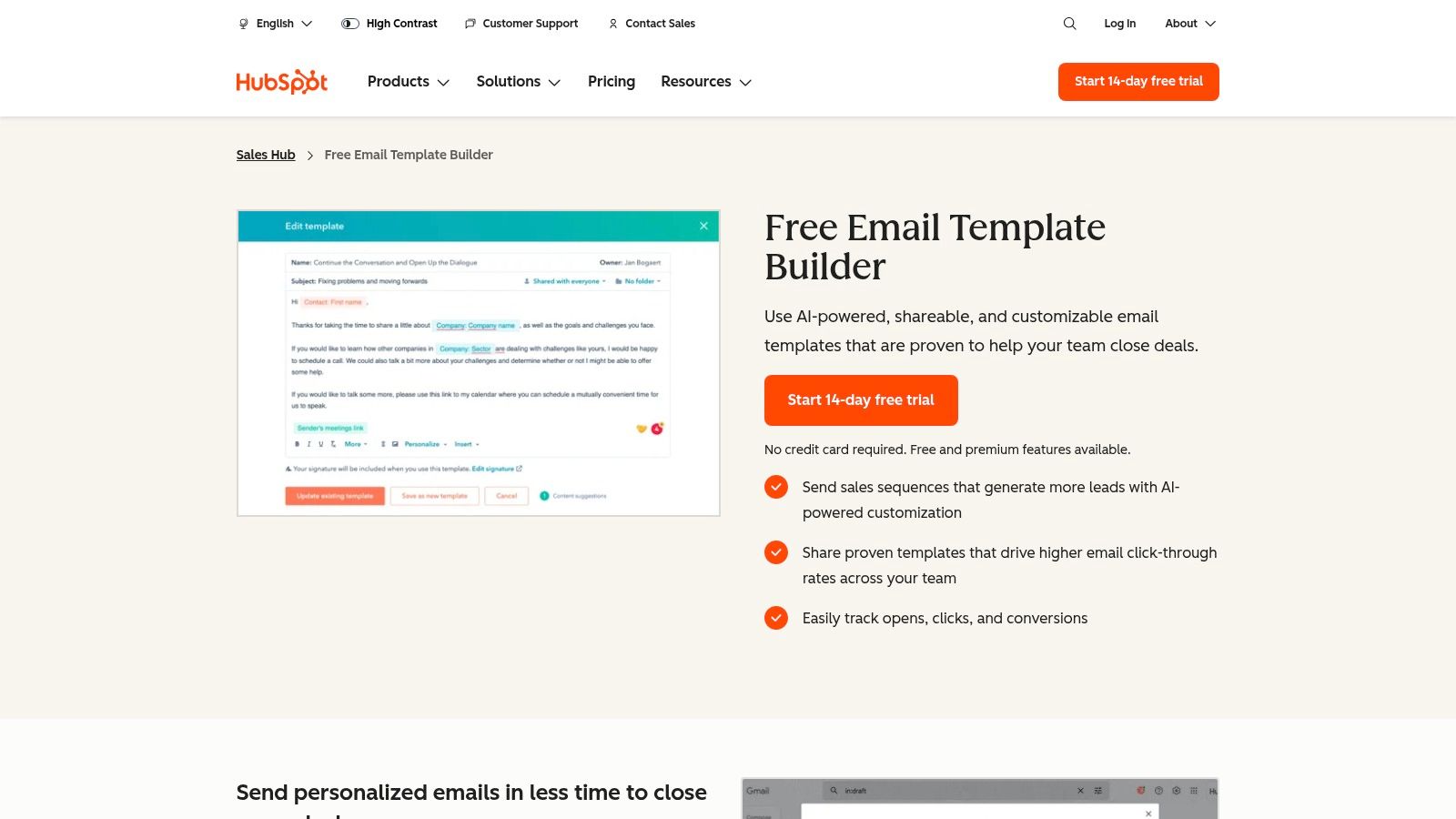
HubSpot stands out by offering more than just a static library of templates; it provides a fully integrated ecosystem where you can find, create, personalize, send, and track professional messages. While many platforms offer templates, HubSpot embeds its extensive library directly into its powerful Sales Hub, which includes a robust CRM. This integration is its key differentiator, turning a simple template for messages into a component of a cohesive sales and marketing workflow.
The platform is designed for businesses that want to streamline their outreach, from initial sales prospecting to ongoing customer service. You can access a vast collection of pre-built, high-converting email templates for various scenarios, including follow-ups, meeting requests, and service inquiries. The built-in editor allows for easy customization, and AI-powered tools can help you craft more effective and personalized messages.
Key Features and Offerings
HubSpot’s strength lies in its comprehensive feature set, which is accessible even on its free tier. This makes it an excellent starting point for businesses before they scale.
- Integrated Template Library: Access hundreds of professionally designed email templates directly within the HubSpot CRM for sales, marketing, and customer service teams.
- Editor and Personalization: A user-friendly editor lets you customize templates with personalization tokens from your CRM (like
{FIRST_NAME}or{COMPANY_NAME}), and an AI content assistant helps refine your copy. - Tracking and Analytics: Send templates directly from your Gmail or Outlook inbox and track opens, clicks, and reply rates. This data feeds back into the CRM, giving you a complete view of prospect engagement.
- Downloadable Resources: HubSpot also offers free, downloadable packs of templates (e.g., “50 Sales Email Templates”) that can be used outside the platform, though these often require providing contact information.
Pros and Cons of HubSpot
| Pros | Cons |
|---|---|
| Robust Free Tier: The free plan offers significant value, including access to templates and the CRM. | Costly Upgrades: Advanced features, automation, and higher limits are locked behind paid plans. |
| All-in-One Platform: Combines CRM, templates, sending, and tracking in a single, unified system. | Onboarding Complexity: Migrating to and learning the Pro/Enterprise tiers can be complex and costly. |
| Extensive Support: Excellent documentation and a large community make it easy to find help. | Lead-Gen Forms: Some of the best downloadable templates require submitting your email address. |
For those evaluating how HubSpot fits into a broader marketing strategy, it’s worth comparing its automation capabilities with other leading platforms. You can learn more about how HubSpot stacks up against other marketing automation tools to make an informed decision. Ultimately, HubSpot is an ideal choice for teams seeking an integrated solution that grows with their business, moving beyond simple templates to a full-fledged communication and relationship management system.
Website: HubSpot Sales Email Templates
3. Mailchimp
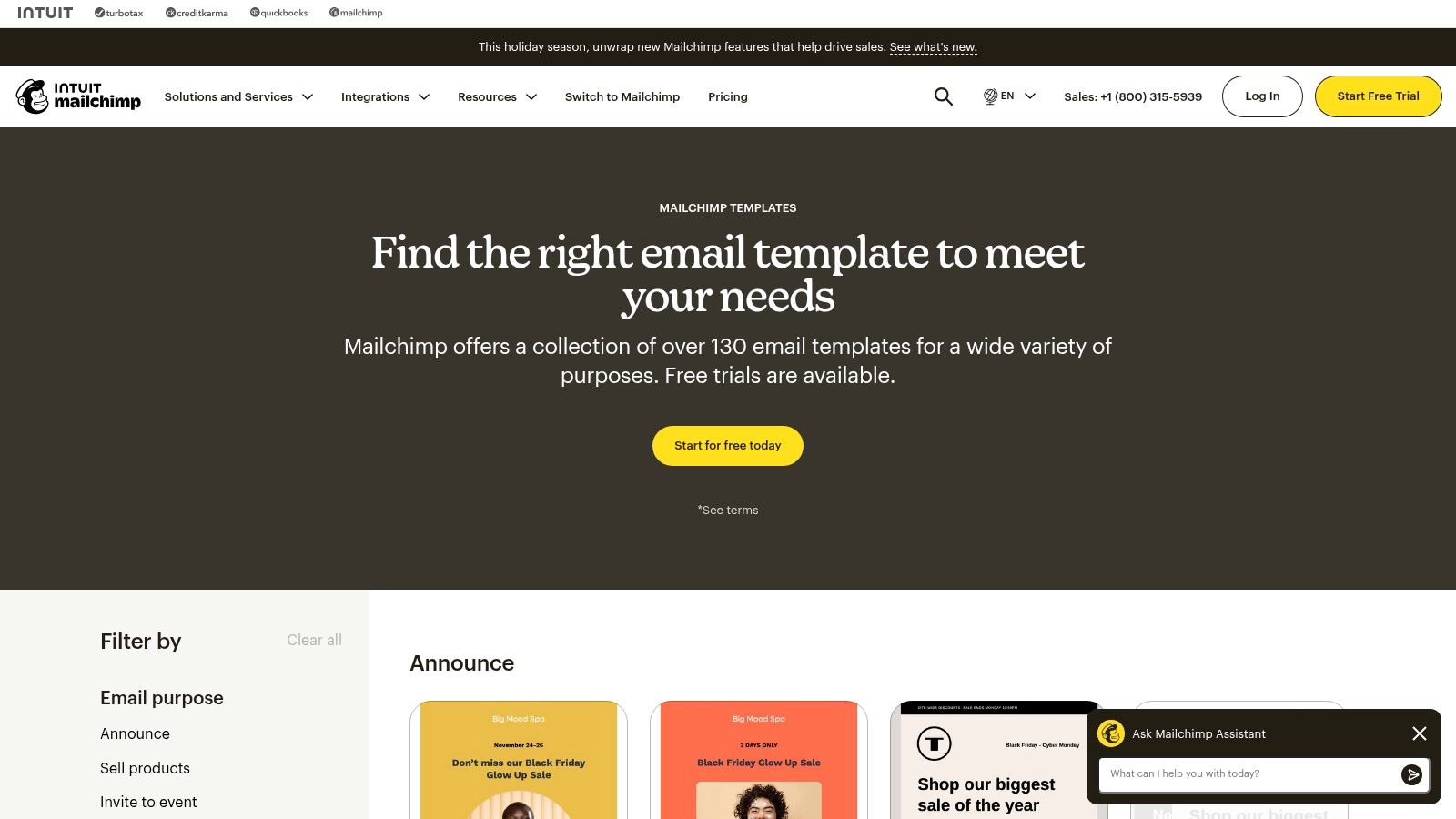
Mailchimp is one of the most recognized names in email marketing, and its strength lies in providing a robust, all-in-one platform where creating, sending, and analyzing messages is seamless. It offers a vast library of over 100 professionally designed and responsive email templates suitable for newsletters, promotions, and abandoned cart reminders. More than just a static collection, Mailchimp integrates its template for messages directly into its powerful marketing suite, making it a go-to for businesses that prioritize deliverability and analytics alongside design.
The platform is especially well-suited for teams that want a comprehensive solution without needing a separate CRM or sending service. Its drag-and-drop editor is famously intuitive, allowing users to customize layouts, fonts, and colors effortlessly. For those with specific design needs, Mailchimp also supports importing custom HTML templates and offers a marketplace to find unique designs, giving users complete creative control over their communications.
Key Features and Offerings
Mailchimp’s features are designed to simplify email marketing from start to finish. Its free plan is generous, offering a solid entry point for new businesses to explore its core functionalities.
- Extensive Template Library: Access over 100 responsive, pre-built templates for emails and landing pages that can be easily customized with a drag-and-drop editor.
- Customization and Marketplace: Import your own custom-coded HTML templates or browse the Mailchimp Marketplace for premium designs created by third-party experts.
- Built-in Analytics and Deliverability: The platform includes powerful sending infrastructure, deliverability tools, and detailed analytics to track opens, clicks, and campaign performance.
- Comprehensive Documentation: Mailchimp provides extensive help articles and guides, making it easy to learn how to use templates, import custom code, and optimize campaigns.
Pros and Cons of Mailchimp
| Pros | Cons |
|---|---|
| Excellent deliverability and analytics: A core strength of the platform. | Pricing scales with list size: Costs can increase significantly as your contact list grows. |
| Large, user-friendly template library: Easy to find and customize designs. | Feature access varies by plan: Some advanced templates and features are locked in higher tiers. |
| Strong integrations and marketplace: Connects with many tools and offers more designs. | Can be complex for beginners: The sheer number of features might be overwhelming for new users. |
Mailchimp excels as a complete package for email-centric marketing, particularly for businesses that need reliable sending and reporting tools built right in. While it focuses heavily on email, its principles of clear, engaging communication are universal. For e-commerce stores looking to apply these ideas specifically to cart recovery, you can learn more about abandoned cart email templates to build effective, high-converting campaigns. Mailchimp remains a top choice for anyone who needs a proven, scalable platform for their email marketing.
Website: Mailchimp Email Templates
4. SimpleTexting
SimpleTexting streamlines the process of finding and deploying SMS campaigns by combining an extensive library of templates with a user-friendly sending platform. Its core value is providing a fast, direct path from idea to execution for non-technical users. Where other platforms might focus on broader marketing suites, SimpleTexting excels in its dedicated focus on text messaging, offering a rich template for messages for nearly any industry or use case, from real estate to retail.
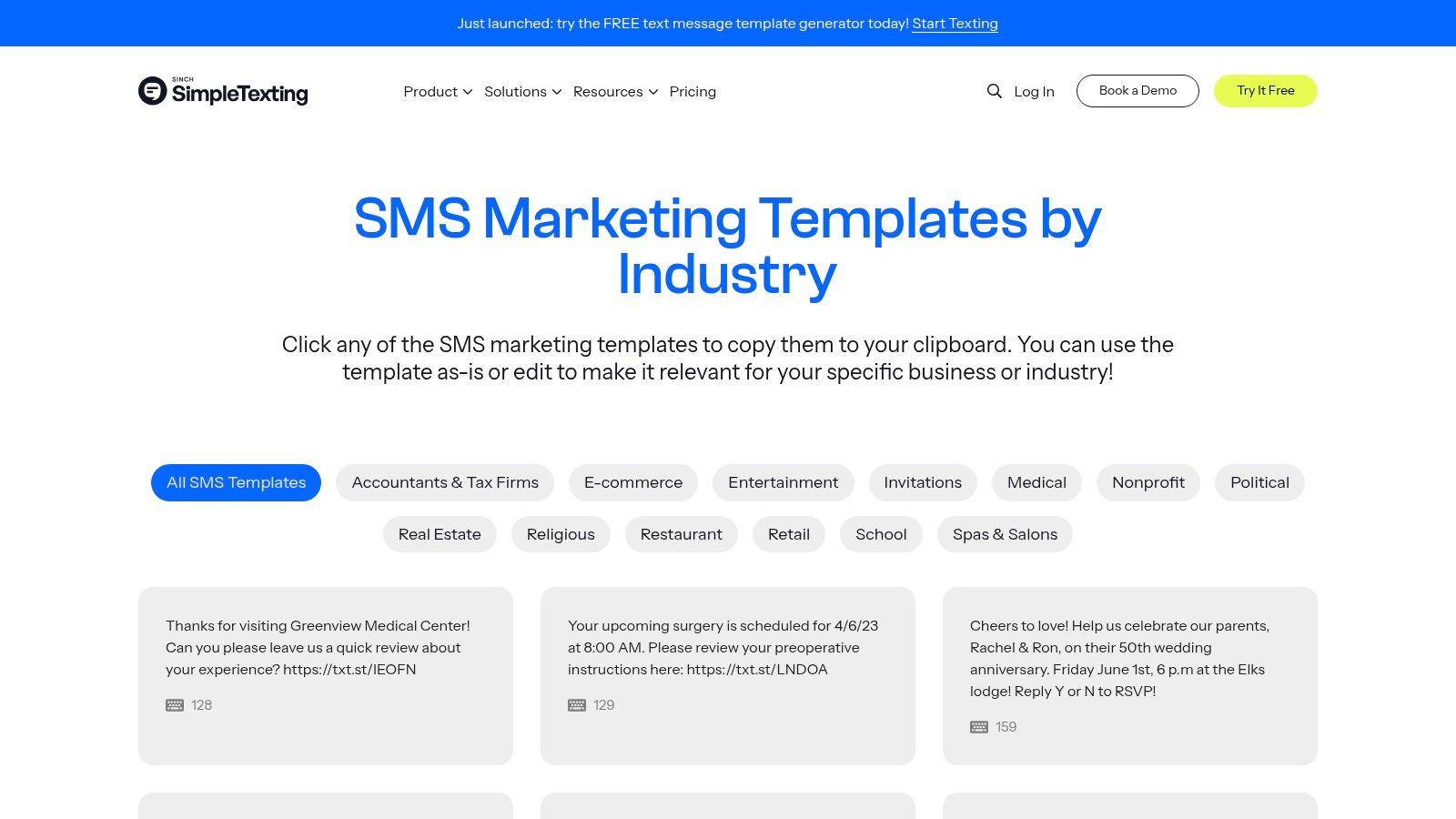
The platform is designed for businesses that need to quickly launch effective SMS initiatives like promotions, reminders, or two-way customer conversations. It offers a free, copy-and-paste library of over 100 templates and an innovative SMS Template Generator. This tool allows you to select your industry, goal, and tone to create tailored messages instantly, which can then be used directly within its campaign builder. This seamless integration is what makes SimpleTexting a powerful, all-in-one solution for text-based communication.
Key Features and Offerings
SimpleTexting’s strength lies in its accessibility and focus on SMS-specific functionality, supported by transparent pricing and a solid feature set.
- Industry-Specific Templates: Access a free library of over 100 ready-to-use SMS templates categorized by industry, making it easy to find relevant examples.
- SMS Template Generator: A unique tool that helps you craft custom messages by selecting your industry, objective (e.g., generate leads, drive sales), and desired tone.
- Integrated SMS Platform: The platform includes mass texting, two-way messaging, auto-replies, scheduling, and detailed analytics to track campaign performance.
- Flexible Pricing and Integrations: Offers a clear, credits-based pricing model with no long-term contracts and integrates with tools like Mailchimp and Zapier. A free trial is available to test the service.
Pros and Cons of SimpleTexting
| Pros | Cons |
|---|---|
| Very fast path from template to sending real messages for non-technical users. | Carrier fees add on top of plan credits; MMS costs more credits. |
| Transparent, credits-based pricing with no long-term contracts. | Higher volumes can become pricey compared to some enterprise-level solutions. |
| Helpful generator and industry-specific templates for quick customization. | Best suited to U.S./Canada SMS; international use may require other providers. |
For businesses comparing SMS solutions, it’s important to see how SimpleTexting’s features stack up against other dedicated services. You can explore a detailed comparison to learn more about other SMS marketing platforms to ensure you choose the right fit. Overall, SimpleTexting is an excellent choice for teams that need an accessible, powerful, and SMS-focused platform to quickly get their message out.
Website: SimpleTexting SMS Text Message Templates
5. Twilio
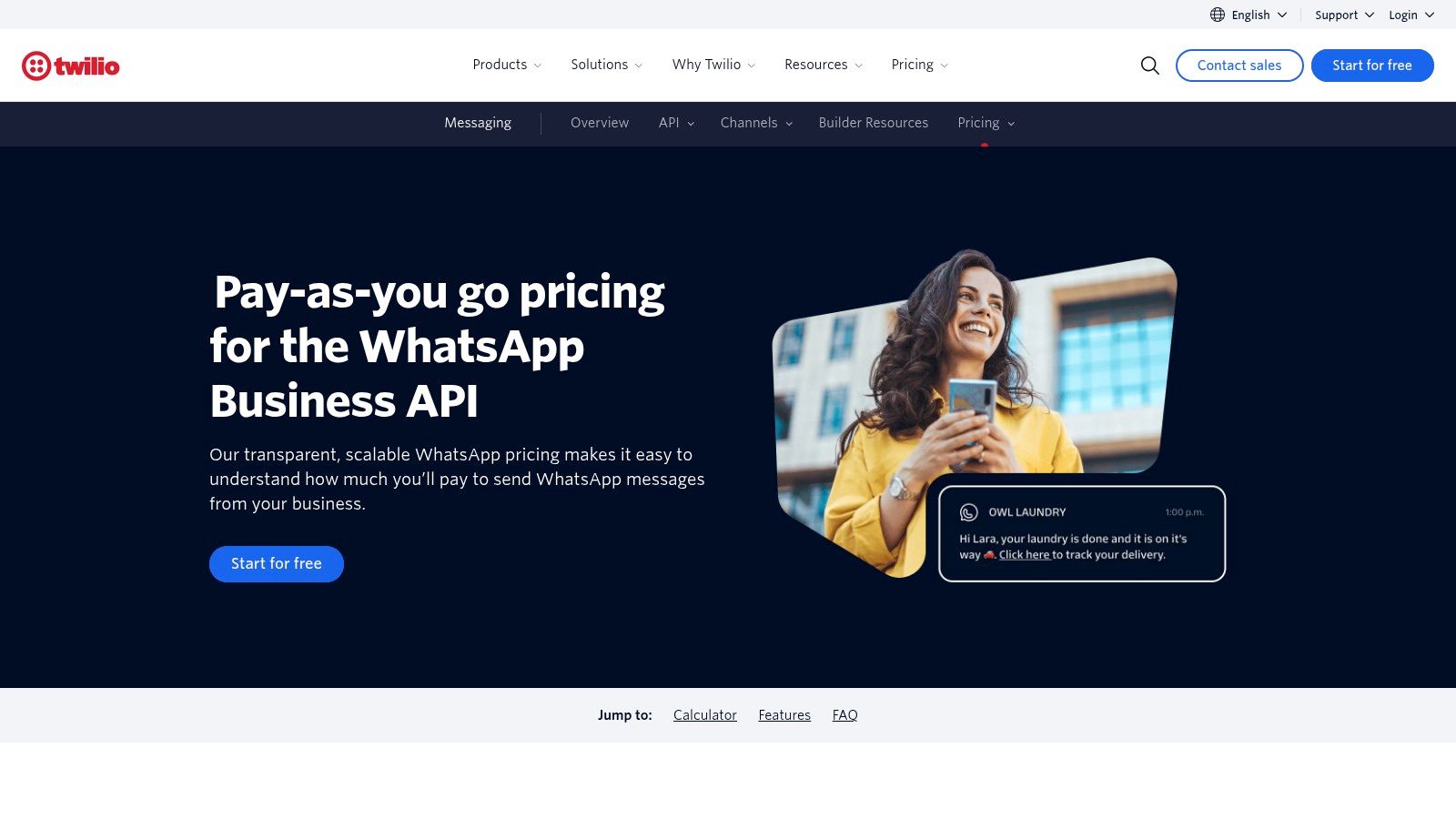
Twilio operates on a fundamentally different level from most platforms on this list, offering a developer-centric approach to communications. Instead of a user-friendly interface with a pre-built library, Twilio provides the powerful, API-driven infrastructure that developers use to build custom messaging solutions from the ground up. This makes it the go-to choice for businesses that require deep control over their communication channels, including programmatic SMS, MMS, and WhatsApp. Its strength lies in its scalability and flexibility, allowing teams to create a highly customized template for messages system that integrates directly into their existing software stack.
The platform is designed for companies with technical resources that need to send messages at an enterprise scale with high reliability. For e-commerce, this means building custom abandoned cart reminders, order notifications, and promotional campaigns via SMS or WhatsApp. A key feature is its support for WhatsApp Business templates, which must be pre-approved by Meta. Twilio manages this process and provides transparent, per-message pricing based on the conversation category (e.g., utility, marketing), region, and channel.
Key Features and Offerings
Twilio’s power comes from its robust APIs and comprehensive developer tools, which provide granular control over every aspect of the messaging workflow.
- Programmable Messaging APIs: The core of Twilio’s offering, these APIs for SMS and WhatsApp allow developers to send, receive, and manage messages programmatically at a massive scale.
- WhatsApp Template Support: Twilio facilitates the submission, approval, and management of WhatsApp message templates required by Meta, with a documented and transparent pricing model that varies by country and template category.
- Global Infrastructure: The platform includes features like phone number provisioning in numerous countries, ensuring reliable message delivery and compliance with local regulations.
- Extensive Documentation: Twilio is renowned for its world-class developer documentation, SDKs, and tutorials, making it easier for technical teams to build and maintain complex communication systems.
Pros and Cons of Twilio
| Pros | Cons |
|---|---|
| Unmatched Flexibility and Control: API-first approach offers limitless customization for messaging workflows. | Requires Developer Resources: Implementation and maintenance demand significant technical expertise and coding. |
| Enterprise-Grade Reliability: Built for high-volume, mission-critical communications at a global scale. | Complex Pricing: Costs depend on message type, volume, destination, and WhatsApp template category. |
| Comprehensive Documentation: Excellent support resources empower developers to build solutions efficiently. | WhatsApp Template Approval: The mandatory Meta approval process for templates can introduce delays. |
For teams considering building their own messaging solutions, understanding the underlying technology is crucial. You can learn more about how a programmable SMS sender API works to see if a platform like Twilio is the right fit. Ultimately, Twilio is not a plug-and-play solution but a powerful building block for businesses that want to create a bespoke, scalable, and highly reliable messaging infrastructure.
Website: Twilio WhatsApp Pricing
6. Canva
Canva takes a unique, design-first approach to message creation, positioning itself as a visual communication platform rather than a text-based template library. Its key differentiator is providing a vast collection of professionally designed templates for visually rich messages, such as product announcements, event notices, and social media DMs. For businesses needing to create on-brand, polished assets quickly, Canva offers an unmatched template for messages that prioritize visual appeal, which can then be exported for use in email campaigns or social channels.
The platform is designed for everyone, from individuals and small businesses to large enterprises, who need to produce high-quality visual content without deep design expertise. You can find templates for almost any communication scenario, including graphics styled like SMS conversations for social media, visually engaging story replies, or beautifully formatted customer notices. The drag-and-drop editor makes customization incredibly fast and intuitive, allowing users to maintain brand consistency across all their messaging assets.
Key Features and Offerings
Canva’s strength is its massive library and user-friendly editor, which empowers non-designers to create professional-grade visual communications effortlessly.
- Extensive Template Library: Access hundreds of thousands of free and premium templates for announcements, social media DMs, story replies, and other message-style graphics.
- Fast, Non-Designer Friendly Editor: The intuitive drag-and-drop interface allows for quick customization of colors, fonts, images, and layouts to match your brand.
- Brand Kit and Collaboration: Store brand assets like logos, color palettes, and fonts for easy access. Team features allow for real-time collaboration on designs.
- Versatile Export Options: Download your finished designs in various formats (PNG, JPG, PDF) suitable for embedding in emails, posting on social media, or using in other marketing channels.
Pros and Cons of Canva
| Pros | Cons |
|---|---|
| Very fast for non-designers: Create polished, professional-looking assets in minutes. | Design-first, not a sending platform: You still need a separate email, SMS, or DM tool to send the messages. |
| Huge variety of templates: The library covers nearly any visual message use case imaginable. | Team pricing can be costly: Some users have reported price increases for team plans, which may affect budgets. |
| Affordable Pro plan: The Pro tier offers significant value for individuals and small teams. | Not for plain-text: Best for visual-heavy communications, not for simple, text-only message templates. |
Ultimately, Canva is an essential tool for any marketing or communications team that wants to elevate the visual quality of their messages. While it doesn’t send the messages itself, it provides the critical design component, ensuring that every announcement, notice, or social media interaction is visually compelling and perfectly on-brand. It excels at bridging the gap between a text idea and a polished, ready-to-share graphic.
Website: Canva
7. Etsy
Etsy offers a unique and highly accessible approach to finding a template for messages, shifting the focus from integrated software to a bustling marketplace of digital downloads. Instead of a single platform, Etsy provides a vast collection of low-cost, plug-and-play message scripts created by independent sellers. This makes it an ideal resource for micro-businesses, freelancers, and solo entrepreneurs who need specific, ready-to-use responses without committing to a recurring software subscription.
The platform is a treasure trove for anyone seeking niche communication templates, from customer service replies and social media DMs to order updates and apology scripts. Sellers offer these templates as instant digital downloads, typically in user-friendly formats like PDF, Google Docs, or customizable Canva links. The key differentiator is the sheer variety and specificity available; you can find a template pack for nearly any business scenario imaginable, often for just a few dollars.
Key Features and Offerings
Etsy’s strength lies in its decentralized marketplace model, which fosters creativity and competition, resulting in a diverse and affordable selection of message templates.
- Vast Marketplace of Niche Templates: Discover thousands of specialized template packs for scenarios like handling refund requests, responding to negative reviews, or managing late shipments.
- Instant Digital Downloads: Purchases are delivered immediately in common formats like PDF, Google Docs, and Canva, allowing for quick implementation and easy customization.
- Extremely Low Price Points: Most template packs are available for a one-time purchase, often under $10, making it one of the most budget-friendly options available.
- Seller Reviews and Ratings: Built-in social proof helps you vet the quality and usefulness of a template pack before buying, ensuring you get a product that meets your needs.
Pros and Cons of Etsy
| Pros | Cons |
|---|---|
| Extremely Budget-Friendly: The cheapest way to acquire a library of high-quality, plug-and-play scripts. | Quality Varies by Seller: You must carefully check seller reviews and item previews to ensure quality. |
| Immediate Delivery: Get your templates instantly upon purchase without any waiting period. | No Integration or Analytics: Templates are static documents and do not connect to a CRM or offer tracking. |
| Huge Selection of Niche Packs: Find highly specific message templates that larger platforms might not offer. | Potential Download Issues: Some users report confusion when trying to download digital files via the mobile app. |
For businesses that prioritize affordability and specificity over software integration, Etsy is an unbeatable resource. It empowers users to build a custom library of canned responses by mixing and matching packs from various sellers. While it lacks the advanced features of a CRM, it provides an essential, cost-effective solution for standardizing and improving customer communications on a small scale.
Website: Etsy Message Templates
Top 7 Message Template Comparison
| Tool | Implementation Complexity 🔄 | Resource Requirements ⚡ | Expected Outcomes 📊 | Ideal Use Cases 💡 | Key Advantages ⭐ |
|---|---|---|---|---|---|
| CartBoss | Very low — plug‑and‑play, no code (2‑min install) | Phone number consent; SMS sending fees; minimal operations | High recovery uplift (claims up to 50% more sales; high ROAS) | Shopify/WooCommerce stores with collected phone numbers | Automated SMS recovery, multilingual, privacy‑compliant |
| HubSpot | Low–Medium — UI setup; advanced workflows add complexity | CRM seats for advanced features; onboarding time | Strong pipeline visibility and tracked outreach metrics | Sales/marketing teams needing templates + CRM integration | Integrated CRM + templates + tracking; AI personalization |
| Mailchimp | Low — drag‑and‑drop editor; template import | Contact list management; costs scale with list size | Reliable deliverability and campaign analytics | Newsletters, promotions, growing email lists | Large template library, deliverability tools, marketplace |
| SimpleTexting | Very low — templates → send quickly, no dev needed | Credit‑based pricing; phone numbers; U.S./Canada focus | Fast campaign launches and measurable SMS responses | Non‑technical teams running SMS promos, reminders | Industry templates, template generator, transparent pricing |
| Twilio | High — API/programmatic integration; setup for scale | Developer resources; phone number provisioning; per‑message fees | Scalable, programmable messaging across SMS/MMS/WhatsApp | Engineering teams building custom, high‑volume messaging | Enterprise reliability, multi‑channel APIs, extensive docs |
| Canva | Very low — design‑first editor, no code | Designer time or Pro subscription for brand features; export needed | Polished, on‑brand message assets for channels | Teams needing visual assets for emails, social, SMS graphics | Huge design library, easy for non‑designers, brand tools |
| Etsy | Low — instant digital downloads, no setup required | One‑time payments; manual copy/paste into sending tools | Cheap, immediate scripts/assets; quality varies by seller | Micro‑businesses and solo sellers on tight budgets | Low cost, niche templates, immediate delivery |
Putting Your Message Templates Into Action for Maximum ROI
Navigating the world of messaging tools can feel overwhelming, but the journey to higher conversions and customer engagement starts with a single, crucial step: choosing the right platform for your needs. Throughout this guide, we’ve explored a diverse lineup of solutions, from all-in-one marketing hubs like HubSpot and Mailchimp to specialized communication platforms like SimpleTexting and Twilio. We even touched on creative resources like Canva and niche marketplaces like Etsy, demonstrating that a powerful template for messages can come from many sources.
The core takeaway is that a template is not a final destination; it’s a launchpad. The most successful e-commerce brands understand that the pre-written text is merely a foundation. The real magic happens when you infuse that foundation with personalization, strategic timing, and continuous optimization. Your goal should be to move beyond a “one-size-fits-all” approach and into a dynamic communication strategy that feels personal and timely to every customer.
From Selection to Implementation: Your Actionable Next Steps
To transform the insights from this article into tangible results, you need a clear implementation plan. The difference between a brand that sees a 5% lift and one that sees a 30% lift in recovery rates often comes down to a methodical approach.
Here are the essential steps to take right now:
- Identify Your Biggest Revenue Leak: Before you choose a tool, diagnose your primary problem. Is it cart abandonment? Post-purchase follow-up? Customer win-back campaigns? For most e-commerce stores, abandoned carts represent the most significant and immediate opportunity for revenue recovery.
- Align the Tool with the Problem: Once you know your focus, select a tool that specializes in solving that specific issue. If cart abandonment is your priority, a dedicated SMS recovery tool like CartBoss will almost always outperform a general-purpose email marketing platform. Its sole focus on this high-intent moment ensures every feature is optimized for conversion.
- Establish Your A/B Testing Framework: Do not just “set and forget” your message templates. Commit to a testing schedule from day one. Start by testing key variables like discount offers (e.g., 10% off vs. free shipping), timing (sending after 30 minutes vs. 1 hour), and tone (using emojis vs. a more formal voice).
- Integrate and Personalize: Connect your chosen tool to your e-commerce platform (like Shopify or WooCommerce) to pull in rich customer data. Use personalization tokens like
{FirstName}and{CartItems}to make every message feel unique and relevant. A message that mentions the exact product a customer left behind is exponentially more powerful than a generic reminder.
Key Factors to Consider for Long-Term Success
Choosing and implementing a template for messages is just the beginning. To ensure sustainable growth and a strong return on investment, keep these critical factors in mind:
- Compliance is Non-Negotiable: Especially with SMS marketing, adhering to regulations like TCPA and GDPR is paramount. Ensure your chosen platform has built-in compliance features, such as automated opt-out language and consent management.
- Analyze Your Performance Data: Don’t just look at open rates. Dive deeper into metrics like click-through rate (CTR), conversion rate, and revenue generated per message. This data will tell you precisely which templates and strategies are working.
- Think Beyond a Single Channel: While SMS is incredibly effective for urgent messages like cart recovery, consider how it complements your email and social media efforts. An omnichannel strategy ensures you reach customers on their preferred platform at the right time.
Ultimately, the templates provided in this article are your strategic building blocks. By selecting the right tool for your primary business goal, committing to a process of testing and personalization, and focusing on data-driven decisions, you can turn simple messages into a powerful engine for revenue growth and customer loyalty.
Ready to reclaim lost revenue with a proven template for messages designed for maximum conversion? CartBoss specializes in automated SMS abandoned cart recovery, delivering industry-leading ROI by sending the right message at the perfect time. Stop leaving money on the table and see how effortless revenue recovery can be by visiting CartBoss today.